


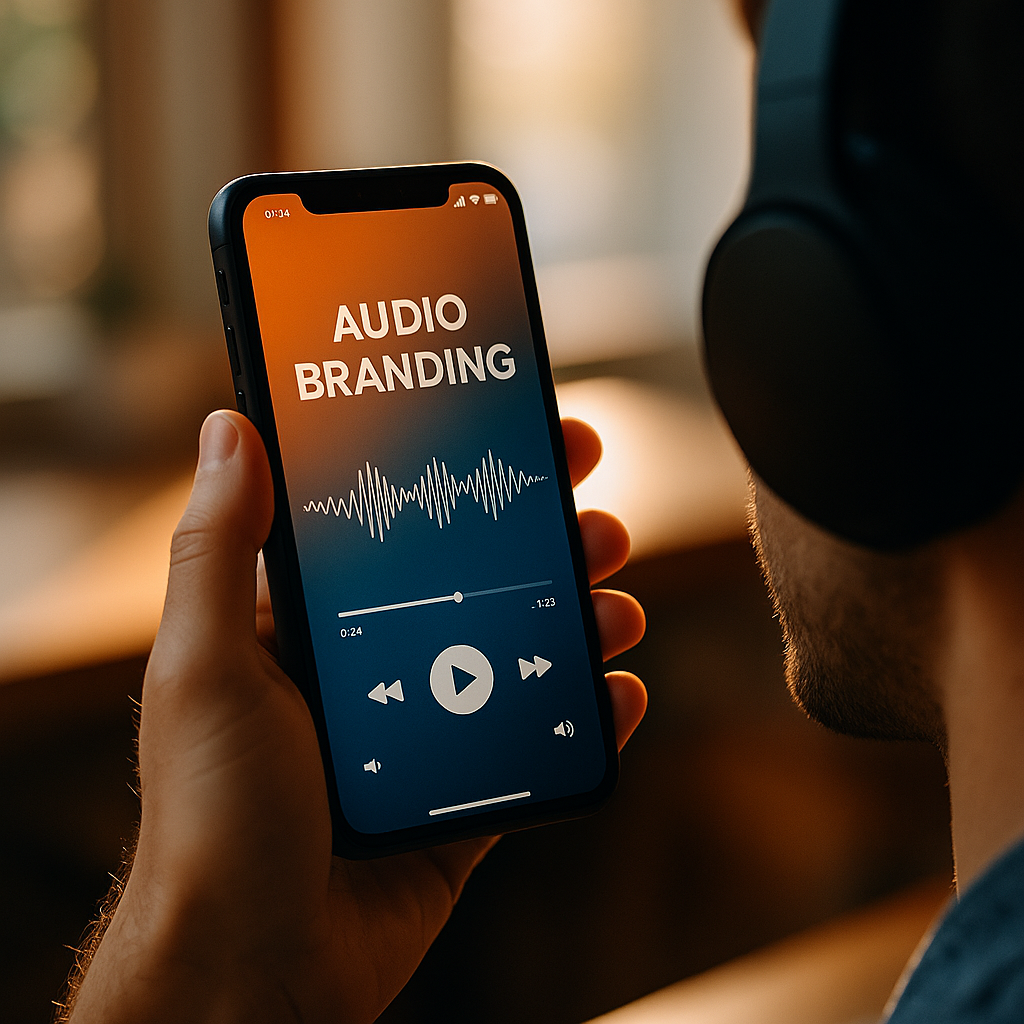
The Psychology Of Soundscapes And Audio Branding In Branded Apps has moved from “nice-to-have” to a measurable driver of trust, usability, and recall in 2025. Every tap, transition, and notification trains users to feel a certain way about your product. Done well, sound reduces friction and strengthens identity; done poorly, it becomes noise that users mute or delete—so what makes audio work?
Audio branding strategy: how soundscapes shape perception and behavior
Sound is processed quickly and emotionally. In branded apps, that matters because users make rapid judgments: “Is this reliable?”, “Is this delightful or stressful?”, “Does it feel premium?” A soundscape—the full set of sonic elements across an experience—guides attention, signals outcomes, and sets expectations before users consciously analyze what’s happening.
Why sound influences decisions:
- Emotion and arousal: Tempo, pitch, and timbre can calm, energize, or create urgency. A soft, low-frequency confirmation can feel reassuring; a sharp, high-frequency alert can create immediate attention—sometimes too much.
- Predictive learning: When the same sound consistently maps to the same outcome (success, error, completion), users learn faster and commit fewer mistakes.
- Perceived quality: Subtle, well-crafted micro-sounds suggest care and craftsmanship. Cheap or inconsistent audio can undercut even a well-designed UI.
- Memory and recognition: Audio cues can become brand signatures because the brain encodes repeated, distinctive patterns efficiently. This supports recognition even when the screen is not the focus.
In practice, audio branding works best when it is not treated as decoration. Build from intent: define what the brand should feel like in key moments—onboarding, payment, completion, error recovery—then choose sonic behaviors that reinforce those feelings without hijacking attention.
Follow-up question readers often ask: “Is sound always helpful?” No. Sound is powerful, but it is also situational. Many users browse in quiet public places or shared spaces. The goal is optional enhancement and clear feedback, not mandatory audio.
Sonic UX design: mapping functional sounds to user intent
Sonic UX design turns app states into understandable audio. Think of it as “information design,” but for the ear: small, consistent cues that support navigation, reduce uncertainty, and help users recover from errors faster.
Core sound categories in branded apps:
- Confirmation cues: Indicate success (saved, sent, completed). These should be brief, warm, and unobtrusive. The user should feel progress, not celebration.
- Error cues: Signal a problem (invalid input, failed payment). Make them distinct from confirmation, lower in volume than alerts, and paired with clear visual guidance for resolution.
- Notification cues: Pull attention back to the app. These require extra restraint because they can annoy quickly. Consider a “family” of tones that share a signature but vary slightly by priority.
- Progress and transition cues: Subtle sounds for loading, moving between screens, or completing multi-step tasks. Done well, they reduce perceived wait time and make transitions feel intentional.
- Ambient soundscapes: Optional layers for focus, relaxation, or immersion (common in wellness, education, or gaming-adjacent apps). These must never block comprehension or interfere with system audio.
Design principle: Map each sound to a single meaning. If the same tone sometimes means “saved” and sometimes means “sent,” users learn the wrong association and trust drops.
Answering a key follow-up: “How many sounds are too many?” If users can’t describe what a sound means after repeated use, it is likely excess. Most apps need a compact library: a few core UI cues, a small notification set, and a controlled brand motif.
Brand sound identity: creating a recognizable sonic signature without fatigue
A brand sound identity is not only a logo sting. In apps, it is a system: a coherent set of tones, textures, and rhythms that reflect brand values and stay consistent across contexts. The challenge is creating something recognizable while avoiding repetition fatigue.
Build the identity from brand attributes:
- Define 3–5 descriptors: e.g., “calm, precise, optimistic, premium.” Each descriptor should translate into audio choices (instrumentation, envelope, harmonic complexity, dynamic range).
- Create a motif: a short interval pattern, chord movement, or rhythmic signature that can be adapted into different cues.
- Establish a palette: a limited set of timbres (synths, recorded materials, percussive textures) to keep the sound world cohesive.
Preventing fatigue: Keep most cues under 300 milliseconds, avoid harsh frequencies that cut through too aggressively, and introduce variation while retaining the motif. For example, the same two-note interval can appear with a different instrument or a slightly different rhythm depending on context (confirmation vs. completion).
Cross-platform consistency matters: iOS and Android handle audio differently, and hardware varies widely. Your identity must survive cheap speakers, earbuds, and accessibility settings. That means testing on multiple devices and avoiding extremes: overly deep bass that disappears on phone speakers or very bright tones that become piercing.
Practical checkpoint: If your brand audio sounds great in a studio but becomes indistinct on a mid-range phone, simplify the timbre and tighten the frequency focus.
Multisensory branding: aligning sound with visuals, motion, and microcopy
Users experience brands as a single system, not separate design disciplines. Sound should align with visuals, motion, and language so the experience feels unified. When it doesn’t, users sense inconsistency even if they can’t name it.
How to create alignment:
- Match motion curves: If your UI uses gentle easing, choose sounds with softer attacks and smoother decays. If motion is snappy, use tighter transients and shorter tails.
- Support microcopy: An error message that reads “Try again” paired with a harsh buzzer creates shame. A restrained, informative sound supports recovery.
- Respect hierarchy: Primary actions deserve clearer feedback than secondary actions. Don’t give equal sonic weight to “like” and “pay.”
- Use silence intentionally: Not every interaction needs audio. Silence can communicate focus and seriousness, especially in finance, healthcare, or enterprise contexts.
Follow-up question: “Should we use music?” Music can strengthen immersion and brand tone, but it often competes with users’ existing audio (podcasts, calls, OS sounds). If you add music, make it opt-in, easily adjustable, and designed to loop seamlessly without drawing attention away from tasks.
Best practice for trust-sensitive flows: In checkout, identity verification, or consent screens, keep sounds minimal and supportive. Overly playful audio can reduce perceived seriousness.
App audio accessibility: inclusive design, control, and cultural sensitivity
Helpful audio branding must be inclusive. Accessibility is not a compliance afterthought; it is central to usability and trust. In 2025, users expect apps to respect their environment, preferences, and sensory needs.
Accessibility and control essentials:
- Granular settings: Provide separate controls for sound effects, ambient sound, and notifications. A single “sound on/off” switch is rarely enough.
- Respect system settings: Honor OS mute switches, Do Not Disturb, and accessibility preferences. Avoid “surprise audio” on launch.
- Non-audio redundancy: Never communicate critical information by sound alone. Pair audio with visual cues, haptics, and clear text.
- Frequency and loudness safety: Avoid harsh high frequencies that can be uncomfortable, and keep levels consistent. Design to feel clear at low volumes.
- Cognitive load reduction: For neurodivergent users, too many cues can overwhelm. Offer a “reduced sound” mode with only essential feedback.
Cultural and contextual sensitivity: Sounds carry meaning across cultures. A tone that feels playful in one region may feel childish in another; certain alarms or chimes may have strong associations. Validate your sound choices with diverse user testing, especially if your app is global.
Follow-up question: “Is haptics a substitute for sound?” Haptics can complement audio and improve accessibility, but they are not always available (device differences) and can be missed in motion. Treat sound, haptics, and visuals as a coordinated set.
Soundscape testing and measurement: proving impact on retention and trust
Audio branding becomes strategic when you can measure its effect. The goal is not to make users notice sound; it is to improve outcomes: fewer errors, faster task completion, better satisfaction, and stronger brand recognition.
What to measure:
- Task success rate: Do confirmation and error cues reduce failed attempts?
- Time to complete key flows: Does sonic feedback reduce hesitation?
- Error recovery speed: After an error cue, do users correct faster?
- Opt-out and mute rates: If users disable sound quickly, cues may be too loud, too frequent, or poorly mapped.
- User satisfaction and trust: Use post-task surveys with targeted questions about clarity and comfort, not “Did you like the sound?”
- Brand recall: In moderated studies, test recognition of your motif across contexts (notifications, confirmations, onboarding).
How to test effectively:
- A/B testing with guardrails: Compare “audio minimal” vs. “audio designed” variants, but ensure volume levels and event frequency are consistent to avoid biased results.
- Moderated usability sessions: Observe whether users interpret cues correctly. Ask, “What did that sound mean?” If answers vary, redesign.
- Device and environment testing: Test on multiple phones, earbuds, and in realistic environments (quiet room, commute noise, office).
- Telemetry tied to events: Log when cues play and correlate with subsequent actions (retry, abandon, proceed).
EEAT note: Treat your audio system like a product feature with documented requirements, review processes, and QA. Maintain a changelog of sound updates, rationale for mappings, and evidence from testing. This improves internal accountability and supports consistent, user-centered decisions.
FAQs
What is a soundscape in a branded app?
A soundscape is the complete set of audio elements in the app—UI sound effects, notifications, optional ambient layers, and any musical branding. It includes when sounds play, how they relate to actions, and how they feel as a cohesive system.
What is audio branding for apps, and how is it different from a sonic logo?
Audio branding for apps is a scalable identity system: a palette of sounds and rules that keep the experience consistent across interactions. A sonic logo is usually a short signature; app audio branding extends that signature into confirmations, transitions, and notifications without becoming repetitive.
Should an app include sound by default?
Default sound can work for clear feedback (like a subtle confirmation), but it must respect system mute settings and user context. Many apps succeed with minimal default cues and clear controls to expand, reduce, or disable sound.
How do we avoid annoying users with notifications?
Use fewer notification sounds, vary tones by priority, keep them short, and avoid harsh frequencies. Give users controls by notification type, and design copy and cadence to reduce unnecessary alerts—sound cannot fix over-notification.
What are the most important accessibility practices for app audio?
Never rely on sound alone for critical information, provide granular audio settings, keep levels safe and consistent, honor OS accessibility and mute preferences, and offer a reduced-sound mode for users sensitive to auditory load.
How can we measure whether audio branding improves retention or trust?
Track task success, completion time, error recovery, mute/opt-out rates, and satisfaction scores, then compare cohorts through controlled A/B tests. Combine analytics with moderated testing to confirm users interpret cues as intended.
The best branded app audio in 2025 feels inevitable: clear feedback, consistent meaning, and a sound identity that supports the brand without demanding attention. Treat soundscapes as a UX system, not a decorative layer, and validate them with accessibility checks and real-world testing. When audio is optional, coherent, and measurable, it builds trust and recall—quietly.
Top Influencer Marketing Agencies
The leading agencies shaping influencer marketing in 2026
Agencies ranked by campaign performance, client diversity, platform expertise, proven ROI, industry recognition, and client satisfaction. Assessed through verified case studies, reviews, and industry consultations.
Moburst

-
2

The Shelf
Boutique Beauty & Lifestyle Influencer AgencyA data-driven boutique agency specializing exclusively in beauty, wellness, and lifestyle influencer campaigns on Instagram and TikTok. Best for brands already focused on the beauty/personal care space that need curated, aesthetic-driven content.Clients: Pepsi, The Honest Company, Hims, Elf Cosmetics, Pure LeafVisit The Shelf → -
3

Audiencly
Niche Gaming & Esports Influencer AgencyA specialized agency focused exclusively on gaming and esports creators on YouTube, Twitch, and TikTok. Ideal if your campaign is 100% gaming-focused — from game launches to hardware and esports events.Clients: Epic Games, NordVPN, Ubisoft, Wargaming, Tencent GamesVisit Audiencly → -
4

Viral Nation
Global Influencer Marketing & Talent AgencyA dual talent management and marketing agency with proprietary brand safety tools and a global creator network spanning nano-influencers to celebrities across all major platforms.Clients: Meta, Activision Blizzard, Energizer, Aston Martin, WalmartVisit Viral Nation → -
5

The Influencer Marketing Factory
TikTok, Instagram & YouTube CampaignsA full-service agency with strong TikTok expertise, offering end-to-end campaign management from influencer discovery through performance reporting with a focus on platform-native content.Clients: Google, Snapchat, Universal Music, Bumble, YelpVisit TIMF → -
6

NeoReach
Enterprise Analytics & Influencer CampaignsAn enterprise-focused agency combining managed campaigns with a powerful self-service data platform for influencer search, audience analytics, and attribution modeling.Clients: Amazon, Airbnb, Netflix, Honda, The New York TimesVisit NeoReach → -
7

Ubiquitous
Creator-First Marketing PlatformA tech-driven platform combining self-service tools with managed campaign options, emphasizing speed and scalability for brands managing multiple influencer relationships.Clients: Lyft, Disney, Target, American Eagle, NetflixVisit Ubiquitous → -
8

Obviously
Scalable Enterprise Influencer CampaignsA tech-enabled agency built for high-volume campaigns, coordinating hundreds of creators simultaneously with end-to-end logistics, content rights management, and product seeding.Clients: Google, Ulta Beauty, Converse, AmazonVisit Obviously →