


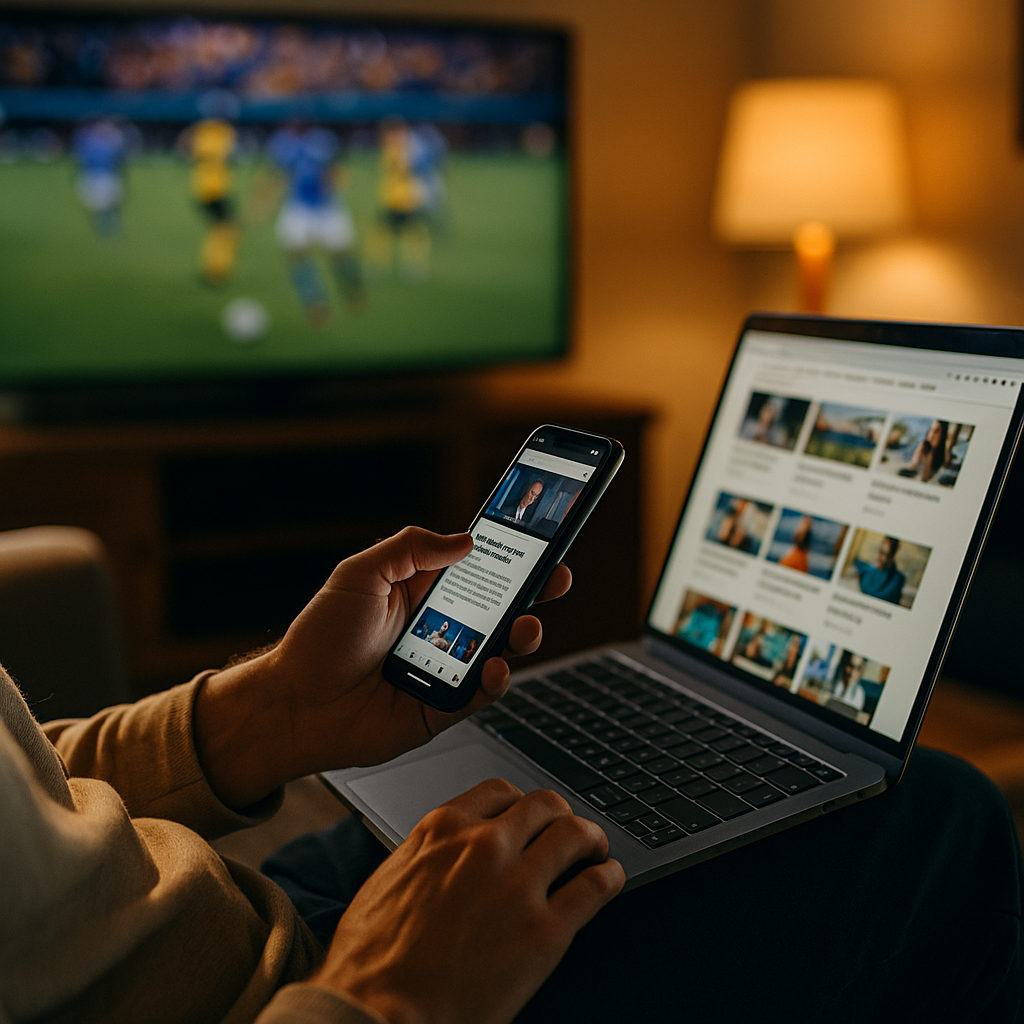
Designing Content For The Multitasking Second Screen User Experience has become a core skill in 2025, as audiences watch TV, streams, and live events while scrolling apps, chats, and search on another device. This split attention changes what “good content” means: clarity, timing, and usefulness matter more than length. If your message misses the moment, it disappears—so how do you design for the moment?
Understanding second screen behavior and audience intent
Second screen behavior is not random. People pick up a phone or tablet for specific jobs while a primary screen runs in the background: confirming what they heard, reacting socially, checking a product, or looking up context. Your content performs best when it maps to these jobs instead of competing with the main screen.
Common second-screen intents you should design for:
- Validate: “Did they really say that?” Users search quotes, stats, names, and rules (sports, reality TV, news, awards).
- Participate: voting, polls, live chats, fantasy leagues, watch parties, and comment threads.
- Explore: cast lists, backstories, explainers, timelines, episode recaps, and “what to watch next.”
- Transact: product discovery, pricing checks, coupon searches, and “where to buy” queries sparked by what’s on screen.
- Share: clipping moments into messages, reposts, memes, and reactions.
To align content with intent, start with the user’s timeline. During live moments, users need speed and clarity. After the moment, they want depth and confirmation. Build content that can serve both modes: fast “answer-first” surfaces that expand into richer context. This reduces bounce, supports SEO, and respects how people actually multitask.
Practical approach: list the top 20 questions your audience asks while watching. Use search query data, on-site search logs, comment themes, customer support tickets, and social listening. Then map each question to a content type and a “when” (before, during, immediately after, long after). That single map becomes your editorial and UX backbone.
Second screen content strategy: formats built for speed and clarity
A second screen session is short, interruption-prone, and often one-handed. That makes skimmability and instant comprehension non-negotiable. Your strategy should prioritize formats that deliver value in the first screenful, then offer optional depth without forcing it.
Formats that consistently fit second-screen constraints:
- Live explainers: rules, terms, “what just happened,” and short context cards that update as events unfold.
- Timestamped recaps: quick “minute-by-minute” summaries that help users re-anchor attention after distractions.
- Decision pages: “best option for X,” “compare A vs B,” and “what to buy for Y,” triggered by what users see on the main screen.
- Micro-FAQ blocks: 3–6 questions with direct answers above the fold; deeper links below.
- Creator or cast pages: bios, credits, and “where you’ve seen them” lists for entertainment search bursts.
Write for the multitasker, not the reader in a quiet room: lead with the answer, use short paragraphs, and avoid slow-build introductions. Put the “so what” in the first sentence of each section. When you need nuance, use a brief, plain-language summary followed by a deeper explanation. This structure supports users who glance, leave, and return.
Answer follow-up questions inside the page: if you state a claim, anticipate the next question (“how do we know?” “what does that mean for me?” “what should I do next?”). Add one clarifying sentence and an action step. This increases helpfulness signals and reduces pogo-sticking from search results.
Editorial timing matters: plan content in three layers: pre-event primers (search-led), live updates (social and direct traffic-led), and post-event analysis (evergreen and SEO-led). Even if you cannot publish live, you can publish “fast-follow” explainers designed for the spike right after a big moment.
Mobile-first UX design for multitasking viewers
Second-screen users interact under friction: one hand, noisy environments, variable bandwidth, and constant notifications. Your UX should reduce cognitive load and make the next step obvious. In 2025, “mobile-first” is not a layout choice; it is a performance and comprehension strategy.
UX principles that work for second-screen environments:
- Fast time-to-value: show the key answer, key stat, or key takeaway immediately.
- Strong visual hierarchy: clear headings, short paragraphs, and bolded key phrases to support scanning.
- Thumb-friendly controls: buttons, accordions, and navigation spaced for one-handed use.
- Low-friction navigation: “jump to” options, sticky table-of-contents behavior (if implemented), and clear internal links.
- Interruptible reading: users will pause; ensure they can resume easily with clear sectioning and repeated context cues.
Design for “glanceability”: assume the user looks down for 3–10 seconds, then back up. Provide self-contained chunks: a short definition, a single chart explanation in text, a two-sentence summary, or a quick comparison. Keep each chunk useful on its own.
Reduce page friction: limit pop-ups, heavy autoplay elements, and intrusive interstitials that break attention. If you use consent banners or offers, ensure they do not cover the primary answer. Second-screen attention is fragile; one obstruction can end the session.
Accessibility boosts performance: accessible typography, contrast, and tap targets make content easier in real-world viewing conditions. Clear language also supports multilingual audiences using on-device translation while watching.
Real-time engagement and social TV integration
Second-screen behavior often spikes around shared moments. People want to react and see what others think. When you integrate real-time engagement thoughtfully, you increase retention and create reasons to return during future episodes, matches, or events.
High-value engagement patterns:
- Live polls and predictions: quick inputs that match what’s happening now, with results updated in near real time.
- Q&A prompts: collect questions during an event and publish answers as a rolling “live explainer.”
- Comment highlights: summarize top takes rather than forcing users through endless threads.
- Share-ready snippets: short pull-quotes, key stats, and “what it means” lines that travel well in messages.
Make engagement useful, not noisy: tie interactive elements to a clear user benefit: “predict the next play,” “vote for best performance,” “ask about this rule,” or “get a personalized summary.” Avoid engagement that exists only to inflate clicks; it reduces trust and hurts long-term performance.
Coordinate with distribution: if you post on social platforms during events, link to dedicated landing pages that match the moment (not generic homepages). Those landing pages should repeat the on-screen keywords users are hearing, include quick answers, and offer next-step pathways (recap, explainer, product page, or schedule).
Trust and safety are part of UX: if you enable community interaction, set clear moderation standards and visible reporting mechanisms. A second-screen environment amplifies emotion; protecting users protects your brand and keeps the experience credible.
EEAT and trust signals for second screen content
Multitasking users make rapid judgments about credibility. They will not “read around” to decide whether to trust you. EEAT signals must be immediate and consistent: who wrote it, why it’s reliable, what sources support it, and when it was updated.
How to apply EEAT in a second-screen context:
- Show expertise fast: use precise definitions, correct terminology, and concise explanations that demonstrate subject fluency.
- Identify the author and reviewer: include role-based credibility (e.g., editor, analyst, clinician, product specialist) and keep bios current.
- Use primary and reputable sources: link to official rules, documentation, standards bodies, peer-reviewed research, or audited reports when relevant.
- Display update timing: second-screen searches are often about “right now.” If content changes, note what changed.
- Separate fact from opinion: label analysis as analysis; keep factual sections clean and verifiable.
Accuracy under speed pressure: live and fast-follow content is where mistakes happen. Use a lightweight verification checklist: confirm names, numbers, and claims against at least one authoritative source before publishing. If you update after publishing, add a short correction note in the body where the user will see it, not buried at the bottom.
Commercial transparency: if a second-screen page includes affiliate links, sponsorships, or paid placements, disclose it clearly. Multitasking users may not notice subtle disclosures; make them unmissable while keeping them unobtrusive.
Build authority over time: create consistent “moment hubs” (recaps, explainers, trackers) so users learn that your site is the place to go during events. Authority is not only backlinks; it is repeat usage driven by reliability.
Measurement and optimization for cross-device journeys
Second-screen experiences create messy attribution. A user may see something on TV, search on mobile, open a link in a messaging app, then purchase later on desktop. If you measure only last-click conversions, you will underinvest in the content that drives demand.
Metrics that reflect second-screen reality:
- SERP performance for “moment queries”: impressions and clicks for event-driven terms, names, and “what happened” searches.
- Engaged time and scroll depth: focus on whether users reached the core answer and at least one follow-up section.
- Return rate during episodes/events: repeat visits within short windows indicate you’re becoming a companion experience.
- Internal search and navigation paths: what users look for next reveals missing content and UX friction.
- Assisted conversions: track content that introduces products, concepts, or brands even if it doesn’t convert immediately.
Run practical experiments: test shorter intros, different answer placements, and alternative “next step” modules (recap vs explainer vs comparison). For second-screen pages, improvements often come from small changes: clearer headings, fewer distractions, and better internal linking.
Prepare for spikes: ensure pages can handle traffic bursts during major events. Slow performance destroys the second-screen experience. Optimize images, reduce script bloat, and prioritize rendering the answer and key navigation first.
Close the loop with qualitative data: add lightweight feedback prompts such as “Did this answer your question?” and analyze comments and support messages. Second-screen users will tell you what they needed in that moment; treat that as product research for your content.
FAQs
What is a second screen user experience?
A second screen user experience is what people do on a phone, tablet, or laptop while watching content on a primary screen such as TV, streaming video, or a live event. It often includes searching, chatting, shopping, or reading related information in real time.
How do I choose the right content types for second-screen users?
Start with intent: validate, participate, explore, transact, or share. Then match each intent to a format such as micro-FAQs, live explainers, comparisons, or timestamped recaps. Prioritize answer-first structures and publish around moments when interest spikes.
How can brands monetize second-screen traffic without hurting trust?
Use transparent disclosures, keep ads from blocking the primary answer, and ensure recommendations are genuinely helpful. Monetization works best when it solves the user’s next problem, like “where to buy,” “best alternatives,” or “what to choose,” supported by clear criteria and sources.
What are the most important UX features for multitasking mobile viewers?
Fast load time, clear headings, short paragraphs, thumb-friendly controls, and obvious next steps. Design for glanceability so users can get value in seconds, leave, and return without losing context.
How do I improve SEO for second-screen searches?
Target “moment queries” and question-based keywords, put direct answers near the top, and add supporting sections that address follow-up questions. Strengthen internal linking between related hubs (recaps, explainers, profiles, comparisons) and keep content updated when facts change.
How can I measure success when users jump across devices?
Track a mix of SERP visibility, engaged time, return rate during events, internal navigation paths, and assisted conversions. Combine analytics with qualitative feedback to identify missing answers and reduce friction in the journey.
In 2025, second-screen success comes from respecting how people split attention: they want fast answers, trustworthy context, and clear next steps without friction. Build moment-driven formats, design for glanceable mobile use, and reinforce EEAT with visible sourcing and updates. Measure cross-device impact, not just last clicks. When your content reliably supports the moment, audiences return on purpose.
Top Influencer Marketing Agencies
The leading agencies shaping influencer marketing in 2026
Agencies ranked by campaign performance, client diversity, platform expertise, proven ROI, industry recognition, and client satisfaction. Assessed through verified case studies, reviews, and industry consultations.
Moburst

-
2

The Shelf
Boutique Beauty & Lifestyle Influencer AgencyA data-driven boutique agency specializing exclusively in beauty, wellness, and lifestyle influencer campaigns on Instagram and TikTok. Best for brands already focused on the beauty/personal care space that need curated, aesthetic-driven content.Clients: Pepsi, The Honest Company, Hims, Elf Cosmetics, Pure LeafVisit The Shelf → -
3

Audiencly
Niche Gaming & Esports Influencer AgencyA specialized agency focused exclusively on gaming and esports creators on YouTube, Twitch, and TikTok. Ideal if your campaign is 100% gaming-focused — from game launches to hardware and esports events.Clients: Epic Games, NordVPN, Ubisoft, Wargaming, Tencent GamesVisit Audiencly → -
4

Viral Nation
Global Influencer Marketing & Talent AgencyA dual talent management and marketing agency with proprietary brand safety tools and a global creator network spanning nano-influencers to celebrities across all major platforms.Clients: Meta, Activision Blizzard, Energizer, Aston Martin, WalmartVisit Viral Nation → -
5

The Influencer Marketing Factory
TikTok, Instagram & YouTube CampaignsA full-service agency with strong TikTok expertise, offering end-to-end campaign management from influencer discovery through performance reporting with a focus on platform-native content.Clients: Google, Snapchat, Universal Music, Bumble, YelpVisit TIMF → -
6

NeoReach
Enterprise Analytics & Influencer CampaignsAn enterprise-focused agency combining managed campaigns with a powerful self-service data platform for influencer search, audience analytics, and attribution modeling.Clients: Amazon, Airbnb, Netflix, Honda, The New York TimesVisit NeoReach → -
7

Ubiquitous
Creator-First Marketing PlatformA tech-driven platform combining self-service tools with managed campaign options, emphasizing speed and scalability for brands managing multiple influencer relationships.Clients: Lyft, Disney, Target, American Eagle, NetflixVisit Ubiquitous → -
8

Obviously
Scalable Enterprise Influencer CampaignsA tech-enabled agency built for high-volume campaigns, coordinating hundreds of creators simultaneously with end-to-end logistics, content rights management, and product seeding.Clients: Google, Ulta Beauty, Converse, AmazonVisit Obviously →