


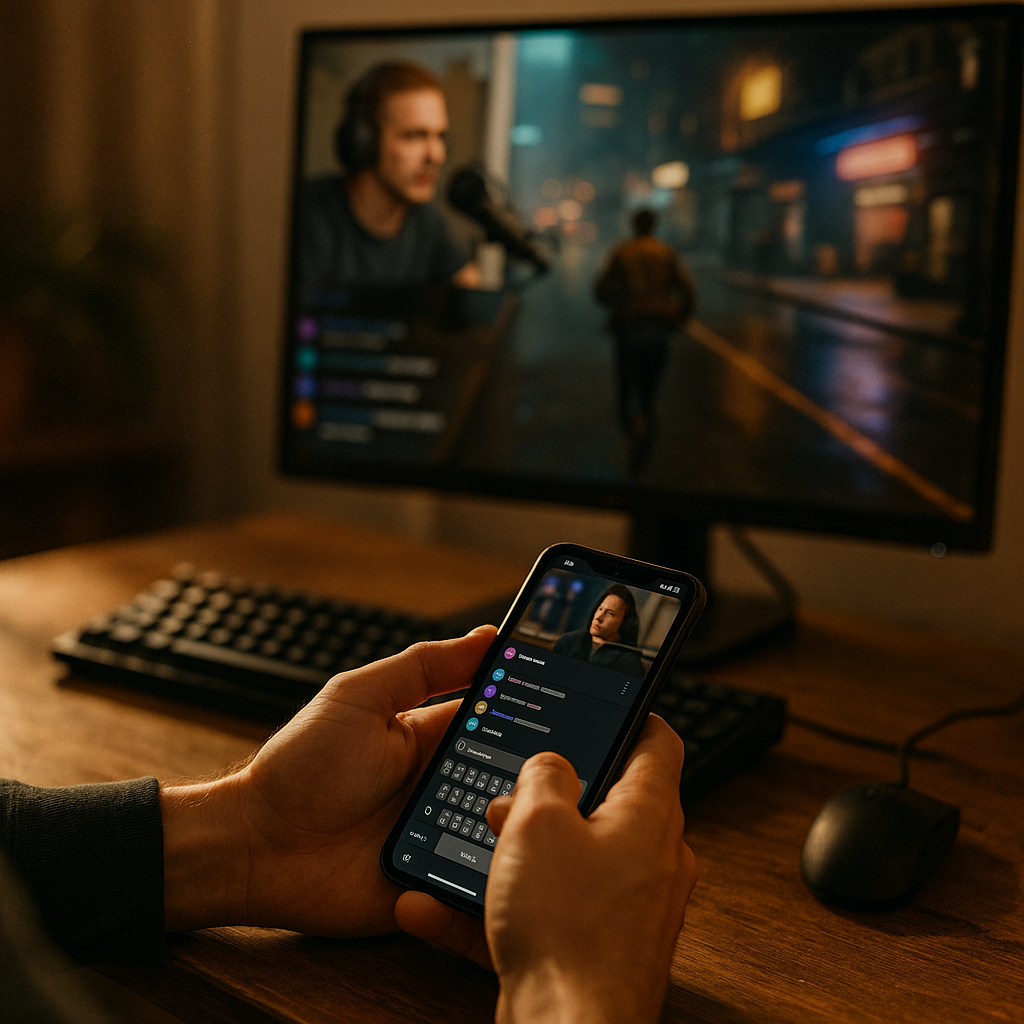
Designing For The “Second-Screen” Experience In Live Creator Streams has become a core growth lever in 2025, as audiences chat, shop, and share while watching in real time. Most viewers keep a phone in hand even when the stream plays on TV or desktop. Smart second-screen design turns that split attention into measurable engagement, retention, and revenue—if you build it intentionally. Here’s how to get it right.
Second-screen experience: What it is and why it matters
The second-screen experience describes what viewers do on a second device while they watch a live stream—usually messaging, reacting, browsing links, checking product details, or coordinating with friends. In live creator streams, that second screen is often the control center: chat, polls, gifting, and shopping happen there, while the “main screen” is for video.
This matters because live viewing is not just passive consumption; it’s a participation loop. When your design supports quick actions (vote, react, buy, clip, share), you reduce friction at the exact moments a viewer feels excitement or curiosity. If your design ignores second-screen behavior, you force viewers to multitask on their own—switching apps, losing context, and often dropping off.
In practice, second-screen design increases:
- Watch time (less effort to participate without leaving the stream)
- Chat velocity and community cohesion (clear prompts and better moderation tools)
- Conversion (fast paths from interest to checkout or sign-up)
- Creator performance (better pacing, clearer cues, fewer dead zones)
If your audience already uses two screens, your job is to make that behavior feel seamless rather than chaotic.
Live creator streams: Audience behavior and attention design
Live creator streams are unique because the viewer is both audience and participant. Attention shifts rapidly—between the creator, chat, alerts, products, and social sharing. Good second-screen design anticipates those shifts and makes them safe and fast.
Design for these common behavior patterns:
- Moment-based spikes: reaction surges when something surprising happens (reveal, win, guest join, hot take). Your UI should surface the “right next action” at those peaks.
- Social proof scanning: viewers check chat sentiment before they commit (to stay, follow, or buy). Keep chat readable, threaded when needed, and protected from spam.
- Information verification: viewers look up specs, sizes, links, or context. Provide in-stream cards and pinned references so they don’t leave.
- Multi-room viewing: friends watch together in group chats. Make sharing and deep linking to moments frictionless.
A practical rule: assume the viewer has 3–5 seconds of attention for any second-screen decision. If the action cannot be completed in that window, you need to simplify, prefill, or postpone it.
Also design for accessibility and clarity: large tap targets, high-contrast text, captions, and motion restraint. Second-screen use often happens one-handed, in noisy spaces, and on variable networks.
Second-screen UX: Core interface patterns that work
Strong second-screen UX is not “more features.” It is the right features, organized for speed. These patterns consistently improve usability in live environments:
- Persistent context bar: keep the creator name, live status, viewer count, and primary action (follow/subscribe) visible but compact.
- Expandable chat dock: default to readable chat with quick collapse/expand. Don’t force full-screen chat unless the user chooses it.
- Pinned moment cards: a small card stack for what matters now (poll, link, product, schedule, rules). Cards should be dismissible and returnable.
- One-tap reactions with rate limits: reactions should feel instant; limits prevent spam and keep signals meaningful.
- Smart prompts: show prompts based on stream state (e.g., “Vote now” when poll opens; “Add to cart” when product demo starts).
- “Catch up” controls: if users step away, provide a quick recap card, key timestamps, or pinned highlights so they rejoin smoothly.
Reduce cognitive load by separating watching from doing. Watching belongs on the main screen; doing belongs on the second screen. When you must place controls on the main screen (like TV apps), keep them minimal and off by default.
Design detail that often gets missed: state visibility. If a viewer votes, gifts, or buys, reflect it immediately with a confirmation that doesn’t hijack the video. Subtle confirmations build confidence without interrupting.
Interactive overlays: Polls, chat, rewards, and safe engagement
Interactive overlays drive participation, but they can also damage trust if they feel manipulative or cluttered. The goal is to make interaction feel like part of the show, not a pop-up campaign.
Use overlays with clear intent:
- Polls and predictions: keep them time-boxed, with a visible countdown and an obvious “results” state. Let viewers change their vote until close if the stakes are low; lock it for competitive formats.
- Q&A intake: collect questions on the second screen, then surface selected ones to the creator. Add upvotes to reduce duplicates and highlight community priorities.
- Reward loops: points, streaks, badges, and drops can lift retention. Make rules transparent and avoid “dark patterns” like unclear odds or forced sharing.
- Community safety: moderation is part of UX. Provide report/ignore tools, slow mode options, keyword filters, and verified roles. Safety features should be reachable in one or two taps.
To keep overlays helpful, apply three constraints:
- Frequency: don’t stack more than one high-attention overlay at a time.
- Priority: define what wins if multiple triggers occur (e.g., safety alerts > purchase confirmation > poll prompts).
- Reversibility: allow dismiss, snooze, and “don’t show again” where appropriate.
Answering the obvious follow-up: How much interaction is too much? If chat scroll speed becomes unreadable for typical viewers, if overlays obscure comprehension, or if users miss key moments because they’re tapping controls, you’ve crossed the line. Interaction should support the narrative, not replace it.
Mobile companion app: Commerce, clipping, and sharing without friction
A mobile companion app (or companion mode inside your existing app) can convert second-screen behavior into outcomes: purchases, subscriptions, email capture, or community growth. The key is to keep the user in the live context while enabling deeper actions.
For commerce-enabled streams, design for “interest to checkout” in under 30 seconds:
- Product shelf synced to the stream: items appear when discussed, with sizes, variants, shipping estimates, and return policy visible.
- Fast checkout: support wallet pay, saved addresses, and minimal fields. Show total cost early (including shipping/tax) to prevent drop-off.
- Proof and reassurance: include creator notes, community reviews where available, and clear customer support links.
- Non-blocking purchase flow: let users keep watching while checking out via a bottom sheet or split view.
For growth, prioritize shareable moments:
- Clipping: one-tap “clip last 30 seconds” plus quick trim. Add captions automatically when possible, and provide safe music/licensing guidance if your platform supports it.
- Deep links: links should open directly to the live stream at the right moment or to a highlight replay if live has moved on.
- Referral clarity: if you offer referral rewards, disclose terms plainly and show progress in a simple dashboard.
Common question: Do I need a separate app? Not always. Many teams succeed by adding a companion mode to the existing mobile experience, triggered when a large-screen session is detected. What matters is not the packaging—it’s the reduced friction and tighter synchronization.
Stream synchronization: Latency, cross-device continuity, and measurement
Stream synchronization is the technical backbone of second-screen design. If the second screen lags behind the video, polls feel wrong, product prompts appear too early, and chat reactions don’t match what viewers see. That mismatch reduces trust.
Design and engineering should align on these principles:
- Event-based timing: drive second-screen prompts off server-side events or timecodes, not fragile client timers.
- Latency awareness: show “You are X seconds behind live” when relevant, and let users jump to live without punishment (clear warning if it affects participation).
- Graceful degradation: if sync fails, fall back to manual browsing (e.g., show full product list) rather than broken “smart” prompts.
- Session continuity: support handoff—start watching on one device and continue on another without losing chat identity, earned rewards, or cart state.
Measurement is where EEAT becomes operational: you validate what helps the audience rather than what looks impressive. Track metrics that map to real viewer value:
- Engaged minutes per viewer (not just raw watch time)
- Interaction success rate (poll vote completion, clip creation completion, checkout completion)
- Time-to-action (seconds from prompt impression to completion)
- Drop-off after prompts (signals overload or poor timing)
- Safety metrics (reports resolved, repeated offenders, toxic message rate)
To keep your approach credible, document decisions, run A/B tests ethically (avoid deceptive patterns), and include qualitative feedback loops: post-stream surveys, creator debriefs, and moderator reports. In 2025, trust is a product feature, and your instrumentation should reflect that.
FAQs: Designing for second-screen live streams
What is the biggest mistake in second-screen design for live streams?
The biggest mistake is treating the second screen as an afterthought—adding features without syncing them to stream moments. Viewers then see prompts at the wrong time, struggle to complete actions, and lose trust. Start with the live narrative and build second-screen actions that match it.
How do I design second-screen experiences for TV viewers?
Assume the TV is the primary video surface and the phone is the interaction surface. Provide a simple pairing flow (QR code or code entry), then move chat, polls, product shelves, and clipping to the phone. Keep TV overlays minimal so the video remains clear from a distance.
How can creators manage chat without getting overwhelmed?
Use structured Q&A collection, moderator tools, and role-based visibility (e.g., highlight subscribers, members, or trusted users). Add “slow mode” and keyword filters during spikes, and surface a small curated set of messages to the creator instead of raw firehose chat.
What features increase conversions in live shopping streams?
Time-synced product cards, transparent pricing, variant selection that doesn’t hide shipping/tax, wallet checkout, and the ability to continue watching while purchasing. Also include clear policies (returns, support) because reassurance is often the conversion blocker.
How do I handle latency so interactions feel fair?
Make latency visible when it affects outcomes, base polls and drops on server events, and allow users to jump to live with a clear warning. For competitive mechanics, define participation windows that accommodate typical delays and communicate rules plainly.
Do second-screen features hurt accessibility?
They can if you rely on tiny controls, low contrast, or time pressure without alternatives. Use large tap targets, captions, readable typography, and options to extend or review prompts. Provide non-audio cues for key moments and ensure essential actions are reachable with assistive technologies.
Second-screen design succeeds when it respects attention, synchronizes interactions to real moments, and removes friction from participation. In 2025, viewers expect to chat, vote, shop, and share without losing the story on the main screen. Build with clear priorities, trustworthy prompts, and measurable outcomes. When your second screen feels like a companion—not a distraction—your streams become more engaging, safer, and easier to monetize.
Top Influencer Marketing Agencies
The leading agencies shaping influencer marketing in 2026
Agencies ranked by campaign performance, client diversity, platform expertise, proven ROI, industry recognition, and client satisfaction. Assessed through verified case studies, reviews, and industry consultations.
Moburst

-
2

The Shelf
Boutique Beauty & Lifestyle Influencer AgencyA data-driven boutique agency specializing exclusively in beauty, wellness, and lifestyle influencer campaigns on Instagram and TikTok. Best for brands already focused on the beauty/personal care space that need curated, aesthetic-driven content.Clients: Pepsi, The Honest Company, Hims, Elf Cosmetics, Pure LeafVisit The Shelf → -
3

Audiencly
Niche Gaming & Esports Influencer AgencyA specialized agency focused exclusively on gaming and esports creators on YouTube, Twitch, and TikTok. Ideal if your campaign is 100% gaming-focused — from game launches to hardware and esports events.Clients: Epic Games, NordVPN, Ubisoft, Wargaming, Tencent GamesVisit Audiencly → -
4

Viral Nation
Global Influencer Marketing & Talent AgencyA dual talent management and marketing agency with proprietary brand safety tools and a global creator network spanning nano-influencers to celebrities across all major platforms.Clients: Meta, Activision Blizzard, Energizer, Aston Martin, WalmartVisit Viral Nation → -
5

The Influencer Marketing Factory
TikTok, Instagram & YouTube CampaignsA full-service agency with strong TikTok expertise, offering end-to-end campaign management from influencer discovery through performance reporting with a focus on platform-native content.Clients: Google, Snapchat, Universal Music, Bumble, YelpVisit TIMF → -
6

NeoReach
Enterprise Analytics & Influencer CampaignsAn enterprise-focused agency combining managed campaigns with a powerful self-service data platform for influencer search, audience analytics, and attribution modeling.Clients: Amazon, Airbnb, Netflix, Honda, The New York TimesVisit NeoReach → -
7

Ubiquitous
Creator-First Marketing PlatformA tech-driven platform combining self-service tools with managed campaign options, emphasizing speed and scalability for brands managing multiple influencer relationships.Clients: Lyft, Disney, Target, American Eagle, NetflixVisit Ubiquitous → -
8

Obviously
Scalable Enterprise Influencer CampaignsA tech-enabled agency built for high-volume campaigns, coordinating hundreds of creators simultaneously with end-to-end logistics, content rights management, and product seeding.Clients: Google, Ulta Beauty, Converse, AmazonVisit Obviously →