


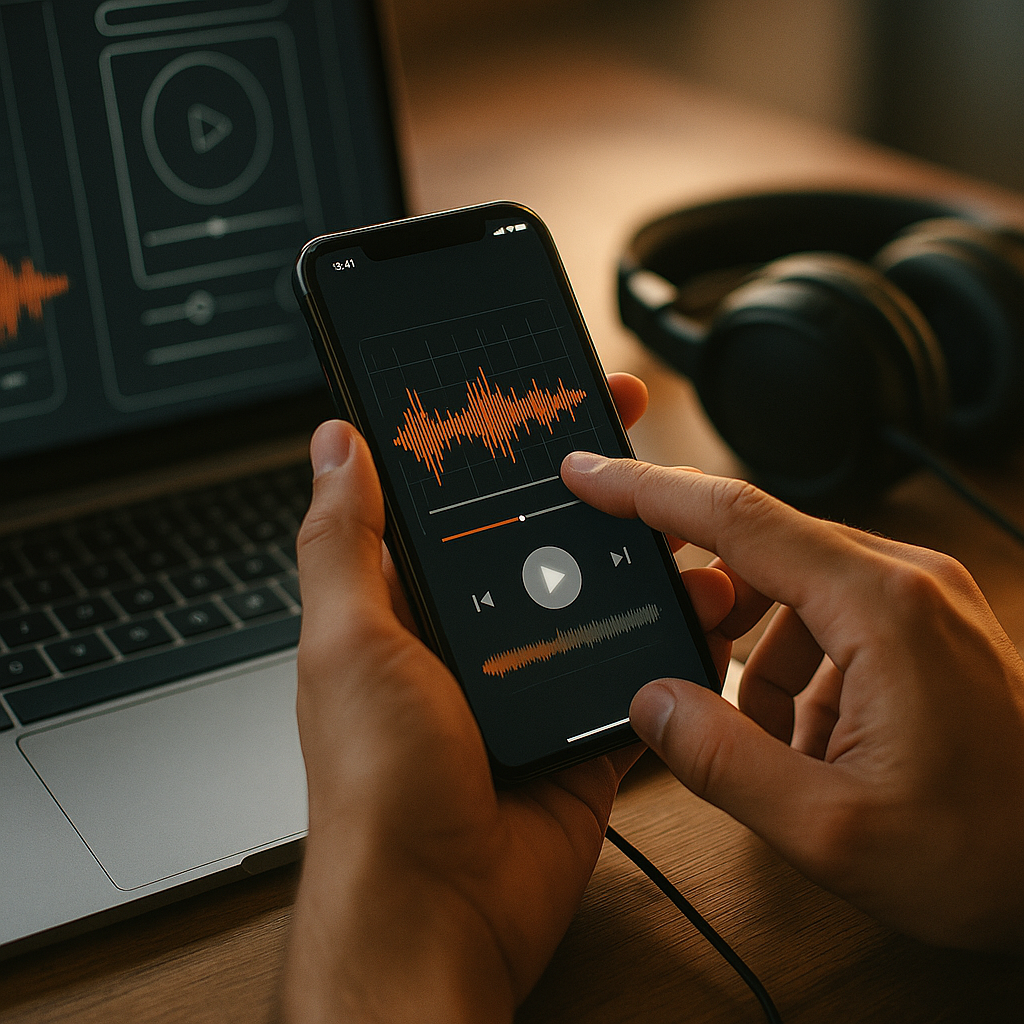
In 2025, brands compete for attention in crowded feeds, apps, and interfaces where visuals alone rarely carry meaning. Designing for sensory branding adds another channel: sound that signals, reassures, and guides users through tasks. When thoughtfully integrated, audio makes experiences faster to understand, easier to trust, and more memorable. The question is no longer whether to use sound, but how to do it well—without annoying users.
Sound in UI design: why audio belongs in digital experiences
Sound in UI design is not “decoration.” It is a functional layer that can reduce uncertainty, confirm actions, and improve perceived responsiveness. The best audio patterns do three things: communicate state, set expectations, and support accessibility.
Where sound helps most
- Confirmation: A subtle tone after “Send,” “Save,” or “Payment successful” reduces doubt and repeat taps.
- Error prevention: A distinct but gentle alert for invalid input or failed actions can stop users before they lose progress.
- Progress and system status: Short cues can indicate “starting,” “processing,” and “done,” especially when visual feedback is delayed.
- Attention management: Notifications that use a consistent hierarchy (critical vs. informational) lower cognitive load.
Answering the follow-up question: “Won’t users hate app sounds?” Users dislike uncontrolled, repetitive, or loud audio. They appreciate sound that is predictable, optional, and clearly tied to an action. The difference is intent: audio should feel like feedback, not marketing.
To align with EEAT, treat audio as part of the product’s usability. Document what each sound means, why it exists, and what evidence (user testing, support tickets, analytics) supports it. This turns “sensory branding” from a creative add-on into a measurable design decision.
Audio branding strategy: define a sonic identity that supports the product
An audio branding strategy starts with the same foundation as visual identity: clarity, consistency, and purpose. Sonic elements should reinforce what the brand stands for and how the product behaves. A fintech app may need “calm, precise assurance,” while a fitness product might prefer “energetic momentum.”
Build a practical sonic system, not a single jingle
- Brand motif: A short, recognizable interval or timbre (not necessarily a melody) that can appear across touchpoints.
- Functional UI cues: Micro-sounds for tap, toggle, success, error, and warning that share a consistent sonic DNA.
- Content audio: Intros/outros for video, podcast stingers, or short “chapter” markers that match the motif.
Define constraints early so sound remains usable:
- Duration: Most UI sounds should be brief and never block interaction.
- Loudness targets: Standardize output levels so cues remain subtle across devices.
- Frequency balance: Avoid harsh high frequencies that fatigue users; ensure cues remain audible on small speakers.
Follow-up question: “How do we keep brand sound from feeling intrusive?” Keep brand motifs rare in core task flows. Reserve more expressive sounds for moments that benefit from celebration or emotional reinforcement (onboarding completion, milestones), and keep everyday cues minimal and consistent.
For credibility, involve cross-functional stakeholders: brand, product design, accessibility, and engineering. A shared brief prevents audio from becoming disconnected from real interaction needs.
Sonic UX patterns: map sounds to states, hierarchy, and user intent
Sonic UX patterns translate product logic into audio. Think of them as a grammar: different “parts of speech” for different events. Without a system, users can’t learn what sounds mean, and teams can’t scale sound across features.
Create a clear event taxonomy
- Direct manipulation: Tap, drag, toggle. These should be quiet and crisp.
- System feedback: Save, sync, upload. These should convey progress and completion.
- Errors and warnings: Clearly distinct from success, never comedic, never startling.
- Notifications: Tiered by urgency with different cadences and timbres.
Design for hierarchy so users instantly know what matters:
- Critical cues: unmistakable pattern, still controlled in loudness, and paired with visual messaging.
- Informational cues: shorter, softer, and less frequent.
- Ambient cues: optional, low prominence, used sparingly (for example, background status changes).
Answering “How do we handle repeated interactions?” Repetition is where sound becomes annoying. Use rules such as:
- Rate limiting: Don’t play the same cue more than once within a short window.
- Context suppression: Silence noncritical sounds during calls, screen recording, or “Do Not Disturb” states where appropriate.
- Adaptive audio: Slight variations in repeated cues can reduce fatigue without breaking recognition.
Make meaning obvious by pairing audio with visual feedback and, when appropriate, haptics. Multimodal confirmation reduces misinterpretation and supports different user preferences.
Accessible audio design: inclusive sound that users can control
Accessible audio design is central to trustworthy sensory branding. Sound can help users with low vision, attention challenges, or situational limitations (walking, glare, one-handed use). But it can also exclude users who are deaf or hard of hearing, or overwhelm users with sensory sensitivities. Inclusive design requires options, alternatives, and respectful defaults.
Key accessibility principles
- Never rely on sound alone: Every cue needs a visual equivalent; for critical events, consider haptic alternatives.
- User control: Provide granular settings (mute all, reduce UI sounds, keep critical alerts) rather than a single on/off switch.
- Predictability: Use consistent meanings across the product so users can learn patterns.
- Sensory safety: Avoid sudden loudness jumps; avoid high-pitched, piercing tones that can be painful with headphones.
Follow-up question: “Where should sound settings live?” Put controls where users expect them: in app settings with a clear label (for example, “Sound and haptics”), and mirror critical toggles in onboarding. If your product is used in quiet environments (healthcare, education, workplace tools), consider a first-run prompt that defaults to subtle or muted sounds.
Support assistive technologies by ensuring system alerts also trigger appropriate accessibility announcements, and by using platform-standard notification channels and priorities. This also improves consistency across devices and reduces engineering risk.
EEAT in accessibility means documenting decisions, testing with diverse users, and making trade-offs explicit. If you reduce audio by default, explain why (context of use, user research, prior support issues) and measure impact.
Sound design for content: extend sonic identity across video, social, and web
Sound design for content connects your product’s interface sounds with the broader media ecosystem: ads, explainers, podcasts, customer support videos, and in-app tutorials. The goal is recognition without repetition and clarity without loudness wars.
Where sound strengthens content performance
- Video intros/outros: A short sonic signature can increase brand recall without consuming screen time.
- Tutorial feedback: Light cues for “step complete” or “try again” make learning faster.
- Live and social clips: A consistent audio bed and stingers help unify a series, especially when visuals vary.
Design for real listening environments in 2025: many users watch with low volume, inconsistent speakers, or in noisy places. Prioritize speech intelligibility, keep music unobtrusive under narration, and avoid masking important sound effects.
Answering “What about silent autoplay and captions?” Assume silence by default. Your sonic branding should still work when muted: include captions, on-screen cues, and strong visual identity. Treat sound as an enhancement, not a dependency.
Operationalize consistency with an audio style guide that includes:
- Voice and tone rules for narration and spoken prompts.
- Music palette guidelines (tempo ranges, instrumentation, mood adjectives).
- Sound effect library with naming, use cases, and “do not use” notes.
- Mix standards to keep loudness and dynamics consistent across content.
This is also where EEAT matters: use licensed or original audio, document rights, and standardize review so teams don’t introduce risky or inconsistent assets.
Testing sonic branding: measure impact, avoid fatigue, and iterate safely
Testing sonic branding requires both qualitative and quantitative signals. Audio can improve confidence and comprehension, but it can also drive annoyance, uninstalls, or support complaints if overused. Build evaluation into the design process rather than relying on taste.
What to test
- Comprehension: Do users correctly interpret the sound’s meaning without being told?
- Speed and error rates: Do audio cues reduce repeated taps, form errors, or abandonment?
- Preference and comfort: Do users describe the sound as calm, clear, and consistent?
- Fatigue: After repeated use, do users mute sounds or report annoyance?
How to test in realistic conditions
- Context simulations: Quiet office, commuting noise, headphones, low-end speakers.
- A/B experiments: Compare “no sound” vs. “subtle sound” vs. “sound + haptics” for key flows.
- Support and sentiment monitoring: Track complaint tags related to sound, alarms, or notifications.
Follow-up question: “What’s a safe rollout plan?” Ship audio behind a feature flag, default to conservative volume and frequency, and provide an easy way to disable. Start with a narrow set of high-value cues (success, error, critical notifications) before expanding.
EEAT shows up in your process: keep a decision log, cite user research, and collaborate with qualified practitioners (sound designers, accessibility specialists, QA). A reliable system is more valuable than a clever noise.
FAQs: Designing For Sensory Branding and sound in UI
What is sensory branding in digital products?
Sensory branding uses multiple senses to create recognition and trust. In digital products, it often means combining visual identity with sound, motion, and haptics so users can feel and understand brand behaviors—not just see a logo.
How do I add sound to a UI without annoying users?
Use short, subtle cues tied to clear actions, limit repetition, and give users control. Prioritize functional feedback (success, error, progress) over decorative sounds, and ensure the experience still works perfectly when muted.
Do I need a unique sound for every interaction?
No. A small, consistent set of cues is easier to learn and maintain. Build a taxonomy (tap, success, error, warning, notification) and reuse sounds with minor variations, rather than creating one-off effects for each screen.
How should sound integrate with accessibility?
Never communicate critical information through sound alone. Pair audio with visual and, when appropriate, haptic feedback. Provide sound settings, respect device states like Do Not Disturb, and design tones that avoid painful frequencies or sudden loudness changes.
What’s the difference between audio branding and UI sound effects?
Audio branding defines the recognizable sonic identity of a brand across touchpoints. UI sound effects are functional cues that help users complete tasks. The best approach unifies both: UI cues share the brand’s sonic DNA while staying practical and restrained.
How can we measure whether UI sounds improve the product?
Measure task success, reduced repeated taps, lower error rates, and faster completion in key flows. Add qualitative research on clarity and comfort, and monitor settings usage (mute rates) and support feedback to detect fatigue.
Integrating sound into UI and content works when it serves user intent: clearer feedback, better accessibility, and consistent brand recognition across touchpoints. In 2025, teams win with a system—an audio strategy, a small set of learnable cues, and respectful controls—rather than loud novelty. Build, test, and iterate with real contexts and measurable outcomes, and your sonic layer will earn trust.
Top Influencer Marketing Agencies
The leading agencies shaping influencer marketing in 2026
Agencies ranked by campaign performance, client diversity, platform expertise, proven ROI, industry recognition, and client satisfaction. Assessed through verified case studies, reviews, and industry consultations.
Moburst

-
2

The Shelf
Boutique Beauty & Lifestyle Influencer AgencyA data-driven boutique agency specializing exclusively in beauty, wellness, and lifestyle influencer campaigns on Instagram and TikTok. Best for brands already focused on the beauty/personal care space that need curated, aesthetic-driven content.Clients: Pepsi, The Honest Company, Hims, Elf Cosmetics, Pure LeafVisit The Shelf → -
3

Audiencly
Niche Gaming & Esports Influencer AgencyA specialized agency focused exclusively on gaming and esports creators on YouTube, Twitch, and TikTok. Ideal if your campaign is 100% gaming-focused — from game launches to hardware and esports events.Clients: Epic Games, NordVPN, Ubisoft, Wargaming, Tencent GamesVisit Audiencly → -
4

Viral Nation
Global Influencer Marketing & Talent AgencyA dual talent management and marketing agency with proprietary brand safety tools and a global creator network spanning nano-influencers to celebrities across all major platforms.Clients: Meta, Activision Blizzard, Energizer, Aston Martin, WalmartVisit Viral Nation → -
5

The Influencer Marketing Factory
TikTok, Instagram & YouTube CampaignsA full-service agency with strong TikTok expertise, offering end-to-end campaign management from influencer discovery through performance reporting with a focus on platform-native content.Clients: Google, Snapchat, Universal Music, Bumble, YelpVisit TIMF → -
6

NeoReach
Enterprise Analytics & Influencer CampaignsAn enterprise-focused agency combining managed campaigns with a powerful self-service data platform for influencer search, audience analytics, and attribution modeling.Clients: Amazon, Airbnb, Netflix, Honda, The New York TimesVisit NeoReach → -
7

Ubiquitous
Creator-First Marketing PlatformA tech-driven platform combining self-service tools with managed campaign options, emphasizing speed and scalability for brands managing multiple influencer relationships.Clients: Lyft, Disney, Target, American Eagle, NetflixVisit Ubiquitous → -
8

Obviously
Scalable Enterprise Influencer CampaignsA tech-enabled agency built for high-volume campaigns, coordinating hundreds of creators simultaneously with end-to-end logistics, content rights management, and product seeding.Clients: Google, Ulta Beauty, Converse, AmazonVisit Obviously →