


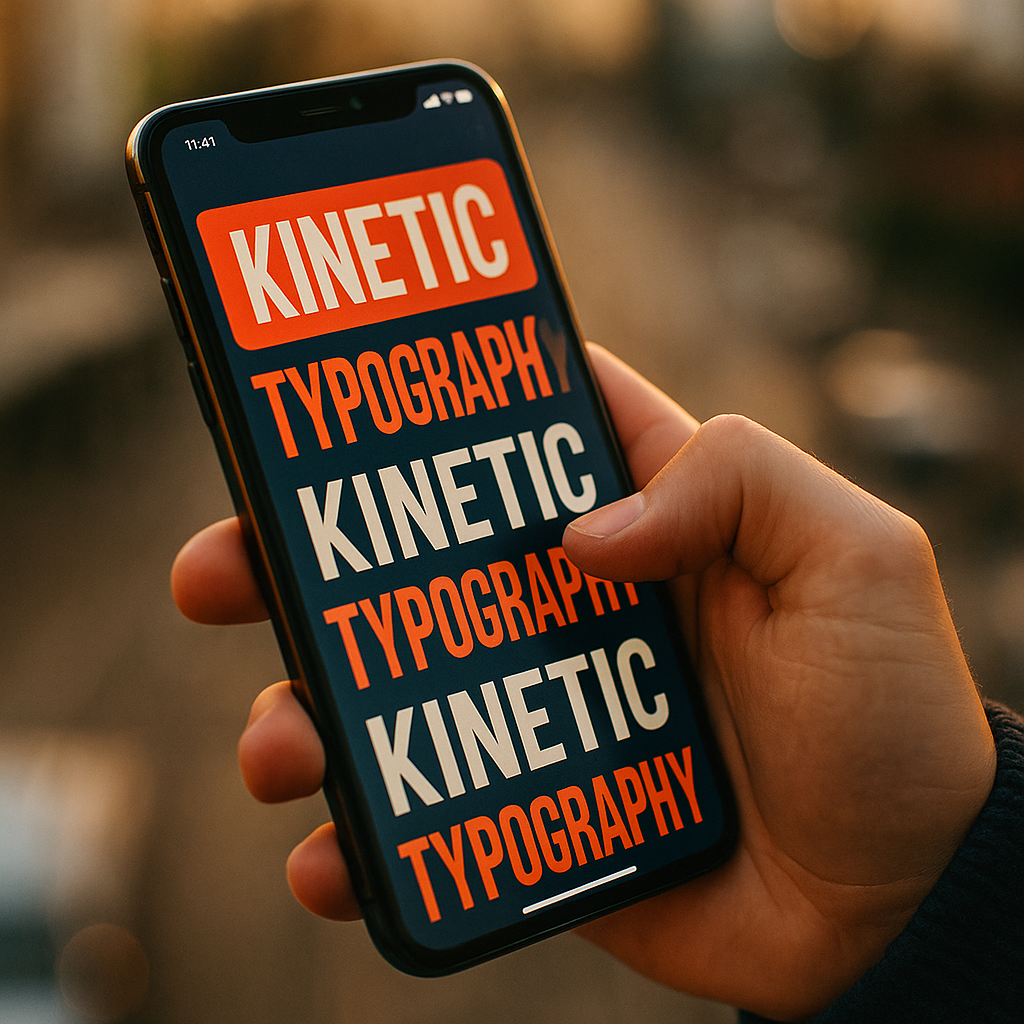
In 2025, mobile experiences win or lose on clarity, speed, and motivation. The Power Of Kinetic Typography lies in its ability to guide attention, explain value in seconds, and reduce the friction that makes users abandon forms, onboarding, and checkouts. When text moves with purpose, it becomes instruction, reassurance, and momentum in one. The real question is: are your words working hard enough?
Why kinetic typography boosts mobile completion rates
Mobile completion rates drop when users feel uncertain, overloaded, or delayed. Kinetic typography addresses these issues by turning text into a timed, visual cue system. Instead of presenting static paragraphs that compete with buttons and images, animated type reveals information in sequence, highlighting what matters at the exact moment the user needs it.
Completion increases when users understand the next step instantly. On mobile, where attention is fragmented and screens are small, kinetic typography can:
- Reduce perceived effort by chunking instructions into short, paced phrases.
- Lower error rates by emphasizing critical constraints (for example, password rules) at the moment of entry.
- Increase confidence through micro-reassurance (for example, “Secure checkout” appearing right before payment fields).
- Improve information hierarchy without adding layout clutter.
Mobile users often abandon because they cannot predict how long a task will take or whether they are doing it correctly. Motion paired with concise language can provide a subtle “you’re on track” signal—especially when used as step transitions, progress microcopy, and real-time validation prompts.
Mobile UX microinteractions that guide attention and reduce friction
In mobile UX, microinteractions are the small moments that shape behavior: a field hint, a progress indicator, a confirmation message. Kinetic typography works best when it behaves like a microinteraction, not like an ad. That means it should clarify, confirm, or coach—never distract.
High-impact placements for kinetic typography inside mobile flows:
- Onboarding: Reveal one benefit at a time, aligned with the user’s first action. Pair a short animated headline with a static button.
- Form entry: Animate inline rules only when the user focuses a field (for example, “Use 8+ characters” sliding in beneath the password field).
- Checkout steps: Use animated step labels (“Shipping”, “Payment”, “Review”) to reinforce progress and reduce abandonment.
- Empty states: Animate a short instruction (“Add your first item”) to turn confusion into action.
- Error recovery: Use motion to point to the fix, not to shame the user. A gentle bounce on the incorrect field label plus a short directive works better than long error paragraphs.
Readers often ask whether kinetic typography should replace traditional UI cues like icons. It should not. The goal is to reinforce UI meaning, especially where icons can be ambiguous. Text is explicit; motion makes it timely. Together, they reduce cognitive load.
Animation timing and readability for better conversion
The biggest risk with kinetic typography is over-animating and making content harder to read. On mobile, conversion-friendly motion follows strict rules: short duration, predictable easing, and a clear stop state. If the user cannot finish reading before the text changes, you have created friction, not clarity.
Practical motion guidelines that protect readability:
- Keep core messages on screen long enough: ensure the average reader can parse the full line without rushing. If the message is critical, avoid auto-advancing text.
- Prefer “reveal” over “spin”: fades, slides, and simple scale-in are easier to track than rotations or complex paths.
- Animate one primary element at a time: multiple moving text blocks compete for attention and increase abandonment risk.
- Use motion to indicate hierarchy: headline first, then supporting phrase, then CTA. This mirrors how users scan.
- Maintain strong contrast and legible type: kinetic typography cannot compensate for weak typography fundamentals.
Answering a common follow-up: should kinetic typography loop? In completion flows, looping is usually a mistake because it creates anxiety and the feeling of being rushed. Use loops only for non-essential ambient messaging (for example, a subtle “Loading securely…”), and keep it calm.
Finally, test on real devices. Desktop previews hide the reality of thumb movement, glare, and notification interruptions. Kinetic typography should still make sense if the user looks away for a second and returns mid-animation. A clear end state—static, readable text—protects comprehension.
Accessibility and performance in mobile typography animation
In 2025, accessibility and performance are not optional if you care about completion rates. If motion causes discomfort, drains battery, or stutters, users abandon. EEAT-aligned content and design respect diverse needs and real-world constraints.
Accessibility must-haves:
- Respect reduced motion preferences: if the user has enabled reduced motion, replace animation with instant state changes or simple fades.
- Avoid motion that triggers vestibular discomfort: large parallax shifts and fast zooming text can be problematic.
- Do not encode meaning in motion alone: ensure the message is still understandable when static.
- Keep text selectable and readable: avoid turning essential copy into an unselectable video where screen readers cannot access it.
Performance requirements that directly affect completion:
- Minimize CPU/GPU-heavy effects: blur and complex masks can drop frames on mid-range devices.
- Use lightweight animation techniques: animate transforms and opacity where possible to keep interactions smooth.
- Load text fast: if your animated type depends on heavy libraries or large font files, you may lose the user before the message appears.
When readers ask how to reconcile brand expression with accessibility, the answer is discipline. You can still create personality through pacing, typographic voice, and microcopy—without forcing intense motion. The most effective kinetic typography feels like a helpful guide, not a visual stunt.
A/B testing kinetic typography strategy with analytics
Kinetic typography should earn its place through measurement. If you cannot tie it to completion outcomes, it is decoration. Treat it like any conversion component: define the hypothesis, isolate the variable, and evaluate impact across device classes and traffic sources.
High-signal hypotheses to test:
- Instruction timing: “Showing password rules on focus increases successful submissions.”
- Progress reassurance: “Animating step labels reduces checkout abandonment.”
- Error recovery clarity: “Animating the fix cue decreases repeated form errors.”
- Value reinforcement: “Revealing one benefit before sign-up increases completion.”
Metrics that matter for mobile completion rates:
- Step-to-step completion (funnel conversion per screen).
- Time-to-complete (median and 75th percentile, not only average).
- Error rate per field and retries.
- Drop-off points correlated with animation moments.
- Rage taps and back navigation as frustration indicators.
To follow EEAT best practices, document what you tested, what changed, and what you learned. Include device segmentation because an animation that works on a flagship phone may fail on a budget device. Also confirm that any uplift is not offset by accessibility complaints or performance regressions.
Practical tip: run a holdout test long enough to cover weekday/weekend behavior, and verify results with confidence intervals. If the effect is small, prioritize performance and clarity over motion complexity.
Best practices for onboarding, forms, and checkout flows
Different mobile moments require different kinetic typography patterns. Completion rates improve when motion supports a single objective: moving the user to the next correct action with minimal doubt.
Onboarding best practices:
- One idea per screen: animate the headline, keep supporting text static, and make the CTA unambiguous.
- Fast value delivery: reveal benefits in under a few seconds, then stop animating.
- Immediate relevance: tie the message to what the user can do right now, not abstract promises.
Forms best practices:
- Animate constraints inline: show rules precisely when the field is active.
- Use motion for confirmation: a subtle “Looks good” can reduce hesitation before tapping Next.
- Prevent errors before submission: guide corrections as the user types, not after a full form fail.
Checkout best practices:
- Reassure at high-anxiety steps: animate short trust signals near payment actions (for example, “Encrypted payment” in concise form).
- Make progress visible: kinetic typography can reinforce step completion with a quick transition that signals forward movement.
- Do not animate the total price in a way that looks like it is changing unpredictably; keep critical numbers stable.
Readers often want to know how much kinetic typography is “too much.” If the user notices the animation more than the message, you have crossed the line. Aim for motion that feels inevitable: it should make the next step clearer than a static alternative.
FAQs about kinetic typography and mobile completion rates
What is kinetic typography in mobile UX?
Kinetic typography is animated text used to communicate information, hierarchy, or feedback. In mobile UX, it typically appears in onboarding screens, form hints, progress steps, confirmations, and error messages to guide users through a flow.
Does kinetic typography always improve mobile completion rates?
No. It improves completion when it reduces confusion and effort. If it slows reading, distracts from the CTA, or causes performance issues, it can reduce completion. Measure results with funnel analytics and device segmentation.
Where should I use kinetic typography first for the biggest impact?
Start where abandonment is highest: password creation, address forms, payment steps, and onboarding screens with low “next” rates. Use animation to clarify requirements, reassure security, and show progress.
How do I keep kinetic typography accessible?
Respect reduced motion settings, avoid intense zooms and large movement, keep strong contrast and readable sizes, and ensure the message remains clear without motion. Essential content should be screen-reader friendly and not locked inside video.
What animation duration works best on mobile?
Use short, predictable transitions and avoid rapid auto-advancing text. The right duration depends on message length and reading speed, so validate with usability testing on real devices and confirm with completion and time-to-complete metrics.
Can kinetic typography hurt performance?
Yes. Heavy effects and large libraries can cause jank and increase load time, especially on mid-range devices. Prefer lightweight transform/opacity animations, optimize font loading, and test frame rate and responsiveness under realistic conditions.
In 2025, mobile completion depends on eliminating uncertainty at every step. Kinetic typography strengthens that effort when it reveals the right words at the right moment, improves readability, and reinforces progress without stealing attention. Keep it lightweight, accessible, and measurable. When your animated text consistently reduces errors and hesitation, completion rates rise—and your mobile experience feels effortlessly guided.
Top Influencer Marketing Agencies
The leading agencies shaping influencer marketing in 2026
Agencies ranked by campaign performance, client diversity, platform expertise, proven ROI, industry recognition, and client satisfaction. Assessed through verified case studies, reviews, and industry consultations.
Moburst

-
2

The Shelf
Boutique Beauty & Lifestyle Influencer AgencyA data-driven boutique agency specializing exclusively in beauty, wellness, and lifestyle influencer campaigns on Instagram and TikTok. Best for brands already focused on the beauty/personal care space that need curated, aesthetic-driven content.Clients: Pepsi, The Honest Company, Hims, Elf Cosmetics, Pure LeafVisit The Shelf → -
3

Audiencly
Niche Gaming & Esports Influencer AgencyA specialized agency focused exclusively on gaming and esports creators on YouTube, Twitch, and TikTok. Ideal if your campaign is 100% gaming-focused — from game launches to hardware and esports events.Clients: Epic Games, NordVPN, Ubisoft, Wargaming, Tencent GamesVisit Audiencly → -
4

Viral Nation
Global Influencer Marketing & Talent AgencyA dual talent management and marketing agency with proprietary brand safety tools and a global creator network spanning nano-influencers to celebrities across all major platforms.Clients: Meta, Activision Blizzard, Energizer, Aston Martin, WalmartVisit Viral Nation → -
5

The Influencer Marketing Factory
TikTok, Instagram & YouTube CampaignsA full-service agency with strong TikTok expertise, offering end-to-end campaign management from influencer discovery through performance reporting with a focus on platform-native content.Clients: Google, Snapchat, Universal Music, Bumble, YelpVisit TIMF → -
6

NeoReach
Enterprise Analytics & Influencer CampaignsAn enterprise-focused agency combining managed campaigns with a powerful self-service data platform for influencer search, audience analytics, and attribution modeling.Clients: Amazon, Airbnb, Netflix, Honda, The New York TimesVisit NeoReach → -
7

Ubiquitous
Creator-First Marketing PlatformA tech-driven platform combining self-service tools with managed campaign options, emphasizing speed and scalability for brands managing multiple influencer relationships.Clients: Lyft, Disney, Target, American Eagle, NetflixVisit Ubiquitous → -
8

Obviously
Scalable Enterprise Influencer CampaignsA tech-enabled agency built for high-volume campaigns, coordinating hundreds of creators simultaneously with end-to-end logistics, content rights management, and product seeding.Clients: Google, Ulta Beauty, Converse, AmazonVisit Obviously →