


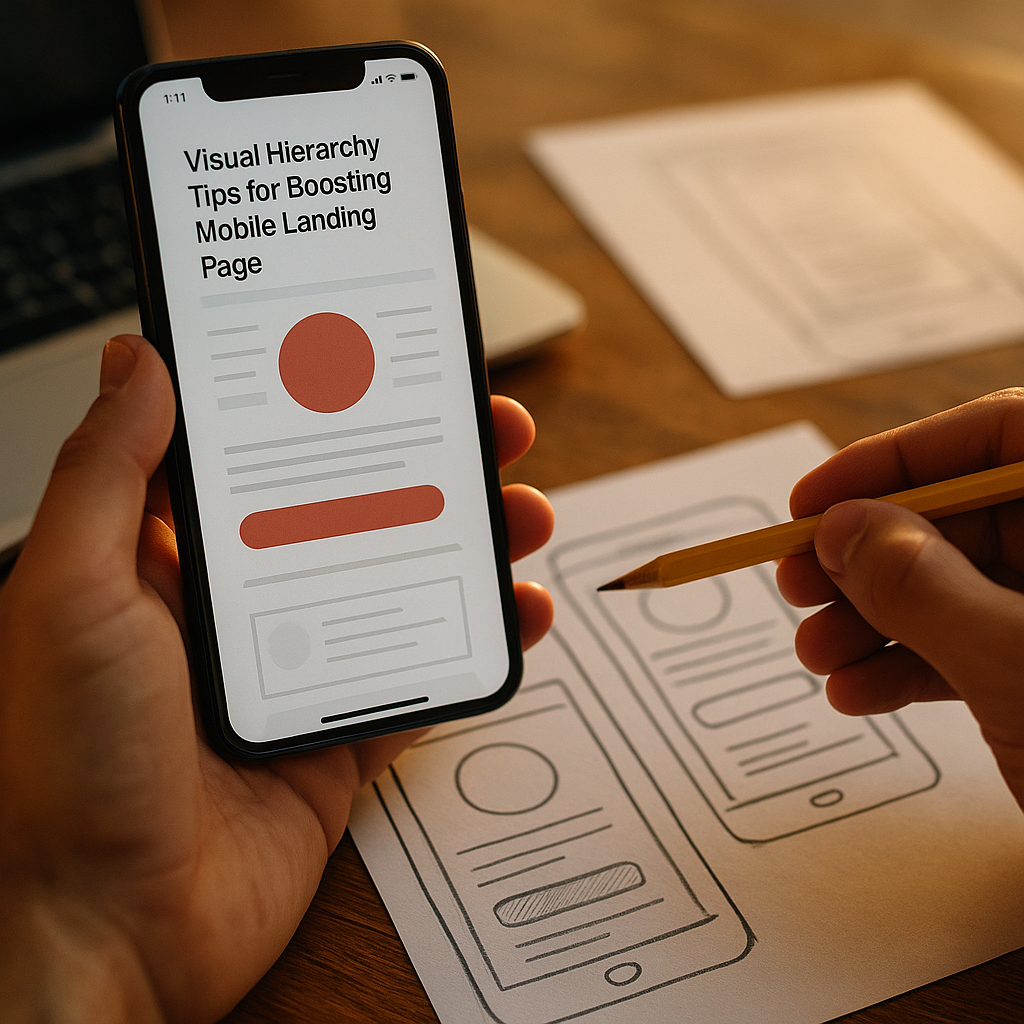
On a phone, every pixel competes for attention, and the order you present information often matters more than the words themselves. The Science Of Visual Hierarchy In Mobile Landing Page Conversion explains why some pages feel effortless while others leak revenue through confusion. In 2025, fast swipes replace patient reading—so hierarchy must guide the eye, reduce decisions, and build trust quickly. Ready to see what actually moves conversions?
Mobile landing page conversion: how the brain prioritizes attention
Visual hierarchy is the deliberate arrangement of elements so users notice, understand, and act in the intended sequence. On mobile, that sequence must happen quickly because attention is fragmented and screens are small. Your goal is not to “add design,” but to manage cognitive load—the mental effort required to process what’s on the screen.
People don’t read mobile landing pages like articles. They scan for meaning: “What is this?”, “Is it for me?”, “Is it safe?”, “What do I do next?” Effective hierarchy answers those questions in order, using predictable cues:
- Size and weight: larger, bolder items get noticed first.
- Position: top and center areas draw attention earlier; left-to-right still influences many users even on mobile.
- Contrast: high contrast signals importance; low contrast recedes.
- Whitespace: separation creates meaning and reduces overwhelm.
- Motion and imagery: faces, arrows, and directional cues can guide gaze—but can also distract.
In practice, conversion-focused hierarchy builds a clear “attention path”: headline → key benefit → proof → primary call-to-action (CTA). If your page forces users to decide what matters, it’s already losing. When you design the order, users can spend their limited attention on deciding “yes,” not on figuring out “what.”
A useful internal check is the 3-second test: if someone lands on the page and you remove the ability to scroll, can they correctly answer what you offer and what to do next? If not, hierarchy is failing, not the copy.
Above-the-fold hierarchy: optimize for thumb-zone UX
“Above the fold” on mobile is not a fixed measurement; it changes with devices, browsers, and dynamic UI (address bars, cookie banners, in-app webviews). Still, the first screen is your highest-leverage area because it sets comprehension and trust. A strong hierarchy above the fold usually contains:
- Outcome-first headline that states the value in plain language.
- One supporting line that clarifies who it’s for or what makes it different.
- One primary CTA with a specific verb and a clear result (avoid vague “Submit”).
- One trust cue (rating, recognizable logo, security note, or short proof point).
Thumb-zone ergonomics affects conversion more than many teams admit. Place your primary CTA where it’s comfortable to tap without hand gymnastics—often near the lower half of the screen or as a persistent sticky button for longer pages. Keep tap targets generous and avoid stacking interactive elements too close together, which increases mis-taps and frustration.
Hierarchy also means resisting competing CTAs. If you show “Start Free Trial,” “Book a Demo,” “Learn More,” and “Download,” you’ve replaced guidance with a menu. If you truly need a secondary action, demote it visually using lighter weight, smaller size, or plain text styling so the primary path stays dominant.
To answer a common follow-up question: Should the CTA always be visible without scrolling? For most paid acquisition traffic, yes—because users arrive with high intent. For content-driven traffic, you can delay a strong CTA until after a short “why you should care” block, but you still need a clear next step early.
CTA button design: use contrast, spacing, and microcopy to drive clicks
Your CTA is a decision point, and decision points demand clarity. Strong mobile CTA hierarchy comes from three design levers: contrast, spacing, and words.
Contrast: The CTA must be the most visually dominant interactive element on the screen. Use a color that stands apart from the rest of the interface, but ensure accessibility with sufficient contrast between text and button background. Avoid using the same color for multiple actions; it dilutes priority.
Spacing: Give the CTA breathing room. Whitespace acts like a spotlight. If your button is surrounded by links, form fields, icons, and disclaimers, it becomes just another rectangle.
Microcopy: Replace generic labels with outcome-based language. “Get my quote,” “See plans,” or “Start saving today” often outperforms “Continue.” Pair the CTA with risk reducers near the tap point: “No credit card,” “Cancel anytime,” “Takes 60 seconds.” These reduce anxiety at the moment it matters.
For forms, visual hierarchy should reduce perceived effort:
- Ask only what you need now; defer the rest.
- Group fields into a clear sequence; show one step or one screen when possible.
- Use inline validation and helpful error messages that explain how to fix issues.
- Keep the submit button visible when the keyboard opens, or provide a sticky submit area.
A practical testing tip: if users reach the CTA but don’t tap, the issue is often meaning (unclear offer, weak benefit, missing trust), not button color. Hierarchy can highlight value, but it can’t replace it.
Trust signals and social proof: build credibility for mobile users
Mobile users are often on the move, multitasking, and less willing to investigate. That makes trust part of hierarchy, not an afterthought. The page should visually answer “Is this legitimate?” in seconds.
Use trust signals that match the stage of the decision:
- Early: recognizable brand marks, star ratings, “used by” logos, clear contact options.
- Mid: short testimonials with names and context, concise proof points (e.g., turnaround time, satisfaction stats).
- Late (near CTA): guarantees, security badges (only if true), refund policy, privacy note, and what happens next.
Hierarchy matters because trust elements can either reassure or distract. Place proof adjacent to the claim it supports. If you say “Setup in 10 minutes,” a small proof line directly below is more persuasive than a “testimonials wall” far down the page. If you show reviews, keep them scannable: short quotes, bolded outcomes, and consistent formatting.
EEAT is not just about adding credentials; it’s about making expertise verifiable and easy to spot. On mobile landing pages, consider:
- Transparent attribution: show who is behind the offer (company name, team or expert name where relevant).
- Evidence-backed claims: avoid exaggerated promises; if you cite metrics, ensure they’re sourced and replicable.
- Clear policies: shipping, returns, cancellation, and privacy should be accessible without hunting.
If your audience is in a regulated category (health, finance, legal), hierarchy must emphasize credentials and disclaimers appropriately. Put the authority markers where users will see them before they commit, not buried in the footer.
Typography and readability: improve mobile UX with scanning patterns
Mobile screens punish dense text. A readable typographic hierarchy is one of the fastest ways to lift comprehension and reduce bounce. Prioritize scanning patterns by making structure visible:
- Short paragraphs: aim for 1–3 sentences.
- Descriptive subheads: make each section self-explanatory.
- Bold sparingly: highlight outcomes, not filler.
- List formatting: use lists for features, steps, and comparisons.
Choose type sizes and line spacing that support fast reading. Mobile users commonly skim with their thumbs, pausing on bolded phrases and the first words of lines. This means your first 5–7 words in any paragraph carry more weight than the rest. Start with the key point, then explain.
Also watch for “readability traps” that sabotage hierarchy:
- Center-aligned body text: harder to scan; reserve for short lines only.
- Overly light fonts: reduce clarity outdoors and on lower-quality screens.
- Long feature grids: on mobile they become a wall of repeated patterns with no priority.
If you must include detail (pricing rules, eligibility, technical requirements), consider progressive disclosure: a concise summary followed by optional deeper content. You can keep the main path clean without hiding essential information.
A/B testing visual hierarchy: measure attention, speed, and revenue impact
Visual hierarchy is measurable. The most reliable approach is to connect design changes to user behavior and business outcomes. In 2025, you can do this with a combination of:
- Conversion metrics: CTA click-through rate, form completion rate, revenue per visitor.
- Behavioral metrics: scroll depth, time to first interaction, rage taps, back button exits.
- Diagnostic tools: session replays, heatmaps, and on-page surveys.
Start with a hypothesis that ties hierarchy to a specific bottleneck. Examples:
- If users scroll past the offer: strengthen the headline-benefit-CTA stack above the fold.
- If users tap but don’t complete: simplify form hierarchy, reduce fields, clarify error states, and add near-CTA reassurance.
- If users hesitate: move proof closer to claims, add a guarantee near the CTA, and remove competing links.
Test one hierarchy change at a time when possible. When you bundle multiple changes (new hero image, new headline, new CTA color), you may win but won’t know why—making it harder to scale learning across pages.
Answering another common follow-up: How long should a test run? Run until you reach adequate sample size for your traffic and conversion rate, and ensure you cover weekday/weekend behavior if your audience varies. Avoid stopping early because of a short-term spike; hierarchy changes can have novelty effects.
Finally, validate on real devices. Browser emulators miss thumb reach, keyboard overlays, and performance quirks. If hierarchy depends on precise spacing and visibility, the device is part of the experiment.
FAQs
What is visual hierarchy on a mobile landing page?
Visual hierarchy is the ordered presentation of elements—headline, benefits, images, proof, and CTA—so users naturally notice and understand the most important information first, then take action. On mobile, hierarchy must work within limited space and fast scanning behavior.
What is the most important element for mobile landing page conversion?
The primary CTA is the key action element, but it only performs well when supported by a clear headline, a specific benefit, and trust cues. The highest-performing pages treat the CTA as the endpoint of a guided attention path, not a standalone button.
How many CTAs should a mobile landing page have?
One primary CTA is best for most landing pages. You may repeat the same CTA after key sections, but avoid multiple different CTAs that compete. If a secondary action is necessary, visually demote it so priority stays clear.
Should I use a sticky CTA on mobile?
A sticky CTA often improves conversion on longer pages because it keeps the next step accessible in the thumb zone. Use it when the decision requires scrolling through proof or details. Ensure it doesn’t cover critical content or create accidental taps.
Do images help or hurt mobile conversions?
They can do either. Images help when they clarify the product, show outcomes, or direct attention toward the CTA. They hurt when they dominate the first screen, slow load time, or distract from the value proposition. Prioritize relevance and performance.
How can I tell if my visual hierarchy is confusing users?
Look for signals like low CTA click-through, short time on page with high bounce, erratic scrolling, rage taps, and frequent back-button exits. Session replays and quick on-page surveys (“What are you here for?”) can confirm whether users understand the offer.
Visual hierarchy determines whether mobile visitors instantly understand your offer or abandon it. In 2025, the winning pattern is consistent: a clear headline, one primary CTA, and nearby trust cues—supported by readable typography and a distraction-free layout. Treat hierarchy as a measurable system, not decoration. When you guide attention with intent and validate with testing, conversions rise for the right reasons.
Top Influencer Marketing Agencies
The leading agencies shaping influencer marketing in 2026
Agencies ranked by campaign performance, client diversity, platform expertise, proven ROI, industry recognition, and client satisfaction. Assessed through verified case studies, reviews, and industry consultations.
Moburst

-
2

The Shelf
Boutique Beauty & Lifestyle Influencer AgencyA data-driven boutique agency specializing exclusively in beauty, wellness, and lifestyle influencer campaigns on Instagram and TikTok. Best for brands already focused on the beauty/personal care space that need curated, aesthetic-driven content.Clients: Pepsi, The Honest Company, Hims, Elf Cosmetics, Pure LeafVisit The Shelf → -
3

Audiencly
Niche Gaming & Esports Influencer AgencyA specialized agency focused exclusively on gaming and esports creators on YouTube, Twitch, and TikTok. Ideal if your campaign is 100% gaming-focused — from game launches to hardware and esports events.Clients: Epic Games, NordVPN, Ubisoft, Wargaming, Tencent GamesVisit Audiencly → -
4

Viral Nation
Global Influencer Marketing & Talent AgencyA dual talent management and marketing agency with proprietary brand safety tools and a global creator network spanning nano-influencers to celebrities across all major platforms.Clients: Meta, Activision Blizzard, Energizer, Aston Martin, WalmartVisit Viral Nation → -
5

The Influencer Marketing Factory
TikTok, Instagram & YouTube CampaignsA full-service agency with strong TikTok expertise, offering end-to-end campaign management from influencer discovery through performance reporting with a focus on platform-native content.Clients: Google, Snapchat, Universal Music, Bumble, YelpVisit TIMF → -
6

NeoReach
Enterprise Analytics & Influencer CampaignsAn enterprise-focused agency combining managed campaigns with a powerful self-service data platform for influencer search, audience analytics, and attribution modeling.Clients: Amazon, Airbnb, Netflix, Honda, The New York TimesVisit NeoReach → -
7

Ubiquitous
Creator-First Marketing PlatformA tech-driven platform combining self-service tools with managed campaign options, emphasizing speed and scalability for brands managing multiple influencer relationships.Clients: Lyft, Disney, Target, American Eagle, NetflixVisit Ubiquitous → -
8

Obviously
Scalable Enterprise Influencer CampaignsA tech-enabled agency built for high-volume campaigns, coordinating hundreds of creators simultaneously with end-to-end logistics, content rights management, and product seeding.Clients: Google, Ulta Beauty, Converse, AmazonVisit Obviously →