


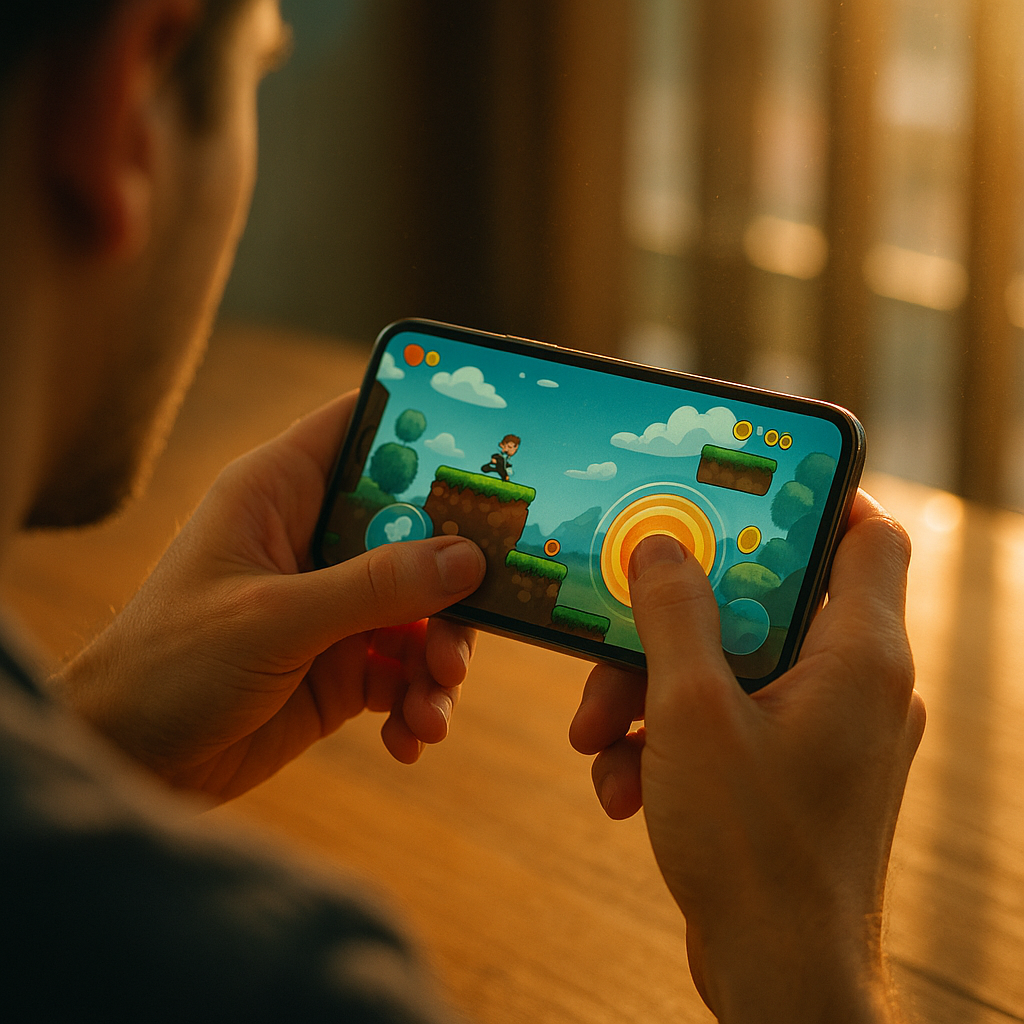
In 2025, mobile storytelling relies on more than visuals and copy. The Role of Haptic Interaction in Modern Mobile Brand Storytelling is to translate meaning into touch: a subtle pulse that confirms trust, a textured vibration that signals progress, or a crisp click that makes an action feel real. When brands design haptics with intent, they increase clarity and emotional resonance—so what should yours feel like?
Haptic branding strategy: why touch belongs in your narrative
Modern brand storytelling on mobile competes in crowded, fast-scrolling environments. Users skim, switch apps, and abandon flows quickly when interfaces feel uncertain. Haptics help solve that problem by adding a sensory layer that users interpret instantly—often faster than reading. A well-timed tap can make a moment feel “confirmed,” while a soft rumble can imply “processing,” and a sharp click can communicate “completed.”
Haptics also strengthen narrative continuity. Storytelling is built on beats: setup, tension, release. Touch can support each beat without adding words. For example, a payment experience can use a gentle tick on card selection (setup), a low, brief pulse while authenticating (tension), and a crisp confirmation click on approval (release). That sequence can make the brand feel competent and secure without changing the UI.
To apply haptics strategically, map them to brand attributes:
- Confidence: decisive, short confirmation patterns—never ambiguous, never “buzzy.”
- Warmth: softer, rounded feedback at key moments like onboarding milestones.
- Speed: minimal haptics used only when they remove doubt, not as decoration.
- Premium: restrained frequency, high precision, consistent patterns across flows.
Readers often ask whether haptics can “feel like a logo.” Not literally, but they can create a recognizable interaction signature. Consistency matters more than novelty: repeat the same pattern for the same meaning everywhere (confirm, warning, error, achievement). That’s how touch becomes part of your brand language rather than a one-off effect.
Tactile UX design: where haptics improve comprehension and conversion
Haptics should earn their place by improving understanding, reducing errors, or reinforcing a key emotional moment. The most defensible use cases are those where the user needs immediate certainty—especially when eyes are busy, the environment is noisy, or the action is high-stakes.
High-value placements for tactile feedback include:
- Primary actions: a crisp tap on “Buy,” “Confirm,” or “Submit” reduces uncertainty and mis-taps.
- State changes: distinct patterns for success, warning, and failure help users interpret outcomes quickly.
- Progress and milestones: micro-celebrations during onboarding or goal tracking can boost motivation without adding clutter.
- Gesture interactions: subtle thresholds when swiping, dragging, snapping, or reaching a boundary.
- Security moments: authentication, permissions, and sensitive settings benefit from deliberate confirmation feedback.
In conversion-critical flows, avoid “decorative vibration.” Users notice when haptics try to entertain instead of inform, and it can feel manipulative. A better approach is to reduce cognitive load: one pattern for “accepted,” one for “needs attention,” and one for “cannot proceed.” This also helps users who have difficulty processing dense visual information quickly.
A practical way to decide if a haptic is justified is to ask: What question does this answer for the user? Examples: “Did the app register my tap?” “Did my payment go through?” “Did I reach the step boundary?” If you can’t name the question, the haptic likely doesn’t belong.
Mobile microinteractions: building emotional beats without visual clutter
Brand storytelling often fails on mobile because brands over-rely on overlays, animations, and long onboarding screens. Haptics enable microinteractions that carry emotion in a compact form. Think of touch as punctuation: it can add rhythm, reinforce meaning, and guide attention while keeping the interface clean.
Common storytelling moments where microinteractions shine:
- Onboarding: a gentle pulse when completing a step can make progress feel tangible.
- Rewards and loyalty: a distinct “achievement” pattern can make points or status upgrades feel earned.
- Content experiences: subtle feedback when saving, bookmarking, or reacting can increase perceived responsiveness.
- Navigation: light boundary cues prevent overscroll frustration and reduce accidental actions.
To keep microinteractions brand-consistent, design a “haptic vocabulary” with a small set of patterns. Limit your library so users learn it subconsciously. A good rule is to keep the core set under six patterns and reserve stronger feedback for rarer, higher-importance moments.
Also consider the emotional arc. If every tap vibrates, nothing feels special. Reserve the strongest haptic cues for moments that matter to your story: completing a goal, confirming an order, receiving a time-sensitive update, or completing a safety step.
Follow-up question you’ll likely face internally: “Will haptics annoy users?” They can, if overused or if they feel random. The solution is restraint, consistent meaning, and adherence to system conventions so feedback feels native rather than gimmicky.
Multisensory marketing: aligning haptics with sound, motion, and copy
Haptics become more powerful when coordinated with other cues. Multisensory marketing isn’t about adding more effects; it’s about aligning them so the user receives one clear message through multiple channels. On mobile, the practical trio is motion + sound + haptics, supported by concise copy.
Alignment principles that keep experiences coherent:
- One meaning, one moment: synchronize haptic timing with the visual state change, not before or after.
- Consistent intensity: pair strong haptics only with strong outcomes (e.g., irreversible action confirmation).
- Redundancy without noise: if sound is off, haptics still communicates; if haptics is off, visuals still communicate.
- Brand tone matching: playful brands can use slightly more expressive patterns, while financial or health brands should stay restrained and precise.
Coordination matters most in storytelling moments like launches, limited-time drops, or time-bound offers. For example, a countdown can use subtle haptics at key thresholds rather than constant pulses. A confirmation can combine a brief scale animation, a short confirmation sound (if enabled), and a crisp haptic to create a unified “done” moment that feels trustworthy.
A frequent question: “Should we design custom haptics?” You should design custom meaning first, then decide how custom you need to be. Many brands get excellent results by using platform-native haptic types and simply applying them consistently. Fully custom patterns are best reserved for moments where differentiation improves recognition without harming usability—such as a signature completion moment in a flagship flow.
Accessibility and ethical design: inclusive, consent-aware haptic feedback
EEAT-aligned mobile storytelling respects users’ bodies, contexts, and preferences. Haptics can support accessibility, but they can also cause discomfort for some users if too intense or unexpected. Ethical haptic design starts with control, predictability, and restraint.
Best practices for inclusive haptics:
- Respect system settings: follow the user’s device preferences for vibration and haptics.
- Provide in-app control: offer a simple toggle or intensity options for haptic feedback where appropriate.
- Avoid constant vibration: repetitive patterns can be distracting or fatiguing, especially in long sessions.
- Never use haptics to coerce: don’t intensify feedback to push purchases or exploit urgency.
- Ensure alternatives: pair haptics with clear visual cues and readable, concise copy.
Accessibility is also about clarity. Distinguish patterns so users can interpret them reliably: success should not feel similar to error. Keep durations short. Avoid patterns that mimic incoming calls or emergency alerts unless that is truly the intent, because it can raise anxiety and reduce trust.
Another ethical consideration is privacy and sensitivity. If a health app uses strong haptics for notifications, it could reveal information in public. Use discreet patterns and allow users to choose how noticeable feedback should be. Trust grows when the brand anticipates real-world contexts rather than assuming every user is alone, calm, and fully attentive.
Measurement and implementation: testing haptics across devices and teams
Storytelling choices should be testable. Haptics can be measured through usability outcomes and business metrics, but you need the right approach because device hardware varies, user settings differ, and subjective perception matters.
Implementation steps that create dependable results:
- Define intent per pattern: document what each haptic means (confirm, error, boundary, achievement) and where it can be used.
- Create a haptic style guide: include examples, do/don’t rules, and mapping to UI components.
- Test in realistic contexts: one-handed use, walking, noisy environments, low attention, and different grip styles.
- Validate across devices: check that patterns feel consistent on common device families and OS versions your audience uses.
- Instrument key flows: track mis-taps, drop-off at steps, time-to-complete, and support tickets related to “did it work?” moments.
For evaluation, combine quantitative and qualitative methods:
- A/B testing: compare completion rates and error rates with and without specific haptic cues in a targeted flow.
- Task-based usability: ask users to narrate what they think happened after an action; haptics should reduce confusion.
- Sentiment interviews: measure perceived trust, responsiveness, and “premium feel,” but look for consistent themes rather than isolated opinions.
Teams often ask how to prevent inconsistent haptic use as the product grows. The answer is governance: a shared component library that includes haptic behavior, design review checklists that explicitly mention feedback, and a single owner (often design systems or UX engineering) to keep patterns aligned.
FAQs: Haptic interaction in mobile brand storytelling
What is haptic interaction in mobile experiences?
Haptic interaction is tactile feedback delivered through a device’s vibration or haptic engine to communicate events like confirmations, errors, boundaries, or progress. In storytelling, it adds a sensory layer that reinforces meaning and emotion.
How do haptics support brand storytelling rather than just UI feedback?
They reinforce narrative beats—certainty, tension, release—through consistent tactile cues. When mapped to brand attributes and used consistently, haptics become part of the brand’s interaction voice, not a random effect.
Should every button tap have haptic feedback?
No. Overuse reduces impact and can annoy users. Use haptics for moments that reduce uncertainty, prevent errors, or emphasize key milestones, especially in high-stakes flows like payments, permissions, or irreversible actions.
Can haptics improve conversion and retention?
They can when they reduce friction—fewer mis-taps, clearer state changes, and more confidence at decision points. The most reliable improvements come from targeted use in critical steps, validated with usability testing and metrics.
How do we make haptics accessible and inclusive?
Respect system settings, provide in-app controls when appropriate, keep patterns short and distinguishable, and always pair haptics with clear visual cues. Avoid intense or frequent feedback that can cause fatigue or discomfort.
Do we need custom haptic patterns to stand out?
Not necessarily. Many brands achieve a distinctive feel by applying platform-native haptics consistently. Use custom patterns only when they improve recognition or meaning without harming usability or confusing users.
Haptics give mobile brands a direct channel to communicate through touch, turning abstract actions into felt outcomes. In 2025, the best teams treat tactile feedback as a design system: consistent patterns, clear meaning, and ethical restraint. When you align haptics with key story beats—confidence, progress, and completion—you reduce friction and increase trust. Design what your brand should feel like, then prove it in testing.
Top Influencer Marketing Agencies
The leading agencies shaping influencer marketing in 2026
Agencies ranked by campaign performance, client diversity, platform expertise, proven ROI, industry recognition, and client satisfaction. Assessed through verified case studies, reviews, and industry consultations.
Moburst

-
2

The Shelf
Boutique Beauty & Lifestyle Influencer AgencyA data-driven boutique agency specializing exclusively in beauty, wellness, and lifestyle influencer campaigns on Instagram and TikTok. Best for brands already focused on the beauty/personal care space that need curated, aesthetic-driven content.Clients: Pepsi, The Honest Company, Hims, Elf Cosmetics, Pure LeafVisit The Shelf → -
3

Audiencly
Niche Gaming & Esports Influencer AgencyA specialized agency focused exclusively on gaming and esports creators on YouTube, Twitch, and TikTok. Ideal if your campaign is 100% gaming-focused — from game launches to hardware and esports events.Clients: Epic Games, NordVPN, Ubisoft, Wargaming, Tencent GamesVisit Audiencly → -
4

Viral Nation
Global Influencer Marketing & Talent AgencyA dual talent management and marketing agency with proprietary brand safety tools and a global creator network spanning nano-influencers to celebrities across all major platforms.Clients: Meta, Activision Blizzard, Energizer, Aston Martin, WalmartVisit Viral Nation → -
5

The Influencer Marketing Factory
TikTok, Instagram & YouTube CampaignsA full-service agency with strong TikTok expertise, offering end-to-end campaign management from influencer discovery through performance reporting with a focus on platform-native content.Clients: Google, Snapchat, Universal Music, Bumble, YelpVisit TIMF → -
6

NeoReach
Enterprise Analytics & Influencer CampaignsAn enterprise-focused agency combining managed campaigns with a powerful self-service data platform for influencer search, audience analytics, and attribution modeling.Clients: Amazon, Airbnb, Netflix, Honda, The New York TimesVisit NeoReach → -
7

Ubiquitous
Creator-First Marketing PlatformA tech-driven platform combining self-service tools with managed campaign options, emphasizing speed and scalability for brands managing multiple influencer relationships.Clients: Lyft, Disney, Target, American Eagle, NetflixVisit Ubiquitous → -
8

Obviously
Scalable Enterprise Influencer CampaignsA tech-enabled agency built for high-volume campaigns, coordinating hundreds of creators simultaneously with end-to-end logistics, content rights management, and product seeding.Clients: Google, Ulta Beauty, Converse, AmazonVisit Obviously →