


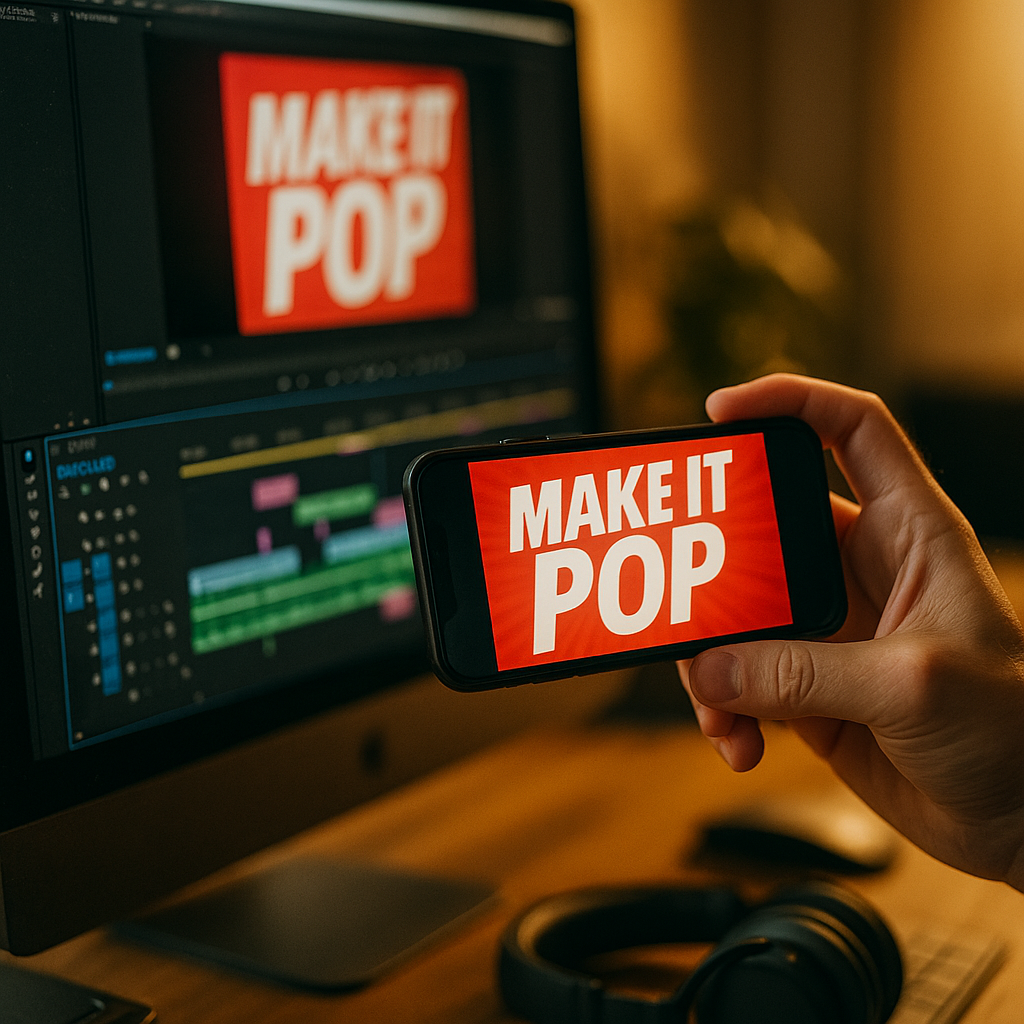
Short-form feeds reward creators who earn attention fast and keep it. Using Kinetic Typography to Enhance Short Form Video View Rates is one of the most reliable ways to improve clarity, retention, and rewatch behavior—without relying on sound. When words move with purpose, they guide the eye, emphasize value, and reduce drop-offs. Ready to turn captions into a performance engine?
Why kinetic typography improves short-form retention
Kinetic typography is animated text designed to support meaning through motion, timing, scale, and emphasis. In short-form video, it works because it solves three common view-rate problems: viewers scroll quickly, many watch on mute, and attention decays within seconds. Animated text helps you communicate the core promise immediately and keep the narrative legible through the entire clip.
It increases comprehension at speed. Short-form videos often compress complex ideas into 10–45 seconds. Well-timed text can reduce cognitive load by chunking information into bite-size phrases. Instead of making a viewer “work” to understand what’s happening, kinetic typography guides them with cues like bold emphasis for key benefits, rapid entrance for urgency, and pauses that match natural speech.
It supports silent viewing. Many people consume short-form content without audio in public spaces or during multitasking. Clear, animated text can stand in for narration and preserve context. When captions are static, they can be ignored. When typography is kinetic—appearing in sync with the beat, gestures, or scene changes—it becomes part of the visual story.
It drives micro-engagement signals. Platforms optimize feeds based on real user behavior: holds, rewatches, shares, and completions. Kinetic typography can create “pattern interrupts” every few seconds (without feeling gimmicky), giving viewers repeated reasons to continue. It also improves memory of key phrases, increasing saves and shares—especially for educational, product, and “how-to” formats.
EEAT note: The practical guidance below is based on established motion-design principles (timing, hierarchy, readability) and common platform analytics patterns used by editors and social video teams. Always validate changes with A/B tests inside your own niche, because audience expectations vary by category.
Kinetic typography tips for short-form videos that keep viewers watching
To lift view rates, kinetic typography must feel intentional, not decorative. Use it to clarify the promise, pace the story, and emphasize outcomes. These tactics are reliable across most short-form platforms.
1) Put the “why watch” in the first second. Use a concise headline that appears immediately. Aim for 5–8 words. Animate it with a simple scale-in or slide-in so it’s noticeable but not distracting. If the hook is a question, keep it readable long enough to be understood at a glance.
2) Build a clear hierarchy. Viewers should instantly know what matters most. Use size and weight to rank information: headline (largest), key term (bold), supporting detail (smaller). Avoid showing too many lines at once. In short-form, less text on screen usually performs better.
3) Match motion to meaning. Motion should reinforce the message. Examples:
- Snap or quick pop-in for decisive tips (“Do this”).
- Ease-in and smooth drift for calm explanations.
- Shake or jitter sparingly to signal “wrong” or “avoid.”
- Countdown or step markers to create forward momentum.
4) Keep typography on-beat (even without music). Rhythm matters. If there’s speech, time text hits to stressed syllables. If there’s no voiceover, time text changes to visual cuts or hand movements. This creates cohesion that feels “professional,” which boosts trust and reduces early exits.
5) Use progressive disclosure. Don’t reveal everything at once. Instead, show one idea, then replace it or add the next piece. This prevents clutter and creates curiosity—viewers keep watching to complete the thought.
6) Add “retention anchors” every 2–3 seconds. Short-form attention typically fades quickly. Add a purposeful text event frequently: a bold keyword, a new step number, a quick underline, or a mini headline. These anchors should summarize where the viewer is in the story: “Step 2,” “Common mistake,” “Result,” “Before/After.”
Follow-up question you may have: Will more text hurt my view rate? Yes, if it becomes unreadable or forces effort. Kinetic typography works best when it replaces rambling narration and makes the video easier to understand. If text feels like homework, people scroll.
Animated captions best practices for mobile readability
Most short-form viewing happens on phones, often one-handed, often in bright environments. Mobile readability is a view-rate multiplier: if your text is hard to read, viewers leave—even if the content is good.
Use safe placement and consistent margins. Keep text away from UI elements like captions overlays, buttons, and usernames. Place primary text in the center “safe zone,” typically mid-screen, with generous padding from edges. If you must use lower thirds, raise them enough to avoid interface clutter.
Choose legible typefaces. Use clean sans-serif fonts designed for screens. Avoid thin weights and overly condensed styles. Maintain a consistent style across a series to build recognizability.
Prioritize contrast. Ensure text stands out against changing footage. Use one or more of these:
- Solid background pill behind text (fastest fix).
- Drop shadow with subtle blur and opacity.
- Stroke/outline for high-contrast scenes.
- Gradient panel when the background is busy.
Keep line length short. Aim for 1–2 lines. Break phrases into logical chunks to reduce eye travel. Viewers should read without stopping the scroll.
Set a readable timing rule. A practical baseline is to keep phrases on-screen long enough for an average viewer to read once comfortably. If you speed up, compensate by reducing words. If your niche is technical, slow down the text or simplify language.
Make accessibility a default. Avoid relying on color alone for meaning. Maintain adequate contrast and avoid rapid flashing. Good accessibility supports EEAT: it signals care for the audience and reduces friction for more viewers.
Text animation styles for Reels, TikTok, and Shorts
Different platforms share similar mechanics, but audiences respond to distinct visual languages. The key is to choose animation styles that match platform norms while staying aligned with your brand.
Reels: Often favors clean, aesthetic typography that complements lifestyle footage. Use smooth transitions, subtle motion blur, and restrained effects. Pair with short benefit statements and on-screen step markers.
TikTok: Rewards speed, personality, and directness. Use bolder emphasis, quick kinetic hits, and conversational phrasing. Kinetic typography works well when it mirrors spoken cadence. Keep it energetic but readable.
Shorts: Performs well with high clarity and rapid value delivery. Use strong hierarchy, concise phrases, and simple animations that don’t distract from the subject. Frequent “chapter” cues (e.g., “Mistake #1”) can help maintain momentum.
Reliable animation patterns that lift view rates:
- Word-by-word reveal for punchlines and step-by-step guidance.
- Key-term highlight (bold/scale up) when naming the main benefit.
- Callout labels pointing to on-screen objects for tutorials and reviews.
- Progress indicators (Step 1/3) to encourage completion.
- Before/after headers to frame transformations clearly.
Avoid overused effects that reduce trust. Excessive shaking, chaotic spins, or constant zooming can feel spammy. If your goal is higher view rates, design for clarity first and style second.
Follow-up question you may have: Should I use templates? Templates can speed production and improve consistency, but customize typography, spacing, and timing to match your footage. If your text doesn’t “land” on key moments, the template will look pasted on.
How to use motion design for social media without hurting pacing
Creators often add kinetic typography and accidentally slow the video down. The fix is to treat typography as part of the edit, not a layer added afterward.
Start with a retention-first script. Even if you’re improvising, outline: hook, payoff, steps, and close. Then decide which parts must be on-screen as text to ensure understanding without audio.
Align text beats with edit beats. Place major text changes at cut points or on action beats (hand gestures, object reveals, camera moves). This makes the typography feel “native” to the footage.
Control attention with one focal point. Don’t compete with your subject. If the subject is speaking to camera, keep text near their face line but not covering it. If the subject is an object demo, place text close to the object to reduce eye travel.
Use motion sparingly for credibility. High-trust niches (finance, health, legal, B2B) benefit from restrained motion. Use clean transitions, consistent styling, and clear claims. If you cite a result, add a qualifier like “example,” “typical,” or “depends” unless you can substantiate a specific claim.
Create reusable systems. To scale output in 2025, build a small “type system”:
- 2 font weights (regular, bold)
- 2 sizes (headline, body)
- 1 highlight color
- 3 animation presets (pop-in, slide, underline)
- 1 background treatment (pill or panel)
This system keeps production fast and consistent, which supports long-term performance more than occasional flashy videos.
Short-form video analytics to measure view-rate gains
Kinetic typography is only “good” if it improves the metrics that matter. Track performance with a simple testing process so you can attribute improvements to the text, not to randomness.
Prioritize these metrics:
- 3-second hold rate: Did the hook text reduce immediate swipes?
- Average watch time: Did typography improve understanding and pacing?
- Completion rate: Did progress cues and step text encourage finishing?
- Rewatch rate: Did dense value + readable text trigger repeats?
- Saves/shares: Did on-screen takeaways become “save-worthy”?
Run controlled A/B tests. Post two versions with identical footage and audio, changing only typography. Test one variable at a time: placement, timing, highlight style, or density. Keep the posting window and audience context similar when possible.
Diagnose drop-off points. Many platforms show retention graphs. When you see a dip, review the exact moment. Common typography-related causes include:
- Text appears too late to clarify the topic
- Too many words at once
- Low contrast against the background
- Animation distracts from the action
- Key claim is unclear or feels exaggerated
Translate insights into a checklist. The goal is repeatable improvement. After 10–20 posts, your best-performing patterns become your house style, and your view rate stabilizes at a higher baseline.
FAQs about kinetic typography for short-form video
What is kinetic typography in short-form video?
Kinetic typography is animated text that moves, changes, or emphasizes words over time to support meaning. In short-form content, it commonly appears as animated captions, headlines, step markers, and callouts that guide viewers through the message.
Does kinetic typography work if I already use captions?
Yes. Standard captions improve accessibility, but kinetic typography adds hierarchy and emphasis. It helps viewers notice the most important words, understand the structure (steps, mistakes, results), and stay engaged through motion cues.
How much on-screen text is too much?
If viewers must pause to read, it’s too much. Keep most moments to one core idea on-screen, usually 5–12 words. For complex topics, break information into multiple quick screens rather than a dense paragraph.
Which animation is best for retention?
Simple, readable motions win most often: pop-ins, slides, fades, and highlights timed to speech or cuts. The “best” animation is the one that improves clarity without stealing focus from the subject.
Can kinetic typography hurt my view rate?
Yes—when it reduces readability, covers the subject, or feels chaotic. If your retention graph drops at moments where text becomes busy or hard to read, simplify the animation, reduce words, and increase contrast.
Do I need expensive software to create kinetic typography?
No. Many creators use built-in platform editors or mobile apps for basic kinetic text. The main drivers of performance are timing, hierarchy, and readability—not advanced effects.
In 2025, short-form winners design for speed, clarity, and silent viewing. Kinetic typography boosts view rates when it delivers the hook instantly, reinforces key points with readable motion, and keeps pacing tight with frequent retention anchors. Treat text as part of the edit, not decoration, then validate improvements with simple A/B tests. Make every word earn attention—and keep it.
Top Influencer Marketing Agencies
The leading agencies shaping influencer marketing in 2026
Agencies ranked by campaign performance, client diversity, platform expertise, proven ROI, industry recognition, and client satisfaction. Assessed through verified case studies, reviews, and industry consultations.
Moburst

-
2

The Shelf
Boutique Beauty & Lifestyle Influencer AgencyA data-driven boutique agency specializing exclusively in beauty, wellness, and lifestyle influencer campaigns on Instagram and TikTok. Best for brands already focused on the beauty/personal care space that need curated, aesthetic-driven content.Clients: Pepsi, The Honest Company, Hims, Elf Cosmetics, Pure LeafVisit The Shelf → -
3

Audiencly
Niche Gaming & Esports Influencer AgencyA specialized agency focused exclusively on gaming and esports creators on YouTube, Twitch, and TikTok. Ideal if your campaign is 100% gaming-focused — from game launches to hardware and esports events.Clients: Epic Games, NordVPN, Ubisoft, Wargaming, Tencent GamesVisit Audiencly → -
4

Viral Nation
Global Influencer Marketing & Talent AgencyA dual talent management and marketing agency with proprietary brand safety tools and a global creator network spanning nano-influencers to celebrities across all major platforms.Clients: Meta, Activision Blizzard, Energizer, Aston Martin, WalmartVisit Viral Nation → -
5

The Influencer Marketing Factory
TikTok, Instagram & YouTube CampaignsA full-service agency with strong TikTok expertise, offering end-to-end campaign management from influencer discovery through performance reporting with a focus on platform-native content.Clients: Google, Snapchat, Universal Music, Bumble, YelpVisit TIMF → -
6

NeoReach
Enterprise Analytics & Influencer CampaignsAn enterprise-focused agency combining managed campaigns with a powerful self-service data platform for influencer search, audience analytics, and attribution modeling.Clients: Amazon, Airbnb, Netflix, Honda, The New York TimesVisit NeoReach → -
7

Ubiquitous
Creator-First Marketing PlatformA tech-driven platform combining self-service tools with managed campaign options, emphasizing speed and scalability for brands managing multiple influencer relationships.Clients: Lyft, Disney, Target, American Eagle, NetflixVisit Ubiquitous → -
8

Obviously
Scalable Enterprise Influencer CampaignsA tech-enabled agency built for high-volume campaigns, coordinating hundreds of creators simultaneously with end-to-end logistics, content rights management, and product seeding.Clients: Google, Ulta Beauty, Converse, AmazonVisit Obviously →