


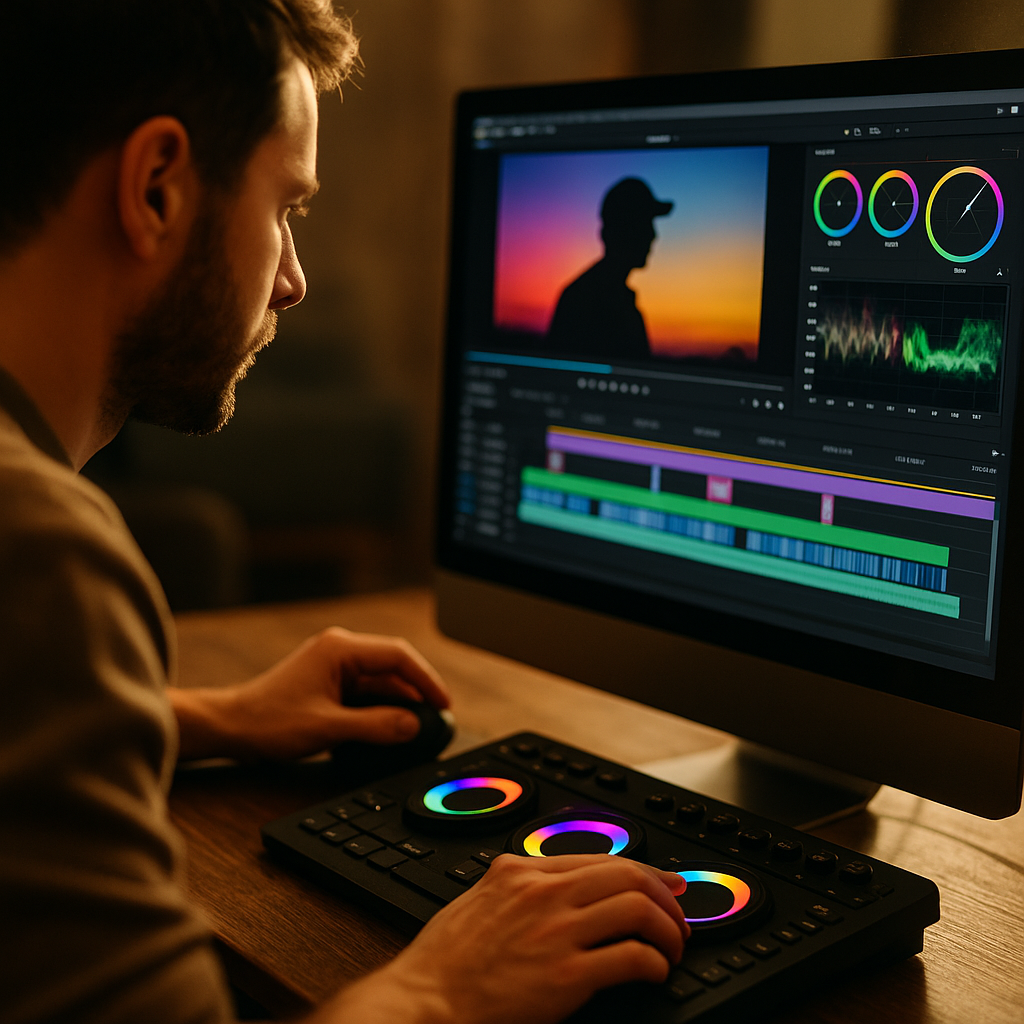
The Psychology of Color Pacing in High Retention Video Editing is less about picking “pretty” palettes and more about controlling attention, emotion, and comprehension over time. In 2025, audiences swipe fast, platforms reward watch time, and creators need repeatable systems. Color pacing gives editors a measurable lever: when to stimulate, when to calm, and when to reset the eye. Ready to edit with intention?
Color pacing psychology and viewer attention
Color affects perception in milliseconds because the visual system prioritizes contrast, motion, and salience before meaning. In high-retention editing, color pacing is the deliberate modulation of color intensity, temperature, and contrast across time to guide attention and reduce drop-off. Think of it as rhythm: not constant “loud,” but controlled peaks and rests.
From a cognitive standpoint, viewers continuously answer three questions while watching: What should I look at? What does it mean? Should I keep watching? Color pacing supports all three by:
- Directing gaze through contrast and saturation shifts that make the subject pop without relying on extra zooms.
- Managing arousal by alternating high-energy (warm, vivid) moments with calmer (cooler, softer) segments so the viewer doesn’t fatigue.
- Reducing cognitive load by keeping a stable “base look” while only changing color to signal a new beat, idea, or emotional turn.
Editors often overcorrect by applying aggressive LUTs or constant high saturation. The paradox: maximum intensity becomes a new baseline, so nothing feels like a highlight. The retention-friendly approach is to establish a neutral or consistent base grade, then pace color changes as narrative punctuation.
If you’re wondering how to know when a color shift is “too much,” a practical rule is this: color changes should align with an observable story function (new chapter, key claim, twist, punchline, reveal, or call-to-action). Random shifts feel like noise, and viewers interpret noise as low quality.
Emotional color transitions for narrative momentum
Retention improves when viewers feel a forward pull—an emotional reason to stay. Color supports that pull because it carries emotional associations (warmth, urgency, calm, distance) and can create expectation. In short-form and long-form alike, emotional color transitions work best when they mirror the story arc rather than simply decorating it.
Use color temperature like a narrative dial:
- Warm shifts (more amber/red) increase perceived intimacy and urgency. Great for confessions, stakes, personal anecdotes, product reveals, and “here’s the problem” moments.
- Cool shifts (more blue/cyan) signal analysis, reflection, or uncertainty. Useful for “here’s the data,” “here’s what went wrong,” or technical explanation segments.
- Neutral resets (balanced whites, moderate saturation) restore trust and reduce fatigue after a high-energy run.
To keep transitions professional, prioritize motivation. Tie a change to something the audience can intuit: a location change, time-of-day shift, a new on-screen graphic style, or a new argument. When the change is motivated, viewers experience it as storytelling. When it’s unmotivated, they experience it as distraction.
Answering the common follow-up: Do emotional associations differ by culture? Yes, sometimes. That’s why high-retention color pacing depends less on symbolic meanings (“red equals X”) and more on universal perception cues: contrast, brightness, and skin-tone credibility. If your content targets multiple regions, keep skin tones natural and use emotional color as a subtle accent rather than a full-scene identity.
Saturation rhythm and cognitive load in fast edits
Fast edits raise energy, but they also increase cognitive load: more cuts, more information, less processing time. Saturation rhythm helps you maintain clarity while still feeling dynamic. Instead of pushing saturation across the entire timeline, you create patterns—micro-peaks and micro-rests—so the eye can recover.
Here’s a retention-focused way to pace saturation in fast edits:
- Base level: Keep most clips at a comfortable, believable saturation that flatters skin and preserves detail in highlights.
- Peak moments: Boost saturation slightly (often just a small percentage) on key visuals: the reveal shot, the “before/after,” the reaction, the payoff.
- Rest moments: Pull saturation down during dense explanations, captions-heavy segments, or when you want viewers to listen instead of scan.
In 2025, much content is watched on small screens with aggressive display processing. That matters because oversaturation can cause “color clipping,” crushed detail, and a harsh look that reads as amateur. A good editor protects texture and tonality: keep reds from bleeding, preserve highlight detail in faces, and avoid neon greens that compete with text overlays.
One reliable technique is to build a color hierarchy: decide the most important color in frame (often skin tones), and ensure nothing else competes at the same intensity. If your background is vibrant, reduce its saturation or luminance so your subject remains the visual anchor. This reduces viewer effort, and lower effort tends to support longer watch times.
If you’re thinking, But isn’t high saturation what performs on short-form? High saturation can help in the first second, but sustained retention needs contrast management, not just intensity. Many high-performing creators hook with a vivid opening, then settle into a cleaner baseline so viewers can stay comfortable through the value delivery.
Contrast and luminance pacing for watch time retention
If saturation is the “volume” of color, contrast and luminance are the “focus.” Contrast and luminance pacing means intentionally shifting brightness relationships and tonal separation across sequences to keep the image readable and emotionally varied.
Use luminance changes to create structure:
- Brighter, higher-contrast segments feel more immediate and energetic. They work well for hooks, quick demonstrations, reaction beats, and comedic timing.
- Softer, lower-contrast segments feel reflective and trustworthy. They work well for sensitive topics, nuance, or complicated explanations.
- High-contrast “punctuation” frames (a crisp hero shot, a clean product close-up) can mark chapter transitions without extra graphics.
For retention, clarity beats style. Ensure text overlays remain legible regardless of background by planning contrast. If captions sit over footage, you can:
- Lower background luminance slightly during dense caption sections.
- Use subtle vignettes or exposure masks to keep attention on the face.
- Maintain consistent midtone exposure for skin so the viewer’s brain reads “credible” and “comfortable.”
Also consider platform behavior: many viewers watch with auto-brightness and in bright environments. Excessively dark grades can look cinematic on a calibrated monitor but unreadable on a phone outdoors. A retention-grade workflow includes a quick check on a mobile device before publishing.
A practical pacing pattern for longer videos is a three-act tonal map: brighter and punchier early (to earn attention), steady and clean mid (to deliver value), and slightly heightened contrast near the end (to create a sense of resolution and make the CTA visually “arrive”).
Brand color consistency across shorts and long-form
High retention is not only about a single video; it’s also about return viewing. Brand color consistency helps the audience recognize your content instantly, which reduces friction and increases the likelihood of continued watching. The key is to create a consistent base look and reserve strong brand colors for intentional moments.
To do this without making every scene feel identical:
- Create a base grade: A neutral, flattering look that corrects exposure and white balance first. This is your “default reality.”
- Define brand accents: Choose one or two hues that appear in graphics, lower thirds, backgrounds, or props. Keep them stable across episodes.
- Use accents as pacing tools: Introduce brand colors at chapter headers, key takeaways, or replay-worthy moments so color becomes a navigational cue.
Consistency also supports perceived expertise. When visuals are stable—especially skin tones, whites, and blacks—your content feels more trustworthy. That matters for EEAT because viewers judge credibility quickly. If your color grade shifts unpredictably, it can signal disorganization, even when the information is strong.
Editors often ask: Should shorts and long-form share the same grade? They should share the same identity, not necessarily identical settings. Shorts typically benefit from slightly higher contrast and a touch more saturation for scroll environments, while long-form benefits from comfort and longevity. Keep the same skin-tone handling and brand accents so the audience feels continuity.
Workflow: testing color pacing with retention analytics
The most effective way to improve color pacing is to treat it as a hypothesis you can test. In 2025, most platforms provide audience retention graphs, drop-off points, and rewatch indicators. Tie those signals to your timeline and see whether your color decisions support or distract from the story.
A simple, repeatable workflow:
- Map the story beats: Hook, promise, setup, payoff, proof, CTA. Mark these on the timeline.
- Assign a color intention per beat: For example: hook = bright and warm; explanation = neutral; proof = crisp and slightly cooler; payoff = warm pop.
- Keep a stable baseline: Do corrective color first (exposure, white balance, skin tones). Then add pacing adjustments as a second pass.
- Check accessibility: Ensure captions and graphics pass contrast needs and that color is not the only signal (use text, icons, or positioning too).
- Review on multiple displays: Phone, laptop, and a calibrated monitor if possible.
- Analyze retention dips: If viewers drop when your grade shifts, test a subtler transition or move it to a motivated cut.
To strengthen EEAT, document your process like a professional editor would: keep a consistent LUT pack, note camera profiles, and maintain a version history of tests. This improves reliability, makes collaboration easier, and helps you scale a consistent look across a team.
When you see a rewatch spike, ask what happened visually. Often it’s a clean, readable moment with strong subject separation—exactly what thoughtful color pacing is designed to deliver.
FAQs about color pacing in retention-focused editing
-
What is color pacing in video editing?
Color pacing is the intentional control of color intensity, temperature, and contrast over time to guide attention, shape emotion, and reduce viewer fatigue. Instead of one static grade, you use planned shifts that align with story beats.
-
Does color pacing matter more than music pacing?
They work together. Music sets emotional rhythm, while color controls visual effort and focus. If the edit is visually exhausting, even great music can’t prevent drop-off. Start with a clear base grade, then pace color to match the audio and narrative.
-
How do I pace color without making my video look inconsistent?
Build a consistent corrective baseline first (exposure, white balance, skin tones). Then apply small, motivated changes at specific beats—often through temperature shifts, selective saturation, or localized contrast—rather than global changes every few seconds.
-
What are common mistakes that hurt retention?
Over-saturation that clips detail, unmotivated color changes, skin tones that drift shot-to-shot, grades that make captions hard to read, and overly dark “cinematic” looks that fail on phones. These increase cognitive load and reduce trust.
-
Can I use LUTs and still do color pacing?
Yes. Use LUTs to establish a consistent base look, then adjust pacing with small per-section changes. Avoid stacking multiple strong LUTs; it often causes instability in skin tones and makes transitions feel accidental rather than intentional.
-
How do I know if my color pacing improved retention?
Compare versions using retention graphs and watch-time data. Look for fewer early drop-offs, smoother mid-video retention, and rewatch spikes around key moments. Tie improvements to specific, repeatable changes (for example, calmer midsection saturation or clearer subject separation).
Color pacing turns grading into a retention tool: you control arousal, reduce fatigue, and guide the eye through each beat. Start with a consistent, trustworthy baseline, then plan motivated shifts in warmth, saturation, and contrast where the story needs emphasis. In 2025, the creators who win attention build systems, not accidents. Pace color like a narrative instrument, and watch time follows.