


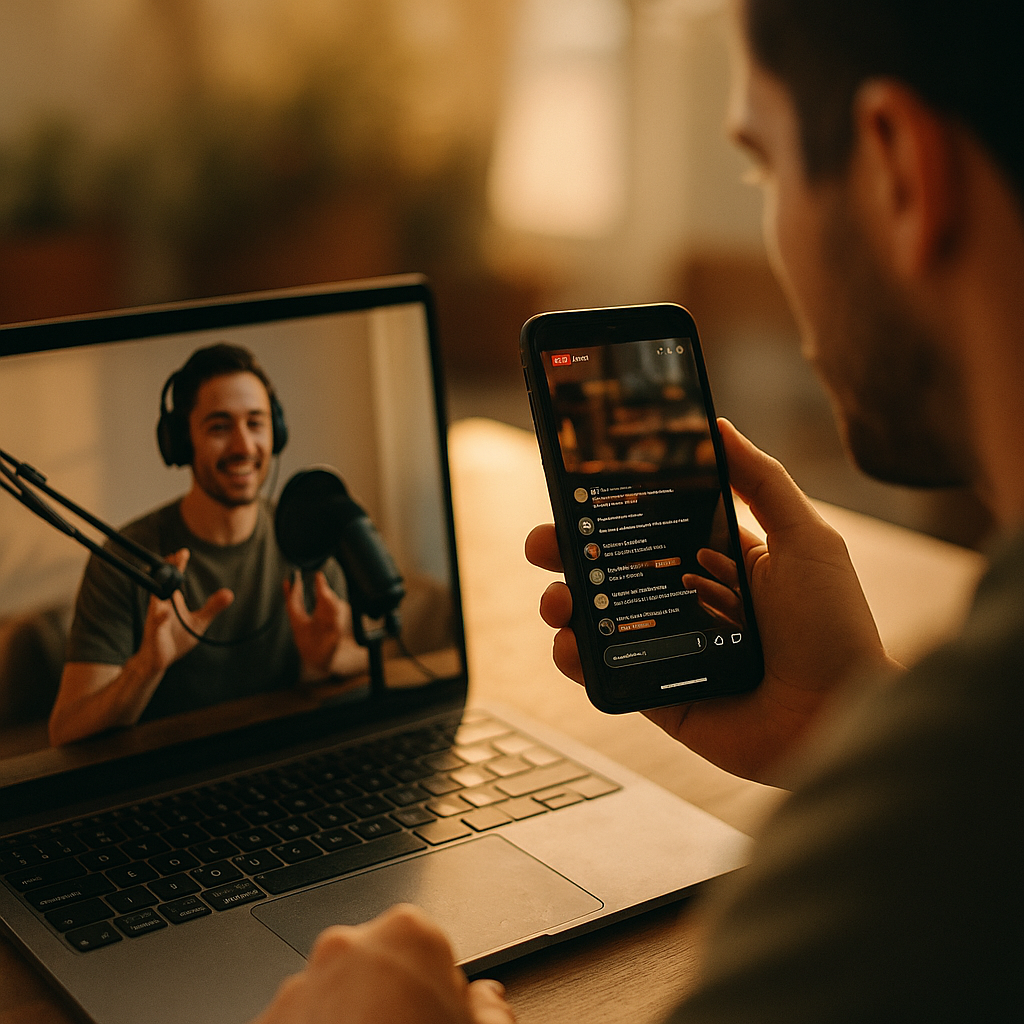
Designing For The “Second-Screen” Experience in Live Creator Events has become a core skill for teams who want audiences to stay engaged while watching streams, panels, concerts, and live shopping. In 2025, viewers rarely watch with full attention; they chat, search, and buy in parallel. The winners design that behavior on purpose—so the phone complements the main show, not competes with it. What would you change first?
Second-screen engagement: Understand the viewer’s real behavior
Most live creator events already have a “two-screen” audience—even if you never planned for it. People watch the main broadcast on a TV, laptop, or tablet while holding a phone for chat, social feeds, purchases, fact-checking, polls, and sharing clips. Treating that second device as “distraction” leads to chaotic experiences. Treating it as a designed companion channel increases retention, satisfaction, and conversion.
Start with a clear second-screen job-to-be-done. Define what the companion experience is supposed to help the viewer accomplish without leaving the event. Common jobs include:
- Participate: vote, ask questions, join giveaways, and influence outcomes in real time.
- Understand: see context, product specs, transcripts, translations, or chapter summaries.
- Shop: add to cart, compare variants, apply codes, and track shipping without missing the show.
- Share: clip moments, repost quotes, and invite friends instantly.
- Belong: see community identity signals (badges, streaks) and creator acknowledgements.
Design principle: the second screen should reduce cognitive load, not add it. If viewers need to read long paragraphs or manage complex navigation, they will abandon it—or worse, miss the main event and blame you for it.
Answering the likely follow-up: “Do we need a separate app?” Often no. Many successful second-screen experiences live inside the existing platform (YouTube Live, Twitch, TikTok LIVE, Instagram Live) via overlays, pinned messages, chat commands, link hubs, or lightweight web companions. Build where your audience already is unless you have a strong reason to move them.
Companion app UX: Map the second screen to the live show timeline
Second-screen success depends on timing. Live events are temporal; your companion experience must be, too. The most effective patterns synchronize content to the show’s rhythm—opening, segments, reveals, calls to action (CTAs), breaks, and closing.
Create a “show-to-phone” content map. For each segment, specify what appears on the second screen and why:
- Pre-show (5–20 minutes): countdown, agenda, reminders, “set up your profile,” lightweight warm-up poll, and a single primary action (follow/subscribe or RSVP).
- Opening (first 2 minutes): one onboarding card: how to participate, how to ask questions, and how to enable notifications for key moments.
- Core segments: contextual cards that change with the segment—guest bios, references, product bundles, or challenge rules.
- Peak moments: simplified actions (one-tap vote, one-tap claim, one-tap “clip this”) with clear time limits.
- Breaks: recap tiles (“what you missed”), queue next questions, and show a short highlight loop.
- Closing: one decisive CTA, summary of outcomes, and a post-event pathway (VOD, newsletter, Discord, store).
Keep the interaction grammar consistent. Viewers learn your controls during the first minutes. Don’t swap icons, reposition the primary button every segment, or hide key actions behind changing menus.
Design for “glanceability.” Use short labels, progressive disclosure, and clear states (e.g., “Vote submitted,” “Added to cart,” “Question queued”). A viewer should understand what to do in under two seconds.
Follow-up: “What if the stream is delayed?” Assume latency. Design interactions that tolerate a 5–30+ second mismatch between what the viewer sees and what the second screen prompts. Instead of “Vote now—10 seconds,” use “Voting open” with a visible close timer that’s based on the server, and confirm the user’s action immediately on the phone.
Live chat design: Build community without letting it derail the show
Chat is the default second-screen behavior. But chat can overwhelm, distract, and encourage low-quality engagement if it’s not shaped. Strong live chat design creates belonging and surfaces signal over noise—without censoring healthy debate.
Use tiered participation. Not everyone should have the same interface at the same time. Consider:
- Fast chat: lightweight reactions during hype moments (emoji bursts, quick tags) to keep the stream readable.
- Q&A lane: a separate question channel with upvotes, categories, and “answered” states.
- Creator picks: a surfaced lane for highlighted messages the creator or mods select, displayed on-stream and on-phone.
Moderation is part of UX. EEAT-friendly experiences prioritize safety and trust. Set clear community guidelines pre-show, show enforcement actions transparently, and equip moderators with tools that match event scale (keyword filters, slow mode, raid protection, and escalation workflows).
Make status visible. Viewers want to know whether their message mattered. Add states like:
- “Sent” → “Seen by mods” → “Queued” → “Answered on stream”
This reduces spam repeats (“Did you see my question?”) and improves perceived fairness.
Follow-up: “How do we prevent chat from stealing attention from the main event?” Put chat behind a default collapsed state for new viewers and reveal it after a simple prompt (“Join the conversation”). Also consider timed prompts: open chat fully during interactive moments and de-emphasize it during story-heavy segments.
Interactive overlays: Create real-time participation that feels effortless
Interactivity works when it’s simple, meaningful, and tied to the creator’s on-screen narrative. If the second screen asks viewers to do tasks that don’t affect anything, they learn to ignore it.
Prioritize “one meaningful action” per moment. When a segment peaks, don’t show voting, trivia, shopping, and sharing simultaneously. Pick one primary action and one optional secondary action.
Use proven interactive patterns.
- Polls that change the show: the creator commits to outcomes (choose next topic, select the challenge, pick the next guest question).
- Prediction mechanics: viewers predict outcomes and earn badges or points; show leaderboards sparingly to avoid discouraging new participants.
- Timed drops: limited rewards or codes with clear rules, accessible redemption, and fraud prevention.
- Choose-your-angle: alternate camera feeds or behind-the-scenes views on the phone while the main screen stays stable.
Make accessibility non-negotiable. Use high contrast, large tap targets, and readable typography. Provide captions and, when possible, live translation or summaries for international audiences. Include haptics sparingly (e.g., a subtle tap on poll open/close) and allow users to disable them.
Respect attention limits. Send fewer, better prompts. A good rule: if the phone asks for action more often than the creator does, you are competing with the show.
Follow-up: “What’s the best way to avoid interaction fatigue?” Use cycles: participate → watch → reward/acknowledge → rest. After an interactive beat, give a short “watch-only” stretch so viewers can enjoy the main content.
Live shopping integration: Convert without breaking trust
For creator-led commerce, the second screen is the natural purchase path. The biggest mistake is turning the companion experience into a hard-sell catalog that interrupts the event. The best implementations feel like helpful tools that remove friction while preserving authenticity.
Design the commerce journey around trust signals. In 2025, shoppers expect transparent pricing, shipping clarity, and easy returns. Provide:
- Clear product cards: price, variants, availability, shipping estimate, and return policy link.
- Proof without hype: verified reviews, materials/ingredients, sizing guides, and safety notes where relevant.
- Creator context: “Why this item is featured” in a short bullet list, not a paragraph.
Sync products to the moment. Only show the item being discussed, plus one logical bundle. Keep a persistent “All featured items” drawer for viewers who want to browse later.
Handle inventory honestly. If quantities are limited, show real-time stock states (“Low stock”) and avoid manipulative dark patterns. If an item sells out, offer a waitlist or alternative without guilt messaging.
Minimize checkout steps. Enable saved payment methods where the platform allows. If you must send users off-platform, warn them clearly and provide an easy “Return to live” button.
Follow-up: “How do we keep credibility high?” Ensure claims are verifiable, label sponsored segments, and differentiate creator opinion from brand-provided statements. When creators address limitations (“This fit runs small”), conversions often improve because trust increases.
Analytics and experimentation: Measure what the second screen actually improves
You can’t optimize second-screen design with vanity metrics alone. View counts and likes don’t reveal whether the companion experience helped viewers stay, participate, or buy.
Define a measurement framework tied to event goals. Common KPIs include:
- Retention lift: compare watch time for users who engaged on second screen vs. those who didn’t (control for acquisition source).
- Participation rate: percent of viewers who completed at least one meaningful action (vote, question, claim, add-to-cart).
- Interaction completion time: how long it takes to vote, redeem, or ask a question; reduce friction to seconds.
- Chat quality: ratio of unique contributors to total messages, mod actions per minute, and answered-question rate.
- Commerce integrity: conversion rate, refund rate, and support contacts per order (high support volume can signal confusing UX).
Instrument the timeline. Tag segments and prompts so you can answer: “Which moments caused drop-offs?” and “Which prompts increased retention?” Tie events to precise timestamps, not just session totals.
Run safe experiments. A/B test prompt frequency, placement, and wording. But avoid destabilizing live operations: test one variable per event and keep a rollback plan if latency spikes or chat escalates.
Protect user privacy. Provide clear consent where required, collect only what you need, and secure data. Trust is an EEAT foundation; if viewers feel tracked or tricked, the second screen becomes a liability.
Follow-up: “What’s a practical first experiment?” Test a single “recap card” for late joiners: a one-screen summary of what’s happened plus the next upcoming moment. Measure whether late joiners with the recap reach the next segment at a higher rate.
FAQs: Second-screen experience for live creator events
What is a “second-screen” experience in a live creator event?
A second-screen experience is a companion set of interactions—usually on a phone—used while watching a live stream on another device. It typically includes chat, polls, Q&A, shopping, clips, and contextual information designed to match the live show’s timing.
Do I need to build a custom app to support second-screen engagement?
Not necessarily. Many teams start with platform-native tools (chat features, pinned links, live shopping modules, overlays, link hubs). A custom web companion can be useful when you need deeper interactivity, better analytics, or cross-platform consistency.
How do I prevent the second screen from distracting viewers from the main broadcast?
Design for glanceable actions, limit prompts to key moments, and default non-essential panels to collapsed states. Use participation cycles—interactive beats followed by watch-only stretches—so attention returns to the main story.
What second-screen features drive the most value?
Features that change outcomes or remove friction typically win: polls tied to on-stream decisions, structured Q&A with statuses, clip-and-share tools, and synchronized product cards with fast checkout. The best choice depends on your event goal: community, learning, or commerce.
How do I handle stream latency and sync issues?
Assume delay and design tolerance: show server-based timers, keep actions open long enough for lag, confirm user actions instantly on the phone, and avoid ultra-short deadlines. If possible, align prompts to segments rather than single spoken sentences.
What should I measure to know if the second screen is working?
Track retention lift, participation rate, completion time for key actions, answered-question rate, and commerce integrity metrics like refunds and support volume. Tag interactions by segment to learn which moments help or harm engagement.
In 2025, second-screen design decides whether live creator events feel chaotic or cohesive. Treat the phone as a timed companion: it should clarify what’s happening, make participation effortless, and support commerce without pressure. Map features to the show’s rhythm, structure chat for quality, and measure outcomes by segment. When your second screen reduces friction and builds trust, audiences stay longer—and act more.