


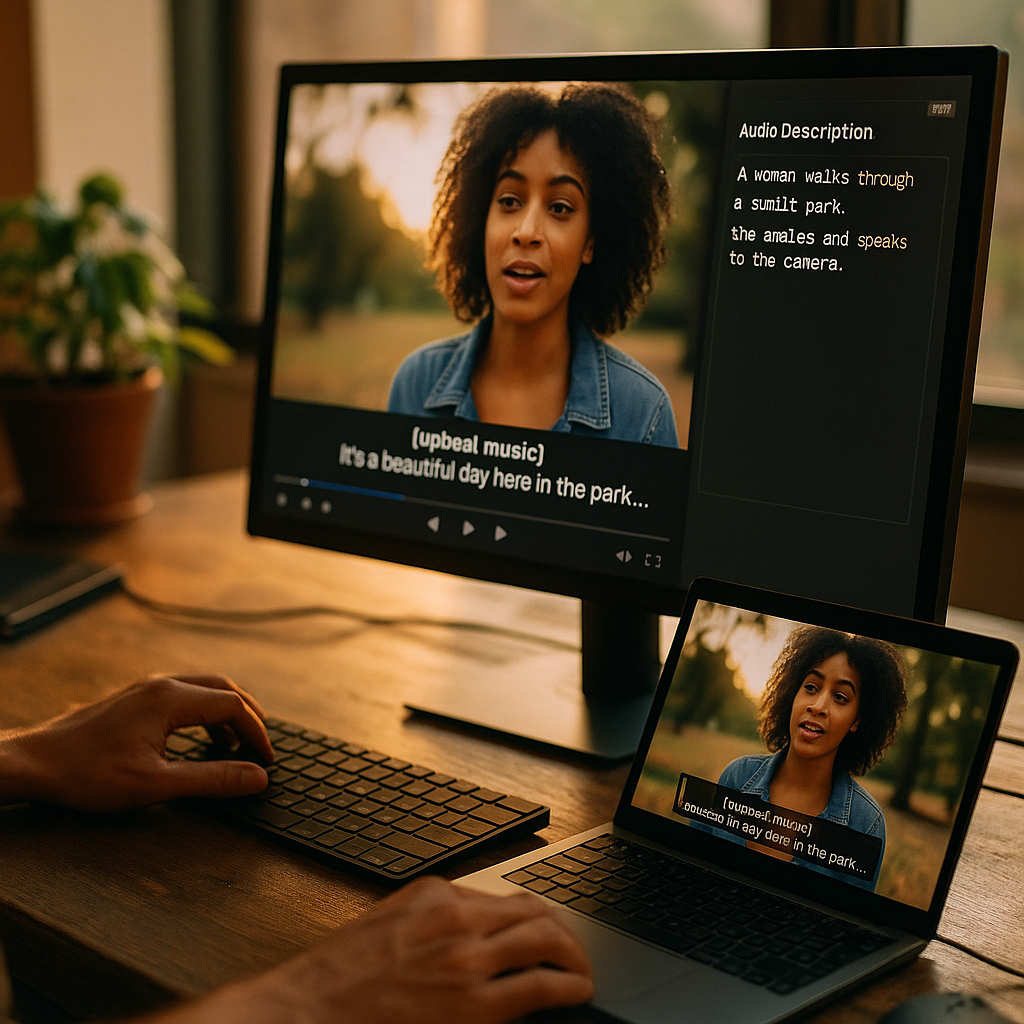
Accessibility in video is more important than ever as content consumption evolves. Providing captions and audio descriptions ensures everyone can access video resources, regardless of hearing or visual ability. Understanding the nuances of video accessibility can help you create content that resonates with a broader audience—and even improve your SEO. Ready to make your video content truly inclusive?
Why Video Accessibility Matters for Digital Inclusion
Digital content is meant for everyone, but people with disabilities still face barriers. Video accessibility ensures all users, including those who are deaf, hard of hearing, blind, or have low vision, can engage with video content. The World Health Organization estimates that over 2 billion people worldwide have some form of visual or hearing impairment, emphasizing the critical role of accessible media. Accessibility is not just a legal requirement in many regions—such as under the Americans with Disabilities Act or the European Accessibility Act—but also an ethical and business imperative. By making your video content accessible, you foster an inclusive digital environment and open your content to a wider, more engaged audience.
Captions: Key to Inclusive Communication
Captions are text versions of the spoken elements and other important sounds in a video. They serve as a lifeline for viewers who are deaf or hard of hearing, but their benefits are far-reaching. With captions in video, users can:
- Watch videos in sound-sensitive environments, like offices or public transport
- Comprehend complex dialogue or jargon more easily
- Improve retention and understanding for non-native speakers
- Search and index video content effectively, boosting SEO
There are two main types of captions: open (always visible) and closed (toggle on/off). Accurate, synchronized captions are essential. Automatic captioning tools powered by AI are improving, but manual review remains best practice for accuracy, particularly when handling jargon, multiple speakers, or accents. Comprehensive captions should also include non-speech information (such as [laughter] or [music]) to convey the full context of the video experience.
Audio Descriptions: Enhancing Accessibility for Visual Impairment
While captions serve those who cannot hear, audio descriptions in video make visual information accessible to those who cannot see. Audio descriptions are additional narrations that describe key visual elements—actions, facial expressions, scene changes—when they are not otherwise described in dialogue.
Effective audio descriptions should:
- Narrate significant actions and visual cues relevant to the story or information
- Use concise language and a neutral tone to complement, not overwhelm, the original audio
- Sync with pauses in dialogue to avoid overlap
Modern media platforms, including popular streaming services, are increasingly incorporating audio description tracks. Providing this feature not only meets legal standards for video accessibility but also offers brands a chance to connect with millions of users who rely on these descriptions for equal, immersive access to visual content.
SEO Benefits of Accessible Video Content
Investing in accessible captions and audio descriptions is not just about compliance and inclusion. It offers tangible SEO advantages:
- Text-based Content: Search engines cannot “see” or “hear” video, but they can index captions and transcripts. This boosts discoverability of topics, keywords, and brand messaging.
- Increased Engagement: Accessible videos attract and retain a wider audience, reducing bounce rates and increasing session duration—key metrics for search engine rankings.
- Better User Experience: Accessibility features create a smoother, more navigable experience, which Google prioritizes in its ranking criteria.
Including accessible features demonstrates a dedication to user experience, a core tenet of Google’s EEAT (Experience, Expertise, Authoritativeness, Trustworthiness) guidelines. By showing that you’ve considered the needs of all users, you reinforce your site’s authority and trust.
Implementing Captions and Audio Descriptions Effectively
Adding accessibility features to your video content may seem daunting, but it’s manageable with the right strategy. Here’s how to implement captions and audio descriptions efficiently:
- Plan Accessibility from the Start: Integrate captions and audio descriptions during the scripting and production stages to ensure seamless integration and avoid retrofitting challenges.
- Choose Reliable Tools: Use captioning services or software known for high accuracy. For audio descriptions, work with narrators familiar with accessibility best practices.
- Follow Accessibility Standards: Adhere to guidelines such as the Web Content Accessibility Guidelines (WCAG) 2.2 to ensure compliance and high-quality user experience.
- Test with Real Users: Include people with disabilities in the review process to identify usability issues and verify that the accessibility features are effective.
- Provide Transcripts: For both captions and audio descriptions, full transcripts are invaluable, enabling content access for people who want to read or use screen readers.
Common pitfalls—like inaccurate auto-captioning, missing descriptions, or poor synchronization—can often be avoided with thorough review processes and user feedback.
Future Trends in Video Accessibility
In 2025, advancements in AI and machine learning are transforming video accessibility. Tools now offer more accurate, real-time captioning and audio description generation, reducing manual workload and increasing scalability for organizations of all sizes. Major platforms are adopting these solutions faster as the demand for accessible content grows.
Looking ahead:
- Automated accessibility tools are gaining traction, but expert human oversight remains critical for quality.
- Diversity in accessibility features, including support for multiple languages and enhanced customization, will empower a broader audience.
- Legislative updates and stricter guidelines are likely, pushing more content creators to prioritize accessibility from day one.
Staying ahead of these trends positions your brand as a leader in digital inclusion and user-centered content creation.
Conclusion: Prioritize Accessibility in Your Video Strategy
Captioning and audio descriptions are no longer optional—they are essential for accessible, inclusive video content in 2025. By making your videos accessible, you support digital inclusion, meet legal standards, improve SEO, and enhance user experience. Start proactively integrating accessibility into your video production process and unlock the full potential of your audience.
FAQs: Accessibility in Video
-
Q: What’s the difference between captions and subtitles?
A: Captions include spoken dialogue and essential sounds for those who are deaf or hard of hearing. Subtitles generally translate spoken dialogue for viewers who don’t understand the original language but may omit sound effects or background noises. -
Q: Are automatic captions good enough for accessibility?
A: While auto-captioning technology has improved, manual editing is still necessary to ensure accuracy, especially for technical terms, accents, and speaker identification. -
Q: Is it a legal requirement to add audio descriptions to video?
A: In many countries, yes. Compliance with laws like the ADA or the European Accessibility Act often requires audio descriptions for certain types of video, especially on public-facing platforms or in education. -
Q: How do audio descriptions impact user experience?
A: Audio descriptions make video content fully immersive for blind or low-vision users by narrating important visual elements, allowing everyone to experience the complete message of the video. -
Q: Can adding captions and descriptions improve my website’s SEO?
A: Yes. Textual content from captions and transcripts is indexed by search engines, increasing your video content’s visibility, reach, and ranking potential online.