


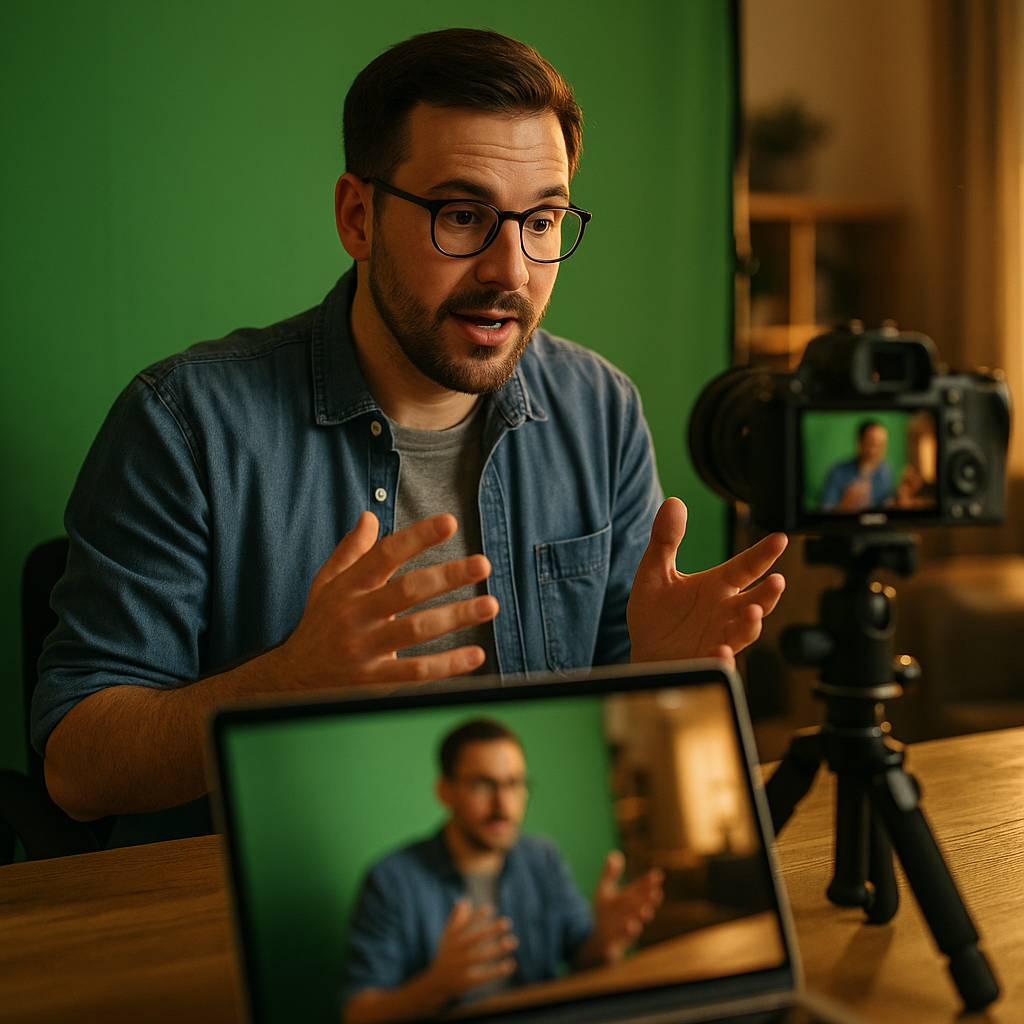
The green screen commentary format has revolutionized digital storytelling by allowing creators to place themselves directly in front of any visual content. Whether you’re reviewing videos, analyzing news, or teaching online, this immersive approach boosts engagement and authority. But how does it work, and what sets effective commentary apart? Discover the core techniques and undeniable benefits in today’s digital content landscape.
Understanding the Green Screen Commentary Format
The green screen commentary format is a dynamic video production style where a presenter is filmed against a green backdrop and then digitally inserted over other video or image content. This method offers seamless integration of commentary with visuals, making it a favorite among educators, entertainers, and reviewers alike.
Why green? The color green is often used because it contrasts well with human skin tones and clothing, making it easy for editing software to remove the background without affecting the presenter. Modern apps and editing suites make this removal process straightforward, even for beginners, ensuring crisp, professional results.
By placing the commentator inside or alongside the content they discuss—be it a news clip, a trending meme, or a gameplay moment—the green screen commentary format turns passive viewing into an interactive experience. This increases viewer retention and helps establish the creator as a trusted voice within their niche.
Video Content Creation: Tools and Setup for Green Screen Commentary
To achieve a high-quality green screen commentary, you’ll need the right setup and tools. Advances in technology mean that both professionals and hobbyists can create impressive green screen content at home or in a studio. Here’s what you’ll need:
- Green Backdrop: This can be a fabric screen, painted wall, or pop-up panel. Ensure the material is wrinkle-free and evenly lit to prevent shadows.
- Lighting: Use soft, diffuse lights on both the green screen and the presenter to eliminate shadows and color spill. Consistent lighting results in a cleaner keying process.
- Camera: A high-definition camera captures clear details, which helps when removing the green background during editing.
- Audio Equipment: Use a lavalier or condenser microphone for crisp voice capture, minimizing ambient noise.
- Editing Software: Programs like Adobe Premiere Pro, DaVinci Resolve, or even mobile apps such as CapCut support green screen removal through a “chroma key” effect.
Setting up your workspace is crucial for consistent quality. Secure your green screen tightly to avoid movement, and always do a short recording test to check for shadows or uneven color before you film the full commentary.
Engagement and Authority: Benefits of the Green Screen Format
Green screen commentary stands out because it marries authority with engagement. By embedding themselves into the content, creators appear more invested and knowledgeable about their subject. According to a 2025 viewer behavior study by Streammetrics, videos using overlay commentary saw up to 40% longer average watch times than traditional formats.
Key benefits include:
- Enhanced Clarity: Presenters can point to, highlight, or physically gesture toward elements in the content as they speak, boosting comprehension.
- Improved Retention: The format’s dynamism keeps viewers interested, encouraging them to watch longer and return for future content.
- Branding and Professionalism: Consistent green screen usage gives channels a polished look, helping creators differentiate themselves in crowded markets.
- Versatility: The technique works across genres, from reaction videos and tutorials to news analysis and gaming streams.
This high-impact presentation supports Experience, Expertise, Authoritativeness, and Trustworthiness (EEAT), essential for creators who want to stand out on YouTube, TikTok, or their own e-learning platforms.
Troubleshooting Common Green Screen Commentary Challenges
A polished green screen commentary relies on addressing several technical and creative hurdles. Beginners may face issues with poor keying, color spill, or unnatural blending. Here’s how to troubleshoot these pain points:
- Lighting: Uneven lighting causes shadows or bright spots, complicating background removal. Use at least two softbox lights angled from either side, and one from above if possible, for even illumination.
- Green Reflections (“spill”): When green light bounces onto the presenter’s clothes or skin, the editing software may incorrectly remove parts of them. Position the presenter at least five feet from the screen, and adjust lighting to minimize spill.
- Shadows: Shadows ruin the chroma key process. Keep the presenter away from the backdrop and diffuse light sources for softer shadows.
- Editing Software Settings: Refine the “key” controls in your editor. Tweak settings like similarity, edge feathering, and spill suppression until the presenter blends naturally.
Regular rehearsals and test edits help spot and correct issues early. Plugging these gaps leads to smoother, more professional commentary content that builds trust with your audience.
Best Practices: Elevating Your Green Screen Commentary Videos
To excel in green screen commentary, content creators must combine technical proficiency with personal flair and credibility. Here are proven best practices, informed by 2025 digital content trends and EEAT principles:
- Prepare Your Script: Outline your commentary to ensure clarity and flow. Incorporate your genuine opinions and relevant expertise for authority.
- Interact with the Content: Use gestures, pointers, or graphics to reference on-screen elements. This boosts engagement and learning.
- Professional Appearance: Dress in colors that don’t match the green screen, and maintain a tidy or branded look for professionalism.
- Optimize for SEO: Title videos and write descriptions using keywords related to your niche and the green screen commentary format for improved discoverability in 2025’s content algorithms.
- Engage Responsively: Monitor viewer comments and feedback. Integrate audience questions into future videos to establish a community of trust.
- Fact-Check and Source: Reference recent data and credit original sources, reinforcing expertise and trustworthiness.
These strategies separate casual creators from authoritative commentators and are central to establishing your channel or brand’s digital authority in 2025.
Trends and the Future of Green Screen Commentary in 2025
Green screen commentary continues to evolve as short-form and live video dominate digital platforms. In 2025, AI-driven editing tools are streamlining the chroma key process and enabling real-time integration of presenters into live broadcasts, online courses, and social video reactions.
Creators are now experimenting with animated and 3D backgrounds, layering interactive graphics that respond to their movements or voice. This increases immersion and positions the format as a bridge between entertainment and education. As audiences demand more personalized, high-quality content, creators who master green screen commentary are better equipped to stand out and capture viewers’ loyalty.
Moreover, the ability to collaborate globally—by inserting multiple commentators into shared digital scenes—means creators can deliver richer, multi-perspective analysis or entertainment regardless of their physical location.
FAQs: The Green Screen Commentary Format
-
What is green screen commentary?
Green screen commentary is a video style where a presenter is filmed against a green background and digitally inserted onto other video or image content, creating the impression they are interacting directly with the visuals. -
Which software is best for green screen commentary in 2025?
Adobe Premiere Pro, DaVinci Resolve, and CapCut remain industry leaders, with new AI-powered apps like StreamSync gaining popularity for their automated chroma key and real-time integration features. -
What are the most common green screen mistakes?
Poor lighting, green reflections (color spill), wearing green clothing, and standing too close to the screen are the most frequent issues. Proper setup and rehearsal help prevent these mistakes. -
Can I use a blue screen instead?
Yes, blue screens work similarly, but green is preferred due to wider contrast with typical clothing and better sensitivity in modern cameras and software. -
Does green screen commentary work for live streaming?
Absolutely. Tools like OBS Studio and Streamlabs now support real-time keying, allowing live presenters to appear in front of live games, news, or interactive backgrounds as they stream.
The green screen commentary format empowers creators to deliver engaging, authoritative content that connects with audiences visually and intellectually. With the right tools and best practices, you can transform your digital storytelling and stand out in the competitive 2025 content landscape.