


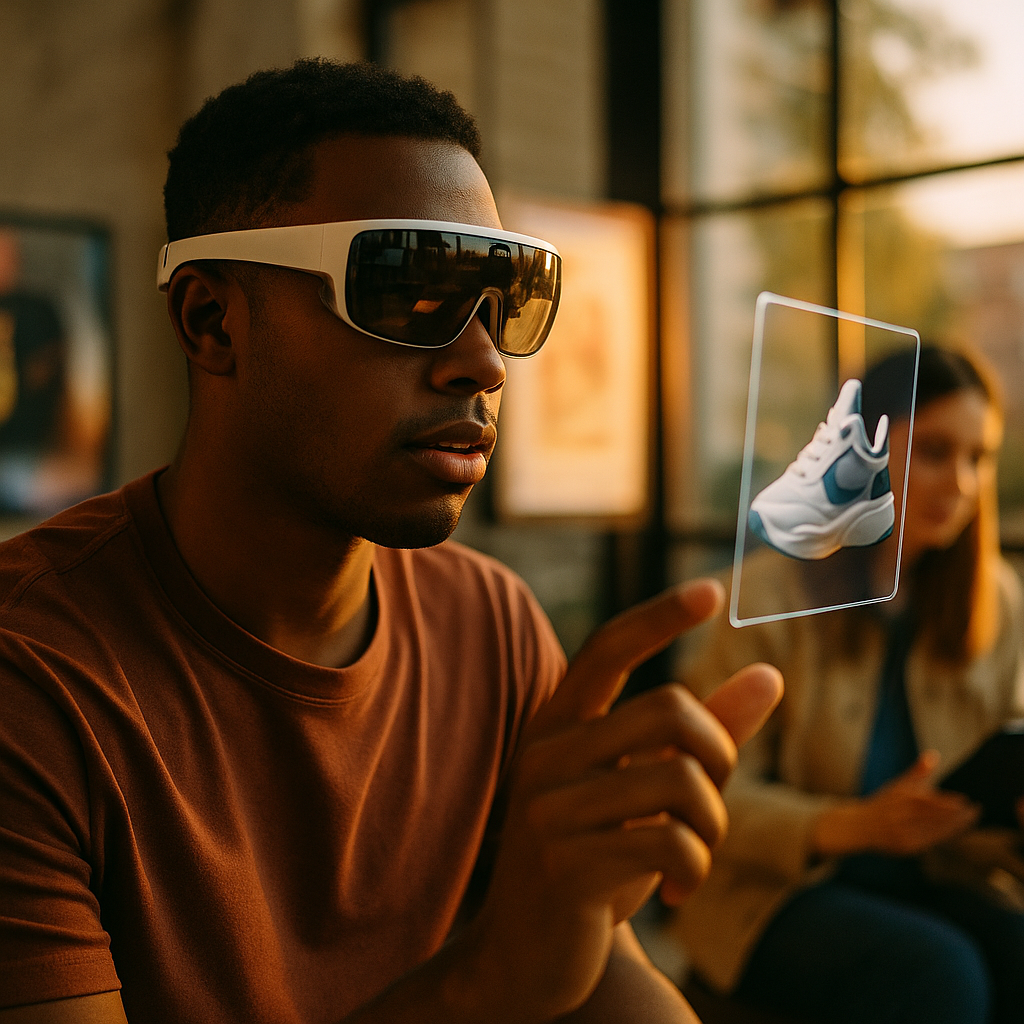
Designing Immersive Brand Experiences For Next-Gen AR Wearables is no longer an experiment reserved for innovation labs. In 2025, lightweight glasses and spatial interfaces are moving into daily life, reshaping how people discover products, receive guidance, and evaluate trust in real time. Brands that win will design for attention, privacy, and utility—without friction. Ready to build experiences users actually keep?
AR wearables brand experiences: what “immersive” really means in 2025
Immersion on AR wearables is not about flooding a user’s view with graphics. It is about situational relevance—information and interactions that appear at the right moment, in the right place, with minimal effort. On next-gen AR wearables, users are typically walking, shopping, commuting, or working. Their tolerance for distraction is low, and the cost of a poor experience is high: visual clutter, safety risk, and brand distrust.
For brand teams, “immersive” should translate into three measurable outcomes:
- Time-to-value: how quickly the experience provides a benefit (answer, guidance, comparison, confidence).
- Context fit: how well the content adapts to environment, intent, and user constraints (hands-free, noise, motion).
- Trust signals: how transparently the experience explains what it shows, why it shows it, and what data it uses.
Expect users to ask: “Why is this here?” and “Can I rely on it?” Build your experience so those answers are obvious without a manual. Clear labels, reversible actions, and human-readable explanations are not optional on wearables—they are core UX.
Spatial UX design for AR glasses: principles that protect attention and increase conversion
Spatial UX design for AR glasses requires restraint. Your interface competes with the real world, so prioritize legibility, comfort, and safety. The goal is not to maximize engagement minutes; it is to reduce cognitive load while moving users toward a decision.
Use these principles to keep experiences usable and brand-safe:
- Design for “glance, not gaze”: Most wearable interactions are brief. Present essential information first: price range, key differentiator, or next action.
- Respect the field of view: Place persistent UI elements off the central line of sight. Reserve the center for transient, critical guidance.
- Anchor to reality: Use world-locked elements for directions, product callouts, or tutorials. Avoid floating panels that drift and break spatial coherence.
- Use progressive disclosure: Start with a compact card (summary), expand only on deliberate intent (voice command, tap, dwell).
- Provide safe-mode behaviors: When the user moves quickly (walking, cycling), automatically simplify UI and defer complex steps.
Answer a common follow-up early: “How do we drive conversions without intrusive overlays?” Use micro-commitments: save for later, compare two items, request a human callback, or add to a cross-device cart. Wearables are great for discovery and confidence-building; let phones or desktops handle heavy checkout when appropriate.
Also plan for accessibility from day one. Include adjustable text size, high-contrast modes, voice-first navigation, captions for audio, and haptics where supported. Accessibility improvements typically lift overall clarity and reduce support costs.
Interactive AR storytelling for brands: build utility-first narratives people opt into
Interactive AR storytelling for brands works best when it is grounded in usefulness. On wearables, “story” is not a cinematic sequence; it is a guided experience that adapts to a user’s context and choices. Think of it as a decision-assist narrative: the user is the protagonist, and the brand plays the expert guide.
High-performing wearable narratives usually follow a simple arc:
- Trigger: a user intent or environment cue (standing in an aisle, near a landmark, at a job site).
- Promise: a clear benefit in one sentence (fit check, compatibility, step-by-step help, time saved).
- Proof: evidence the user can verify (measurements, certifications, demos, side-by-side comparisons).
- Choice: user selects a path (budget, sustainability preference, style, performance).
- Resolution: a recommendation and a next step that remains reversible.
To make this concrete, here are wearable-friendly storytelling patterns:
- Try-before-you-buy overlays: visualize size, color, placement, or fit. Provide confidence cues like scale references and “not to scale” warnings when needed.
- Guided setup and troubleshooting: overlay instructions on the actual device. Add a “show me again” command and short steps users can complete hands-free.
- Store navigation plus education: lead users to the right shelf, then explain differences between two choices in a compact comparison.
- Expert mode: for advanced users, show specs, tolerances, materials, or maintenance intervals without forcing everyone to see them.
To align with EEAT, treat claims like product performance, safety, health, or sustainability with extra rigor. Put verifiable sources behind key assertions, and present them in user-friendly language. If you use a rating, define it. If you show a “recommended,” explain the factors and allow users to adjust them.
AR wearables privacy and trust: earn permission, minimize data, and explain AI outputs
AR wearables privacy and trust determines adoption. These devices may capture spatial mapping, camera input, and audio cues, which can feel intimate. Brands that treat privacy as a design feature will outperform brands that treat it as legal fine print.
Build trust through concrete, user-visible practices:
- Permission with purpose: request access only when needed, and say exactly what the permission enables (for example, “to place a 3D preview on your table”).
- Data minimization by default: process on-device when possible, store less, and keep retention short. Make “don’t save” the easy option.
- Clear capture signals: if the experience records or streams, display an unmistakable indicator and provide a one-step stop.
- Explain personalization: if recommendations adapt based on behavior, show the inputs (recent views, preferences) and offer quick controls to reset or edit.
- AI transparency: when AI generates guidance or object recognition, label it, show confidence where helpful, and provide a “verify” path (manual search, human support, source references).
Users will ask: “Is my environment being analyzed?” Answer in-app with a plain-language privacy panel that includes:
- What is processed (camera frames, spatial mesh, voice commands)
- Where it is processed (on-device vs cloud)
- What is stored and for how long
- Who can access it (user only, support team with consent)
- How to delete and export data
Trust also comes from brand behavior. If your experience appears in public spaces, design with bystanders in mind. Avoid features that could be perceived as covert recording. Favor experiences that work without persistent capture and do not require collecting sensitive identifiers.
AR commerce on smart glasses: reduce friction from discovery to decision
AR commerce on smart glasses succeeds when it makes choices easier, not louder. Wearables are uniquely effective at bridging physical and digital commerce: they can add context in-store, support field sales, and enable product education at the point of need.
Key commerce use cases that map well to wearables:
- On-shelf comparison: overlay differences (ingredients, warranty, compatibility) with a neutral tone and consistent formatting.
- Fit and compatibility checks: confirm sizing, connector standards, room dimensions, or accessory matching.
- Assisted buying: connect to an expert via voice or video when the user is uncertain.
- Post-purchase support: reduce returns by guiding installation, usage, and care.
To reduce friction, design a “two-device handshake.” Let the wearable handle the moment (visualize, confirm, guide), and let the phone handle tasks that benefit from a larger screen (payment, long-form terms, complex configuration). Keep carts, wishlists, and saved configurations synchronized.
Brands often ask: “How do we measure ROI when the purchase happens elsewhere?” Use measurement that respects privacy while still proving impact:
- Intent signals: saves, comparisons, store navigation completions, help requests
- Quality signals: reduced support tickets, reduced returns, shorter install time
- Attribution bridges: opt-in QR or short link handoffs to phone, loyalty account matching with consent
When you present pricing or promotions, keep it accurate and current. If connectivity is unreliable, cache essential product data and clearly label when information may be delayed. Nothing damages credibility faster than a mismatched price at checkout.
AR experience design best practices: production, testing, and governance that scale
AR experience design best practices are as much about operations as creativity. To deliver consistent experiences across devices, environments, and content updates, invest in a repeatable pipeline and governance model.
Build a practical production framework:
- Content system, not one-offs: create reusable components (cards, callouts, tooltips, comparison blocks) and modular 3D assets.
- Performance budgets: set limits for polygon counts, texture sizes, animation complexity, and network calls. Wearables have strict thermal and battery constraints.
- Real-world testing: test in bright light, low light, noisy areas, crowded spaces, and while walking. Lab testing alone misses the main failure modes.
- Safety reviews: check occlusion risks, distraction potential, and any guidance that could affect physical actions.
- Localization and cultural nuance: spatial metaphors, gestures, and color meanings vary. Localize voice commands and units of measure.
To strengthen EEAT, formalize expertise and accountability:
- Named owners: assign accountable leads for UX, privacy, accessibility, and content accuracy.
- Claim review process: validate product claims, specs, and compliance statements before publishing.
- Change logs: document updates so support teams and enterprise customers can track what changed and why.
- Human escalation: when AI is uncertain, offer a fast path to a human expert rather than forcing guesses.
Finally, design for durability. AR experiences should degrade gracefully: if spatial tracking is weak, switch to a simpler UI; if network is down, offer offline guidance; if a sensor permission is denied, provide a functional alternative path. A resilient experience earns repeat use.
FAQs: Designing immersive experiences for next-gen AR wearables
What is the primary goal of a brand experience on AR wearables?
The primary goal is to deliver fast, contextual value that improves a user’s decision or task in the real world. If the experience does not save time, reduce uncertainty, or provide trustworthy guidance, it will be ignored or disabled.
How do we avoid making AR overlays feel intrusive?
Use opt-in triggers, keep UI minimal, and rely on progressive disclosure. Present a short summary first, then expand only when the user signals intent through voice, tap, or deliberate dwell. Avoid persistent animations and central-screen clutter.
Do AR wearables experiences need 3D content to be effective?
No. Many high-performing experiences rely on simple spatial callouts, text cards, and directional cues. Use 3D when it provides clear advantage, such as sizing, placement, fit checks, or step-by-step assembly guidance.
How should brands handle privacy when using camera-based features?
Ask for permission only when necessary, explain why, minimize what you collect, and provide visible capture indicators. Prefer on-device processing, short retention, and clear controls to pause, delete, or export data.
What metrics matter most for AR commerce on smart glasses?
Track time-to-value, comparison and save actions, help requests, navigation completions, and downstream outcomes such as reduced returns or fewer support tickets. Use opt-in handoffs to connect wearable actions to purchases without invasive tracking.
How do we ensure accuracy when AI provides recommendations or recognition?
Label AI outputs, provide confidence cues when relevant, cite the factors behind recommendations, and offer a verification path. Add a human escalation option for uncertain cases and maintain a review process for high-stakes guidance.
Immersive AR wearables experiences win in 2025 when they respect attention, earn trust, and deliver real utility in the moment. Design spatial interfaces for quick glances, build storytelling that guides decisions, and treat privacy as a visible feature. Measure impact beyond clicks through confidence and support outcomes. The takeaway: ship helpful, explainable experiences that fit real-world contexts—then iterate fast based on reality.