


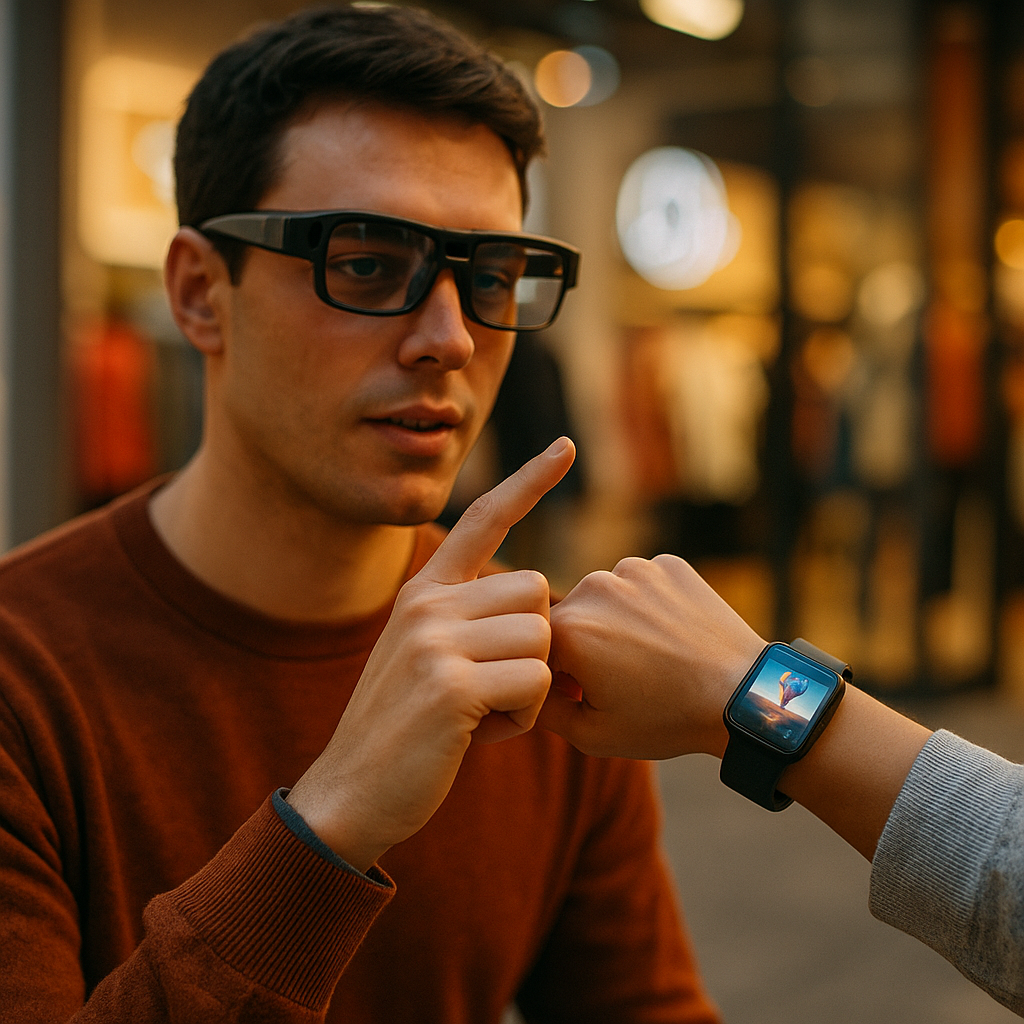
Designing immersive brand experiences for smart glasses and wearables is quickly becoming a core capability for marketers, product teams, and UX leaders in 2025. As screens shrink and context expands, audiences expect utility, personalization, and trust—delivered in seconds, hands-free, and often in public. The brands that win will design for real-world moments, not demos. What would your brand do if it could see what customers see?
Wearable user experience design: start with moments, not features
Wearables and smart glasses don’t behave like phones, and people don’t use them like phones. The best outcomes come from mapping moments—short, high-intent situations where glanceable information or guided action solves a problem immediately. Start by identifying:
- Context triggers: location, time, motion, task state, and environment (noise, lighting).
- User intent: “help me choose,” “help me do,” “help me remember,” “help me confirm.”
- Risk level: is the user driving, walking, operating equipment, or in a quiet public place?
- Attention budget: how many seconds can you reasonably ask for? Often it’s 1–5 seconds.
Translate each moment into a job-to-be-done and a success metric. For example, a retail brand might optimize “find the right size” (reduced returns), while a healthcare brand might optimize “follow the plan” (adherence). This approach prevents a common pitfall: trying to recreate a mobile app inside a tiny, intermittent interface.
Design patterns that consistently work include:
- Glance → confirm → act: present one clear card, request a simple confirmation, then trigger an action.
- Progressive disclosure: show essentials first; offer deeper detail only when asked.
- Stateful continuity: remember what the user just did so they never “start over.”
Answer the follow-up question early: How do we know which moments matter? Combine qualitative research (ride-alongs, diary studies, contextual inquiry) with quantitative signals (support tickets, search logs, in-store behavior, app funnels). The goal is not novelty; it’s repeatable utility.
Augmented reality branding: make utility the hero, not the logo
On smart glasses, the environment becomes the canvas. Augmented reality branding succeeds when brand value is expressed through helpful overlays, guidance, and confidence—not through persistent visual clutter. People tolerate less interruption in AR because the content competes with reality.
Build AR brand experiences around three principles:
- Relevance: Only render what supports the user’s immediate task. If it doesn’t reduce effort or uncertainty, remove it.
- Spatial clarity: Anchor content to stable surfaces and real objects. Avoid jitter, occlusion errors, and “floating billboards.”
- Brand as behavior: Let tone, microcopy, motion style, and decision logic convey the brand more than visual marks.
Practical examples of high-performing AR brand utilities include guided product setup, interactive how-to steps, wayfinding inside venues, and “confidence checks” (fit, compatibility, authenticity, safety). Each delivers a measurable benefit that also strengthens brand trust.
Keep visual identity lightweight and consistent: a restrained color palette that preserves legibility in varied lighting, a clear typography hierarchy, and short audio cues that can be disabled. When you do use logos, place them in completion moments (after the task is done) rather than during the user’s critical attention window.
Anticipating a key concern: Will AR feel invasive? It can—unless you design for consent and control. Use explicit onboarding, obvious “pause” states, and transparent indicators when sensors are active. People accept AR when it behaves predictably and respects boundaries.
Smart glasses UI patterns: design for glanceability, voice, and safety
Smart glasses UI patterns must prioritize speed, readability, and safety. Interfaces should function well at arm’s length without requiring precise targeting. Even when glasses support hand tracking or gestures, users often prefer simple interactions that work reliably in motion.
Use these patterns to reduce cognitive load:
- Single-purpose cards: one idea per card, with a clear next step.
- Large tap targets and forgiving gestures: avoid micro-interactions that fail in real conditions.
- Voice-first flows: short prompts, constrained choices, and confirmation loops to prevent errors.
- Haptics as confirmation: when supported via paired wearables, use subtle vibration to confirm actions without demanding visual attention.
Write microcopy like a flight deck checklist: concise, unambiguous, and action-oriented. Replace “Would you like to…” with “Show sizes” or “Start scan.” Provide clear exit ramps: “Cancel,” “Snooze,” and “Not now.”
Safety and comfort are not optional. Establish a policy for:
- Motion-aware suppression: reduce non-essential notifications while the user is moving quickly or navigating complex spaces.
- Brightness and contrast adaptation: ensure readability outdoors and avoid glare at night.
- Audio etiquette: default to captions; use audio only with consent or when it clearly improves outcomes.
Answer the follow-up question: How long should an interaction last? For glasses, target sub-10-second loops for common tasks. If it takes longer, offer a handoff to phone or desktop, or convert the flow into step-by-step guidance with clear progress indicators.
Wearable personalization strategies: earn context with consent
Personalization on wearables can feel magical or creepy—often depending on how clearly the brand explains what it’s doing and why. Strong wearable personalization strategies rely on permissioned data, minimal retention, and user-visible controls.
Focus personalization on outcomes, not surveillance:
- Preference-based: sizes, accessibility settings, language, notification cadence.
- Situation-based: “in-store mode,” “commute mode,” “workout mode,” each with a clear purpose.
- History-based: recent actions and saved items, limited to what the user expects.
Implement personalization with transparent guardrails:
- Just-in-time consent: ask when a sensor or permission is needed, not buried in a long setup.
- Explain value in one sentence: “Enable location to guide you to the correct aisle.”
- Visible controls: quick toggles for camera, microphone, location, and notifications.
- Data minimization: process on-device when possible; store only what’s necessary for the promised benefit.
To meet EEAT expectations, make your privacy approach readable. Provide a short, plain-language summary inside the experience (“What we collect / Why / How long / Your choices”), and link to a more detailed policy for those who want it.
Answer the follow-up question: What personalization drives ROI? In wearable contexts, the biggest wins typically come from reduced friction (faster decisions), reduced errors (better fit or compatibility), and better timing (fewer irrelevant interruptions). Choose metrics that reflect these outcomes: task completion time, abandonment rate, support contacts, return rate, repeat usage, and opt-in retention.
Spatial computing marketing: connect experience, measurement, and omnichannel handoffs
Spatial computing marketing works when the wearable experience fits into a broader journey that includes mobile, web, in-store, customer service, and loyalty systems. Smart glasses interactions are often the beginning or the middle of a journey—not the end.
Design deliberate handoffs:
- Glasses → phone: send a summary, saved cart, or appointment details for later review.
- Glasses → in-store associate: share a user-approved context card (“needs size 10,” “wants waterproof”), not a data dump.
- Glasses → support: capture a consented snapshot or session log to speed up troubleshooting.
Measurement needs the same discipline. Track what you can justify and explain. A practical analytics model includes:
- Experience metrics: time-to-value, task completion, error rate, and drop-off points.
- Business metrics: conversion lift, returns reduction, service time reduction, repeat usage, and loyalty engagement.
- Trust metrics: opt-in rates, permission revocation, “mute” frequency, and complaint volume.
Because wearable experiences run in variable real-world conditions, incorporate quality signals: tracking stability, latency, and environmental confidence. If the system is uncertain, the interface should degrade gracefully (“I’m not sure—want to try again?”) rather than pretending it’s correct.
Answer the follow-up question: How do we prevent gimmicks? Make every activation prove one of three things: it saves time, increases confidence, or reduces risk. If it doesn’t, it belongs in a demo reel, not your customer journey.
Trust, accessibility, and compliance for wearable brand experiences: build durable credibility
Immersive experiences increase responsibility. Trust is not a brand statement; it’s a product property. To align with EEAT expectations, document decisions, validate claims, and design for broad access.
Build trust with operational practices:
- Content integrity: verify product information, prices, availability, and safety guidance at the source. Show timestamps when freshness matters.
- Human review for high-stakes guidance: health, safety, finance, and regulated guidance should be reviewed by qualified experts and clearly labeled.
- Clear boundaries: distinguish recommendations from sponsored placements; avoid dark patterns in voice prompts.
Accessibility must be planned from day one. Support:
- Captions and transcripts for audio content.
- Adjustable text size and high-contrast modes.
- Alternative input: voice, physical buttons, simplified gestures.
- Motion sensitivity options: reduce animation and parallax effects.
Compliance and safety also shape experience design. Provide clear indicators for recording, make permission states visible, and apply least-privilege access. If your experience uses biometric signals (like heart rate via a paired device), treat it as sensitive data with strict retention and purpose limits.
Answer the follow-up question: What builds credibility fastest? Accuracy, restraint, and clarity. When users see that your experience avoids overreach and reliably helps them complete tasks, they return—and they recommend it.
FAQs
What makes a brand experience “immersive” on smart glasses and wearables?
Immersion comes from context-aware utility delivered in real environments: spatial overlays that align with the world, hands-free guidance, and interactions that feel immediate and personal without demanding long attention.
Do immersive experiences require full augmented reality?
No. Many effective experiences use simple cards, voice prompts, haptics, and lightweight visual cues. AR is most valuable when spatial alignment improves understanding, navigation, or step-by-step tasks.
How do we choose the right use cases for smart glasses?
Prioritize moments with high intent and limited attention—setup, wayfinding, comparison, verification, and guided procedures. If the user benefits from seeing instructions in context, smart glasses are a strong fit.
What data should we avoid collecting for wearable personalization?
Avoid collecting more than you can clearly justify. Don’t retain raw sensor data or continuous location histories unless essential and explicitly consented. Prefer on-device processing, short retention, and user-controlled settings.
How can brands measure ROI from wearable experiences?
Track task completion, time saved, reduced support contacts, conversion lift, and reduced returns. Pair these with trust signals like opt-in retention and notification mute rates to ensure growth doesn’t erode credibility.
What’s the biggest design mistake in smart glasses experiences?
Porting a mobile UI into glasses. Smart glasses require glanceable content, minimal steps, and safety-first interaction. If it’s not useful in under 10 seconds, it likely needs a different channel or a deliberate handoff.
How do we keep AR branding from feeling like advertising?
Make the overlay solve a problem first. Use subtle brand cues, reserve logos for completion moments, and avoid persistent visual elements. When users feel helped rather than targeted, brand equity increases naturally.
Immersive wearable experiences succeed when they respect attention, earn data access, and deliver real-world utility at the exact moment it matters. Design around short, high-intent situations, use smart glasses UI patterns that prioritize safety, and personalize only with clear consent and visible controls. Tie everything to omnichannel handoffs and measurable outcomes. In 2025, the strongest wearable brand experiences feel less like campaigns and more like capability.