


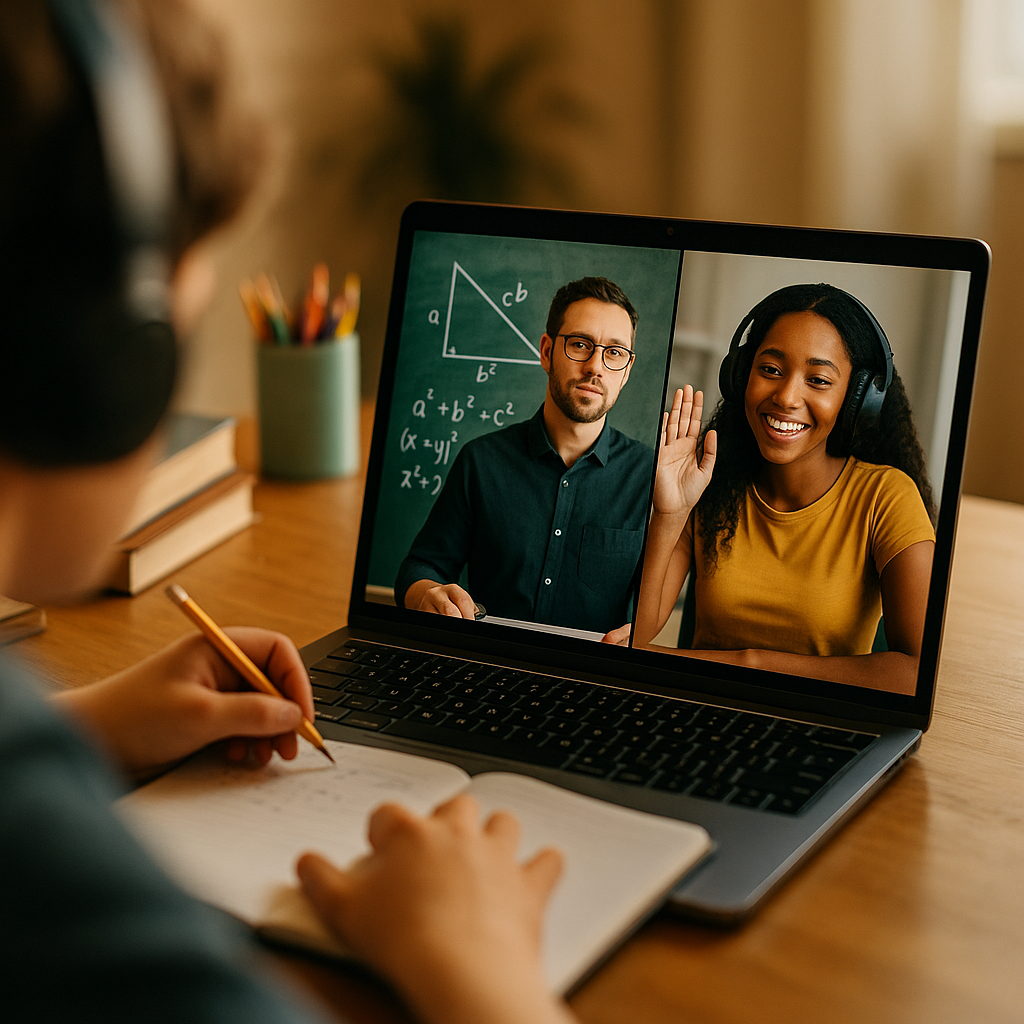
Mastering the “split screen” format for educational content can dramatically boost both learner engagement and retention. This dynamic visual technique allows educators to juxtapose ideas, demonstrations, or perspectives in real-time, streamlining comprehension. In today’s digitized classroom and remote learning era, split screen mastery isn’t just helpful—it’s essential. Ready to elevate your teaching content? Discover how below.
Understanding Split Screen Learning Efficiency
The split screen format divides the display—on computers, projectors, or mobile devices—into two or more sections, showing different but related information simultaneously. This approach isn’t just a gimmick—it’s proven to make complex concepts more digestible. According to a 2023 study by the Online Learning Consortium, video lessons using split screens improved recall by over 25% compared to traditional single-view lectures.
Split screen learning directly addresses varied learning preferences. For example:
- Visual learners benefit from seeing a process and its outcome side-by-side.
- Auditory learners can follow along as an instructor narrates on one half while the demonstration runs on the other.
- Kinesthetic learners engage more deeply when tutorials and hands-on tasks are presented concurrently.
The format also reduces cognitive overload, a key principle in multimedia learning theory, because learners can reference related visuals without toggling between tabs or pausing to catch up.
Choosing the Best Split Screen Formats for Online Lessons
Not all split screen approaches are created equal. Selecting the most effective split screen layout for online lessons hinges on your subject, audience, and learning goals. Here are the most impactful formats educators use in 2025:
- Side-by-Side Explanation and Application: Show theory (like code syntax or formulas) on one side, real-world application or demonstration on the other.
- Before and After Comparisons: Ideal for science, design, or writing courses—demonstrate transformation in real time.
- Presenter and Presentation: Display the instructor’s face or gestures on one side to maintain personal connection, and dynamic slides or visual aids on the other.
- Multiple Perspectives: Especially useful in language or communications courses, with two speakers conversing or illustrating contrasting opinions.
Consider your learners’ device preferences: A growing majority access educational content via mobile. Responsive split screens—where panels adjust or stack vertically on phones—are especially important.
Tools and Software for Creating Professional Split Screens
Mastering the split screen format for educational content requires reliable tools. In 2025, educators can choose from accessible platforms offering drag-and-drop interfaces, screen recording, and live-streaming support. Popular options include:
- OBS Studio: Free, open-source, supporting custom layouts for live and prerecorded sessions.
- Camtasia: User-friendly video editing with built-in split screen templates.
- Zoom and Microsoft Teams: Allow side-by-side sharing of cameras and content for live instruction.
- Adobe Premiere Pro: Professional-grade editing for detailed split screen effects and transitions.
- Canva Video Suite: For quick, template-based split screens, ideal for social snippets and microlearning.
Prioritize tools offering high-resolution export, accessibility features (like captioning), and the ability to adjust split ratios to suit your content. For those on a budget, built-in OS features like macOS’s Split View or Windows Snap Assist can handle live classes or simple recordings.
Designing Split Screen Educational Content for Maximum Impact
The heart of an effective split screen lies in balanced, intentional design. To ensure learners benefit rather than get distracted, apply these evidence-based strategies:
- Maintain visual symmetry: Avoid clutter and keep both sections equally weighted. Use clear dividers or subtle background contrasts to signal separation.
- Keep pacing synchronized: When presenting, actions on both sides should proceed in sync. For example, as you introduce a concept, demonstrate it live so learners can connect theory and practice instantly.
- Use color and text sparingly: Highlight only key elements with color or text overlays. Overuse can result in visual noise and split attention.
- Provide clear transition cues: Signal when attention should shift from one side to the other with verbal prompts, animated arrows, or brief highlight effects.
- Ensure accessibility: Choose readable fonts, sufficient contrast ratios, and consider adding descriptive audio for visually impaired learners.
Testing your content with real users before full deployment ensures that navigation and focus points are intuitive. Review analytics after release—metrics like session length and rewind rates offer powerful insights for refinements.
Best Practices for Engaging Audiences With Split Screen Video
Even the smartest design can fall flat if the delivery doesn’t engage. Here are proven ways to maximize audience attention in split screen educational videos:
- Customize for different learning speeds: Offer playback controls, downloadable resources, or supplementary single-view versions.
- Break up longer segments: Use split screens for 3–8 minute bursts before returning to a single focus or changing the layout. This minimizes fatigue and increases retention.
- Encourage interaction: During live sessions, prompt viewers to compare both sides, vote on their understanding, or submit questions about what they observe on each half.
- Show real emotions: Including the educator’s face fosters trust and connection—vital elements for remote learning as shown by a recent EdTech Impact report (2024).
- Build in quizzes or checkpoints: Test comprehension based on visuals from both sides, making the most of the dual-display format for active recall.
Above all, keep viewer feedback front and center as you iterate. Responsive digital classroom tools like PlayPosit and Nearpod now offer split screen compatibility, making it easy to embed interactions at precisely the right moments.
Measuring Success and Improving Split Screen Learning Outcomes
How do you know your split screen educational content is working? Robust analytics, learner feedback, and ongoing self-review are key. Here’s a recommended improvement cycle:
- Monitor metrics: Track engagement metrics (dwell times, drop-off rates) on each section of the screen—some LMS platforms provide heatmaps for this purpose.
- Solicit user feedback: Regularly conduct quick polls or open-ended surveys asking learners how the split screen format helps or challenges them.
- Iterate content based on results: Adjust panel size, pacing, or interaction frequency if learners indicate overload or distraction.
- Document learnings: Maintain a teaching journal or content log to note what works and why, accelerating your learning and future production planning.
- Share outcomes with your community: Collaborate with colleagues to compare findings and strategies, enriching your collective expertise and aligning with EEAT (Experience, Expertise, Authoritativeness, Trustworthiness) guidelines.
Consistency in applying this cycle ensures continuous improvement and strengthens your authority as an educational content creator.
FAQs: Mastering the Split Screen Format for Educational Content
-
What is the primary advantage of using split screen in educational videos?
The main advantage is enhanced comprehension. Split screens allow simultaneous presentation of related information, reducing cognitive load and improving memory retention compared to traditional formats.
-
Can split screen formats work on mobile devices?
Yes! Modern video and learning platforms ensure responsive layouts, with split screens stacking or resizing for mobile compatibility without losing viewability or interactivity.
-
Are specialized tools required for creating split screen content?
While professional editors offer greater control, many free tools now include basic split screen features. Some learning management systems and webinar platforms even support in-app split screen sharing or recording.
-
How can I ensure split screen content is accessible?
Use high-contrast color schemes, readable fonts, and descriptive audio. Many tools provide automated captions. Test your content with real users to identify and fix any accessibility barriers.
-
Should I use split screens for every lesson?
No. Reserve split screens for lessons where comparison, demonstration, or parallel presentation adds clear value. Overuse can distract or overwhelm, so alternate with single-view segments for best results.
Mastering the “split screen” format for educational content empowers you to deliver clearer, more engaging lessons tailored to diverse learners. By combining thoughtful design, responsive delivery, and continuous improvement, you’ll elevate both your teaching impact and learner satisfaction—no matter the subject or platform.