


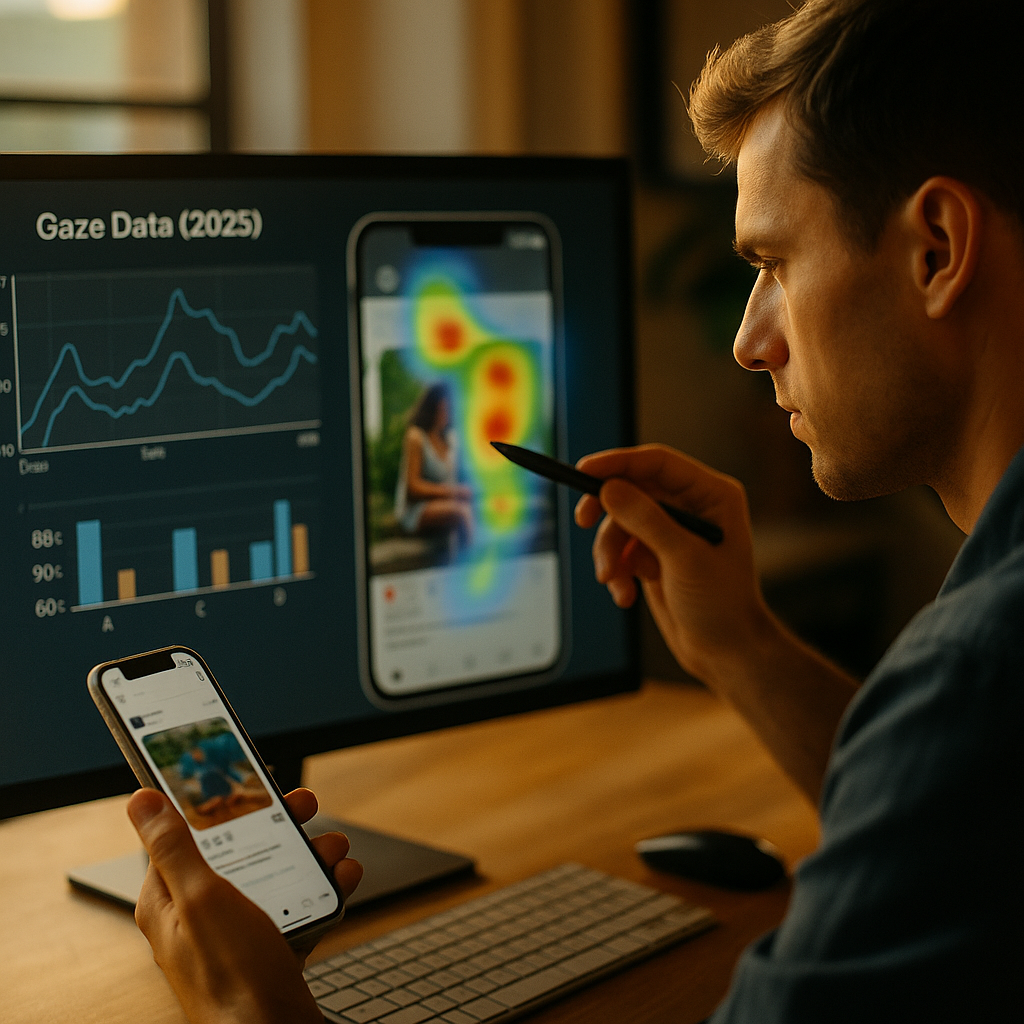
The Science Of Scroll-Stopping Visuals sits at the crossroads of attention psychology, computer vision, and real-world user behavior. In 2025, modern gaze data makes “what people notice” measurable, not guesswork—if you understand how to read it and how to design for it. This guide breaks down what gaze signals mean, how to apply them ethically, and what to test next—ready to see what your audience actually sees?
Gaze data analytics: what modern attention measurement really captures
“Gaze data” is no longer limited to lab-based eye trackers strapped to a participant’s face. In 2025, teams use a spectrum of methods—from high-precision eye tracking to scalable attention modeling—to estimate where viewers look, how long they linger, and what they ignore. The practical value comes from knowing what each metric can and cannot prove.
Common gaze metrics and what they mean
- Fixations: moments when the eyes pause long enough to process information. Fixations often signal comprehension attempts, not necessarily agreement or liking.
- Saccades: rapid eye movements between fixations. Many fast saccades can indicate scanning, confusion, or a layout that lacks a clear visual hierarchy.
- Time to first fixation (TTFF): how quickly an element attracts attention. Useful for evaluating thumbnails, headlines, faces, and calls to action.
- Dwell time: total attention time on an area. Great for comparing variants, but longer isn’t always better—people dwell on difficult-to-read content too.
- Gaze plots and heatmaps: qualitative visualizations that show patterns. They help teams align quickly, but they can mislead if you don’t compare segments and contexts.
Where modern gaze data comes from
- In-lab eye tracking: highest precision, controlled viewing conditions, smaller sample sizes.
- Remote webcam-based tracking: larger samples and faster turnaround, but accuracy varies with lighting, camera quality, and participant behavior.
- Attention prediction models: algorithmic estimates trained on eye-tracking datasets; fast and cheap for early design decisions, but not a replacement for real measurement when stakes are high.
Answer to the common follow-up: Is gaze data the same as engagement? No. Gaze shows what is seen and for how long; engagement includes meaning, motivation, and outcomes (clicks, sign-ups, recall). The best teams combine gaze with behavioral analytics and post-exposure questions to connect attention to action.
Visual attention research: why some images stop thumbs and others vanish
Scroll-stopping visuals succeed when they align with how the human visual system prioritizes information. People do not “read” an image evenly; they sample it using fast heuristics. The goal is to design so the first sampling moment lands on what matters.
Three attention drivers you can control
- Salience: contrast, color differences, sharpness, motion cues, and size can pull the eyes. Salience wins the first moment, but it does not guarantee comprehension.
- Relevance: the viewer’s goals and context (shopping, learning, relaxing) shape what they notice. A high-salience element that feels irrelevant will still lose the next second.
- Meaning: recognizable objects, faces, and text carry semantic weight. Meaning often overrides raw salience, especially in cluttered feeds.
What gaze patterns typically reveal in feeds
- Faces guide attention, but only when they serve the message. If a face dominates the frame and the product is secondary, gaze often gets “stuck” on the face and fails to transition to the offer.
- Text competes with imagery. Overlaid copy can work when it is large, high-contrast, and minimal. Dense text blocks frequently show late fixations or avoidance.
- Center bias is real, but not guaranteed. Many viewers initially look near the center, yet mobile UI elements, platform overlays, and thumbnails can pull attention off-center.
Practical takeaway: treat the first second as an “attention handshake.” Your visual should create a clean path: hook → meaning → brand → action. If gaze data shows a loop (eyes bounce between irrelevant elements) or a dead-end (attention never reaches the CTA), the design is working against human perception.
Eye tracking for marketing: turning gaze maps into creative decisions
Eye tracking becomes valuable when it changes what you build. The fastest path is to convert gaze insights into a repeatable creative checklist that your team uses before and after testing.
How to read a heatmap without fooling yourself
- Compare variants, not absolutes. Heatmaps are most reliable when you evaluate two or more designs in the same viewing context.
- Segment your audience. New customers, returning customers, and category experts often show different scan paths. One “average” heatmap can hide these differences.
- Pair gaze with a success metric. For ads, that could be click-through or view-through actions; for landing pages, scroll depth, add-to-cart, or form completion. Gaze alone can’t tell you if attention helped.
Creative levers that reliably show up in gaze results
- Hierarchy: one dominant focal point beats three competing focal points. If TTFF is slow on your main message, simplify the scene.
- Directional cues: hands pointing, body orientation, and gaze direction can lead the viewer toward product or copy. Use it to create an intentional scan path.
- Branding placement: subtle logos often get skipped. If brand recall matters, position branding near the first fixation cluster without overpowering the core message.
- Legibility: text needs sufficient size and contrast for mobile. If fixations land on copy but dwell time spikes with low comprehension, your typography is likely causing friction.
Answer to the likely follow-up: Should we design for the “golden triangle” or an F-pattern? Those patterns come from specific page types and contexts. In 2025, attention patterns vary widely across mobile feeds, short-form video, and ecommerce grids. Let your platform and your audience data decide, not a universal rule.
Scroll-stopping content design: frameworks for thumbs, feeds, and first impressions
Designing for “scroll-stopping” does not mean adding noise. It means building a first-frame that earns attention and quickly resolves what the viewer is looking at. A reliable approach is to plan the first fixation, the message lock-in, and the action bridge.
A practical framework: 3 moments of attention
- Moment 1 (first fixation): use one strong contrast or meaningful subject. Avoid busy backgrounds and competing highlights.
- Moment 2 (meaning lock-in): confirm what the content is about within a glance—product clearly visible, benefit stated in short text, or outcome shown visually.
- Moment 3 (action bridge): make the next step obvious: a clear CTA button on a landing page, a “tap to shop” cue, or a visual pathway that leads to the offer.
Design rules that frequently improve gaze flow
- Reduce cognitive load: fewer objects, fewer fonts, fewer claims. If your gaze plot shows “pinballing,” simplify.
- Use negative space as a tool: empty space can be functional, helping key elements stand out and improving TTFF.
- Show the product in use when it clarifies value: context can increase meaning. If it distracts, switch to a cleaner product-forward frame.
- Design for mobile UI overlays: platform badges, captions, and controls can block key areas. Place critical elements where they remain visible in real placement.
What about short-form video? Treat the first frame like a thumbnail. Gaze studies commonly show that viewers decide quickly whether to continue. Use a stable, legible opening with one clear subject, then introduce motion and detail after the hook is earned.
User experience optimization: applying gaze insights to pages that convert
Gaze data becomes a conversion tool when you apply it beyond creative—into layout, navigation, and readability. Many conversion problems are attention problems in disguise: users never saw the proof, never understood the offer, or never noticed the next step.
High-impact page areas to test with gaze data
- Above-the-fold value proposition: TTFF should favor the headline and primary benefit. If users first fixate on decorative imagery, your hierarchy is inverted.
- Primary CTA visibility: users should find the CTA without hunting. If gaze shows late discovery, adjust contrast, proximity to benefits, and spacing.
- Trust elements: shipping info, returns, guarantees, reviews, and security cues should be seen near the decision point. If they’re ignored, move them closer to the CTA or price.
- Form friction: long dwell time on a field can signal confusion. Improve labels, defaults, and error messaging.
How to combine gaze with experimentation
- Start with a hypothesis tied to behavior: “If users see the guarantee earlier, checkout completion increases.”
- Validate attention first: run a small gaze study to confirm users actually notice the element.
- Then A/B test at scale: measure conversion impact. Gaze explains why a variant worked or failed, which accelerates iteration.
EEAT note: when you make conversion claims internally, document your method—sample, device types, stimuli, viewing time, and analysis approach. This improves repeatability and prevents teams from overgeneralizing a single heatmap.
Ethical attention measurement: privacy, consent, and trustworthy interpretation
Modern gaze data can be sensitive because it can reveal patterns about attention, impairment, fatigue, and preferences. In 2025, responsible teams treat attention measurement as a trust-building capability, not a surveillance tactic.
Ethical and compliant practice checklist
- Get explicit consent: explain what is collected (eye movements, webcam video, derived gaze points), how long it’s stored, and who can access it.
- Minimize data: collect only what you need. Prefer derived gaze coordinates over raw video when possible.
- Protect identities: anonymize participants, remove unnecessary metadata, and secure storage with strict access controls.
- Avoid sensitive inference: do not attempt to infer health conditions, emotional states, or protected attributes from gaze patterns.
- Report uncertainty: remote webcam tracking has error margins; disclose limitations to stakeholders so decisions reflect reality.
Interpretation discipline that improves credibility
- Don’t equate “seen” with “persuaded.” Attention is a prerequisite, not proof of impact.
- Don’t chase novelty. A flashy element can pull fixations and still reduce conversion by distracting from meaning.
- Use triangulation. Pair gaze with click maps, scroll behavior, comprehension checks, and qualitative feedback.
When you apply these practices, gaze data strengthens EEAT: it shows that your design decisions are evidence-led, user-centered, and responsibly measured.
FAQs: modern gaze data and scroll-stopping visuals
What is the difference between eye tracking and gaze prediction?
Eye tracking measures actual eye movements using specialized hardware or webcam-based methods. Gaze prediction estimates likely attention using models trained on prior eye-tracking datasets. Prediction is useful for early iteration; eye tracking is stronger for validation when outcomes matter.
How many participants do I need for a gaze study?
It depends on your goal. For directional insights on layout and hierarchy, small studies can reveal repeated issues. For comparisons across segments or subtle differences between variants, you typically need larger samples and consistent viewing conditions. Plan sample size based on the decision risk.
Do scroll-stopping visuals always need text overlays?
No. Many creatives perform well with zero text if the image itself communicates the benefit quickly. Use text when it clarifies meaning or reduces ambiguity. If gaze data shows people fixate on text but miss the product, simplify the copy and rebalance hierarchy.
Can gaze data improve SEO performance?
Indirectly, yes. Better visual hierarchy and clarity can improve user satisfaction signals such as time on page, deeper scrolling, and conversion actions. Gaze data helps you make pages easier to understand and navigate, which supports helpful-content goals.
Is webcam eye tracking accurate enough for business decisions?
It can be, if you treat it as directional and control the study design: enforce device requirements, calibrate properly, screen for lighting conditions, and report uncertainty. For fine-grained UI decisions (small buttons, dense navigation), higher-precision methods are safer.
What’s the biggest mistake teams make with heatmaps?
They treat a single heatmap as “truth.” Heatmaps must be interpreted alongside task goals, segments, and outcomes. The right question is not “Did they look?” but “Did the right people look at the right thing early enough to change behavior?”
Scroll-stopping visuals come from disciplined attention design, not guesswork. Modern gaze data helps you see whether your creative builds a clear path from first fixation to meaning and action, and it exposes distractions that waste attention. In 2025, the winning workflow pairs gaze analytics with experiments, segmentation, and ethical data handling. Design for clarity, validate with evidence, and let attention serve the user’s goal.