


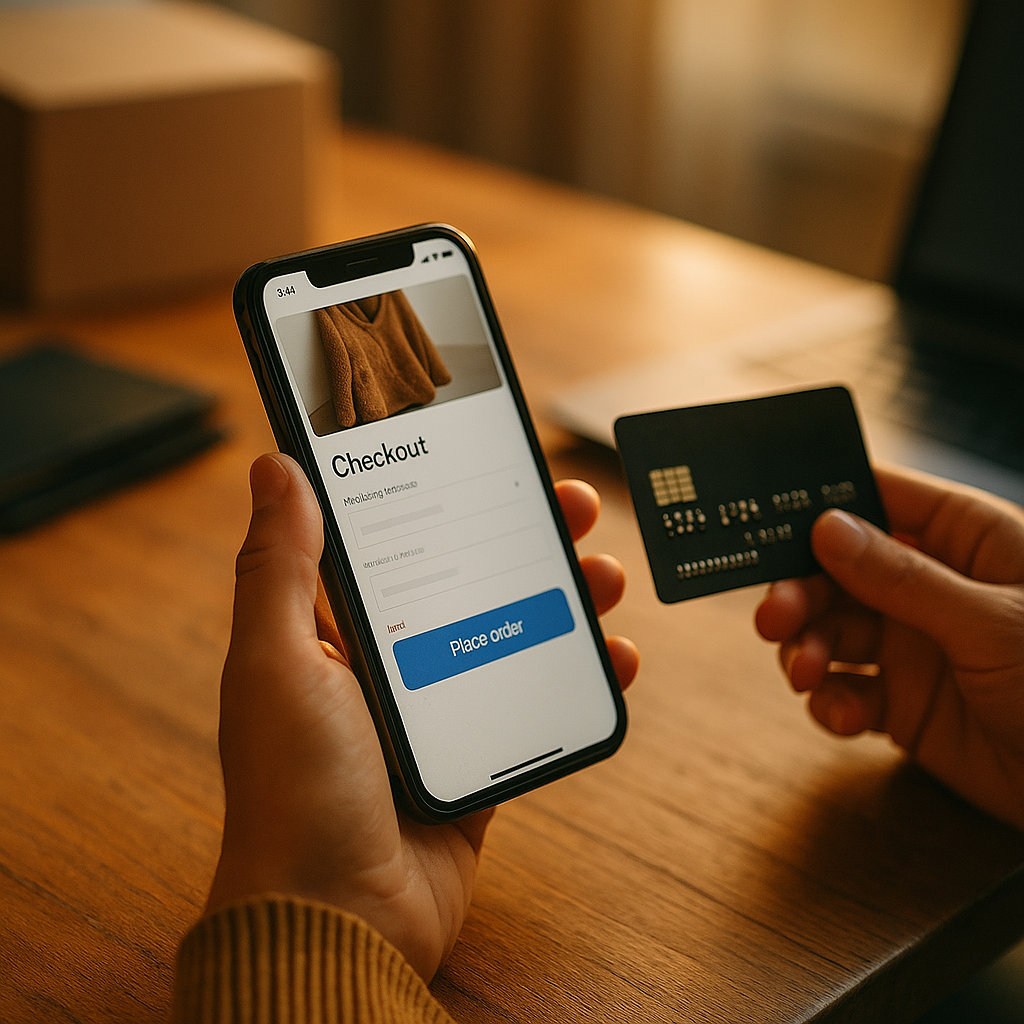
Mobile checkout design can make or break revenue because every tap, field, and prompt shapes behavior. The psychology of choice architecture in mobile checkout design explains why users complete purchases smoothly in some apps yet abandon carts in others. When checkout feels effortless, confidence rises and friction falls. So what specific design choices actually move people from hesitation to action?
Choice architecture in mobile checkout: what it means and why it matters
Choice architecture is the practice of organizing decisions so people can act with less effort and more confidence. In mobile checkout, that includes the number of options shown, the order in which they appear, the wording on buttons, the use of defaults, and the amount of information requested before payment. Good checkout design does not manipulate users. It removes unnecessary cognitive load and helps them complete an intended purchase without confusion.
On mobile devices, this matters even more because screens are small, attention is fragmented, and users often buy while distracted. A checkout flow that might feel acceptable on desktop can feel exhausting on a phone. Every extra field, unclear label, or unnecessary step adds mental work. When that work exceeds the user’s motivation, abandonment happens.
From an experience perspective, the best mobile checkout flows support three core psychological needs:
- Clarity: users instantly understand what to do next.
- Control: users feel they can edit, review, and confirm before paying.
- Confidence: users trust the process, pricing, and payment security.
These principles align with Google’s EEAT expectations for helpful content because they emphasize real user value, transparent design, and practical expertise. If a checkout experience hides costs, buries key information, or pressures users into unintended choices, it may increase short-term clicks but damage trust and long-term growth.
In 2026, mobile users expect fast, familiar, and reliable purchase journeys. That means designers and product teams must think beyond interface aesthetics. They need to understand how people process options, react to uncertainty, and decide under time pressure.
Cognitive load in checkout UX: reducing effort at every step
Cognitive load in checkout UX refers to the mental effort required to complete a purchase. The more decisions a user must make, the more likely they are to delay, second-guess, or leave. Reducing that effort is one of the most effective ways to improve conversion.
A common mistake is giving users too many choices at once. Multiple shipping methods, several payment options, promo code fields, account creation prompts, and optional add-ons can overwhelm buyers, especially early in the flow. More options do not always create more freedom. They often create more hesitation.
To lower cognitive load, effective mobile checkout design uses progressive disclosure. Instead of presenting every possible option on one screen, it reveals only what is relevant at the right moment. For example, a flow may first ask for delivery details, then show shipping methods, then display payment choices. This sequencing feels natural because each decision is informed by the previous one.
Other practical ways to reduce cognitive effort include:
- Short forms: ask only for essential information.
- Smart defaults: preselect common choices when they are easy to change.
- Auto-fill and wallet support: reduce typing and error rates.
- Inline validation: catch mistakes immediately instead of after submission.
- Clear step labels: show users where they are and what remains.
Designers often ask whether one-page checkout or multi-step checkout is better. The answer depends on complexity. If the purchase is simple, one-page checkout can work well. If the flow includes delivery selection, billing, loyalty points, or legal requirements, a structured multi-step approach may reduce overwhelm. The real goal is not fewer screens. The goal is fewer mental obstacles.
Microcopy also plays a major role. Labels such as Continue to payment are easier to process than vague calls to action like Next. If a user must stop and interpret what a button means, the interface is already asking too much.
Checkout friction and conversion: how defaults, order, and framing shape decisions
Checkout friction and conversion are tightly linked, but not all friction is harmful. Some friction protects users, such as confirming shipping addresses or reviewing order totals before payment. The problem is unnecessary friction: steps or choices that create doubt without adding value.
One of the strongest tools in choice architecture is the default effect. People often stick with preselected options because changing them requires effort and attention. In mobile checkout, defaults can speed action when used ethically. Examples include remembering a previously used shipping address, selecting a preferred payment method, or defaulting to standard delivery when it matches most customers’ needs.
However, defaults can backfire if they feel self-serving. Preselecting paid add-ons, marketing consent, or expensive shipping can hurt trust and trigger drop-off. Ethical defaults support the user’s likely goal. They do not disguise upsells.
The order of choices also influences behavior. Users tend to choose the first option they encounter when the differences are unclear. That means the presentation of shipping speed, installment plans, and payment methods should follow user priorities, not internal business preferences. If most customers prefer digital wallets on mobile, those methods should appear prominently rather than being buried under less convenient options.
Framing matters as well. A message that says Arrives by Tuesday is often more helpful than Standard shipping because it translates an abstract option into an outcome users care about. The same applies to payment framing. Pay securely with Face ID is more reassuring than simply listing a card brand icon without context.
When teams optimize mobile checkout, they should review friction through real user behavior:
- Where do users pause?
- Which fields create the most errors?
- Do users change defaults often?
- Which payment methods lead to the highest completion rate?
- At what point do users abandon after seeing total cost?
This kind of evidence-based review demonstrates experience and expertise, two core elements of EEAT. Rather than relying on assumptions, strong teams use session analysis, funnel data, usability testing, and experiment results to refine the flow.
Behavioral design in ecommerce: building trust during the final purchase moment
Behavioral design in ecommerce is not only about simplifying decisions. It is also about reducing perceived risk. Checkout is the moment when users share payment details, commit money, and expect a business to deliver. Even a small trust gap can stop the sale.
Trust in mobile checkout is built through visible signals and consistent behavior. Users look for signs that the app or site is legitimate, secure, and transparent. They also want reassurance that they can correct mistakes before payment is final.
Strong trust-building elements include:
- Clear price breakdowns: subtotal, shipping, taxes, discounts, and total should be easy to scan.
- Visible security cues: secure payment labels, trusted wallet integrations, and biometric prompts where supported.
- Easy edit options: users should be able to change address, quantity, or payment without restarting.
- Transparent policies: delivery windows, return terms, and subscription details must be visible before purchase.
- Consistent branding: visual or copy changes at checkout can make users feel redirected or unsafe.
One often overlooked principle is expectation matching. If a product page promises fast checkout, the purchase flow should not suddenly demand account creation or excessive verification. If users enter checkout expecting a quick transaction and encounter hidden complexity, trust drops instantly.
Guest checkout remains important for many businesses in 2026 because forcing registration introduces friction and uncertainty. A better approach is to let users buy first, then offer account creation after purchase using their submitted details. This respects intent and reduces resistance.
Trust also depends on language. Instead of legal-heavy or robotic text, use direct, plain language that answers likely concerns. For example: You will not be charged until your order is confirmed or Free returns within 30 days. This prevents users from searching elsewhere for reassurance and losing momentum.
Mobile payment optimization: choosing the right options without overwhelming users
Mobile payment optimization is a core part of choice architecture because payment is the highest-stakes decision point in the flow. Users want convenience, but they also want familiarity. The ideal setup offers the most relevant options, not the maximum number of options.
Digital wallets are especially powerful on mobile because they reduce typing, shorten decision time, and provide built-in security signals. When users can pay with a method already tied to their device, the path to purchase becomes simpler and more trusted. Card entry should still be available, but it should not force unnecessary manual effort when faster methods exist.
To choose the right mix of payment methods, teams should analyze geography, device behavior, and customer segments. A broad international audience may need local payment methods. A subscription business may need stronger recurring billing support. A high-consideration retail purchase may benefit from installment visibility, but only if the option is explained clearly.
Best practices for payment presentation include:
- Show the most relevant methods first based on device and previous behavior.
- Use recognizable labels and icons so users do not need to interpret unfamiliar terms.
- Avoid duplicate options that create confusion, such as listing similar wallet paths separately without explanation.
- Explain special payment choices like installments or deferred payment in plain language.
- Preserve context by showing the order total near payment selection.
Another common question is whether promo code fields help or hurt conversion. The answer depends on placement and audience. A prominent promo field can interrupt momentum by reminding users to leave the app or site in search of discounts. For many flows, a subtle expandable field is the better choice. It accommodates users who already have a code without distracting those ready to complete payment.
Finally, error recovery is a major part of payment optimization. If a payment fails, the user needs a clear explanation and immediate next steps. Generic messages such as Transaction error are rarely enough. Helpful alternatives include prompting users to try another method, check billing details, or confirm bank approval. Good recovery design protects conversion that would otherwise be lost.
Checkout abandonment psychology: testing and improving the decision environment
Checkout abandonment psychology is about understanding why users leave even after showing buying intent. Some exits are inevitable, but many result from preventable design issues: surprise costs, decision fatigue, unclear progress, weak trust signals, or technical delays.
The strongest teams treat checkout as a living system rather than a finished feature. They test how users respond to changes in choice architecture and measure both conversion and satisfaction. This is where expertise becomes visible. Instead of copying another brand’s pattern, they validate what works for their own users.
Useful testing methods include:
- Usability testing: watch real users complete checkout and note confusion points.
- A/B testing: compare defaults, button labels, form layouts, and payment ordering.
- Funnel analysis: identify the exact stage where abandonment spikes.
- Field-level analytics: measure error frequency and time to completion per field.
- Post-purchase surveys: ask successful buyers what almost stopped them.
When evaluating results, avoid relying only on short-term conversion lifts. Choice architecture should improve decision quality as well as speed. If users later request refunds, cancel subscriptions, or complain about unclear terms, the flow may have pushed completion at the expense of trust. Helpful content and strong product design both prioritize long-term user benefit.
A practical optimization sequence often works best:
- Remove obvious friction such as redundant fields and forced account creation.
- Improve clarity in labels, totals, and step structure.
- Refine defaults so they align with likely user preferences.
- Prioritize key payment methods for mobile behavior.
- Test trust cues including messaging, review screens, and policy visibility.
This sequence works because it addresses the main psychological barriers in order: effort, confusion, hesitation, and risk. Each improvement strengthens the decision environment and helps users finish what they came to do.
FAQs about mobile checkout psychology
What is choice architecture in mobile checkout design?
It is the way checkout decisions are structured through layout, sequencing, defaults, wording, and available options. The goal is to help users complete purchases with less effort and more confidence.
How does psychology affect mobile checkout conversion?
Psychology shapes how users react to effort, uncertainty, and trust. If checkout feels confusing, risky, or mentally demanding, users are more likely to abandon. If it feels clear and secure, conversion tends to improve.
Should mobile checkout offer many payment methods?
No. It should offer the most relevant payment methods for the audience and device context. Too many options can create hesitation. Relevance matters more than quantity.
Is guest checkout still important in 2026?
Yes. Guest checkout reduces friction for first-time buyers and supports faster completion. Businesses can still invite users to create an account after purchase.
Do defaults increase checkout completion?
They often do, but only when used ethically. Helpful defaults reduce effort. Misleading defaults, such as preselected add-ons or consent boxes, can harm trust and reduce long-term value.
What causes the most checkout abandonment on mobile?
Common causes include unexpected costs, long forms, forced sign-up, limited payment options, technical issues, unclear error messages, and weak trust signals.
How can brands make mobile checkout feel more trustworthy?
Show transparent pricing, use secure and familiar payment methods, keep branding consistent, explain policies clearly, and let users review or edit their order before final payment.
What is the best way to optimize a mobile checkout flow?
Start with user research and funnel data. Then simplify forms, reduce unnecessary choices, improve copy, prioritize relevant payment methods, and test changes continuously with real users.
The psychology of choice architecture in mobile checkout design comes down to one clear principle: make buying feel easy, understandable, and safe. Every field, default, message, and payment option influences behavior. Brands that reduce cognitive load and strengthen trust do more than lift conversion. They create better decisions for users, which supports stronger retention, loyalty, and long-term revenue growth.