


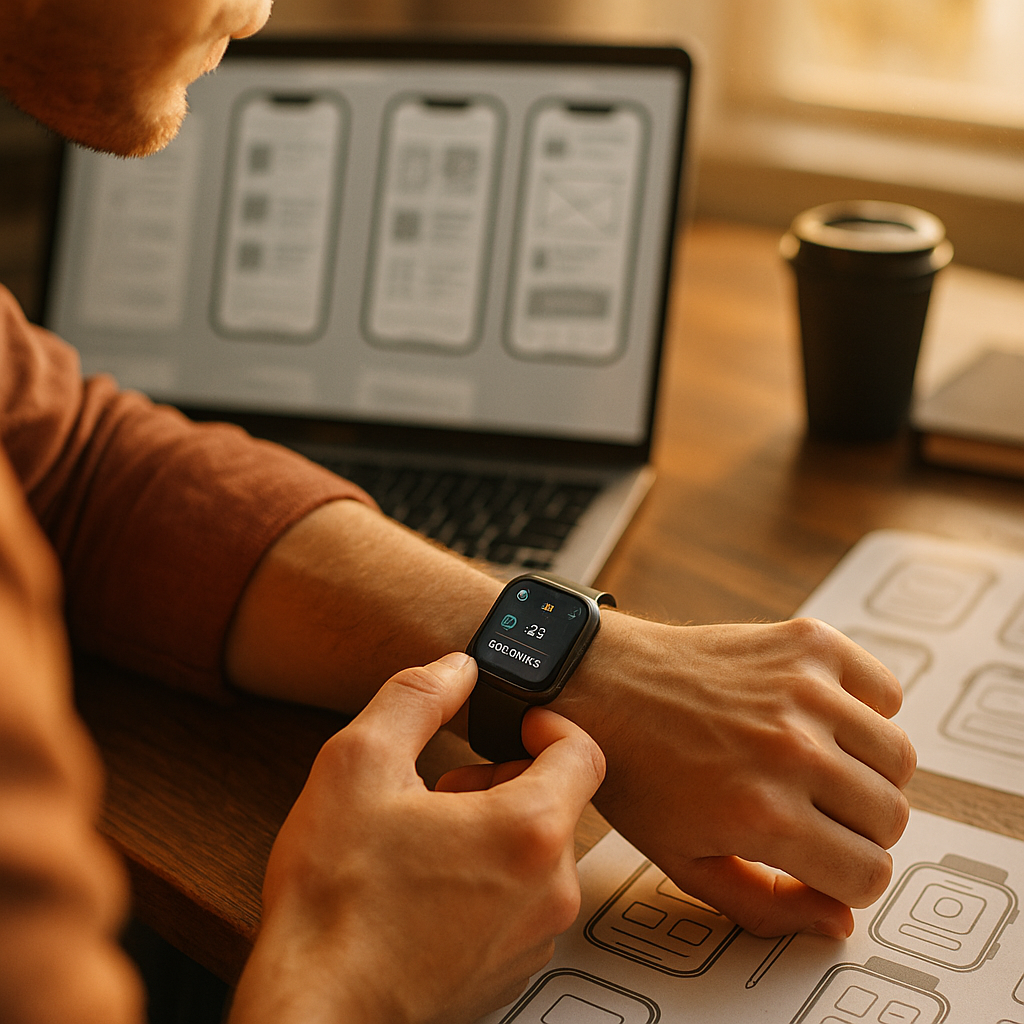
Designing for the wearable web now matters far beyond novelty. As smart watches and glasses become everyday interfaces in 2026, brands must deliver fast, glanceable, context-aware experiences that respect tiny screens, short attention spans, and privacy expectations. Success depends on useful content, clean interaction patterns, and measurable value across real moments. What does that require in practice?
Wearable UX design starts with context, not screens
The biggest mistake teams make with wearable experiences is shrinking a mobile website onto a smaller display. Effective wearable UX design starts by asking a different question: what can a person realistically do on a watch or through smart glasses in a few seconds, while moving through the world?
Wearables are not miniature laptops, and they are rarely even miniature phones. They are situational devices. A runner checks pace. A commuter glances at directions. A technician sees step-by-step instructions hands-free. A patient receives a medication reminder. These interactions happen in motion, under time pressure, and often with divided attention.
That context changes everything about design decisions:
- Session length is short. Most interactions should take seconds, not minutes.
- Attention is fragmented. Users scan, confirm, dismiss, or act immediately.
- Input is limited. Voice, taps, gestures, and quick replies usually outperform typing.
- Environment matters. Sunlight, noise, movement, and social setting affect readability and usability.
- Trust is fragile. Wearables feel personal, so intrusive prompts or unnecessary tracking quickly create friction.
From an EEAT perspective, helpful content for wearables shows clear real-world understanding. That means grounding decisions in observed behavior, usability testing, analytics from actual sessions, and platform guidelines rather than assumptions. If your team cannot explain when, why, and how someone will use the experience, the content strategy is probably too broad.
A reliable approach is to map “micro-moments” before writing or designing anything. Identify the trigger, user goal, device state, likely input method, required output, and time available. This turns a vague requirement like “build smartwatch content” into something practical, such as “show a delayed-train alert with one-tap alternate route options in under five seconds.”
Smartwatch content strategy should prioritize glanceable information
A strong smartwatch content strategy focuses on relevance, brevity, and immediate comprehension. On a watch, every word competes with time, motion, and cognitive load. Users should understand the message at a glance and know what action to take next.
That means content needs ruthless prioritization. For most watch experiences, the best hierarchy is:
- Primary status or insight — what changed, what matters, or what the user needs now
- Recommended action — confirm, dismiss, start, pause, navigate, pay, reply
- Optional detail — only if it supports a fast decision
Instead of writing “Your delivery order has encountered a schedule adjustment and may arrive later than expected,” write “Delivery delayed 12 min.” Instead of “You have not yet completed your hydration goal,” write “Drink water: 250 ml left.” The point is not to sound robotic. The point is to remove ambiguity.
Useful watch content often falls into a few high-value formats:
- Alerts: urgent, time-sensitive changes
- Status cards: progress, health metrics, tasks, trip details
- Action prompts: approve, unlock, check in, respond
- Guidance: step-by-step navigation or workout cues
- Summaries: concise daily or session-level insights
Content teams should also define a watch-specific voice. It should remain consistent with the brand, but clarity outranks flair. Dense headlines, jargon, and long disclaimers hurt performance. If legal or medical context is necessary, surface the essential message first and provide deeper detail on the paired phone or web destination.
Another best practice is to design for interruption. A person may glance away mid-task and come back later. Content should still make sense. Labels like “Resume workout,” “Continue navigation,” or “2 new tasks” reduce the mental effort required to re-enter the flow.
Finally, test content in live conditions. A sentence that reads well at a desk may fail outdoors, in motion, or under notification overload. In user tests, measure comprehension speed, action completion, error rate, and dismiss rate. Those metrics reveal whether “short” content is also genuinely useful.
Designing smart glasses interfaces requires spatial relevance and restraint
Designing smart glasses interfaces introduces a different challenge. Unlike watches, glasses can layer information into the user’s field of view. That creates opportunity, but also risk. If the interface competes with the real world, it becomes distracting or unsafe.
Good smart glasses content is spatially relevant. It appears when context justifies it and disappears when it does not. For example, warehouse picking instructions can anchor to shelf locations. Turn-by-turn directions can appear as minimal cues. Field service overlays can highlight the next component to inspect. In each case, the digital layer supports the task rather than dominating it.
To do that well, teams should follow several principles:
- Keep overlays minimal. Show only the information needed for the current step.
- Respect line of sight. Avoid large persistent elements that obstruct vision.
- Use progressive disclosure. Start with a cue, then reveal more detail on request.
- Design for motion. Head movement changes readability and focus.
- Support multimodal feedback. Combine visuals with audio or haptics when appropriate.
Content for smart glasses should also account for social acceptability. People are more sensitive to visible recording, eye-level notifications, and always-on displays than they are with phones. Clear permission prompts, visible recording indicators, and transparent privacy controls are essential to trust.
From an authority and trust standpoint, this is where subject-matter expertise matters. If the use case touches healthcare, industrial safety, training, or navigation, the content must be reviewed by professionals who understand the operational environment. Accuracy is not optional when the interface influences real-world actions.
A practical content model for glasses is “cue, confirm, continue.” Give the user a compact instruction, confirm completion with a subtle signal, then move to the next step. That pattern supports hands-free workflows and keeps the visual layer calm.
Micro interactions for wearables improve usability and retention
Because wearable sessions are brief, micro interactions for wearables carry a disproportionate amount of value. A small vibration, a color shift, a brief spoken confirmation, or a one-tap action can determine whether the experience feels effortless or frustrating.
On wearables, micro interactions should reduce uncertainty. Users need to know:
- Did the device register my action?
- What changed as a result?
- Do I need to do anything else?
- Can I undo this quickly?
For example, if a user approves a payment on a watch, the feedback should be immediate and unambiguous. If a glasses user completes a checklist item, the transition to the next task should be obvious without demanding extra attention. These details may look minor in product documents, but they shape trust and repeat usage.
Performance also matters here. Slow micro interactions feel broken on wearables because the expectation is instant utility. Keep animation purposeful and short. Limit dependency on heavy assets. Cache key states where possible. If connectivity drops, the interface should fail gracefully with a clear offline message and a next-best action.
Accessibility is equally important. Strong contrast, readable type, haptic alternatives to audio, voice alternatives to touch, and plain language all improve usability. Wearable audiences are broad, and many usage conditions effectively create temporary impairments, such as bright light, background noise, or occupied hands. Accessibility is not a niche requirement; it is a core design strategy.
Retention improves when micro interactions create confidence instead of noise. Over-alerting, unnecessary badges, and frequent nudges train users to ignore the device. Use notifications sparingly, tie them to clear value, and let users control frequency and priority. The best wearable experience often feels quieter than stakeholders expect.
Voice UI for wearables and multimodal input must be intentional
Voice UI for wearables can unlock hands-free interactions, but only when it is designed with clear boundaries. Voice is excellent for quick commands, confirmations, and retrieval of simple information. It is less effective for long menus, complex form filling, or situations where speaking aloud feels awkward.
That means teams should identify the commands and queries that naturally fit the wearable context. Good candidates include:
- Navigation: “Start route home”
- Status checks: “How many steps do I have left?”
- Task progression: “Next instruction”
- Quick communication: “Reply: running late”
- Device controls: “Pause workout” or “Mute alerts”
Intentional design means accounting for fallback paths. What happens if speech recognition fails, the environment is noisy, or the user prefers silence? Wearables need parallel interaction methods such as tap targets, gesture shortcuts, preset replies, and companion-device handoff.
Content writers should script voice responses differently from text prompts. Spoken content must sound natural, short, and easy to parse on first listen. Avoid dense clauses and numeric overload. For example, instead of reading a full calendar entry, say “Next meeting in 10 minutes: product review.” If more detail is needed, offer a follow-up prompt like “Open on phone?”
Trust is especially important in voice interactions because errors can feel invasive. Confirm sensitive actions such as payments, health logs, or shared messages. Make command history easy to review where appropriate. Be transparent about when voice data is processed, stored, or shared.
As wearable ecosystems mature in 2026, multimodal design is becoming the standard. The best experiences combine voice, touch, gaze, haptics, and visual cues based on the user’s setting. The goal is not to use every input method. The goal is to choose the least demanding method for the moment.
SEO for wearable content and measurement depend on usefulness
SEO for wearable content is not about ranking a watch interface itself in traditional search results. It is about creating discoverable, high-quality web content and connected product experiences that answer intent across devices, including wearables. In practice, that means the wearable layer should connect to a broader content ecosystem that is indexable, trustworthy, and helpful.
If your brand publishes content related to wearable use cases, focus on pages that answer questions users actually have:
- How does the watch or glasses experience work?
- What tasks can users complete?
- What privacy controls are available?
- Which features require a companion app?
- How accurate are health, location, or activity insights?
To align with EEAT, support claims with product documentation, expert review, transparent policies, and evidence from testing or validated sources. If the content touches health, finance, safety, or identity, accuracy and disclosure become even more important. Explain limitations clearly. Avoid exaggerated promises. Helpful content earns trust because it respects user decision-making.
Measurement should extend beyond click-through rate. Wearables create success metrics that are more behavioral and context-specific:
- Glance comprehension rate
- Task completion time
- Notification response rate
- Dismiss or mute rate
- Companion-device handoff rate
- Error recovery rate
- Retention by use case
These metrics help teams refine both content and interaction design. For example, a high dismiss rate on a recurring reminder may indicate poor timing rather than bad copy. A low handoff completion rate may signal that the watch content does not set expectations clearly before sending users to the phone.
Ultimately, the wearable web rewards utility. If the experience saves time, reduces friction, and fits the user’s environment, it will perform better across engagement, retention, and brand trust. If it merely repackages existing content for a smaller screen, users will abandon it quickly.
FAQs about wearable web design and content
What is the wearable web?
The wearable web refers to web-connected experiences designed for devices such as smart watches and smart glasses. These experiences often extend websites, apps, and services into quick, contextual interactions optimized for small displays, voice commands, gestures, and real-world use.
How is designing for smart watches different from mobile design?
Smartwatch design requires shorter content, fewer actions, larger priorities, and faster completion times than mobile design. Users usually interact for only a few seconds, often while moving. That makes glanceability, concise copy, and simple actions more important than full-featured navigation.
What kind of content works best on smart glasses?
Smart glasses work best with spatially relevant, task-based content such as navigation cues, step-by-step instructions, alerts, annotations, and hands-free workflow support. The content should be minimal, timely, and positioned so it helps the user without blocking the real-world view.
Should every brand build a wearable experience?
No. A wearable experience makes sense when users benefit from immediate, context-aware interactions such as alerts, status updates, approvals, guidance, or hands-free tasks. If your service requires long reading, detailed comparison, or heavy input, a phone or desktop experience may be more effective.
How do you make wearable content accessible?
Use high contrast, readable text, plain language, haptic and audio alternatives, clear focus states, and simple interaction paths. Also test in real conditions such as bright light, noise, and motion. Accessibility on wearables improves usability for everyone, not only users with permanent disabilities.
What are common mistakes in wearable UX?
Common mistakes include cramming too much information onto the screen, sending too many notifications, relying on typing, ignoring privacy concerns, and copying mobile layouts directly to wearables. Another frequent issue is failing to test how content performs in actual environments.
How should teams measure success for wearable content?
Track metrics tied to real use: glance comprehension, action completion speed, response rate, dismiss rate, retention, and companion-device handoff. These reveal whether the content is useful in the moment, which matters more than vanity metrics alone.
Is voice essential for wearable interfaces?
Voice is valuable, especially for hands-free situations, but it is not always essential. The best wearable interfaces usually support multiple input methods, including tap, gesture, haptics, and voice, so users can choose the least demanding option for their environment.
Designing for the wearable web succeeds when teams stop thinking in terms of smaller screens and start thinking in terms of faster moments, lighter cognitive load, and stronger trust. Smart watches and glasses reward clarity, relevance, and restraint. Build for context, test in real conditions, and treat every interaction as a high-value micro-moment that must earn attention.