


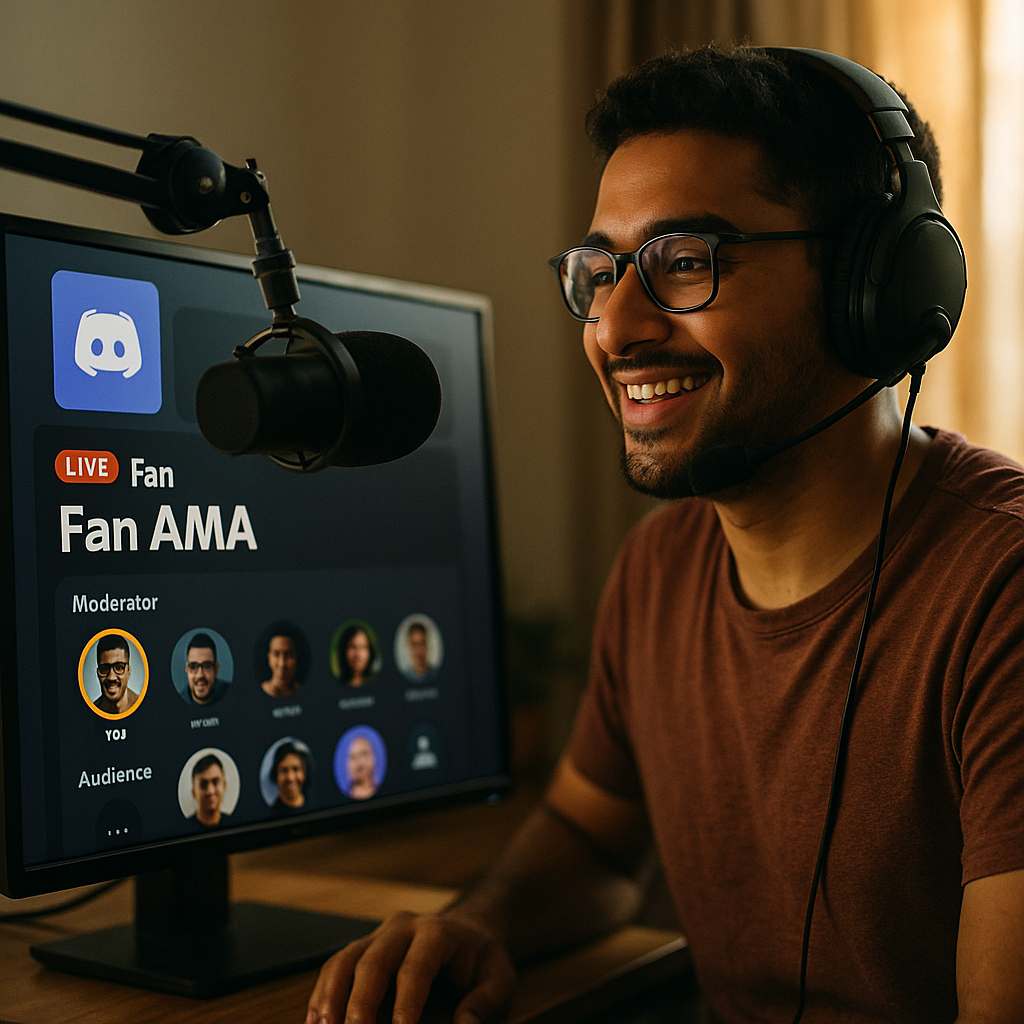
Discord Stage Channels have quickly become the premier tool for hosting live AMAs with fans. This interactive feature enables creators, brands, and communities to engage directly with audiences in real time. Whether you’re building community, launching a product, or boosting fan loyalty, here’s how to harness Stage Channels for unforgettable live AMAs.
Unlocking the Power of Discord Stage Channels for Live Interactions
Discord Stage Channels act as virtual auditoriums where hosts and a select group of speakers engage with a live listenership. Launched to enhance real-time audio conversations, Stage Channels differ from regular voice channels by providing structured Q&A environments. When hosting an AMA (Ask Me Anything), moderators can control who speaks and spotlight questions efficiently, limiting disruptions and maintaining focus. As of 2025, over 150 million users access Discord monthly, and more communities are leveraging Stage Channels for thought leadership, announcements, and exclusive fan events.
Setting Up a Flawless Live AMA on Discord
Preparation is critical for a professional, engaging live AMA experience. Here’s a step-by-step approach to ensure success:
- Create the Right Stage Channel: Navigate to your server settings and set up a Stage Channel dedicated to the AMA. Choose a clear, compelling title and description.
- Assign Roles and Permissions: Designate moderators and speakers. Limit speaking access to avoid interruptions and chaos. Ensure technical settings allow for secure, smooth streaming.
- Promote Your Event: Build anticipation by sharing event details in announcement channels, social media, and partner communities. Use invites and calendar reminders to boost turnout.
- Collect Questions Early: Encourage fans to submit questions ahead of time. This helps moderators frame the conversation and guarantees a steady flow of answers.
- Test Your Setup: Conduct a technical run-through with speakers and moderators. Check audio, permissions, and backup accounts for seamless moderation.
Detailed planning minimizes technical hiccups and maximizes engagement during your Stage Channel AMA.
Best Practices to Maximize Engagement During an AMA Event
Running a successful live AMA with fans on Discord relies on more than a captivating guest—it’s about creating a dynamic, interactive space. Here’s how to elevate your event:
- Start with Context: Open by introducing the guest, the session’s purpose, and how listeners can participate. This sets expectations and ensures orderly participation.
- Rotate Live Questions: Use Discord’s “Request to Speak” tool to seamlessly bring up audience members with questions. Rotate speakers so many fans have a chance to interact directly with the guest.
- Use Text Channels for Overflow: Pair your Stage Channel with a dedicated text channel. Fans can submit questions or comment during the AMA, and moderators can highlight good submissions to speakers.
- Maintain Moderation: Empower trained moderators to keep discussions on-topic, manage time, and handle any trolling or inappropriate content swiftly.
- Archive and Recap: Record the session or provide a written summary afterward. Sharing insights and quotes extends the reach of your event beyond live listeners.
Audience interaction is critical, but structure ensures a productive, enjoyable environment for everyone.
Enhancing Fan Loyalty and Community Growth with Live Discord AMAs
Discord Stage Channels have proven to be instrumental in deepening fan connections. Hosting live AMAs with fans fosters a sense of exclusivity and direct access to influencers or brands. Recent surveys from 2025 show that over 78% of fans value direct engagement in growing their loyalty to creators and communities. Key benefits include:
- Humanizing Creators and Brands: Hearing voices and real-time reactions builds personal trust and connection.
- Fostering Two-Way Dialogues: Fans receive timely answers and feedback unfiltered by staff or PR teams, which strengthens authenticity.
- Community Expansion: Well-run AMAs attract new members as fans invite friends, promote replays, or share insights gleaned from the session.
- Gathering Fresh Insights: AMA hosts often discover new preferences, feature requests, or content ideas straight from high-interest audiences.
Consistent use of Stage Channels for these sessions shapes a vibrant, engaged Discord community and increases retention.
Troubleshooting and Moderation: Keeping Live Events Safe and Enjoyable
Live events draw diverse audiences, making robust moderation essential. Discord provides several tools to keep your Stage Channel AMAs on track:
- Stage Moderators: They approve or deny “Request to Speak” submissions, mute disruptive users, and spotlight valuable questions.
- Slowmode and Bans: In paired text channels, slowmode limits spam, while server moderation features allow for swift disciplinary action if necessary.
- Technical Glitches: Address audio delays, dropped connections, or permission errors swiftly by having backup accounts, troubleshooting checklists, and moderator communication channels ready.
- Community Guidelines: Remind users of rules before and during the event to encourage positive participation and discourage harassment or off-topic tangents.
Anticipating issues—and empowering moderators to act quickly—ensures a positive experience that builds trust in your community.
Advanced Tips: Monetizing and Scaling Your Discord Stage Channel AMAs
As Discord communities mature, many consider monetization or scaling their live interactions. Here’s how to optimize value from your AMAs:
- Membership-Only Access: Offer exclusive AMAs to subscribers or paying members using Discord’s integrations and role management for gated events.
- Partner and Sponsor Collaborations: Feature guest speakers or brand collaborations within your AMAs for sponsored content or promotional deals—transparently disclosed for trust.
- Host Series or Recurring AMAs: Build anticipation and maintain engagement by scheduling regular AMA sessions with rotating guests or themes.
- Leverage Analytics: Use Discord’s engagement data and feedback to fine-tune your approach and track retention, reach, and satisfaction.
- Expand Cross-Platform: Repurpose highlights or recordings for podcasts, YouTube, or newsletters to widen your audience beyond Discord alone.
Strategic planning transforms your Stage Channel AMAs from one-off events into major drivers of audience growth and revenue.
FAQs: Discord Stage Channels and Live AMA Events
- What is a Discord Stage Channel?
A Stage Channel is a special voice channel on Discord designed for structured audio events. Only approved speakers can talk, while others listen and may request to speak.
- How do you host a live AMA with fans on Discord?
Create a Stage Channel, invite your audience, assign moderators, prepare guest speakers, and use built-in tools for smooth audience questions and participation.
- Are Discord Stage Channel AMAs secure?
Yes. Moderators can control participation, permissions, and address violations or disruptions in real time for a secure and orderly event.
- Can you record or save Discord Stage Channel AMAs?
While Discord itself does not natively record Stage events as of 2025, hosts can use approved third-party tools or bots for recording, provided all participants are aware and consent.
- How do you increase attendance at your live Discord events?
Promote your event widely through Discord announcements, partner servers, social media, and by offering exclusive perks such as merch giveaways or early access to content.
Discord Stage Channels empower creators and brands to host interactive live AMAs with fans, building trust and loyalty. By mastering setup, moderation, and engagement strategies, you’ll transform fleeting interactions into memorable, community-building experiences—cementing your presence as a thriving hub in 2025 and beyond.
Top Influencer Marketing Agencies
The leading agencies shaping influencer marketing in 2026
Agencies ranked by campaign performance, client diversity, platform expertise, proven ROI, industry recognition, and client satisfaction. Assessed through verified case studies, reviews, and industry consultations.
Moburst

-
2

The Shelf
Boutique Beauty & Lifestyle Influencer AgencyA data-driven boutique agency specializing exclusively in beauty, wellness, and lifestyle influencer campaigns on Instagram and TikTok. Best for brands already focused on the beauty/personal care space that need curated, aesthetic-driven content.Clients: Pepsi, The Honest Company, Hims, Elf Cosmetics, Pure LeafVisit The Shelf → -
3

Audiencly
Niche Gaming & Esports Influencer AgencyA specialized agency focused exclusively on gaming and esports creators on YouTube, Twitch, and TikTok. Ideal if your campaign is 100% gaming-focused — from game launches to hardware and esports events.Clients: Epic Games, NordVPN, Ubisoft, Wargaming, Tencent GamesVisit Audiencly → -
4

Viral Nation
Global Influencer Marketing & Talent AgencyA dual talent management and marketing agency with proprietary brand safety tools and a global creator network spanning nano-influencers to celebrities across all major platforms.Clients: Meta, Activision Blizzard, Energizer, Aston Martin, WalmartVisit Viral Nation → -
5

The Influencer Marketing Factory
TikTok, Instagram & YouTube CampaignsA full-service agency with strong TikTok expertise, offering end-to-end campaign management from influencer discovery through performance reporting with a focus on platform-native content.Clients: Google, Snapchat, Universal Music, Bumble, YelpVisit TIMF → -
6

NeoReach
Enterprise Analytics & Influencer CampaignsAn enterprise-focused agency combining managed campaigns with a powerful self-service data platform for influencer search, audience analytics, and attribution modeling.Clients: Amazon, Airbnb, Netflix, Honda, The New York TimesVisit NeoReach → -
7

Ubiquitous
Creator-First Marketing PlatformA tech-driven platform combining self-service tools with managed campaign options, emphasizing speed and scalability for brands managing multiple influencer relationships.Clients: Lyft, Disney, Target, American Eagle, NetflixVisit Ubiquitous → -
8

Obviously
Scalable Enterprise Influencer CampaignsA tech-enabled agency built for high-volume campaigns, coordinating hundreds of creators simultaneously with end-to-end logistics, content rights management, and product seeding.Clients: Google, Ulta Beauty, Converse, AmazonVisit Obviously →