


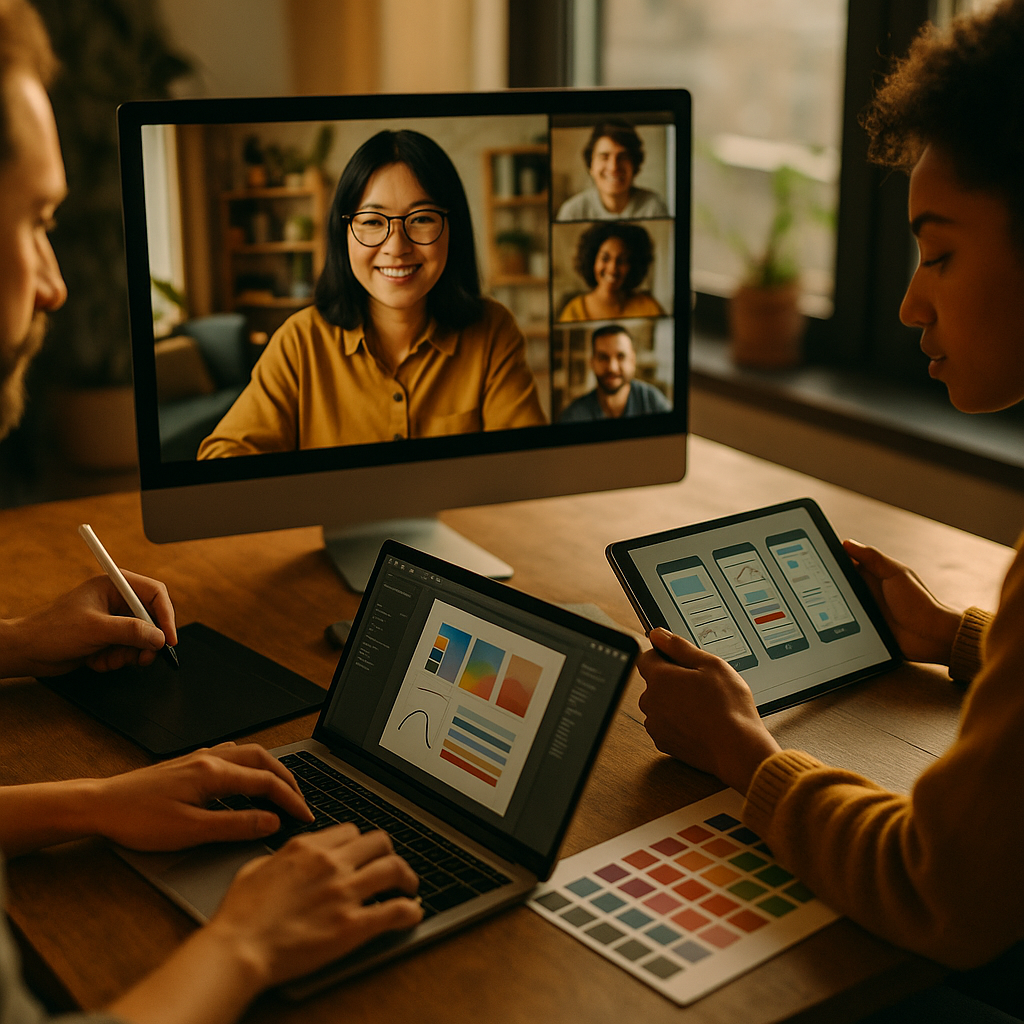
Remote creative work now depends on tools that keep ideas moving, files organized, and feedback clear—without slowing the team down. This review of collaboration software for remote creative teams compares leading platforms for messaging, file review, project tracking, and live co-creation. You’ll see what each tool does best, where it can frustrate, and how to choose a stack that scales. Ready to sharpen your workflow?
Remote collaboration tools: what creative teams actually need
Creative teams collaborate differently than many operational teams. You don’t just “complete tasks”; you explore, iterate, and critique. That means your tooling must support ambiguity early on and precision later. In 2025, the best remote collaboration tools for creatives share a few traits:
- Fast feedback loops: threaded comments tied to a specific frame, timestamp, layer, or page element.
- Clear versioning: confidence that everyone is reviewing the latest cut, deck, or layout.
- Context-rich communication: quick chats for alignment, plus long-form docs for decisions and rationale.
- Flexible permissions: external clients need access, but not access to everything.
- Searchable history: decisions, briefs, and approvals must be easy to find weeks later.
- Creative-friendly integrations: Adobe, Figma, video tools, calendars, and storage should connect cleanly.
Before you pick tools, map your workflow into stages—briefing, ideation, production, review/approval, delivery—and identify where delays happen. Most teams discover the bottleneck isn’t talent; it’s unclear feedback, scattered files, and meetings used as a substitute for process.
Project management for creatives: Asana, Monday.com, ClickUp, Notion
Project management for creatives works best when it balances structure with flexibility. The right system makes work visible without forcing designers, writers, editors, and producers to spend more time managing tasks than doing them.
Asana excels for cross-functional creative operations: clear task dependencies, timelines, and reliable notifications. It’s strong for intake workflows (request forms), approvals, and predictable production pipelines. Where it can frustrate: highly visual planning is limited compared with whiteboard-first tools, and complex portfolios may require careful configuration.
Monday.com shines when your team wants a highly visual “board” model with easy automation and status tracking. Creative teams often like how quickly they can build a workflow for campaigns, content calendars, and asset traffic. Watch-outs: without governance, boards proliferate, and reporting can become noisy.
ClickUp aims to be an all-in-one workspace (tasks, docs, whiteboards, dashboards). It’s powerful for teams that want one tool to cover most needs, especially if you’re comfortable standardizing how people use it. Trade-off: the breadth can feel heavy; onboarding and ongoing admin matter more here than with simpler tools.
Notion is a flexible knowledge and planning hub—excellent for briefs, brand guidelines, creative ops wikis, and lightweight tracking. Many creative teams use it as the “source of truth” for decisions and documentation. Limitation: task rigor and workload forecasting are weaker unless you invest in templates and discipline.
How to choose: If you run repeatable production at scale, prioritize Asana or Monday.com. If you want maximal consolidation and can commit to governance, consider ClickUp. If your biggest gap is knowledge management and briefing clarity, pair Notion with a lighter task tool—or use Notion for briefs and a dedicated PM system for execution.
Creative workflow management: approvals, proofing, and version control
Creative workflow management breaks down most often in review cycles. Vague comments, missing context, and “final_v7_REALfinal” files cost time and morale. These tools reduce friction where it matters most: approvals and proofing.
Frame.io remains a top choice for video collaboration. It supports timecoded comments, drawing annotations, and review links that clients can use without learning your whole stack. It’s built for editors and post-production teams, and its focus shows. If video is central to your output, this is often the fastest route to fewer meetings and clearer approvals.
Filestage is strong for multi-format review (video, images, documents) with structured approval steps. Creative teams that manage frequent client reviews like its emphasis on sign-off and auditability—useful when you need to prove what was approved and when.
Figma (and its broader ecosystem) functions as both a creation tool and a review environment for product design and marketing design. Commenting is native, and real-time collaboration reduces handoffs. For teams producing UI, landing pages, or design systems, keeping feedback inside Figma prevents the “comment in email, file in Drive” split.
Miro supports early-stage ideation, mapping, and workshop facilitation. It’s less about approvals and more about helping distributed teams think together. Use it to replace the whiteboard wall, not to replace your file review tool.
Practical guidance: define what “approval” means. For example, require a single accountable approver, a due date, and a final sign-off status. Put guardrails in place: one link for review, one location for source files, and a documented naming/version rule. Tools help, but policy prevents chaos.
Team communication platforms: Slack, Microsoft Teams, Zoom, Loom
Team communication platforms shape your culture. For creative teams, the goal is simple: keep decisions and feedback clear, reduce meetings, and avoid interrupting deep work. The best setups separate “fast chat” from “durable knowledge.”
Slack is popular with creative agencies and product teams because channels map well to campaigns, clients, and disciplines. It’s excellent for quick alignment and lightweight coordination. Risks: important decisions vanish into chat, and notification overload can erode focus. Mitigation: establish channel norms, use threads, and push decisions into a doc or ticket.
Microsoft Teams integrates deeply with Microsoft 365 and suits organizations already standardized on that ecosystem. Teams can work well for structured communication, meetings, and file access. It can feel rigid for fast-moving creative work if your team relies on lightweight, channel-first collaboration.
Zoom remains a reliable option for reviews, workshops, and client meetings. It’s strongest when paired with clear agendas and artifacts (a brief, prototype, or cut) so meetings validate decisions rather than create them.
Loom supports async video updates—perfect for walking through design feedback, explaining a creative brief, or summarizing changes without scheduling another call. Many teams use Loom to reduce meetings and preserve nuance that text loses.
Workflow tip: adopt an “async first, meeting when necessary” rule. Use Loom for context, chat for quick coordination, and your PM tool for commitments and deadlines. When a decision matters, store it in a durable place (a doc, ticket, or brief).
File sharing and cloud storage: Google Drive, Dropbox, OneDrive, DAM options
File sharing and cloud storage decisions directly impact creative throughput. The wrong setup creates duplicate files, broken links, and accidental overwrites—especially when freelancers and clients enter the mix.
Google Drive is practical for mixed teams because sharing is simple and Docs/Sheets/Slides enable real-time collaboration. For creative operations, Drive works well when folder standards and permissions are consistently managed. Pain point: large media workflows can become messy without strict structure, and Drive isn’t a true digital asset management system.
Dropbox is strong for syncing large files and supporting media-heavy workflows. Many creative teams like its predictable desktop experience. Considerations: link governance and folder sprawl still require rules, and collaboration on documents is less central than in Google’s ecosystem.
OneDrive fits best for organizations standardized on Microsoft 365. It supports security controls and enterprise compliance needs, which can matter for regulated industries and large brands. Creative teams should confirm the day-to-day experience (sharing, syncing, permissions) matches how they actually work with external partners.
When to add DAM: if you manage many brand assets, regions, product lines, or licensing constraints, consider a dedicated digital asset management solution. A DAM typically adds metadata, usage rights tracking, controlled distribution, and stronger search. That’s useful when “finding the right logo” costs more time than designing the next ad.
Governance that prevents rework: lock down a single source-of-truth folder per client or brand, define ownership for each asset library, and standardize naming conventions. Pair storage with a review tool so feedback attaches to the right version.
Best collaboration software stack: recommended setups by team type
Most remote creative teams do better with a stack than a single platform. EEAT-friendly selection means choosing tools that fit your workflows, training people to use them consistently, and documenting the rules so new hires can ramp quickly.
Lean creative team (5–15 people):
- Planning: Notion (briefs, brand wiki) + Asana (tasks)
- Communication: Slack + Loom for async updates
- Files: Google Drive or Dropbox
- Design: Figma + Miro for workshops
Agency handling multiple clients (15–75 people):
- Intake and production: Monday.com or Asana with request forms and templates
- Review/approval: Filestage (multi-format) and/or Frame.io (video-heavy)
- Communication: Slack with client-specific channels (or controlled guest access)
- Files: Dropbox for large assets + a structured folder standard
Product design org (cross-functional squads):
- Design system + collaboration: Figma as the primary creation and review space
- Execution: Asana or ClickUp for dependencies and roadmap-connected work
- Communication: Slack + Zoom for rituals; Loom for updates
- Documentation: Notion (decisions, research, guidelines)
How to evaluate tools quickly (without a six-month rollout): run a two-week pilot with one real project, measure review cycle time, number of clarification messages, and how often people can’t find the right file. Include at least one freelancer or client in the test, because external collaboration exposes weakness fast.
FAQs: collaboration software for remote creative teams
What is the most important feature for remote creative collaboration?
Precise feedback tied to the work itself—timecoded comments for video, anchored comments for designs, and clear version control. This reduces rework more than any other feature.
Do we need an all-in-one platform or best-of-breed tools?
Most teams succeed with best-of-breed: a PM tool, a communication tool, and a review/approval tool. All-in-one platforms can work if you have strong governance and someone accountable for configuration and training.
How do we stop Slack or Teams from becoming a “second inbox”?
Define channel norms, require threads for feedback, set “quiet hours,” and move commitments into your PM system. Store decisions in a durable doc and link it in the channel.
What’s the best setup for video editing teams?
Pair Frame.io for review with a project tracker like Asana or Monday.com, plus Dropbox or a media-optimized storage workflow for large source files. Keep approvals in the review tool, not in email.
How should we handle client approvals without slowing down?
Use a dedicated proofing tool or structured review links, assign one accountable client approver, set due dates, and define what happens if feedback arrives late. Maintain an audit trail of approvals.
What security practices matter most when sharing creative assets remotely?
Use role-based permissions, expiring links for external sharing, and a single source-of-truth folder. For sensitive brands, add watermarking, download restrictions, and documented access reviews.
How do we onboard freelancers quickly into our collaboration tools?
Create a one-page “how we work” guide: where files live, how naming works, where feedback happens, and how approvals are recorded. Provide template project spaces and pre-configured permissions.
Choosing collaboration software is less about chasing features and more about removing friction from briefing, feedback, and approvals. In 2025, the strongest remote creative teams combine a clear project tracker, a review tool that anchors comments to the work, and communication norms that protect deep focus. Pilot your stack on a real project, measure rework, and standardize what works—then scale with confidence.
Top Influencer Marketing Agencies
The leading agencies shaping influencer marketing in 2026
Agencies ranked by campaign performance, client diversity, platform expertise, proven ROI, industry recognition, and client satisfaction. Assessed through verified case studies, reviews, and industry consultations.
Moburst

-
2

The Shelf
Boutique Beauty & Lifestyle Influencer AgencyA data-driven boutique agency specializing exclusively in beauty, wellness, and lifestyle influencer campaigns on Instagram and TikTok. Best for brands already focused on the beauty/personal care space that need curated, aesthetic-driven content.Clients: Pepsi, The Honest Company, Hims, Elf Cosmetics, Pure LeafVisit The Shelf → -
3

Audiencly
Niche Gaming & Esports Influencer AgencyA specialized agency focused exclusively on gaming and esports creators on YouTube, Twitch, and TikTok. Ideal if your campaign is 100% gaming-focused — from game launches to hardware and esports events.Clients: Epic Games, NordVPN, Ubisoft, Wargaming, Tencent GamesVisit Audiencly → -
4

Viral Nation
Global Influencer Marketing & Talent AgencyA dual talent management and marketing agency with proprietary brand safety tools and a global creator network spanning nano-influencers to celebrities across all major platforms.Clients: Meta, Activision Blizzard, Energizer, Aston Martin, WalmartVisit Viral Nation → -
5

The Influencer Marketing Factory
TikTok, Instagram & YouTube CampaignsA full-service agency with strong TikTok expertise, offering end-to-end campaign management from influencer discovery through performance reporting with a focus on platform-native content.Clients: Google, Snapchat, Universal Music, Bumble, YelpVisit TIMF → -
6

NeoReach
Enterprise Analytics & Influencer CampaignsAn enterprise-focused agency combining managed campaigns with a powerful self-service data platform for influencer search, audience analytics, and attribution modeling.Clients: Amazon, Airbnb, Netflix, Honda, The New York TimesVisit NeoReach → -
7

Ubiquitous
Creator-First Marketing PlatformA tech-driven platform combining self-service tools with managed campaign options, emphasizing speed and scalability for brands managing multiple influencer relationships.Clients: Lyft, Disney, Target, American Eagle, NetflixVisit Ubiquitous → -
8

Obviously
Scalable Enterprise Influencer CampaignsA tech-enabled agency built for high-volume campaigns, coordinating hundreds of creators simultaneously with end-to-end logistics, content rights management, and product seeding.Clients: Google, Ulta Beauty, Converse, AmazonVisit Obviously →