


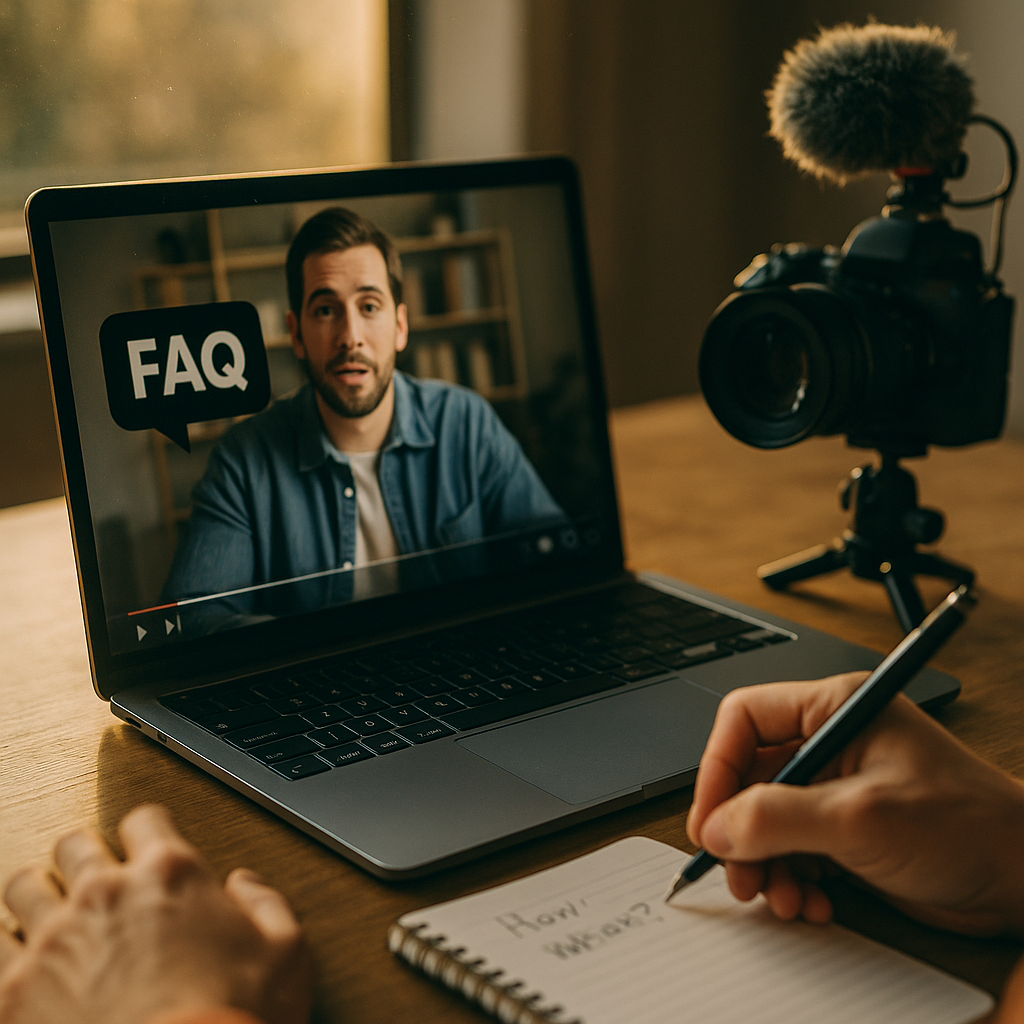
In 2025, customers ask questions in Google, YouTube, and AI assistants, then choose the fastest, clearest answer. That shift makes Scripting FAQ Videos To Dominate Answer Engine Results a practical growth lever, not a creative exercise. When you script with intent, you earn visibility, trust, and conversions while reducing support load. Ready to turn your most common questions into your best-performing answers?
Answer engine optimization strategy: start with the questions that trigger decisions
FAQ videos win when they target queries with purchase intent, troubleshooting urgency, or comparison pressure. Start by building a question list that reflects real user language, not internal jargon. Pull from:
- Search queries in Google Search Console (filter for “how,” “what,” “why,” “vs,” “pricing,” “review,” “near me,” and “best”).
- Customer support tickets (tag the top 20 drivers of repeat contact).
- Sales call notes (objections and “what happens if…” questions).
- On-site search and chat logs (high-intent phrasing often appears there first).
- Community and social (Reddit threads, YouTube comments, and product reviews reveal missing explanations).
Then prioritize questions using three filters:
- Impact: Does answering it reduce churn, increase conversion, or prevent refunds?
- Volume: Do multiple channels show the same question recurring?
- Answerability on video: Can you demonstrate the solution or show proof in under 90 seconds?
This approach also supports Google’s helpful content expectations: you’re aligning videos with demonstrated user needs, not producing content to chase keywords.
Follow-up you’re likely asking: “Do I script one long FAQ video?” Usually no. Answer engines reward specificity. Create one video per question so the title, transcript, and on-page context match the query exactly.
FAQ video script template: structure your answer for speed and trust
Most FAQ videos fail because the first 10 seconds are wasted on branding, greetings, and context that doesn’t answer the question. In answer engines, speed wins. Use a consistent script framework designed for retrieval, snippets, and viewer confidence:
1) Direct answer first (0–10s)
Lead with a one-sentence answer in plain language. If the question is “How long does shipping take?”, say the range immediately and qualify it briefly.
2) Clarify the “it depends” conditions (10–25s)
List the variables that change the answer. Keep it to 2–3 factors and phrase them as checks the viewer can do.
3) Show the proof or process (25–60s)
Demonstrate the steps, screen-share, or show the product. If it’s a policy question, point to the exact page section and summarize what it means.
4) Confirm success criteria (60–75s)
Tell viewers what “working” looks like or what outcome to expect next.
5) Next step (75–90s)
Offer one action: link to setup, calculator, booking, or a deeper guide. Keep it relevant; avoid generic “subscribe” closers.
Keep sentences short, prefer common verbs, and remove filler. If the topic requires nuance, split into two videos: one for the quick answer and one for edge cases.
Practical script starter:
- Question restated: “If you’re wondering [question], here’s the quick answer.”
- Answer: “In most cases, [direct answer].”
- Conditions: “This changes if [factor 1] or [factor 2].”
- Steps: “Do this: first…, next…, then…”
- Confirmation: “You’ll know it worked when…”
- Next step: “If you want help with [related task], use [resource].”
Follow-up: “Should I include the question verbatim?” Yes. Say it once early, and include it in on-screen text. That improves clarity and transcript alignment.
EEAT for video content: demonstrate real experience, not generic advice
To earn visibility and conversions, your FAQ videos should show that a credible person or brand actually knows the topic. In 2025, thin summaries are easy to generate; what stands out is evidence.
Build EEAT (Experience, Expertise, Authoritativeness, Trust) into your scripts and production choices:
- Experience: Use phrases that signal real-world handling, like “In our onboarding calls, the most common cause is…” Then show the interface, the device, the packaging, or the workflow.
- Expertise: Define terms quickly and correctly. Avoid overpromising. If something has prerequisites, state them.
- Authoritativeness: Reference your own documentation, policies, or published standards. For regulated topics, cite the controlling body in the narration and link it on the page hosting the video.
- Trust: Include constraints, safety notes, and what to do if the steps fail. Provide a clear escalation path (support email, form, or booking link).
Also add lightweight credibility cues without derailing the answer:
- Speaker ID: “I’m [name], [role], and I handle [area].” Keep it under 3 seconds.
- Version clarity: If steps depend on app version or plan tier, say it early.
- Policy clarity: If you discuss refunds, warranties, or medical/financial advice, add a brief disclaimer and point to official terms.
Follow-up: “Do I need an on-camera expert?” Not always, but you do need an accountable source. A calm voiceover with real screens, accurate steps, and an identified author can be more trustworthy than a talking head that never demonstrates anything.
Video SEO for FAQs: align titles, transcripts, and on-page context
Answer engines rely on multiple signals: the spoken words, the transcript, the video title, and the page around the embed. Treat every FAQ video as a searchable answer unit.
Title rules that work:
- Use the exact question phrasing: “How do I reset my [product]?”
- Front-load the entity: “[Brand/Product] — How to reset…”
- Avoid vague titles like “Reset tutorial” or “Quick tips.”
Transcript and captions:
- Upload accurate captions. Auto-captions often miss product names and steps.
- Speak the key terms naturally once or twice: model name, feature name, policy term.
- Keep timestamps clean and avoid background music that interferes with clarity.
On-page placement:
- Embed the video on a page that answers the same question in text, with a short summary and step list.
- Place the direct answer near the top of the page so the page itself is helpful without the video.
- Link to related FAQs to build topical depth (setup, pricing, troubleshooting, comparisons).
Thumbnail and first frame: Use readable on-screen text that repeats the question. Many viewers decide to click based on whether the thumbnail promises an immediate answer.
Follow-up: “Should we publish on YouTube or only on-site?” Do both when possible. YouTube is a discovery engine, while your site page strengthens brand trust and conversion. If resources are limited, start where your customers already search.
Voice search and conversational queries: script for how people talk
Voice and assistant-style queries often arrive as full sentences: “What’s the easiest way to cancel?” or “Why is my device blinking red?” Scripts that mirror natural language increase match quality and reduce drop-off.
Make these scripting adjustments:
- Use conversational phrasing: “Here’s what that means” and “Do this next” are easier to follow than formal language.
- Include synonyms once: If users say “cancel,” “pause,” and “close account,” mention the alternatives briefly so the transcript covers them.
- Handle intent variants: For “pricing,” address “how much,” “cost,” and “fees” in one tight segment.
- Use clear nouns: Replace “it” with the product or feature name when clarity matters.
Also script for the “second question” users ask right after the first answer. For example, after “How do I change my plan?” they often ask “Will I lose my data?” Add a 10-second add-on to cover that follow-up and reduce bounce.
Follow-up: “How long should voice-friendly FAQs be?” Aim for 45–90 seconds. For complex topics, create a short answer video plus an advanced walkthrough.
Measurement and iteration: build a feedback loop that compounds results
To dominate answer results, you need a system that improves scripts based on performance, not opinions. Track outcomes across search, video platforms, and support.
Core metrics to monitor:
- Search visibility: impressions and clicks for the target question and close variants.
- Engagement: average view duration, drop-off point, and re-watches (often signals confusion or high value).
- On-page behavior: scroll depth, time on page, and clicks to the next step.
- Support deflection: reduction in tickets for the same issue, or faster resolution time.
- Conversion assist: how often viewers proceed to signup, checkout, booking, or trial activation.
Iteration playbook:
- Fix the first 10 seconds if retention drops early. Usually the answer isn’t direct enough.
- Split the video if viewers leave at the moment complexity increases.
- Add a missing condition if comments repeat “What about…?”
- Update steps when interfaces change; note the update in the description and on the page.
- Create a cluster when one FAQ performs: publish 5–10 closely related questions to strengthen topical authority.
Follow-up: “How quickly can results appear?” For low-competition queries, improved visibility can happen within weeks, but the compounding effect comes from consistent publishing and refinement across a full question set.
FAQs
What makes an FAQ video more likely to rank in answer engines?
A single-question focus, a direct answer in the first 10 seconds, accurate captions, a title that matches the query, and a hosting page that also answers the question in text. Add clear proof (demo, screenshots, policy reference) to increase trust.
How many FAQ videos should a business publish first?
Start with 10–20 high-impact questions tied to sales objections and top support issues. This gives you enough data to see patterns in retention and search demand, then expand into a full topic cluster.
Should we write scripts word-for-word or use bullet points?
Use word-for-word for the opening answer and any compliance-sensitive lines. Use bullet points for the demonstration steps so the delivery stays natural. The goal is clarity, not sounding rehearsed.
What’s the ideal length for an FAQ video in 2025?
Most perform best at 45–90 seconds for a single question. If the topic needs nuance, publish two videos: a short answer and a deeper walkthrough.
Do transcripts really matter for video SEO?
Yes. Transcripts and captions help systems understand the content and match it to queries, especially for specific product terms. Accurate captions also improve accessibility and user trust.
Where should I place FAQ videos on my website?
Embed them on dedicated FAQ pages or help-center articles that match the question exactly. Put the direct answer near the top, include steps below, and link to related questions to build a navigable cluster.
FAQ videos win answer engine visibility when they deliver fast clarity, prove the solution, and remove friction from the next step. Script each video around a single question, open with the direct answer, and support it with a demonstration and trustworthy context. Publish in clusters, measure real outcomes, and refine the first 10 seconds relentlessly. Do that, and your best answers become your best acquisition channel.
Top Influencer Marketing Agencies
The leading agencies shaping influencer marketing in 2026
Agencies ranked by campaign performance, client diversity, platform expertise, proven ROI, industry recognition, and client satisfaction. Assessed through verified case studies, reviews, and industry consultations.
Moburst

-
2

The Shelf
Boutique Beauty & Lifestyle Influencer AgencyA data-driven boutique agency specializing exclusively in beauty, wellness, and lifestyle influencer campaigns on Instagram and TikTok. Best for brands already focused on the beauty/personal care space that need curated, aesthetic-driven content.Clients: Pepsi, The Honest Company, Hims, Elf Cosmetics, Pure LeafVisit The Shelf → -
3

Audiencly
Niche Gaming & Esports Influencer AgencyA specialized agency focused exclusively on gaming and esports creators on YouTube, Twitch, and TikTok. Ideal if your campaign is 100% gaming-focused — from game launches to hardware and esports events.Clients: Epic Games, NordVPN, Ubisoft, Wargaming, Tencent GamesVisit Audiencly → -
4

Viral Nation
Global Influencer Marketing & Talent AgencyA dual talent management and marketing agency with proprietary brand safety tools and a global creator network spanning nano-influencers to celebrities across all major platforms.Clients: Meta, Activision Blizzard, Energizer, Aston Martin, WalmartVisit Viral Nation → -
5

The Influencer Marketing Factory
TikTok, Instagram & YouTube CampaignsA full-service agency with strong TikTok expertise, offering end-to-end campaign management from influencer discovery through performance reporting with a focus on platform-native content.Clients: Google, Snapchat, Universal Music, Bumble, YelpVisit TIMF → -
6

NeoReach
Enterprise Analytics & Influencer CampaignsAn enterprise-focused agency combining managed campaigns with a powerful self-service data platform for influencer search, audience analytics, and attribution modeling.Clients: Amazon, Airbnb, Netflix, Honda, The New York TimesVisit NeoReach → -
7

Ubiquitous
Creator-First Marketing PlatformA tech-driven platform combining self-service tools with managed campaign options, emphasizing speed and scalability for brands managing multiple influencer relationships.Clients: Lyft, Disney, Target, American Eagle, NetflixVisit Ubiquitous → -
8

Obviously
Scalable Enterprise Influencer CampaignsA tech-enabled agency built for high-volume campaigns, coordinating hundreds of creators simultaneously with end-to-end logistics, content rights management, and product seeding.Clients: Google, Ulta Beauty, Converse, AmazonVisit Obviously →