


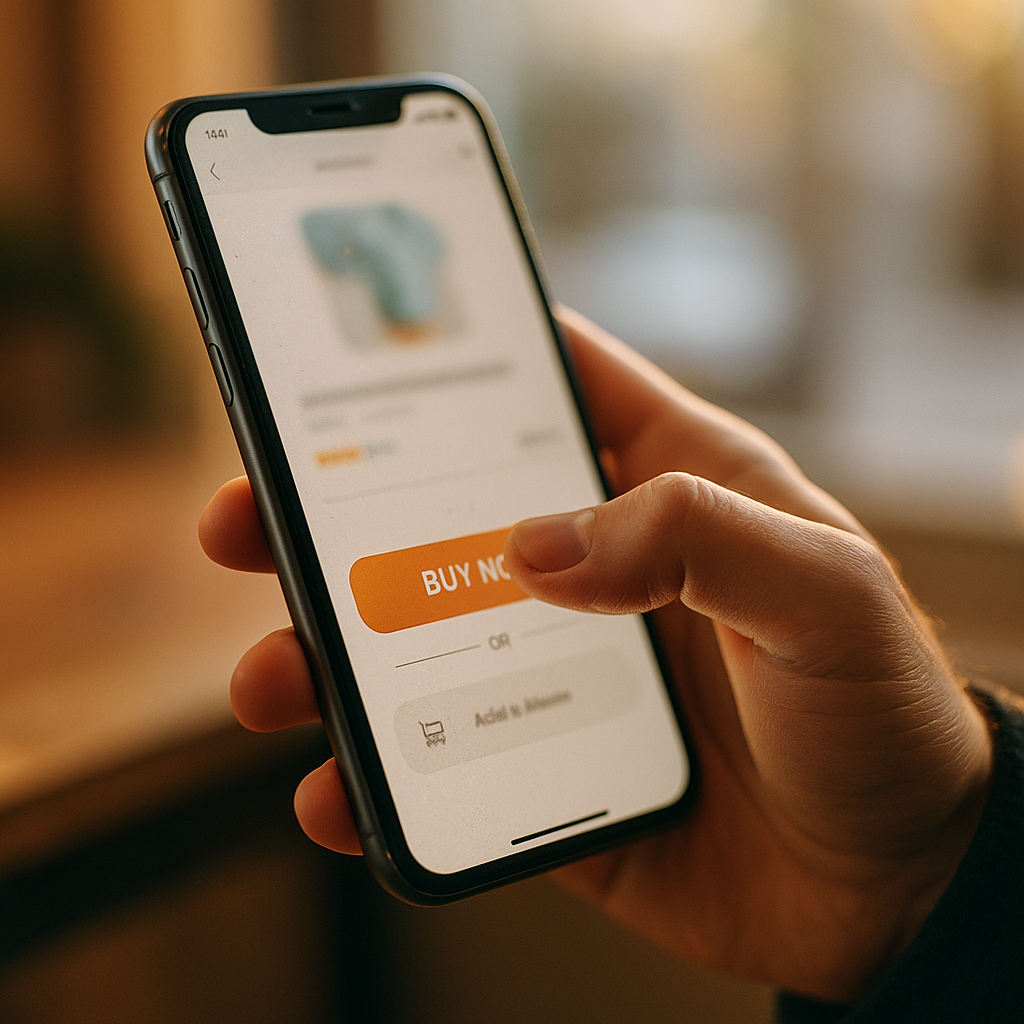
In 2025, mobile experiences compete on speed, clarity, and trust—but touch is becoming the next differentiator. The Impact Of Haptic Feedback Technology On Future Mobile Conversion is growing as brands use tactile cues to reduce friction, guide actions, and improve perceived quality. When designed well, haptics can make mobile journeys feel more certain and less error-prone. So what changes when your interface can “speak” through touch?
Haptic feedback technology: what it is and why it changes mobile behavior
Haptic feedback technology uses vibration, force, or tactile patterns to communicate information through touch. On phones, it typically appears as micro-vibrations (e.g., a subtle “tick” when toggling a switch), confirmation pulses (e.g., a stronger tap after a successful payment), and texture-like patterns (e.g., a soft ripple when dragging a slider).
It changes mobile behavior because it introduces a second confirmation channel beyond visuals and sound. Users often browse in noisy places, with low attention, or with audio off. Haptics can confirm actions without requiring extra reading, reducing uncertainty that causes hesitation and abandonment.
From a UX perspective, haptics can:
- Improve action certainty by signaling “your tap worked” instantly.
- Reduce cognitive load by making UI states feel distinct (on/off, success/error).
- Increase perceived responsiveness when the system acknowledges input during loading or transitions.
- Support error prevention through warning patterns before destructive actions.
In conversion contexts, these effects matter because they compress the time between intent and completion. Fewer missed taps, fewer repeated taps, and fewer “did it go through?” moments can translate into fewer drop-offs.
Mobile conversion optimization: where haptics reduce friction across the funnel
Mobile conversion optimization focuses on removing obstacles between interest and completion. Haptics can support this goal at multiple funnel stages—especially where hesitation, errors, or perceived risk spike.
1) Product discovery and selection
When users filter, sort, or adjust quantity, micro-haptics can confirm each step. This prevents “dead UI” perceptions that cause rage taps and exits. For example, a subtle pulse when a filter is applied reassures the user without adding banners or modals.
2) Add-to-cart and save actions
These are high-frequency, high-impact interactions. A crisp confirmation tap can reinforce that the item is in the cart, reducing the need to open the cart “just to check,” which often interrupts the journey and can increase abandonment.
3) Checkout form completion
Checkout is where many mobile conversions fail: small keyboards, input errors, and distracted contexts. Haptics can provide:
- Error haptics (distinct pattern) when validation fails, paired with clear on-screen guidance.
- Field completion haptics when a valid entry is accepted (e.g., card number length reached).
- Progress confirmation when moving between steps, reducing uncertainty and repeated taps.
4) Payment confirmation and trust
A strong, unique “success” haptic at purchase completion can reduce post-payment anxiety (users closing the app or retrying). That matters because duplicate submissions create customer service tickets, refunds, and distrust—indirectly harming long-term conversion and retention.
5) Post-purchase actions
Order tracking, subscription changes, and returns also influence lifetime value. Haptic cues can support confidence in self-service flows, lowering support dependency and keeping users engaged.
Practical follow-up question: Should you add haptics everywhere? No. Haptics should appear where they reduce uncertainty, confirm progress, or prevent costly mistakes. Overuse becomes noise and can lower satisfaction—especially for accessibility-sensitive users.
Tactile UX design: patterns that increase confidence without annoying users
Tactile UX design is not “add vibration.” It is about consistent, intentional tactile language aligned to UI states and user intent. The goal is to create recognizable patterns that help people predict outcomes.
Design principles for conversion-friendly haptics
- Match intensity to consequence: light for navigation, stronger for commitment (purchase), distinct for error.
- Use one pattern per meaning: if the “success” haptic also appears on “like,” you dilute trust at checkout.
- Keep it short: micro-haptics should feel instantaneous, not like an interruption.
- Pair with visual feedback: haptics should confirm, not replace, clarity. A vibration without a clear UI message can confuse.
- Respect user settings: honor OS-level haptic toggles and in-app preferences to avoid alienating users.
High-impact use cases
- Primary CTA tap: a subtle tick when the app registers the tap can reduce double-tap behavior.
- Stepper controls (quantity, donation amounts): haptics can make each increment feel reliable, improving completion rates in fast decisions.
- Swipe-to-confirm interactions: tactile “notches” can guide users to complete the motion correctly.
- Risky actions (delete, cancel, unsubscribe): a warning pattern can prevent regret and support trust.
Likely follow-up question: Will haptics make my app feel “premium”? It can, but only if the patterns are consistent and restrained. Premium feel comes from harmony: timing, animation, content clarity, and tactile cues that reinforce—not distract.
Mobile UX and engagement: measurable effects, testing methods, and KPIs
Mobile UX and engagement improvements only matter if they translate into measurable outcomes. In 2025, the right way to evaluate haptics is to treat them as a product change with testable hypotheses, not as decoration.
What to measure
- Tap error rate: repeated taps on the same element within a short window can indicate uncertainty.
- Rage taps: rapid multi-taps often signal perceived lag or unregistered input.
- Form completion time: measure field-to-field speed and overall checkout duration.
- Checkout abandonment rate: especially at steps where haptics are introduced (address, payment, confirmation).
- Support contact rate: “Did my order go through?” is a key indicator for confirmation improvements.
- Refunds/duplicate orders: proxy for trust and confirmation quality.
How to test haptics properly
- A/B tests with clear segmentation: device model, OS version, and user haptic settings influence results.
- Holdout groups: ensure you isolate haptics from animation or layout changes.
- Task-based usability studies: observe where users hesitate; add haptics to those points first.
- Qualitative feedback prompts: short post-checkout survey questions can reveal whether users felt confident.
Interpretation guidance
If haptics increase engagement but not conversion, you may be reinforcing low-value interactions or creating distraction. If conversion increases but complaints rise, the intensity or frequency may be too high. Success is both performance and satisfaction.
EEAT and trust signals: how haptics influence perceived security and credibility
EEAT and trust signals matter because conversion is often a trust decision, not just a usability decision. Haptics can support credibility by providing consistent, reliable confirmation at critical moments—especially in payments, authentication, and account actions.
Where trust is won or lost
- Authentication: a distinct confirmation haptic when biometrics succeed helps users feel the action completed securely.
- Payment authorization: a recognizable “commit” haptic paired with a clear confirmation message can reduce anxiety and retries.
- Data entry validation: immediate, gentle error haptics prevent users from progressing with invalid info, reducing later failures.
EEAT-aligned implementation practices
- Explain behavior in-product: brief microcopy like “Tap to confirm” or “Payment successful” ensures the tactile cue has context.
- Use consistent system conventions: align with OS patterns where possible so users don’t need to relearn meanings.
- Document accessibility considerations: show you respect diverse needs by supporting reduced motion/haptics preferences and clear visual alternatives.
- Prioritize privacy: avoid haptics that could leak sensitive state in shared contexts (e.g., overly distinct patterns for “card declined”).
Haptics won’t replace real trust signals like transparent pricing, clear return policies, and reputable payment methods. But it can strengthen the “this worked” moment, which is where doubt often interrupts conversion.
Future mobile commerce: practical roadmap for adopting haptics in 2025
Future mobile commerce will reward brands that combine clarity, speed, and sensory feedback without sacrificing accessibility. In 2025, the best adoption path is incremental and evidence-driven.
A phased implementation roadmap
- Phase 1: Audit and prioritization
- Map the top 10 conversion interactions (add-to-cart, apply coupon, select shipping, pay, confirm).
- Identify friction points using analytics (rage taps, step drop-offs, error frequency).
- Phase 2: Create a haptic style guide
- Define patterns for success, error, warning, selection, and progress.
- Set intensity levels and duration limits; keep patterns minimal and consistent.
- Phase 3: Implement in high-impact moments
- Start with checkout confirmation, field validation, and add-to-cart.
- Add an in-app toggle that follows OS settings by default.
- Phase 4: Test, learn, refine
- Run A/B tests by device segment and user preference cohorts.
- Adjust based on both conversion lift and complaint rates.
Common pitfalls to avoid
- Using one generic vibration for every event (users stop noticing it).
- Overpowering patterns that feel like errors when they are confirmations.
- Ignoring context such as gaming-like haptics in a serious financial checkout flow.
- Skipping accessibility by not offering clear visual feedback or respecting user preferences.
When you treat haptics as part of your interaction design system—measured, documented, and user-respecting—it becomes a conversion tool rather than a novelty.
FAQs
Does haptic feedback increase mobile conversions?
It can, especially when it reduces uncertainty at key moments like add-to-cart, form validation, and payment confirmation. The impact depends on thoughtful design, device support, and whether haptics is paired with clear visual feedback. Measure results with controlled A/B tests and conversion-focused KPIs.
Where should haptics be used in a checkout flow?
Use it to confirm button taps, validate inputs, warn before destructive actions (like clearing a cart), and provide a distinct purchase-success confirmation. Avoid using strong patterns for low-stakes interactions that could feel distracting.
Can haptics hurt user experience or accessibility?
Yes. Overuse can annoy users, and some users prefer reduced haptics. Always respect OS-level settings, offer in-app control where appropriate, and ensure every haptic event has a clear visual equivalent.
How do I test haptic feedback if users have different devices?
Segment experiments by device family, OS version, and haptic settings. Use holdout groups and keep other UI variables stable. Combine quantitative metrics (abandonment, error rates) with qualitative feedback (confidence, perceived responsiveness).
What’s the difference between “premium feel” and “conversion impact”?
Premium feel is a perception outcome driven by consistency and polish. Conversion impact is behavioral and must be measured. A design can feel premium yet not improve conversion if it doesn’t reduce friction at decision points. Aim for both by prioritizing high-stakes moments and testing outcomes.
Do web apps (mobile web) benefit from haptics the same way as native apps?
Mobile web can benefit, but support varies by browser and platform, and implementation controls are more limited than native. If your conversion depends heavily on tactile cues, native apps typically offer more reliable and consistent haptic behavior.
Haptics is becoming a practical conversion lever in 2025 because it delivers instant, non-visual confirmation that reduces doubt and input errors. The strongest gains come from focused use in high-stakes moments—cart actions, form validation, and payment completion—paired with clear on-screen feedback. Build a small, consistent haptic language, respect accessibility preferences, and test against funnel metrics to ensure touch improves revenue, not just polish.
Top Influencer Marketing Agencies
The leading agencies shaping influencer marketing in 2026
Agencies ranked by campaign performance, client diversity, platform expertise, proven ROI, industry recognition, and client satisfaction. Assessed through verified case studies, reviews, and industry consultations.
Moburst

-
2

The Shelf
Boutique Beauty & Lifestyle Influencer AgencyA data-driven boutique agency specializing exclusively in beauty, wellness, and lifestyle influencer campaigns on Instagram and TikTok. Best for brands already focused on the beauty/personal care space that need curated, aesthetic-driven content.Clients: Pepsi, The Honest Company, Hims, Elf Cosmetics, Pure LeafVisit The Shelf → -
3

Audiencly
Niche Gaming & Esports Influencer AgencyA specialized agency focused exclusively on gaming and esports creators on YouTube, Twitch, and TikTok. Ideal if your campaign is 100% gaming-focused — from game launches to hardware and esports events.Clients: Epic Games, NordVPN, Ubisoft, Wargaming, Tencent GamesVisit Audiencly → -
4

Viral Nation
Global Influencer Marketing & Talent AgencyA dual talent management and marketing agency with proprietary brand safety tools and a global creator network spanning nano-influencers to celebrities across all major platforms.Clients: Meta, Activision Blizzard, Energizer, Aston Martin, WalmartVisit Viral Nation → -
5

The Influencer Marketing Factory
TikTok, Instagram & YouTube CampaignsA full-service agency with strong TikTok expertise, offering end-to-end campaign management from influencer discovery through performance reporting with a focus on platform-native content.Clients: Google, Snapchat, Universal Music, Bumble, YelpVisit TIMF → -
6

NeoReach
Enterprise Analytics & Influencer CampaignsAn enterprise-focused agency combining managed campaigns with a powerful self-service data platform for influencer search, audience analytics, and attribution modeling.Clients: Amazon, Airbnb, Netflix, Honda, The New York TimesVisit NeoReach → -
7

Ubiquitous
Creator-First Marketing PlatformA tech-driven platform combining self-service tools with managed campaign options, emphasizing speed and scalability for brands managing multiple influencer relationships.Clients: Lyft, Disney, Target, American Eagle, NetflixVisit Ubiquitous → -
8

Obviously
Scalable Enterprise Influencer CampaignsA tech-enabled agency built for high-volume campaigns, coordinating hundreds of creators simultaneously with end-to-end logistics, content rights management, and product seeding.Clients: Google, Ulta Beauty, Converse, AmazonVisit Obviously →