


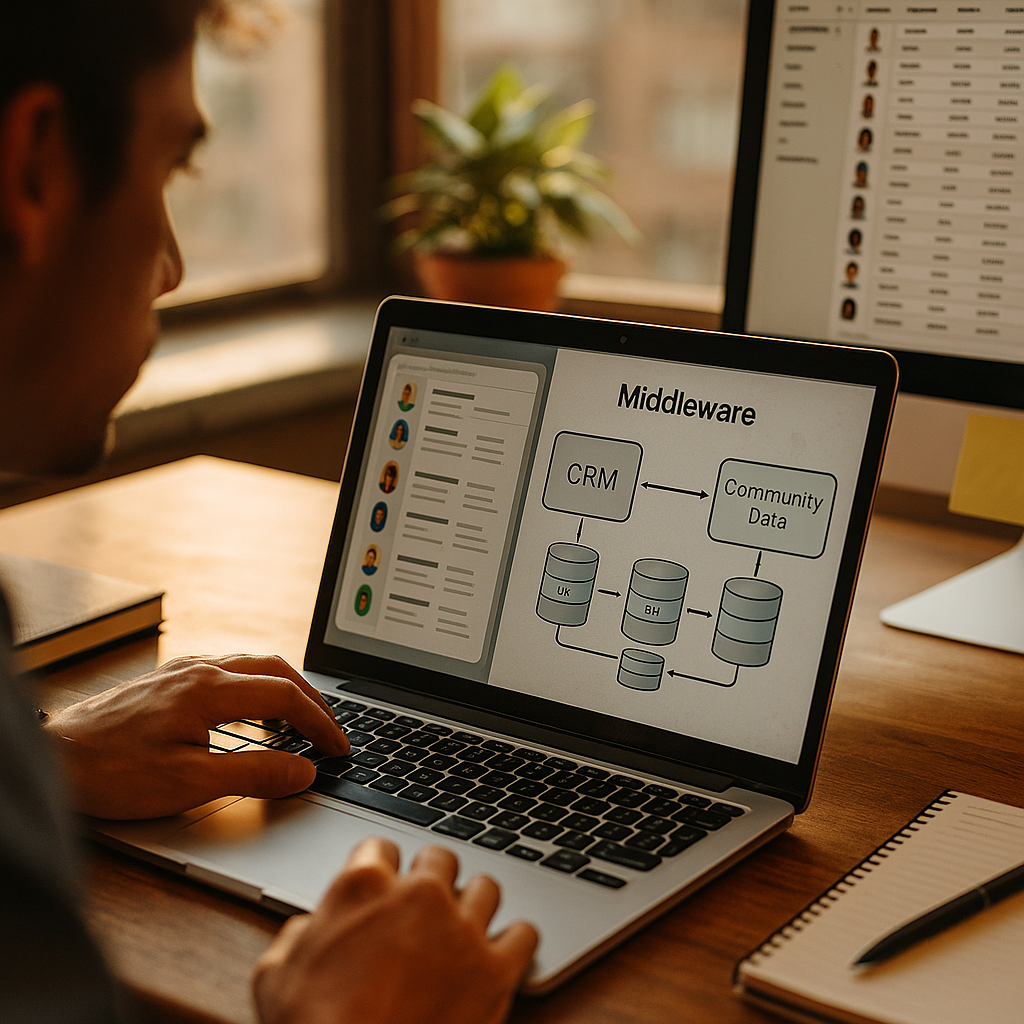
Comparing Middleware Solutions For Connecting CRM To Community Data has become a board-level concern in 2025, because community activity now shapes pipeline, retention, and support costs. Yet many teams still rely on fragile point-to-point syncs that break during CRM changes, SSO updates, or new event schemas. This guide evaluates middleware options with practical criteria, so you can pick confidently and avoid costly rework—starting with what really matters.
Integration architecture for community data
Before comparing tools, define the architecture you are trying to enable. “Community data” typically includes identities (members, roles, consent), engagement (posts, comments, reactions), events (webinars, meetups), product usage signals (feature adoption), and support signals (accepted solutions, escalations). A CRM usually needs a curated subset of that data to drive sales motions, customer health, renewals, and segmentation.
Three patterns dominate:
- Operational sync: Near-real-time updates between community platform and CRM objects (contacts, accounts, cases, opportunities). Best for routing, alerts, and frontline workflows.
- Analytical pipeline: Community events land in a warehouse/lakehouse, then feed CRM via scored attributes or segments. Best for governance, scale, and advanced modeling.
- Hybrid: Critical identity and entitlement sync operationally, while high-volume engagement streams analytically.
Answer these now to avoid tool regret: Do you need bi-directional updates or mainly one-way enrichment? What latency is acceptable (seconds vs hours)? Which system is the source of truth for identity, consent, and account relationships? If you cannot answer those, you are not selecting middleware—you are guessing.
iPaaS middleware platforms for CRM integration
Integration Platform as a Service (iPaaS) products focus on connecting SaaS systems quickly using prebuilt connectors, mapping, and orchestration. For connecting a CRM to community platforms, iPaaS is often the fastest route to value when requirements are well understood and data volume is moderate.
Where iPaaS tends to excel:
- Time to first integration: Visual builders and templates can deliver a working sync in days, not months.
- Connector ecosystems: Many iPaaS vendors provide maintained connectors for major CRMs and common identity, email, and ticketing tools that surround community operations.
- Workflow orchestration: Conditional logic, branching, retries, and notifications for failed runs.
- Operational monitoring: Run histories, alerting, and error queues for business administrators.
Where iPaaS can struggle:
- Complex data models: Community platforms may have nested objects, polymorphic events, or high-cardinality engagement logs that are awkward to map into CRM objects.
- Cost at scale: Pricing based on tasks, runs, or throughput can spike when engagement events grow or when you add backfills.
- Advanced governance: Fine-grained data residency, encryption key management, and strict audit requirements can be limited depending on vendor and tier.
Practical selection tips: Ask how the platform handles schema drift (new event fields), supports idempotency (preventing duplicates), and manages bulk loads versus incremental sync. Also confirm that connectors allow custom objects and custom fields in your CRM, since community-to-CRM projects often rely on tailored objects like “Community Membership,” “Community Engagement Score,” or “Advocacy Activity.”
API management and microservices integration
API management plus custom services is the most flexible approach. You expose or consume APIs from your community platform, translate data into your canonical model, and then integrate with the CRM through its APIs. This can be implemented with microservices, serverless functions, and an API gateway.
Strengths of an API-led approach:
- Maximum control: You decide data contracts, validation rules, enrichment, and error-handling behavior.
- Reusability: The same “community profile” or “engagement summary” API can serve CRM, marketing automation, in-product experiences, and analytics.
- Security and governance: Strong options for OAuth flows, token management, throttling, IP allowlists, WAF integration, and detailed audit logs.
- Event-driven design: Cleanly supports streaming engagement events to multiple consumers.
Tradeoffs to plan for:
- Engineering investment: You will need developers, CI/CD, testing, observability, and on-call coverage.
- Longer time to value: Especially if you must build canonical models, consent logic, and admin tooling.
- Maintenance burden: When either the community platform or CRM API changes, your team owns the fix.
When it is the right choice: Choose this path when you expect frequent business change, multiple downstream consumers, strict compliance requirements, or complex transformations (for example, mapping community roles to CRM account-team access, or computing engagement KPIs from raw events). If your team already runs an API platform reliably, this option can reduce long-term integration sprawl.
ETL and data warehouse pipelines for community analytics
If your primary goal is segmentation, scoring, attribution, and reporting, an ETL/ELT pipeline to a warehouse is often the foundation. You ingest raw community data (including high-volume events), model it in the warehouse, then push the outputs back into the CRM as computed fields, scores, or segments.
Why warehouses fit community data:
- Community engagement is event-heavy: Posts, reactions, and attendance logs can grow quickly and overwhelm CRM storage or API limits.
- Better history and reprocessing: Warehouses make it easy to recompute scores when definitions change, without risky CRM backfills.
- Clear separation of concerns: CRM stores operational records; the warehouse stores behavioral history.
Common implementation pattern:
- Ingest community objects and events via connectors or custom API pulls.
- Normalize identity and account mapping (member-to-contact, domain-to-account, SSO identifiers, and consent flags).
- Build marts for engagement (e.g., 7/30/90-day activity, answer quality, attendance frequency).
- Publish curated attributes back to CRM (health score, advocacy tier, renewal risk, product interest).
Key pitfalls and how to avoid them:
- Identity matching errors: Use deterministic keys where possible (SSO subject, verified email). Only use fuzzy matching with human review workflows.
- Consent and privacy: Treat consent as a first-class dimension; do not publish fields to CRM that violate the user’s consent scope.
- Latency expectations: Warehouse pipelines are usually minutes-to-hours. If sales needs instant alerts (e.g., “VIP posted churn risk”), pair this with operational automation.
Best fit: This approach shines when leadership wants trustworthy metrics, reproducible scoring, and the ability to change definitions without rewriting operational integrations. It also aligns well with data governance programs and cross-functional analytics.
Security and compliance for CRM data sync
Middleware selection should be driven as much by risk management as by features. Community data includes personal identifiers, behavioral signals, and sometimes sensitive content. In 2025, buyers expect strong privacy practices and proof of controls.
Security capabilities to require in any middleware:
- Least-privilege access: Separate credentials for read and write; scoped OAuth tokens; role-based access control for builders and operators.
- Encryption: TLS in transit; encryption at rest; options for customer-managed keys if your policies require it.
- Auditability: Immutable logs of who changed mappings, deployed versions, ran backfills, and accessed data.
- Data minimization: Sync only what the CRM needs. Avoid copying full post bodies or private messages unless there is a documented use case and legal basis.
- Resilience controls: Rate limiting, retries with backoff, dead-letter queues, and replay mechanisms.
Compliance and governance questions to ask vendors and internal stakeholders:
- Where is data processed and stored, and can you restrict regions?
- How are secrets stored and rotated?
- Can you fulfill deletion and data access requests across systems reliably?
- How do you handle cross-system consent propagation?
Helpful operational rule: Treat community engagement signals like product telemetry. Define a retention window, document field-level purpose, and publish a data dictionary for CRM users so they understand what a score means and how it was derived.
Pricing, scalability, and vendor selection criteria
Middleware costs are rarely just license fees. Total cost includes build time, maintenance, monitoring, incident response, and the business cost of bad data. Compare options against a consistent scorecard.
A practical scorecard for comparing middleware solutions:
- Data volume and throughput: Can it handle spikes during campaigns or events? Does pricing penalize high-frequency event sync?
- Latency and freshness: Supports streaming/webhooks, near-real-time polling, and scheduled batch runs as needed.
- Transformation depth: Simple field mapping vs complex logic, enrichment, and aggregation.
- Bi-directional conflict handling: What happens when a contact email changes in the CRM but the community profile differs?
- Observability: Dashboards, correlation IDs, traceability from CRM record back to source event, and alert routing to Slack/email/on-call.
- Environment management: Sandboxes, promotion workflows, version control, and rollback.
- Vendor stability and support: SLA terms, support responsiveness, security documentation, and roadmap alignment with your CRM and community platform.
Common “gotchas” to address during evaluation:
- API limits: CRMs enforce daily and per-minute limits. Ensure the middleware can batch writes, use bulk APIs, and back off intelligently.
- Backfills: You will need them for migrations, scoring changes, and historical reporting. Confirm the platform can do bulk loads safely.
- Data model mismatch: Community is many-to-many (members join multiple groups), while CRM objects may be more rigid. Plan for junction objects or summarized fields.
Recommendation approach: If you need quick operational wins and limited transformations, start with iPaaS. If you need a governed analytics foundation and scalable behavioral modeling, start with a warehouse pipeline and publish curated outputs to CRM. If you need a reusable integration layer and strict control, invest in API-led services. Many mature programs use a hybrid deliberately, not accidentally.
FAQs about middleware for CRM and community platforms
-
What is the best middleware to connect a CRM to community data?
The best choice depends on your primary outcome. Use iPaaS for fast operational sync, ETL/ELT plus a warehouse for analytics and scoring at scale, and API-led integration when you need maximum control, reusable services, or strict governance. Most organizations benefit from a hybrid: operational identity sync plus analytics-driven enrichment.
-
Should community engagement data be stored in the CRM?
Store only what directly drives CRM workflows: membership status, roles, key milestones, and curated scores or recent activity summaries. Keep high-volume event history in a warehouse to avoid CRM storage costs, API limit pressure, and complicated reporting constraints.
-
How do we match community members to CRM contacts accurately?
Prefer deterministic identifiers such as SSO subject IDs and verified emails. Maintain an identity mapping table, and log match confidence. If you must use fuzzy matching (name and domain), route uncertain matches to a review queue to prevent contaminating account data.
-
How do we handle consent and privacy when syncing community data?
Model consent as data, not as a document. Sync consent state and scope, enforce minimization (only required fields), and implement deletion workflows that propagate across community, middleware logs, warehouse tables, and CRM fields. Ensure audit logs capture who changed mappings and what data was moved.
-
What latency should we target for CRM-community integrations?
Target near-real-time (seconds to minutes) for identity changes, entitlement updates, and high-priority alerts. For scoring, segmentation, and reporting, hourly or daily freshness is usually sufficient and more cost-effective. Define latency per use case rather than setting a single global target.
-
How can we prevent duplicate records and sync loops?
Use idempotency keys, store last-processed timestamps or event IDs, and define a single source of truth per field. For bi-directional updates, implement conflict rules and ignore changes that originated from the other system (a common loop-prevention technique).
Choosing middleware in 2025 comes down to clarity: what the CRM must do with community signals, how fresh the data needs to be, and how much governance you require. iPaaS delivers speed for straightforward sync, API-led integration delivers control for complex programs, and warehouse pipelines deliver scale for analytics-driven enrichment. Pick the simplest option that meets requirements, then design for change and observability.
Top Influencer Marketing Agencies
The leading agencies shaping influencer marketing in 2026
Agencies ranked by campaign performance, client diversity, platform expertise, proven ROI, industry recognition, and client satisfaction. Assessed through verified case studies, reviews, and industry consultations.
Moburst

-
2

The Shelf
Boutique Beauty & Lifestyle Influencer AgencyA data-driven boutique agency specializing exclusively in beauty, wellness, and lifestyle influencer campaigns on Instagram and TikTok. Best for brands already focused on the beauty/personal care space that need curated, aesthetic-driven content.Clients: Pepsi, The Honest Company, Hims, Elf Cosmetics, Pure LeafVisit The Shelf → -
3

Audiencly
Niche Gaming & Esports Influencer AgencyA specialized agency focused exclusively on gaming and esports creators on YouTube, Twitch, and TikTok. Ideal if your campaign is 100% gaming-focused — from game launches to hardware and esports events.Clients: Epic Games, NordVPN, Ubisoft, Wargaming, Tencent GamesVisit Audiencly → -
4

Viral Nation
Global Influencer Marketing & Talent AgencyA dual talent management and marketing agency with proprietary brand safety tools and a global creator network spanning nano-influencers to celebrities across all major platforms.Clients: Meta, Activision Blizzard, Energizer, Aston Martin, WalmartVisit Viral Nation → -
5

The Influencer Marketing Factory
TikTok, Instagram & YouTube CampaignsA full-service agency with strong TikTok expertise, offering end-to-end campaign management from influencer discovery through performance reporting with a focus on platform-native content.Clients: Google, Snapchat, Universal Music, Bumble, YelpVisit TIMF → -
6

NeoReach
Enterprise Analytics & Influencer CampaignsAn enterprise-focused agency combining managed campaigns with a powerful self-service data platform for influencer search, audience analytics, and attribution modeling.Clients: Amazon, Airbnb, Netflix, Honda, The New York TimesVisit NeoReach → -
7

Ubiquitous
Creator-First Marketing PlatformA tech-driven platform combining self-service tools with managed campaign options, emphasizing speed and scalability for brands managing multiple influencer relationships.Clients: Lyft, Disney, Target, American Eagle, NetflixVisit Ubiquitous → -
8

Obviously
Scalable Enterprise Influencer CampaignsA tech-enabled agency built for high-volume campaigns, coordinating hundreds of creators simultaneously with end-to-end logistics, content rights management, and product seeding.Clients: Google, Ulta Beauty, Converse, AmazonVisit Obviously →