


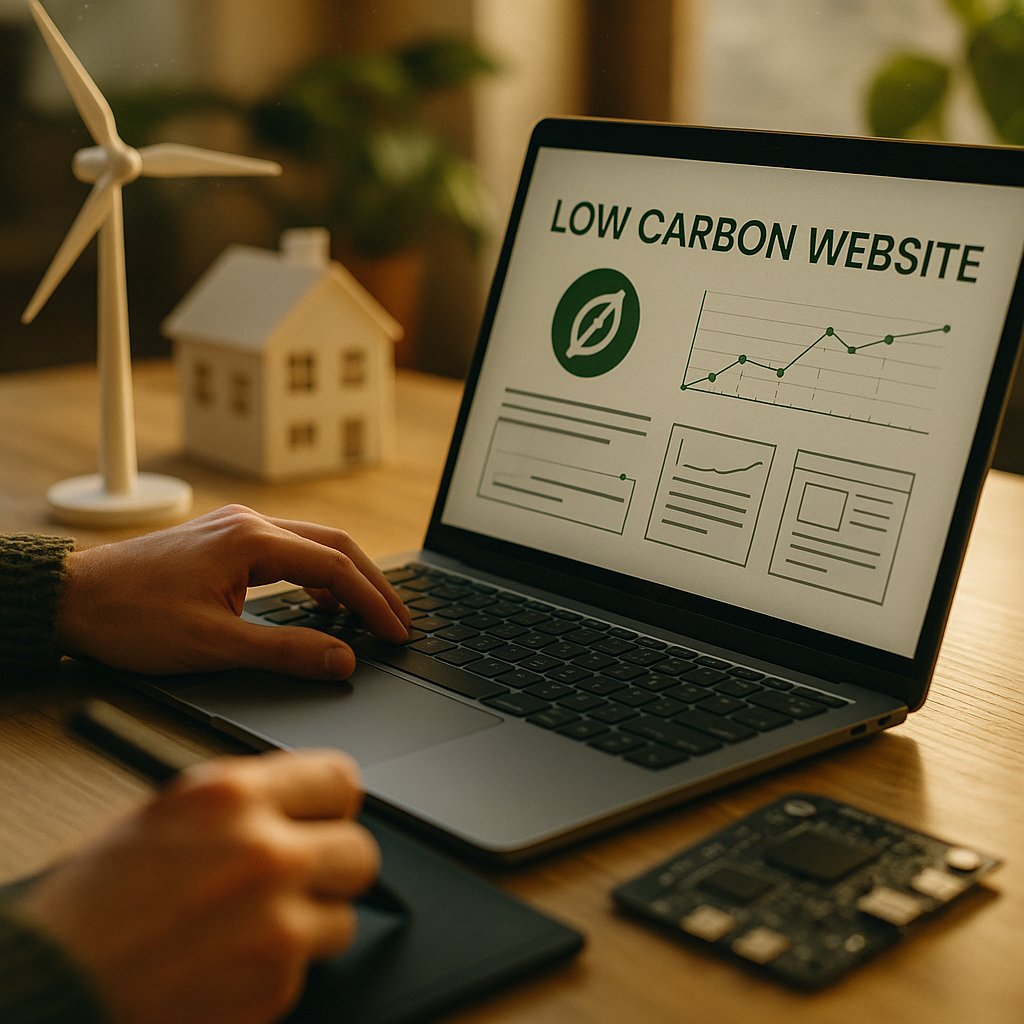
Designing Low Carbon Websites is no longer a niche concern in 2025; it directly affects speed, accessibility, and operating costs. Every page view consumes electricity across devices, networks, and data centers, and inefficient design multiplies that load. This guide explains how to build sites that stay fast while using less energy, with practical steps your team can apply today—starting with one counterintuitive win.
Low carbon web design principles
Low carbon web design starts with a simple idea: the cleanest byte is the byte you don’t ship. Energy use rises when you send heavy assets, run complex client-side code, trigger repeated network requests, or keep servers busy rendering avoidable work. High performance and low energy are aligned because both reward smaller transfers, fewer computations, and faster completion.
Use these principles to guide decisions across design, content, engineering, and operations:
- Reduce transfer size: Compress, simplify, and avoid shipping media or code users don’t need.
- Reduce requests: Minimize third-party calls, consolidate assets, and preconnect selectively.
- Reduce compute: Prefer simpler UI patterns, avoid excessive animations, and limit heavy frameworks where possible.
- Finish fast: Optimize for a quick First Contentful Paint and fast interaction readiness, then stop doing work.
- Design for real devices: Mid-range phones on cellular networks expose inefficiencies faster than desktop test rigs.
Readers often ask whether low carbon means “plain” websites. It doesn’t. It means intentional choices: fewer fonts, fewer scripts, lighter imagery, and interfaces that prioritize clarity over decoration. Visual quality can remain high when you focus on strong typography, whitespace, and a consistent component system that avoids unique one-off assets.
Website performance optimization for energy savings
Performance work cuts energy use because browsers and servers do less work per visit, and networks move fewer bits. Start with a measurement baseline and target the biggest contributors. Aim for fast rendering and minimal main-thread blocking so devices can return to low-power states sooner.
Practical, high-impact optimizations:
- Set performance budgets: Define maximum page weight, image weight, JavaScript KB, and request counts per template. Enforce these in CI to prevent regressions.
- Ship less JavaScript: Use server-rendered or static-first pages where possible. Remove unused dependencies, prefer native browser features, and split bundles so only necessary code loads.
- Defer non-critical scripts: Load analytics and marketing tags after user-visible content renders, and avoid multiple tag managers that duplicate work.
- Reduce layout and paint work: Keep DOM size lean, avoid expensive CSS selectors, and limit large “sticky” elements that trigger frequent repaints.
- Optimize caching: Use long cache lifetimes for versioned assets, ETags or immutable caching, and CDN edge caching for shared content.
- Choose efficient UI patterns: Prefer pagination or “load more” over infinite scroll where it fits the user’s task, reducing continuous network and render activity.
If you’re wondering what to measure, focus on metrics that correlate with real energy and user experience. Core Web Vitals remain a practical baseline for responsiveness and stability, and they also reveal inefficiency. Pair them with total transfer size, JS execution time, and third-party request count per page type.
To align with EEAT expectations, document your measurement approach: device model, network throttling, test location, sample size, and the pages measured. This gives stakeholders confidence that your improvements are real, repeatable, and not “lab-only” wins.
Green hosting and efficient infrastructure
Design choices matter, but infrastructure can amplify or undermine your efforts. Efficient infrastructure reduces energy use per request and improves reliability under load. In 2025, many providers market “green hosting,” but the details vary, so evaluate claims carefully.
What to look for when selecting hosting and infrastructure:
- Transparent energy sourcing: Prefer providers that publish verifiable renewable energy procurement and data center efficiency practices.
- Strong caching and CDN support: Serving content from edge locations reduces latency and can reduce network energy by shortening routes.
- Autoscaling and right-sizing: Avoid always-on overprovisioning. Scale capacity with demand, especially for spiky traffic patterns.
- Modern HTTP support: HTTP/2 and HTTP/3 can reduce overhead and improve performance on mobile networks.
- Efficient server rendering paths: Static generation or cached SSR can drastically cut compute compared with per-request dynamic rendering.
A common follow-up question is whether moving to a “green” provider is enough. It helps, but it’s not a substitute for optimization. If your pages are heavy and script-laden, you’ll still waste energy on user devices and networks. The best outcome comes from combining efficient hosting with efficient front-end delivery.
Also address resilience: outages and retries waste energy. Use rate limiting, queueing, and sensible timeouts. When requests fail, clients often retry automatically, multiplying network and compute costs.
Sustainable UX and lightweight visual design
Low-carbon design is user-centered design. It removes friction, reduces cognitive load, and respects users on constrained devices and data plans. Lightweight design also improves accessibility because simpler pages tend to be easier to navigate with assistive technology.
Key UX and content strategies that reduce energy while improving outcomes:
- Prioritize content intent: Make the primary task possible without loading secondary features. This can cut both bytes and time-to-value.
- Use system fonts or a minimal font set: Each custom font file adds transfer and rendering overhead. If you use web fonts, subset and preload only what’s necessary.
- Avoid autoplay media: Autoplay video is expensive and often unwanted. Offer a clear poster image and a user-initiated play control.
- Design with fewer components: A tight component library reduces unique CSS/JS and prevents layout complexity.
- Use dark mode thoughtfully: It can reduce energy on OLED screens for certain content, but don’t sacrifice contrast or readability. Offer user choice.
Many teams ask how to balance brand expression with lower page weight. Focus on high-impact brand elements that are inexpensive: tone of voice, layout consistency, color discipline, and a small set of reusable illustrations. Save “heavy” assets for moments that truly need them, and load them only when the user opts in.
Consider also the ethics of attention design. Infinite engagement loops tend to increase energy consumption by driving extra page views and time-on-site without clear user benefit. Sustainable UX aligns business metrics with helpful user outcomes: task completion, clarity, and trust.
Image optimization and carbon-aware media strategy
Images and video are often the largest contributors to page weight, making them the fastest route to lower energy and better performance. A carbon-aware media strategy ensures you deliver the right asset at the right quality for the right context—without punishing mobile users.
Apply these media best practices:
- Choose modern formats: Use AVIF or WebP where supported, with sensible fallbacks. These often reduce file size significantly at similar perceived quality.
- Serve responsive images: Generate multiple sizes and use responsive delivery so a phone doesn’t download desktop assets.
- Compress based on perception: Set quality targets by visual testing, not habit. Small quality changes can cut kilobytes dramatically.
- Lazy-load below-the-fold media: Load only when needed, but avoid layout shifts by reserving dimensions.
- Use video sparingly: Prefer short clips, user-initiated playback, and adaptive streaming for longer content.
- Replace decorative media with CSS when possible: Gradients, shapes, and simple textures can be cheaper than large images.
To answer the common question “How do we keep quality high?”: test with real screens at normal viewing distance. Users care about clarity and relevance more than pixel-perfect detail. For product images, keep key details sharp while compressing backgrounds and unnecessary areas. For editorial imagery, consider whether the image adds meaning; if not, remove it.
Also reduce tracking pixels and marketing beacons that add requests without improving user experience. If you need measurement, consolidate vendors, reduce call frequency, and use server-side collection where it meaningfully lowers client work and respects privacy obligations.
Measuring website carbon footprint and continuous improvement
To follow EEAT best practices, treat low-carbon work as an ongoing program with transparent measurement, documented decisions, and reviewable results. Create a loop: measure, prioritize, implement, verify, and prevent regression.
Build a practical measurement stack:
- Page-type inventory: Measure representative templates (home, category, product, article, checkout) rather than a single page.
- Performance and transfer monitoring: Track Core Web Vitals, total bytes, request counts, JS execution time, and long tasks in both lab and real-user monitoring.
- Carbon estimation: Use reputable website carbon calculators as directional indicators, and focus on trend lines rather than absolute precision.
- Release gates: Fail builds when budgets are exceeded, or require explicit approval with mitigation plans.
- Third-party governance: Maintain an approved vendor list, track script weight and calls, and remove tools that don’t deliver measurable value.
Teams often ask what a “good” target looks like. Instead of chasing a single number, set tiered goals: shrink median page weight, reduce 75th percentile load time on mobile, and cut third-party requests per page. Then tie those goals to user outcomes like conversion, bounce rate, and support tickets. When stakeholders see performance gains and fewer failures, sustainability work becomes easier to fund.
Finally, publish a short internal (or public) note explaining your approach: what you measure, your budgets, and the changes you made. This strengthens trust and shows competence—two pillars of EEAT—while providing a clear roadmap for the next iteration.
FAQs: Low carbon websites in 2025
What makes a website “low carbon”?
A low carbon website minimizes energy use across devices, networks, and servers by reducing data transfer, limiting computation, and avoiding unnecessary third-party requests. It also uses efficient infrastructure and caching so each visit completes quickly with minimal wasted work.
Does improving performance always reduce emissions?
Usually, yes. Faster sites often send fewer bytes and run less code, which lowers energy use. However, some “performance” tactics (like aggressive preloading of unused resources) can increase transfer size. Use measurement and budgets to ensure optimizations reduce total work, not just improve a single metric.
Is green hosting enough to make my site sustainable?
No. Green hosting can reduce data-center-related emissions, but users still spend energy downloading and rendering heavy pages. Combine efficient hosting with front-end optimization, media reduction, and third-party governance for meaningful results.
Which changes deliver the biggest impact fastest?
Optimize images, cut third-party scripts, reduce JavaScript bundle size, and enable strong caching/CDN delivery. These typically reduce page weight and CPU work quickly and improve user experience immediately.
How do I handle marketing and analytics without bloating the site?
Audit tags, remove duplicates, load non-essential scripts after the main content, and consolidate vendors. Set a budget for third-party requests and kilobytes, and require every tool to demonstrate measurable value to users or the business.
How can I prove progress to stakeholders?
Track trends across Core Web Vitals, total transfer size, request counts, and real-user mobile performance for key templates. Report before/after results alongside business outcomes such as improved conversion, reduced bounce, fewer errors, and lower infrastructure costs.
Low-carbon websites win in 2025 because they load faster, cost less to operate, and respect users on limited devices and networks. Focus on fewer bytes, fewer requests, and less JavaScript, then reinforce gains with efficient hosting and disciplined measurement. Treat sustainability as a performance practice with budgets and governance. Start with images and third-party scripts, and you’ll see immediate results.
Top Influencer Marketing Agencies
The leading agencies shaping influencer marketing in 2026
Agencies ranked by campaign performance, client diversity, platform expertise, proven ROI, industry recognition, and client satisfaction. Assessed through verified case studies, reviews, and industry consultations.
Moburst

-
2

The Shelf
Boutique Beauty & Lifestyle Influencer AgencyA data-driven boutique agency specializing exclusively in beauty, wellness, and lifestyle influencer campaigns on Instagram and TikTok. Best for brands already focused on the beauty/personal care space that need curated, aesthetic-driven content.Clients: Pepsi, The Honest Company, Hims, Elf Cosmetics, Pure LeafVisit The Shelf → -
3

Audiencly
Niche Gaming & Esports Influencer AgencyA specialized agency focused exclusively on gaming and esports creators on YouTube, Twitch, and TikTok. Ideal if your campaign is 100% gaming-focused — from game launches to hardware and esports events.Clients: Epic Games, NordVPN, Ubisoft, Wargaming, Tencent GamesVisit Audiencly → -
4

Viral Nation
Global Influencer Marketing & Talent AgencyA dual talent management and marketing agency with proprietary brand safety tools and a global creator network spanning nano-influencers to celebrities across all major platforms.Clients: Meta, Activision Blizzard, Energizer, Aston Martin, WalmartVisit Viral Nation → -
5

The Influencer Marketing Factory
TikTok, Instagram & YouTube CampaignsA full-service agency with strong TikTok expertise, offering end-to-end campaign management from influencer discovery through performance reporting with a focus on platform-native content.Clients: Google, Snapchat, Universal Music, Bumble, YelpVisit TIMF → -
6

NeoReach
Enterprise Analytics & Influencer CampaignsAn enterprise-focused agency combining managed campaigns with a powerful self-service data platform for influencer search, audience analytics, and attribution modeling.Clients: Amazon, Airbnb, Netflix, Honda, The New York TimesVisit NeoReach → -
7

Ubiquitous
Creator-First Marketing PlatformA tech-driven platform combining self-service tools with managed campaign options, emphasizing speed and scalability for brands managing multiple influencer relationships.Clients: Lyft, Disney, Target, American Eagle, NetflixVisit Ubiquitous → -
8

Obviously
Scalable Enterprise Influencer CampaignsA tech-enabled agency built for high-volume campaigns, coordinating hundreds of creators simultaneously with end-to-end logistics, content rights management, and product seeding.Clients: Google, Ulta Beauty, Converse, AmazonVisit Obviously →