


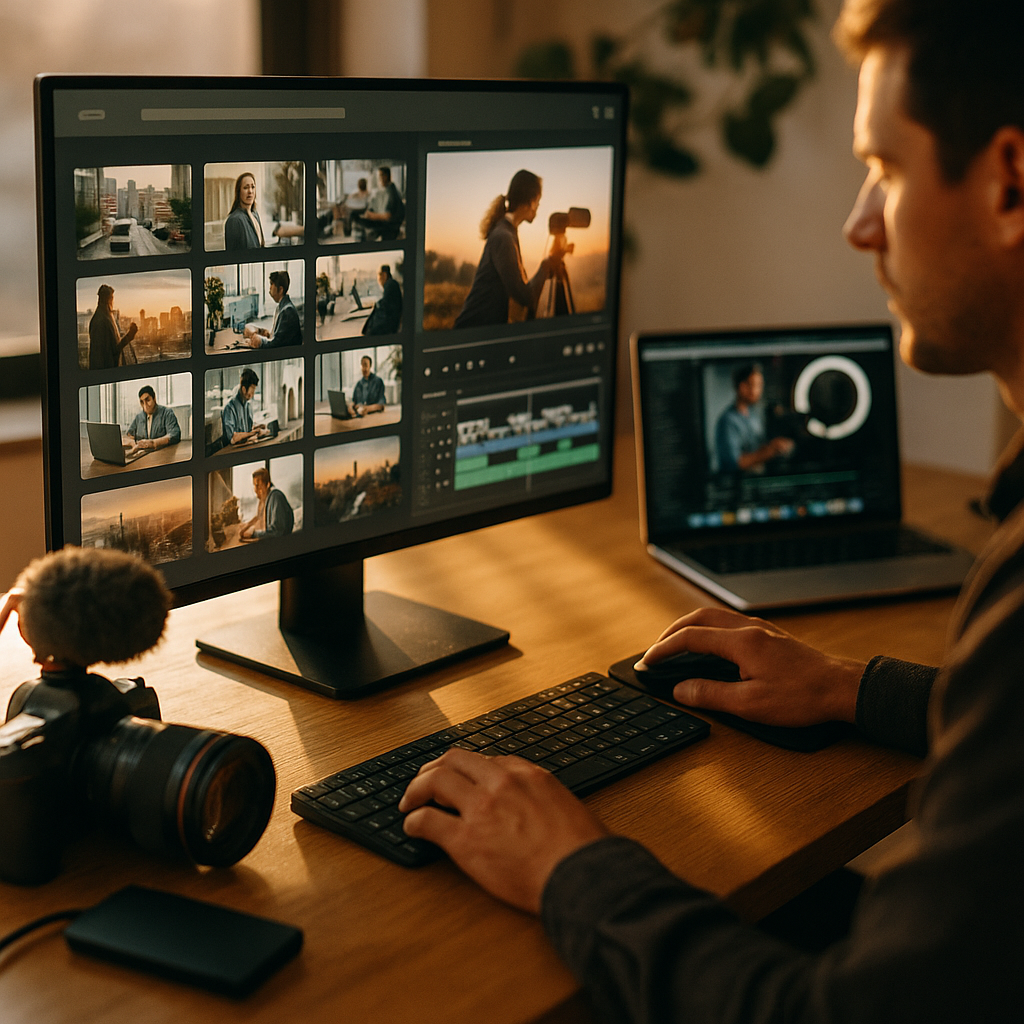
In 2025, creator teams move at platform speed, yet many libraries still behave like archives. This review of modern DAM systems focuses on what matters to designers, video editors, and social teams: fast ingest, instant search, smooth approvals, and reliable delivery to every channel. We’ll compare capabilities, pitfalls, and evaluation criteria so you can choose with confidence—before your next deadline hits.
High-speed creator workflows: what “fast” really means
Creator flow speed is not a single metric. It’s the combined time from “asset created” to “asset published,” measured in minutes and touchpoints. The best DAM platforms reduce handoffs, eliminate duplicate uploads, and keep creative tools connected to the source of truth. When teams complain about speed, they usually mean one of these friction points:
- Ingest bottlenecks: large video files and batch photo sets take too long to upload, transcode, and become usable.
- Search latency: results arrive slowly, or metadata is inconsistent so users can’t find the right version.
- Review cycles: feedback lives in email or chat, forcing manual consolidation and rework.
- Version confusion: multiple exports circulate with unclear approvals, leading to incorrect publishing.
- Distribution friction: social, e-commerce, and CMS teams re-download and re-upload assets, creating drift.
In a high-speed setup, a DAM behaves less like a library and more like an operational layer: it routes content through creation, governance, and delivery with minimal manual steps. That’s the standard this review uses.
Creator experience and UX: frictionless adoption for creative teams
Even the most powerful system fails if creators avoid it. Modern DAM platforms optimized for creator speed share a few UX traits: quick previews, low-click retrieval, and interfaces that mirror how creative teams think (campaigns, products, shoots, channels), not just folders.
Evaluate the creator experience using real tasks, not vendor demos. Ask designers and editors to complete these flows end-to-end:
- Find a previous campaign’s source files using keywords, filters, and visual similarity (if available).
- Preview without downloading: layered images, RAWs, PDFs, and high-bitrate video should be viewable quickly.
- Reuse safely: confirm usage rights, brand rules, and whether the asset is approved for the intended region/channel.
- Export in the right rendition (size, format, crop) without opening a heavy desktop workflow for simple needs.
Look for creator-friendly metadata: the best systems automate technical fields (codec, dimensions, color space) and provide guided fields for humans (campaign, product line, talent, rights). Good platforms also reduce “metadata burden” through templates, bulk editing, and rules that fill fields based on context.
Accessibility matters for speed, too. Keyboard-friendly navigation, consistent UI patterns, and clear permission feedback prevent creators from stalling out when they hit a restriction.
AI search and metadata automation: faster discovery with fewer compromises
In 2025, “AI search” is useful only when it’s measurable and controllable. The best DAM solutions combine multiple discovery methods: keyword search, faceted filters, visual search, speech-to-text for video, and natural-language queries. But speed-focused teams need more than novelty—they need precision and trust.
Prioritize AI capabilities that shorten time-to-find while maintaining governance:
- Auto-tagging with review loops: the system suggests tags; humans approve, correct, or lock vocabularies.
- Custom taxonomies: controlled terms that match your brand, product catalog, and campaign naming.
- Duplicate detection: identify near-duplicates and old variants to reduce clutter and accidental reuse.
- Transcription and scene detection: faster video retrieval by spoken phrases and key moments.
- Smart filters: “approved for paid social,” “expires in 30 days,” “includes logo,” “contains a person” (for consent workflows).
Ask vendors to demonstrate how AI behaves with your assets, not a curated sample library. Request a pilot where your team measures: average time to locate an asset, percentage of searches that end in a download, and reduction in “asset re-created because we couldn’t find it.”
For EEAT-aligned governance, confirm how the platform handles explainability (why a result matched), auditability (who changed tags and when), and privacy (whether your content trains shared models or stays isolated). These details affect risk and long-term confidence.
Integrations and APIs: Adobe, Figma, video tools, and publishing endpoints
High-speed creator flows depend on eliminating swivel-chair work. Modern DAM systems win when they connect directly to the tools where work happens and the channels where assets land. The practical question is not “does it integrate,” but “does it remove steps without creating new failure points.”
Key integration categories to validate:
- Creative tools: Adobe Creative Cloud connectors, Figma workflows, and plugin stability for both upload and retrieval.
- Video pipelines: support for proxy creation, frame-accurate preview, timecoded comments, and integration with editing/review tools.
- Work management: links to project systems so assets, tasks, and approvals stay aligned.
- CMS and commerce: direct publish to web content platforms and product information systems, with rendition rules.
- Social distribution: controlled publishing or handoff workflows that preserve the approved version.
From an engineering perspective, look for well-documented APIs, webhooks for event-driven workflows (asset approved, rights expiring), and SDKs that speed custom integrations. Also confirm rate limits, sandbox environments, and whether the vendor supports “integration observability” (logs, retry behavior, and failure alerts). Those factors determine whether creators experience smooth automation or sudden dead ends.
Finally, ask how the DAM manages renditions. The fastest teams rely on server-side transformations: automatic crops, format conversion, and channel-specific outputs. That reduces manual exports and keeps all derivatives traceable back to the master.
Governance, permissions, and compliance: speed without losing control
Creator speed improves when rules are clear and enforced automatically. Without governance, teams move fast in the wrong direction—reusing expired licensed images, publishing unapproved versions, or sharing sensitive files. A modern DAM optimized for speed embeds compliance into the workflow so creators don’t have to become legal experts.
Core governance capabilities to prioritize:
- Granular permissions: by team, region, brand, campaign, and asset type; with clear visibility into “why you can’t access this.”
- Approval states: draft, in review, approved, approved with restrictions, expired; searchable and enforceable.
- Rights management: license terms, talent consent, territory, channel restrictions, and expiry alerts that trigger unpublish or archiving workflows.
- Audit trails: immutable logs for uploads, downloads, shares, and metadata changes.
- Secure sharing: expiring links, watermarking, download restrictions, and partner portals.
Speed-focused governance also includes smart defaults. For example: when a creator uploads assets into a campaign workspace, the DAM should automatically apply the campaign’s naming convention, required fields, and review route. This prevents back-and-forth and makes “doing the right thing” the easiest path.
Answer a common follow-up early: Will governance slow us down? It slows you down only when it’s applied late. The strongest DAM implementations place governance at ingest and review, then accelerate reuse by making approval and rights status instantly visible.
Performance, scalability, and ROI: how to evaluate vendors in 2025
Performance claims are easy to make and hard to compare. Treat DAM selection like choosing production infrastructure: test it under realistic load, with your file sizes, your global users, and your peak usage patterns. A speed-optimized DAM should remain responsive even when libraries grow and teams expand.
Use a structured evaluation plan:
- Pilot with real assets: include large videos, layered design files, and long-tail legacy content.
- Measure creator time: time to upload, time to first usable preview, time to find-and-export, and time to approve.
- Test concurrency: multiple editors searching and previewing at once; external partners reviewing simultaneously.
- Validate global delivery: check latency for distributed teams and the behavior of CDN-backed previews.
- Prove reliability: monitor error rates, failed transcodes, and integration retries.
For ROI, separate hard savings (reduced rework, fewer duplicate subscriptions, fewer storage duplicates) from throughput gains (more campaigns shipped, faster localization, faster product launches). Build a simple baseline: how many hours per week are currently lost to searching, re-downloading, and recreating assets? A modern DAM earns its cost when it turns that time into publishable output.
Also evaluate vendor credibility through EEAT signals: transparent security documentation, clear product roadmap, responsive support with named escalation paths, and reference customers with similar asset types and scale. Ask for proof of uptime reporting and how incidents are communicated.
FAQs: Reviewing modern DAM systems optimized for high speed creator flows
What features matter most for high-speed creator flows in a DAM?
Prioritize fast previews, reliable search with strong filters, automation for metadata and renditions, clear approval states, and tight integrations with creative tools and publishing endpoints. These reduce manual steps, prevent version confusion, and keep creators working inside their primary tools.
How do we test DAM speed in a way that reflects real work?
Run a pilot using your actual assets and workflows. Measure time to upload and reach “first usable preview,” time to locate an asset via search, and time to export/publish the correct rendition. Include peak concurrency tests and remote users to confirm performance holds under load.
Is AI tagging safe and accurate enough to rely on?
It can be, if the system supports controlled vocabularies, human approval loops, and strong audit trails. Treat AI as a speed accelerator, not an authority. Validate accuracy on your content categories and confirm whether your assets remain isolated from shared model training.
How do modern DAM systems reduce versioning problems?
They use version stacks, approval states, and governance rules that make the “approved” version obvious and enforceable. The best systems link derivatives and channel-specific renditions to a master asset, so teams can update once and distribute consistently.
What integrations should we require for a creator-first DAM?
At minimum: Adobe tool connectors, a clear path for Figma workflows, robust video preview/review support, APIs and webhooks for automation, and direct connections to CMS/e-commerce/social publishing. Require logs and monitoring so failures don’t silently disrupt creator work.
How long does a DAM implementation take for creator teams?
Timelines vary by migration size and integration complexity, but a well-scoped rollout can start delivering creator value quickly when you prioritize high-velocity use cases first: new campaign workflows, templates, approvals, and publishing outputs—then migrate long-tail archives in phases.
Modern DAM systems succeed in 2025 when they act as workflow engines, not storage bins. Choose platforms that deliver instant discovery, tool-native creation, automated governance, and dependable publishing outputs under real load. Validate speed with pilots, verify trust with audits and controls, and prioritize integrations that remove steps for creators. Pick the system that keeps teams shipping without losing traceability—then scale it confidently.
Top Influencer Marketing Agencies
The leading agencies shaping influencer marketing in 2026
Agencies ranked by campaign performance, client diversity, platform expertise, proven ROI, industry recognition, and client satisfaction. Assessed through verified case studies, reviews, and industry consultations.
Moburst

-
2

The Shelf
Boutique Beauty & Lifestyle Influencer AgencyA data-driven boutique agency specializing exclusively in beauty, wellness, and lifestyle influencer campaigns on Instagram and TikTok. Best for brands already focused on the beauty/personal care space that need curated, aesthetic-driven content.Clients: Pepsi, The Honest Company, Hims, Elf Cosmetics, Pure LeafVisit The Shelf → -
3

Audiencly
Niche Gaming & Esports Influencer AgencyA specialized agency focused exclusively on gaming and esports creators on YouTube, Twitch, and TikTok. Ideal if your campaign is 100% gaming-focused — from game launches to hardware and esports events.Clients: Epic Games, NordVPN, Ubisoft, Wargaming, Tencent GamesVisit Audiencly → -
4

Viral Nation
Global Influencer Marketing & Talent AgencyA dual talent management and marketing agency with proprietary brand safety tools and a global creator network spanning nano-influencers to celebrities across all major platforms.Clients: Meta, Activision Blizzard, Energizer, Aston Martin, WalmartVisit Viral Nation → -
5

The Influencer Marketing Factory
TikTok, Instagram & YouTube CampaignsA full-service agency with strong TikTok expertise, offering end-to-end campaign management from influencer discovery through performance reporting with a focus on platform-native content.Clients: Google, Snapchat, Universal Music, Bumble, YelpVisit TIMF → -
6

NeoReach
Enterprise Analytics & Influencer CampaignsAn enterprise-focused agency combining managed campaigns with a powerful self-service data platform for influencer search, audience analytics, and attribution modeling.Clients: Amazon, Airbnb, Netflix, Honda, The New York TimesVisit NeoReach → -
7

Ubiquitous
Creator-First Marketing PlatformA tech-driven platform combining self-service tools with managed campaign options, emphasizing speed and scalability for brands managing multiple influencer relationships.Clients: Lyft, Disney, Target, American Eagle, NetflixVisit Ubiquitous → -
8

Obviously
Scalable Enterprise Influencer CampaignsA tech-enabled agency built for high-volume campaigns, coordinating hundreds of creators simultaneously with end-to-end logistics, content rights management, and product seeding.Clients: Google, Ulta Beauty, Converse, AmazonVisit Obviously →