


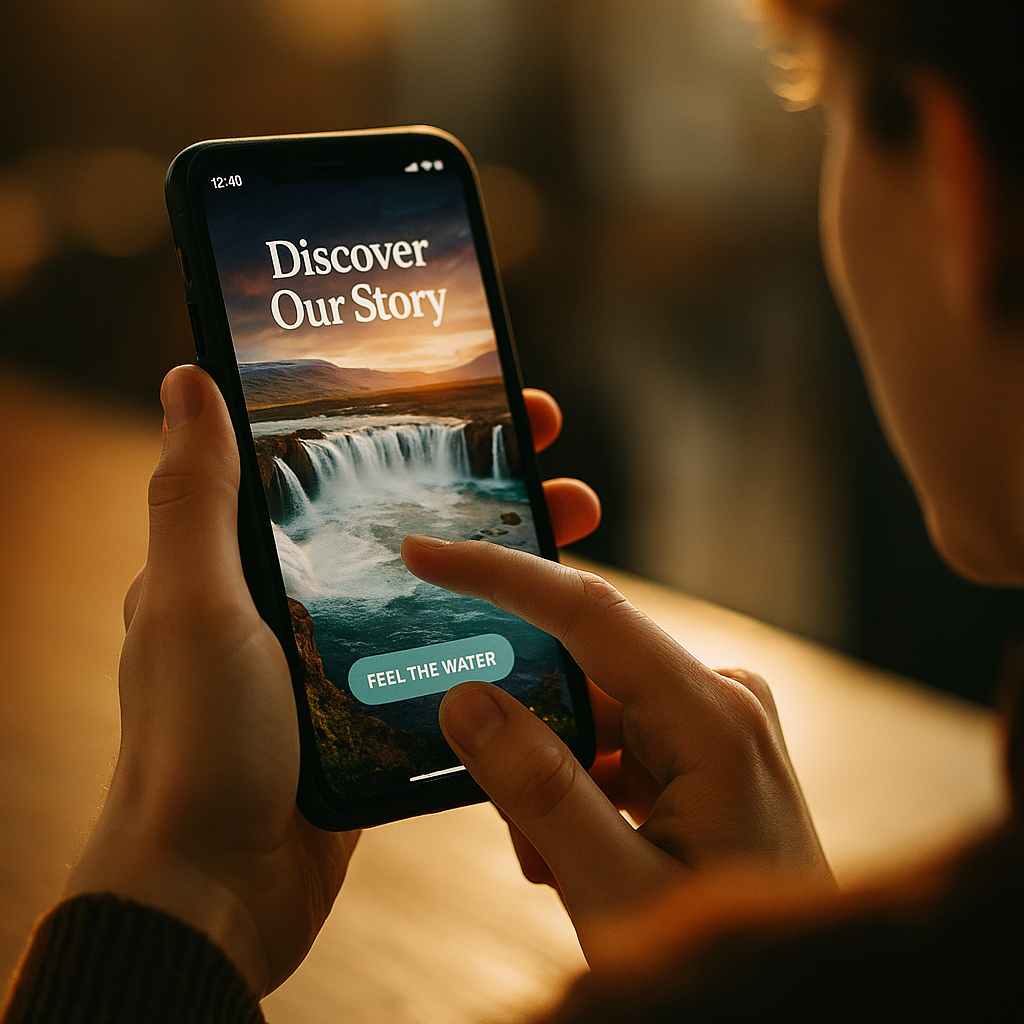
In 2025, mobile experiences compete on speed, visuals, and emotion—and touch is the missing link. The role of haptic interaction in modern mobile brand storytelling is to turn passive scrolling into felt moments that build trust, recognition, and desire. When vibration patterns match narrative beats, users remember what they “felt,” not just what they saw. Ready to design stories people can feel?
Why haptic feedback matters for mobile storytelling
Mobile brand storytelling often relies on sight and sound, yet most brand interactions happen silently: commuters scrolling, shoppers comparing products in-store, customers checking a delivery update in a meeting. Haptics adds a private, immediate layer of meaning—one that works even when audio is off and attention is fragmented.
At a practical level, haptic feedback communicates state changes faster than text. A soft pulse can confirm an action; a sharper, brief tap can signal an error; a rhythmic pattern can build anticipation before a reveal. In narrative terms, those micro-moments become punctuation. They create pacing, highlight “chapters,” and reinforce emotional peaks without adding visual clutter.
For brands, the value is not novelty. It is coherence. When the tactile layer aligns with your voice—calm, premium, playful, bold—users experience a consistent personality across onboarding, browsing, purchase, and support. This consistency is central to EEAT-style helpful content because it reduces confusion, lowers error rates, and makes interactions more predictable.
To answer the question most teams ask early: yes, haptics can impact perception and behavior. But only when it is intentional, consistent, and measured against outcomes like task completion, reduced abandonments, and improved satisfaction—not “cool factor.”
Tactile branding: building a recognizable feel
Tactile branding is the practice of translating brand identity into touch patterns and interaction rhythms. It is similar to sonic branding, except it operates through vibration strength, duration, cadence, and contextual triggers. Done well, it helps users recognize your experience even in quick, low-attention sessions.
Start by defining a small “haptic vocabulary” that maps to brand and product states. Keep it simple, repeatable, and respectful of user comfort.
Examples of brand-consistent tactile cues
- Confirmation: a single, light pulse that feels reassuring rather than attention-grabbing.
- Progress: subtle step pulses aligned with milestones (e.g., “1 of 3” in checkout), reinforcing momentum.
- Delight: a brief, playful double-tap after a meaningful achievement (not after every click).
- Urgency: a short patterned buzz only when it truly matters (fraud alert, time-sensitive security step).
Because devices differ, standardize intent rather than exact waveform. Define each cue by purpose and perceived intensity: “soft,” “medium,” “firm,” plus duration ranges. Then validate on a small matrix of popular devices.
Answering another likely follow-up: should you create a “signature vibration” like a jingle? Sometimes—but avoid using signature patterns for frequent actions. A signature should appear at high-value moments (first successful setup, confirmed booking, membership approval). Overuse turns recognition into irritation and undermines trust.
Multisensory UX design: aligning haptics with sight and sound
Multisensory UX design treats haptics as part of one system with motion, typography, audio, and microcopy. When these channels disagree, users feel friction: a “success” animation with an “error” buzz creates doubt. When they align, the experience feels polished and reliable.
Use haptics to support three storytelling jobs:
- Direct attention without stealing it: a gentle cue can guide a thumb to the next step more effectively than a flashing tooltip.
- Compress information: a quick tactile distinction (success vs. warning) reduces reading load in fast flows like payments.
- Reinforce emotion: tactile pacing can mirror narrative pacing, creating tension and release.
Practical alignment rules help teams ship consistently:
- Pair intensity with importance: use stronger feedback only for higher-stakes events (authorization, deletion, security).
- Sync timing: trigger the haptic at the same moment the UI state changes, not after. Delays feel like glitches.
- Keep patterns short: most brand cues should be under a second. Long vibrations can read as alarm-like.
- Limit simultaneous stimuli: if you use strong motion or sound, dial down haptic intensity to avoid sensory overload.
Where does storytelling show up? Consider onboarding. Instead of telling users “you’re in control,” you can let them feel control: a precise tap when they set preferences, a gentle pulse confirming privacy choices, and a steady rhythmic confirmation when setup completes. The narrative becomes experiential: “this brand is clear, calm, and dependable.”
Micro-interactions and haptics: turning moments into meaning
Micro-interactions and haptics work best when the tactile layer adds meaning, not decoration. Micro-interactions are already powerful: toggles, pull-to-refresh, add-to-cart, reaction buttons, swipe actions. Adding haptics can transform them into “beats” in a story—if you choose the right moments.
High-impact placements typically share two traits: they resolve uncertainty or they mark a meaningful transition.
Where haptics earns its place
- Commit actions: purchase, booking, transfer, subscribe—use a clear confirmation pulse that feels final.
- Error prevention: a short, firm tap when a user hits a boundary (invalid input, max quantity) stops repeated attempts.
- Gesture completion: a tactile “click” at the end of a swipe-to-archive reinforces that the action is done.
- Product discovery: subtle pulses at meaningful filter changes can help users sense “you refined the set.”
- Story reveals: when a card flips to show an offer or a benefit, a soft pulse can make the reveal feel tangible.
To keep storytelling honest, avoid haptics that manipulate. For example, do not use “reward-like” patterns for low-value actions designed to increase time spent. Users recognize this quickly. Instead, tie delight to genuine value: completing profile security, reaching a savings goal, or receiving a confirmed delivery update.
Teams also ask: will haptics slow the experience down? Not if you design it as an accent. The vibration should confirm what already happened, not force the user to wait. Treat haptics like punctuation—supporting clarity and rhythm while keeping the sentence moving.
Mobile accessibility and haptics: inclusive storytelling for every user
Mobile accessibility and haptics is not optional in 2025. Haptics can improve inclusion for users with low vision, attention differences, situational impairments (sun glare, noisy environments), and motor challenges—when designed with care.
Accessibility best practices to apply early:
- Provide user control: respect system settings for vibration and allow in-app tuning for non-essential haptics.
- Never rely on haptics alone: pair tactile cues with clear visual states and, where relevant, text that screen readers can announce.
- Use distinct, learnable patterns: keep a small set of cues with consistent meaning; avoid ambiguous “buzzes.”
- Reduce fatigue: frequent or strong vibrations can be uncomfortable for some users; prioritize subtlety.
- Consider assistive tech: ensure haptics do not conflict with screen reader gestures or create confusing feedback loops.
Inclusive storytelling also means acknowledging context. A banking app might default to minimal, serious haptics, while allowing users to enable richer feedback for navigation confidence. A meditation app might use near-silent micro-pulses aligned with breath cues—only if the user opts in.
If you want to strengthen EEAT, document your accessibility decisions. Maintain a small internal guideline: when haptics are used, what they mean, and how they degrade gracefully when disabled. This turns “we added haptics” into “we designed a predictable, respectful experience.”
Haptic interaction design best practices: strategy, testing, and measurement
Haptic interaction design best practices start with intent and end with measurable outcomes. Haptics should support user goals and brand promises—faster completion, fewer mistakes, higher confidence, and a more distinctive feel.
1) Build a haptic style guide
- Define use cases: confirmation, warning, boundary, progress, delight.
- Set intensity tiers: soft/medium/firm with duration ranges.
- Map to brand personality: calm brands avoid sharp or long alerts; energetic brands may use snappier taps sparingly.
- Document “don’ts”: no haptics for every tap, no long buzzes for marketing prompts, no conflicting cues.
2) Prototype on real devices
Emulators rarely convey the true feel. Test on a representative set of popular devices and operating system settings. Validate that cues remain distinguishable at low vibration settings and do not feel aggressive on smaller phones.
3) Test with users in real contexts
Haptics shine in motion: walking, commuting, one-handed use, noisy spaces. Run short tasks and ask users what they think happened after each cue. If they cannot interpret it, simplify the pattern or pair it with clearer UI.
4) Measure outcomes that matter
- Task success rate and time to complete key flows (onboarding, checkout, booking).
- Error rate (invalid inputs, failed gestures, repeated taps).
- Abandonment at key steps.
- Customer support contact rate for “did it go through?” questions.
- User sentiment from in-app surveys focused on clarity and confidence, not “did you like the vibration?”
5) Respect privacy and trust
Haptics can signal sensitive events (security alerts, account activity). Ensure the messaging remains discreet and does not reveal private details to someone nearby. Use neutral cues that prompt the user to look at the screen rather than broadcasting the reason through an alarming pattern.
When stakeholders ask for proof, frame haptics as a usability and brand-consistency investment. The strongest business case is reduced friction in high-value flows and increased confidence in outcomes—especially where users hesitate because they cannot tell if an action completed.
FAQs
What is haptic interaction in mobile apps?
Haptic interaction is the use of tactile feedback—typically vibration or subtle taps—to communicate events, confirm actions, signal errors, or guide gestures. In storytelling, it adds a felt layer that supports emotion, pacing, and clarity.
How does haptic feedback improve brand storytelling?
It turns key moments into tangible beats: confirmations feel final, transitions feel purposeful, and achievements feel earned. When consistent, haptics creates a recognizable “feel” that reinforces brand identity across the user journey.
Can haptics increase conversions or retention?
It can when it reduces uncertainty and errors in critical flows like checkout, sign-up, and payments. The impact depends on intent, restraint, and testing; excessive or random haptics often hurts satisfaction.
How do you design a brand-specific haptic language?
Define a small set of cues tied to common states (success, warning, boundary, progress, delight). Specify intensity tiers and timing rules, then validate across devices. Use stronger patterns only for high-importance moments to avoid fatigue.
What are common mistakes with haptic interaction?
Overuse, inconsistent meaning (same buzz for different states), delayed triggers, overly strong vibrations, and relying on haptics without visual or textual confirmation. Another frequent error is using “reward” haptics to push engagement instead of supporting real user value.
How should haptics be handled for accessibility?
Respect system vibration settings, offer in-app controls for non-essential feedback, avoid using haptics as the only signal, and keep patterns consistent and learnable. Test with assistive technologies and in real-world contexts.
Haptics gives mobile storytelling a physical dimension that cuts through distraction and strengthens trust. The best implementations in 2025 treat touch as a disciplined design system: consistent cues, aligned multisensory timing, and accessibility-first controls. Use haptics to reduce uncertainty, mark meaningful moments, and express brand personality with restraint. When users can feel what happens, they believe it happened.
Top Influencer Marketing Agencies
The leading agencies shaping influencer marketing in 2026
Agencies ranked by campaign performance, client diversity, platform expertise, proven ROI, industry recognition, and client satisfaction. Assessed through verified case studies, reviews, and industry consultations.
Moburst

-
2

The Shelf
Boutique Beauty & Lifestyle Influencer AgencyA data-driven boutique agency specializing exclusively in beauty, wellness, and lifestyle influencer campaigns on Instagram and TikTok. Best for brands already focused on the beauty/personal care space that need curated, aesthetic-driven content.Clients: Pepsi, The Honest Company, Hims, Elf Cosmetics, Pure LeafVisit The Shelf → -
3

Audiencly
Niche Gaming & Esports Influencer AgencyA specialized agency focused exclusively on gaming and esports creators on YouTube, Twitch, and TikTok. Ideal if your campaign is 100% gaming-focused — from game launches to hardware and esports events.Clients: Epic Games, NordVPN, Ubisoft, Wargaming, Tencent GamesVisit Audiencly → -
4

Viral Nation
Global Influencer Marketing & Talent AgencyA dual talent management and marketing agency with proprietary brand safety tools and a global creator network spanning nano-influencers to celebrities across all major platforms.Clients: Meta, Activision Blizzard, Energizer, Aston Martin, WalmartVisit Viral Nation → -
5

The Influencer Marketing Factory
TikTok, Instagram & YouTube CampaignsA full-service agency with strong TikTok expertise, offering end-to-end campaign management from influencer discovery through performance reporting with a focus on platform-native content.Clients: Google, Snapchat, Universal Music, Bumble, YelpVisit TIMF → -
6

NeoReach
Enterprise Analytics & Influencer CampaignsAn enterprise-focused agency combining managed campaigns with a powerful self-service data platform for influencer search, audience analytics, and attribution modeling.Clients: Amazon, Airbnb, Netflix, Honda, The New York TimesVisit NeoReach → -
7

Ubiquitous
Creator-First Marketing PlatformA tech-driven platform combining self-service tools with managed campaign options, emphasizing speed and scalability for brands managing multiple influencer relationships.Clients: Lyft, Disney, Target, American Eagle, NetflixVisit Ubiquitous → -
8

Obviously
Scalable Enterprise Influencer CampaignsA tech-enabled agency built for high-volume campaigns, coordinating hundreds of creators simultaneously with end-to-end logistics, content rights management, and product seeding.Clients: Google, Ulta Beauty, Converse, AmazonVisit Obviously →