


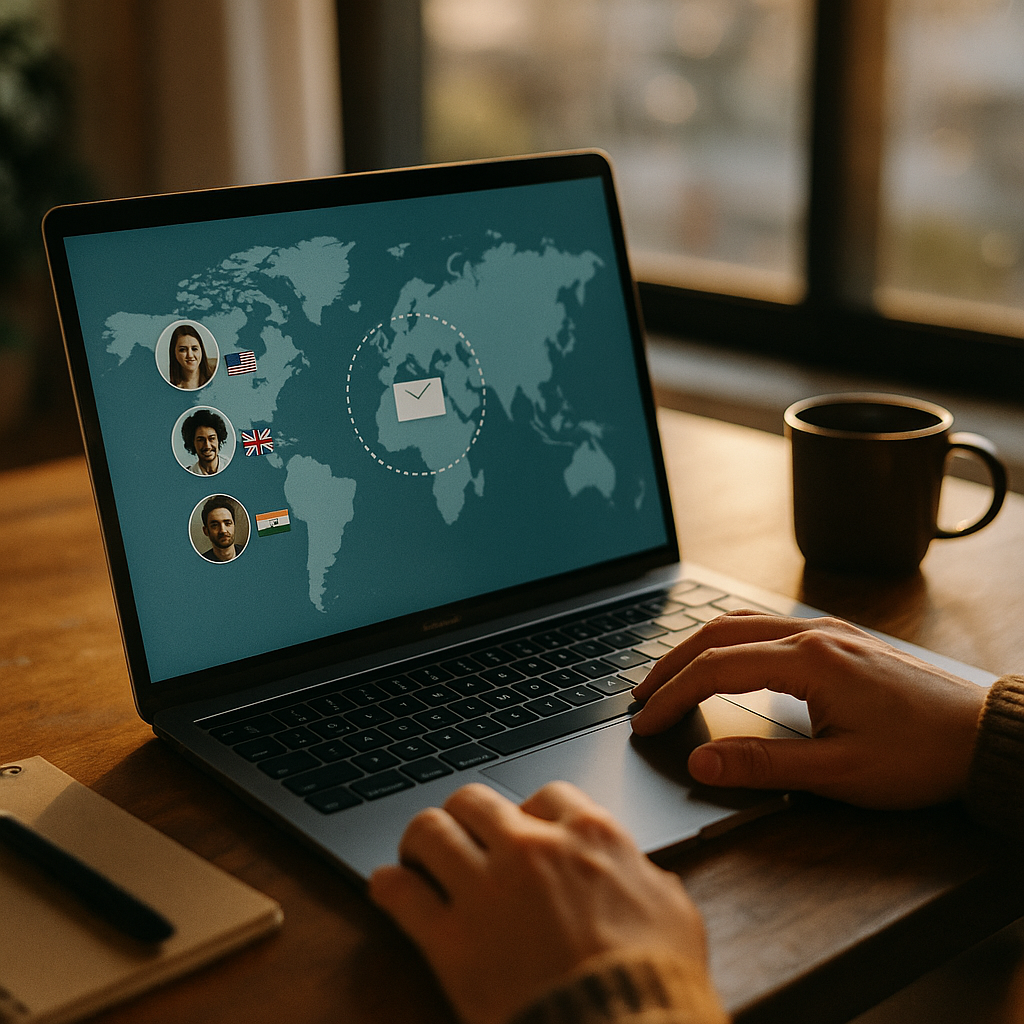
Managing email across time zones is hard when your freelance team works from dozens of countries. In 2025, using AI to optimize email send times turns that complexity into a repeatable advantage by predicting when each recipient is most likely to open and act. The result is fewer missed messages, faster approvals, and less churn in busy inboxes. Want higher response rates without more emails?
Why AI email send time optimization matters for global freelancers
Global freelance workforces thrive on speed and clarity: briefs, approvals, payments, and project updates often move asynchronously. Yet email remains a common bottleneck because “good timing” varies by recipient, role, and workflow. A designer in Manila may review messages early morning, while a client in Berlin replies mid-afternoon, and a copywriter in São Paulo clears their inbox late evening.
AI email send time optimization matters because it replaces guesswork with evidence. Rather than sending one broadcast at a “reasonable” hour, AI models infer the best delivery window per person, based on prior engagement and context. That means:
- Faster replies: messages arrive when recipients naturally process email.
- Higher deliverability signals: consistently low engagement can hurt sender reputation; improved opens and clicks can support healthier metrics.
- Less follow-up pressure: better timing reduces the need for nudges that freelancers may perceive as micromanagement.
- More predictable project flow: approvals and handoffs land when someone is ready to act.
For distributed freelancers, timing also supports well-being. Smart scheduling reduces late-night pings, supports boundaries, and helps you maintain a professional cadence without pushing people to be “always on.”
How machine learning predicts the best time across time zones
At a high level, AI systems estimate the probability that a recipient will open, click, or reply within a given time window. The model then selects the window with the highest predicted outcome under real-world constraints (campaign deadlines, SLAs, throttling limits, and frequency caps). In practice, modern systems use variations of supervised learning and bandit-style experimentation.
Common data signals used in send-time prediction include:
- Recipient behavior: historical opens, clicks, replies, and time-to-open by day-of-week and hour.
- Sender-recipient relationship: whether the recipient typically responds faster to certain senders (e.g., project manager vs. finance).
- Content and intent: subject line patterns, message category (invoice, contract, creative review), and urgency cues.
- Context: local time zone, typical working hours, known holidays, and recent inactivity.
- Channel spillover: whether the recipient tends to act after a Slack/Teams reminder, or only when they have desktop access.
Time zones are only the starting point. Many teams assume “send at 9 a.m. local time” is optimal. AI often finds different peaks: some freelancers check email in focused batches; some respond after client meetings; others manage admin tasks on specific weekdays. The best systems learn these patterns per individual and update quickly when behavior changes.
What about privacy and tracking limits? Not all emails allow reliable open tracking, and some recipients block pixels. Helpful AI approaches do not depend on a single signal. They combine multiple indicators (clicks, replies, thread activity, and delivery events) and can fall back to cohort-level predictions (role, region, project type) when personal data is limited. If your program relies heavily on opens, you should treat results cautiously and prioritize reply-based optimization for operational emails.
Essential data, consent, and compliance for freelance teams
Optimizing send times requires trust. Freelancers and clients need confidence that you are using data responsibly and that timing improvements do not come at the expense of privacy. In 2025, you should design your system around transparent data practices and compliance-by-default.
Minimum data you actually need to run send-time optimization well:
- Recipient time zone (explicitly provided or inferred cautiously)
- Event timestamps for sends and meaningful actions (reply time, click time, task completion)
- Basic segmentation attributes (role, project, language preference)
Consent and transparency should be operational, not legalistic:
- Tell recipients what you optimize for: “We schedule emails to arrive when you’re most likely to see them during your working hours.”
- Offer a preference option: a simple way to select “morning,” “afternoon,” “evening,” or “do not optimize.”
- Respect quiet hours: define default no-send windows per region unless the recipient opts in.
Security and access control matters because freelance teams often use multiple tools (CRMs, project boards, payroll). Apply least-privilege access, limit raw event exports, and store only what you need. If you use third-party AI vendors, confirm how they handle data retention, model training, and deletion requests.
EEAT note: Document your methodology. Keep an internal “send-time optimization brief” explaining data sources, definitions (what counts as a reply), and how you handle edge cases (new recipients, low-volume contacts). This builds credibility and makes results easier to audit.
Practical workflows: AI scheduling for international email campaigns
Send-time optimization pays off most when it is embedded into a repeatable workflow. For global freelance workforces, your emails usually fall into two categories: operational (project updates, approvals, contracts) and relationship (check-ins, onboarding, reactivation). Each requires different constraints.
Workflow 1: Operational emails (speed with guardrails)
- Define the objective: reply within 24 hours, approval within 12 hours, or task start within one business day.
- Set quiet hours: e.g., no sends between 8 p.m. and 7 a.m. local time unless marked urgent.
- Use “best-time within deadline” logic: AI selects the optimal slot before a cutoff.
- Add escalation rules: if no reply, trigger a follow-up at the next predicted window, then optionally switch channels (project tool comment or SMS) with explicit consent.
Workflow 2: Relationship emails (maximize engagement, minimize fatigue)
- Use frequency caps: avoid multiple non-urgent messages per week to the same freelancer.
- Rotate content types: onboarding tips, payment reminders, and policy updates should not compete in the same window.
- Optimize by segment: new freelancers benefit from earlier, structured cadences; seasoned contributors often prefer fewer, more targeted messages.
Workflow 3: Multi-recipient threads (the hardest case)
When you email several freelancers plus a client, “best time” differs for each. Use AI to pick the best compromise based on the primary owner of the next action. If the next action belongs to the client, optimize for the client’s window; if it belongs to a freelancer, optimize for that freelancer. For true group coordination, consider sending a summary email optimized for the decision-maker and a separate “action request” message optimized for each assignee.
Implementation tip: Start with a pilot covering one email type (e.g., creative review requests). Run for 4–6 weeks, then expand to invoices, renewals, and onboarding. This keeps your measurements clean and reduces confusion when results vary by message type.
KPIs, testing, and avoiding common send-time optimization mistakes
Timing improvements are only valuable when they move outcomes that matter: faster project throughput, fewer overdue invoices, higher freelancer retention, or better client satisfaction. Measure the right KPIs and avoid overfitting to vanity metrics.
Best KPIs for global freelance operations
- Median time-to-reply: better than averages because it resists outliers.
- Reply rate within SLA: e.g., replies within 24 business hours.
- Approval cycle time: from request sent to approval received.
- Invoice resolution time: from invoice sent to confirmation or payment.
- Negative signals: unsubscribe rate, spam complaints, or “please stop emailing me” replies.
Testing approach that holds up under scrutiny
Use controlled experiments. A/B test AI-optimized timing versus a fixed schedule, holding content constant. For smaller lists, use a staggered rollout: half of recipients remain on your baseline schedule while the rest use AI timing for the same message category.
Common mistakes and how to prevent them
- Optimizing for opens when you need replies: operational emails should prioritize reply-based metrics or task completion.
- Ignoring local holidays and weekends: build a holiday calendar per region and allow freelancers to set working days.
- Over-sending because results improve: better timing can tempt you to send more. Use frequency caps to protect trust.
- Assuming the model is right for everyone: provide an opt-out and maintain a baseline schedule for low-data recipients.
- Not updating when behavior changes: freelancers shift schedules between projects. Use rolling windows and recency weighting.
Answering the follow-up question: “How fast should we see results?” For high-volume operational emails, you may see measurable improvements in reply timing within weeks. For low-volume relationship emails, you may need more sends per recipient or rely on segment-level learning until you accumulate enough interactions.
Choosing tools and building human oversight into AI send-time decisions
Tool choice should follow your workflow maturity. Many email platforms include send-time optimization, but global freelance operations often need integration with project management and CRM systems. Prioritize tools that let you control constraints and explain outcomes.
What to look for in AI scheduling tools
- Per-recipient optimization: not only “timezone-based” sending.
- Business rules: quiet hours, weekends, throttling, and deadline-based delivery.
- Explainability cues: at least a reason code like “based on recent engagement windows.”
- Integration: ability to trigger emails from events (task moved to review, contract sent) and log outcomes back to your system.
- Preference management: recipients can choose digest frequency and preferred time windows.
Human oversight keeps AI aligned with your brand
AI should schedule messages, not define your relationships. Set clear policies:
- Use AI for timing, not urgency. Humans decide what is urgent; AI decides the best eligible window.
- Create escalation tiers. For blocked projects, define when to switch from email to a project tool comment or a direct call.
- Review outliers monthly. Identify recipients whose predicted windows lead to worse outcomes, then adjust rules or segmenting.
EEAT in practice: Keep a lightweight governance log: what changed (rules, quiet hours, cohorts), why it changed, and how it affected key metrics. This improves institutional knowledge and supports consistent decision-making as your freelance network grows.
FAQs about AI-optimized email timing for global freelance workforces
What if we can’t track opens reliably?
Optimize for replies, clicks, and workflow events instead (e.g., “approved,” “file delivered,” “invoice confirmed”). Use open data only as a secondary signal. If you have limited signals, start with segment-level optimization (role + region) and move toward individual predictions as data grows.
Is send-time optimization useful for one-to-one emails, not just campaigns?
Yes. For coordinators and project managers emailing freelancers daily, AI can suggest the best delivery window and delay non-urgent messages to the recipient’s working hours. This is especially effective for follow-ups and reminders tied to deadlines.
How do we handle recipients who travel or change schedules often?
Use recency weighting so the model prioritizes the last few weeks of behavior. Allow recipients to set a preferred time window and current time zone in a profile link. For high-variance users, constrain sends to broad working-hour ranges instead of narrow “perfect” times.
Will AI scheduling increase the risk of messages landing at the same time and overwhelming people?
It can if you don’t use frequency caps and throttling. Set limits per recipient (daily/weekly), spread sends across windows, and prioritize the most important operational messages first. Good systems also randomize within an optimal window to avoid spikes.
What’s the best send window for global teams?
There is no universal best time. AI typically performs better when you let it learn per recipient and per email type. If you need a starting baseline, use local working hours and avoid early morning and late evening unless the recipient explicitly prefers it.
How do we prove ROI to leadership or clients?
Connect timing changes to operational outcomes: reduced median time-to-reply, fewer overdue approvals, faster invoice resolution, and fewer escalation messages. Run an A/B test for a single workflow (like review requests) and present measurable cycle-time improvements alongside any changes in unsubscribe or complaint rates.
AI-driven send-time optimization helps global freelance teams communicate with less friction by delivering messages when recipients are most ready to respond. In 2025, the strongest approach combines per-recipient predictions, clear quiet-hour rules, and privacy-first data practices. Measure outcomes like reply speed and cycle time, not just opens. Build oversight and preferences into the system, and your email becomes a dependable engine for global delivery.
Top Influencer Marketing Agencies
The leading agencies shaping influencer marketing in 2026
Agencies ranked by campaign performance, client diversity, platform expertise, proven ROI, industry recognition, and client satisfaction. Assessed through verified case studies, reviews, and industry consultations.
Moburst

-
2

The Shelf
Boutique Beauty & Lifestyle Influencer AgencyA data-driven boutique agency specializing exclusively in beauty, wellness, and lifestyle influencer campaigns on Instagram and TikTok. Best for brands already focused on the beauty/personal care space that need curated, aesthetic-driven content.Clients: Pepsi, The Honest Company, Hims, Elf Cosmetics, Pure LeafVisit The Shelf → -
3

Audiencly
Niche Gaming & Esports Influencer AgencyA specialized agency focused exclusively on gaming and esports creators on YouTube, Twitch, and TikTok. Ideal if your campaign is 100% gaming-focused — from game launches to hardware and esports events.Clients: Epic Games, NordVPN, Ubisoft, Wargaming, Tencent GamesVisit Audiencly → -
4

Viral Nation
Global Influencer Marketing & Talent AgencyA dual talent management and marketing agency with proprietary brand safety tools and a global creator network spanning nano-influencers to celebrities across all major platforms.Clients: Meta, Activision Blizzard, Energizer, Aston Martin, WalmartVisit Viral Nation → -
5

The Influencer Marketing Factory
TikTok, Instagram & YouTube CampaignsA full-service agency with strong TikTok expertise, offering end-to-end campaign management from influencer discovery through performance reporting with a focus on platform-native content.Clients: Google, Snapchat, Universal Music, Bumble, YelpVisit TIMF → -
6

NeoReach
Enterprise Analytics & Influencer CampaignsAn enterprise-focused agency combining managed campaigns with a powerful self-service data platform for influencer search, audience analytics, and attribution modeling.Clients: Amazon, Airbnb, Netflix, Honda, The New York TimesVisit NeoReach → -
7

Ubiquitous
Creator-First Marketing PlatformA tech-driven platform combining self-service tools with managed campaign options, emphasizing speed and scalability for brands managing multiple influencer relationships.Clients: Lyft, Disney, Target, American Eagle, NetflixVisit Ubiquitous → -
8

Obviously
Scalable Enterprise Influencer CampaignsA tech-enabled agency built for high-volume campaigns, coordinating hundreds of creators simultaneously with end-to-end logistics, content rights management, and product seeding.Clients: Google, Ulta Beauty, Converse, AmazonVisit Obviously →