


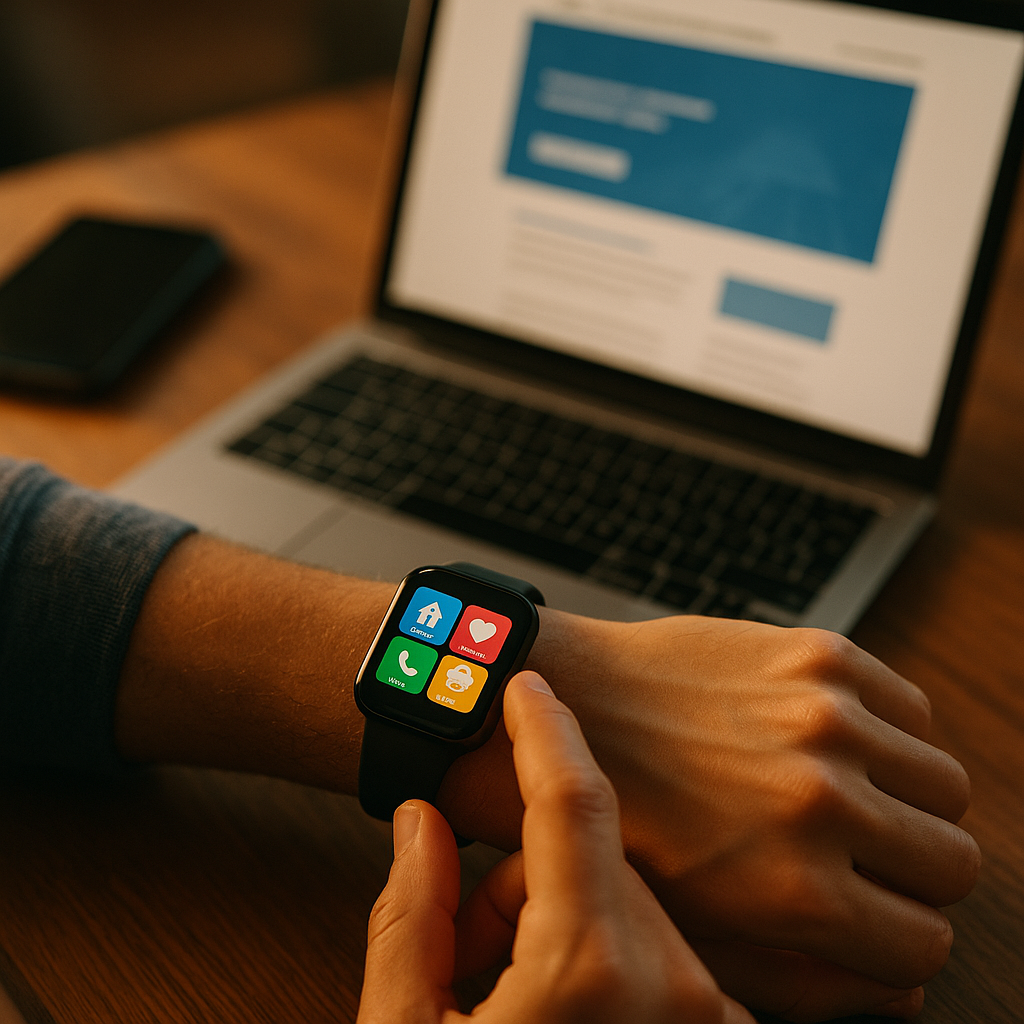
Designing for the wearable web forces teams to rethink screens, input, and attention. Watches and glasses deliver information in seconds, often while users walk, drive, exercise, or work. That context punishes clutter and rewards clarity. In 2025, successful wearable experiences feel effortless: they anticipate intent, respect privacy, and finish tasks fast. The question is: what should you design first?
Wearable UX design principles for glanceable content
Wearables rarely compete for sustained attention. Users look for quick confirmation, not exploration. Your design should treat time as the most limited resource.
Prioritize one primary action per screen. A watch screen that offers three competing actions often results in no action. For glasses, the issue is cognitive load: too many choices distract from the real world.
Make information glanceable. A user should understand the screen in under two seconds. Use:
- Short labels (one to three words) that match user intent, not internal terminology.
- Large, high-contrast typography that survives motion and outdoor lighting.
- Clear visual hierarchy: one focal element (status, next step, or alert) and a supporting detail.
Design for interruption. Wearable sessions end suddenly. Treat each view as a self-contained unit: show the critical status first, then optional context. If a user can’t finish, they should still walk away informed.
Use progressive disclosure. On watches, “more details” often belongs on the paired phone. On glasses, additional context can appear only when requested (voice, gesture, or dwell). This keeps your interface calm while still capable.
Answer the follow-up: how do you choose what to show? Start with the user’s immediate question in context. Examples:
- Fitness: “Am I on pace?” not “Here are 12 metrics.”
- Transit: “When is the next train?” not a full timetable.
- Work alerts: “Is this urgent?” not the entire thread.
Smartwatch UI patterns for small screens and quick actions
Smartwatches are limited by screen size and by interaction friction. Your goal is to reduce taps, reduce typing, and reduce decision points.
Choose the right screen model. Most smartwatch experiences fit into one of these patterns:
- Status card: single metric and trend (e.g., heart rate, delivery ETA).
- Checklist: 3–7 items, each tappable (e.g., tasks, steps in a procedure).
- Approve/decline: a notification-driven flow that ends in one action (e.g., confirm payment, unlock door).
- Remote control: simple media or device controls with immediate feedback.
Design for thumb reach and error prevention. Use generous touch targets and spacing. Accidental taps are common when users are moving. Prefer:
- Two primary actions max (e.g., “Snooze” and “Mark done”).
- Confirmations only when risk is high (money, security, data loss). For low-risk actions, allow quick undo.
- Defaults that match the most common choice, reducing decision time.
Minimize text entry. If the flow requires typing, it likely belongs on a phone. On the watch, use:
- Presets (canned replies, common amounts, frequent destinations).
- Voice input when privacy and environment allow it.
- Simple selectors (time picker, small list, toggles).
Notifications are part of the product. Treat notification content as a first-class UI. Make the title meaningful, put the key fact in the first line, and ensure actions are safe and unambiguous.
Answer the follow-up: how many steps is acceptable? Aim for a single step from notification to completion. If you need two to three steps, each must clearly progress the task, with no dead-end screens.
AR glasses content design for heads-up experiences
Glasses are fundamentally different from watches: they sit in the user’s field of view and share space with the real world. That brings safety, comfort, and social acceptability to the forefront.
Keep overlays minimal and stable. Avoid covering central vision unless the user explicitly requests it. Most successful heads-up content lives near the periphery and appears briefly.
Match content to the environment. Glasses excel at “in-the-moment” assistance:
- Navigation cues at decision points, not a constant map.
- Step-by-step instructions for hands-busy tasks (repairs, cooking, warehouse picking).
- Contextual reminders based on location or time, if the user opts in.
Respect social and privacy norms. If your experience might record audio/video or use computer vision, make consent explicit and revocable. Provide clear indicators when sensors are active and a fast way to pause.
Design for comfort. Poor heads-up design can cause fatigue. Reduce:
- Persistent motion (animations that never stop).
- Dense blocks of text that require prolonged focus.
- Frequent alerts that interrupt real-world tasks.
Input constraints shape content. Glasses often rely on voice, subtle gestures, or touch surfaces. That favors short commands and binary choices. Provide a “what can I say?” help state and support natural phrasing for common intents.
Answer the follow-up: should you port your mobile UI? No. Porting a phone interface to glasses usually creates clutter and risk. Rebuild around moments: “tell me the next step,” “confirm,” “navigate,” “capture,” or “summarize.”
Responsive web for wearables: technical approaches and performance
The web can reach wearables through companion browsers, web views inside apps, and notification-driven entry points. In all cases, performance and resilience matter more than visual richness.
Start with content-first layout. Use a single-column structure, avoid sidebars, and place the most important information first. For watches, consider an even stricter rule: one purpose per page.
Use progressive enhancement. Build a baseline experience that works with limited CSS, limited JavaScript, and intermittent connectivity. Then layer enhancements for capable devices.
Optimize for speed and battery. Wearables magnify the costs of heavy pages. Practical tactics:
- Ship less JavaScript; prefer server-rendered HTML for primary content.
- Reduce network requests and compress assets.
- Avoid continuous polling; use event-driven updates when possible.
- Prefer static icons to video or complex animations.
Design for offline and weak connections. If the user opens a boarding pass or workout plan on a watch, it must still work when reception drops. Cache essential content and show a clear “last updated” state.
Account for device variability. Watch screens vary in shape and density. Glasses vary in display positioning and brightness. Avoid pixel-perfect assumptions; rely on flexible units and robust contrast.
Answer the follow-up: what should you measure? Track time-to-content, interaction completion rate, notification action rate, and error rate (mis-taps, cancellations, timeouts). For wearables, “completed in under 10 seconds” is often a more meaningful KPI than session duration.
Accessibility and inclusive design for wearable devices
Accessibility is not optional on wearables; it directly affects safety and usability. Users operate wearables while multitasking, in bright sunlight, with gloves, or with limited mobility. Inclusive design improves outcomes for everyone.
Make text readable in motion. Use strong contrast, avoid thin fonts, and keep line lengths short. Do not rely on color alone to convey status. Provide clear states like “Connected,” “Paused,” or “Action needed.”
Support assistive features. Ensure your UI works with screen readers, system font scaling, and high-contrast modes where available. For web content, maintain semantic structure so assistive tech can announce key information first.
Design safe interactions. Wearables are often used while walking or commuting. Reduce interaction demand:
- Minimize required precision (large targets, ample spacing).
- Limit time-sensitive prompts that pressure users to act immediately.
- Provide haptic or audio feedback when appropriate and user-approved.
Consider situational impairments. A user in a loud street can’t rely on audio; a runner can’t read tiny text; a worker wearing gloves can’t do fine gestures. Offer multiple modalities: glance, touch, voice, and haptics, while letting users choose what fits their context.
Answer the follow-up: how do you test accessibility on wearables? Combine automated checks with real-device testing outdoors, in motion, and with notifications enabled. Include users with diverse abilities, and test the “worst moment” scenarios: glare, low battery mode, and weak connectivity.
Content strategy for wearables: microcopy, personalization, and trust
Content is the interface on wearables. Microcopy and information design often matter more than visual styling because users decide in seconds whether to act.
Write for immediacy. Use active verbs and concrete nouns. Replace vague labels like “View details” with “See route” or “Open pass.” Keep sentences short; remove filler words.
Be precise with urgency. Overusing “urgent” trains users to ignore you. Establish a clear tiering system:
- Critical: safety, security, major time sensitivity (requires clear action).
- Important: helpful but not dangerous (action optional).
- Passive: status updates (no action, minimal interruption).
Personalize carefully. Personalization should reduce effort, not increase surveillance. Use on-device signals when possible, and explain why a suggestion appears. Give users control over what data powers personalization and allow an easy opt-out.
Build trust with transparent states. Wearables frequently handle sensitive data (health, location, payments). Communicate:
- What is happening (e.g., “Sharing location for this trip only”).
- What you stored (e.g., “Last sync: 2 minutes ago”).
- What the user can do (pause, delete, change permissions).
Apply EEAT in practice. If you provide health, safety, or financial content, show expertise through clear sourcing and appropriate disclaimers, and avoid overstating capabilities. Use accurate terminology, avoid speculative claims, and keep advice aligned with user safety and platform policies.
Answer the follow-up: what content belongs on the wearable vs the phone? Put decision-making and confirmation on the wearable, and place exploration and configuration on the phone. A good rule: if it needs reading, comparing, or composing, it probably belongs off-wrist and off-lens.
FAQs
What is the wearable web?
The wearable web is web-based content and experiences designed to work on wearable devices such as smartwatches and AR glasses, often through lightweight browsers, web views, or companion experiences. It emphasizes fast access, glanceable information, and low-friction actions in real-world contexts.
How do you design content for a smartwatch without oversimplifying?
Start with the single most common user intent and deliver it as a clear status plus one action. Then use progressive disclosure: offer a “more” path to the phone for depth. This keeps the watch experience fast while still supporting complex needs.
What are the best use cases for AR glasses content?
Glasses work best for in-the-moment guidance: navigation cues, hands-free step-by-step instructions, contextual reminders, and quick capture. Avoid long reading, dense dashboards, and constant overlays that compete with the real world.
Should wearable experiences be apps or web?
Use web when you need broad reach, quick updates, and lightweight interactions. Use native apps when you require deep sensor access, advanced background behavior, or tight integration with system features. Many teams succeed with a hybrid approach: web content plus native notifications and actions.
How do you handle privacy and consent on glasses?
Be explicit about what sensors you use and why, provide clear indicators when sensing is active, and offer quick controls to pause or revoke consent. Default to minimal data collection, and store sensitive processing on-device when feasible.
What metrics matter most for wearable UX?
Measure time-to-critical-information, completion rate for top tasks, notification action rate, error rate (mis-taps, cancellations), and opt-out rates for alerts. Also monitor battery and performance impact, because slow or power-hungry experiences are quickly abandoned.
Designing for wearables in 2025 means designing for seconds, not minutes. Treat every screen as a quick decision, every notification as a product surface, and every overlay as a potential distraction. Keep actions simple, content glanceable, and performance tight. When you place trust, accessibility, and context at the center, watches and glasses become genuinely helpful instead of demanding.
Top Influencer Marketing Agencies
The leading agencies shaping influencer marketing in 2026
Agencies ranked by campaign performance, client diversity, platform expertise, proven ROI, industry recognition, and client satisfaction. Assessed through verified case studies, reviews, and industry consultations.
Moburst

-
2

The Shelf
Boutique Beauty & Lifestyle Influencer AgencyA data-driven boutique agency specializing exclusively in beauty, wellness, and lifestyle influencer campaigns on Instagram and TikTok. Best for brands already focused on the beauty/personal care space that need curated, aesthetic-driven content.Clients: Pepsi, The Honest Company, Hims, Elf Cosmetics, Pure LeafVisit The Shelf → -
3

Audiencly
Niche Gaming & Esports Influencer AgencyA specialized agency focused exclusively on gaming and esports creators on YouTube, Twitch, and TikTok. Ideal if your campaign is 100% gaming-focused — from game launches to hardware and esports events.Clients: Epic Games, NordVPN, Ubisoft, Wargaming, Tencent GamesVisit Audiencly → -
4

Viral Nation
Global Influencer Marketing & Talent AgencyA dual talent management and marketing agency with proprietary brand safety tools and a global creator network spanning nano-influencers to celebrities across all major platforms.Clients: Meta, Activision Blizzard, Energizer, Aston Martin, WalmartVisit Viral Nation → -
5

The Influencer Marketing Factory
TikTok, Instagram & YouTube CampaignsA full-service agency with strong TikTok expertise, offering end-to-end campaign management from influencer discovery through performance reporting with a focus on platform-native content.Clients: Google, Snapchat, Universal Music, Bumble, YelpVisit TIMF → -
6

NeoReach
Enterprise Analytics & Influencer CampaignsAn enterprise-focused agency combining managed campaigns with a powerful self-service data platform for influencer search, audience analytics, and attribution modeling.Clients: Amazon, Airbnb, Netflix, Honda, The New York TimesVisit NeoReach → -
7

Ubiquitous
Creator-First Marketing PlatformA tech-driven platform combining self-service tools with managed campaign options, emphasizing speed and scalability for brands managing multiple influencer relationships.Clients: Lyft, Disney, Target, American Eagle, NetflixVisit Ubiquitous → -
8

Obviously
Scalable Enterprise Influencer CampaignsA tech-enabled agency built for high-volume campaigns, coordinating hundreds of creators simultaneously with end-to-end logistics, content rights management, and product seeding.Clients: Google, Ulta Beauty, Converse, AmazonVisit Obviously →