


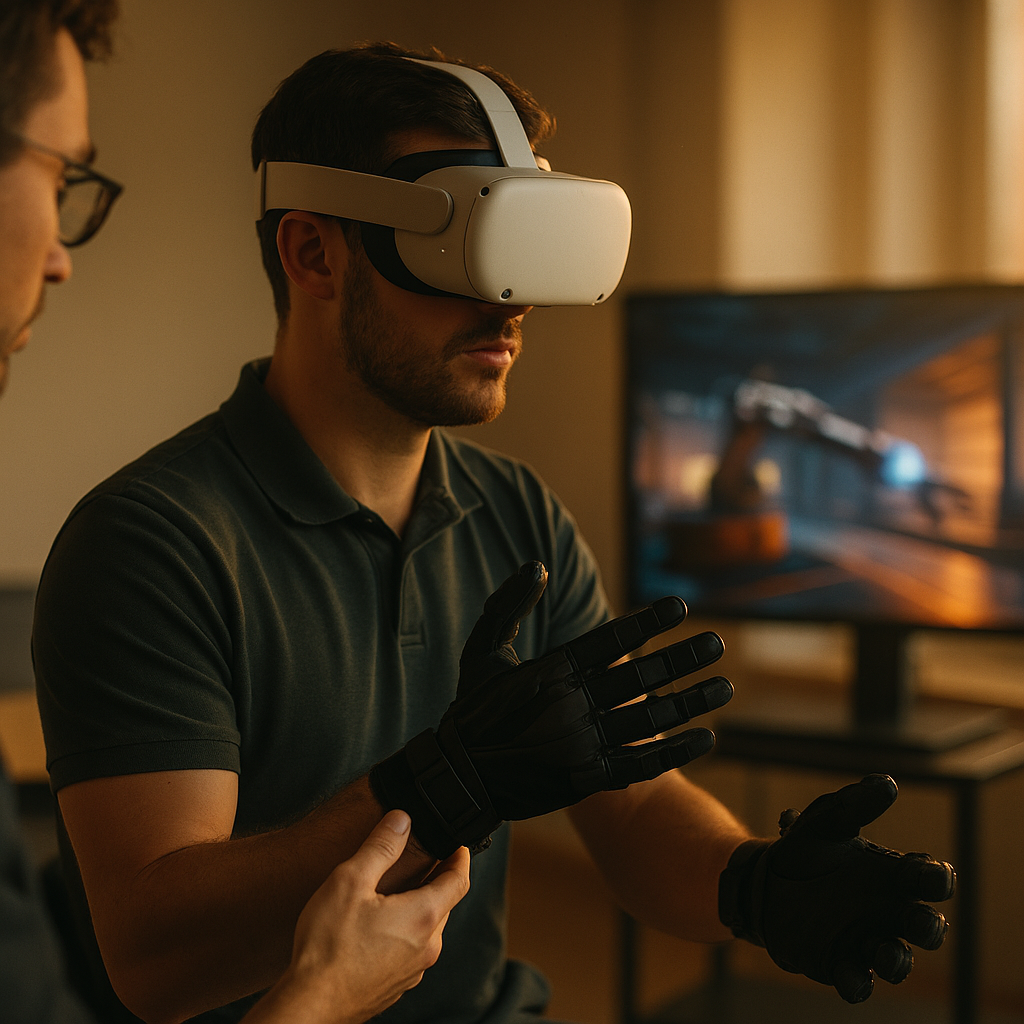
In 2025, mobile training and simulation demand touch that feels real, not gimmicky. This review of Haptic Feedback Platforms for Immersive Mobile Units compares the leading options, clarifies what “good haptics” means in the field, and helps you pick hardware and software that hold up under transport, sweat, and tight schedules. Which platform actually delivers reliable immersion?
What “Immersive Mobile Units” Require: mobile training haptics
Immersive mobile units—trailers, pop-up labs, portable demo rigs, or ruggedized kits—have different constraints than fixed VR rooms. They move between sites, share equipment across users, and must boot fast, calibrate quickly, and survive imperfect environments. Mobile training haptics must therefore balance realism with logistics.
In practice, the most successful deployments prioritize three outcomes:
- Repeatable learning signals: tactile cues that are consistent enough to reinforce correct technique (pressure thresholds, vibration patterns, force limits).
- Low friction operations: quick don/doff, minimal cables, and straightforward cleaning and maintenance.
- Robust integration: stable SDKs, simple content authoring, and compatibility with common engines and device management tools.
Common use cases include field maintenance training (torque, snap-fits, connector seating), medical simulation (palpation, instrument handling), public safety drills (tool feedback under stress), and product demos where “feel” sells the value. A reader’s natural next question is: Which kinds of haptic devices fit these needs? The short answer is that platform choice depends on whether you need vibration cues, force resistance, or fingertip-level tactility—and how much hardware complexity you can tolerate inside a mobile unit.
Core Technology Types to Compare: wearable haptics
Most platforms fall into a few technology families, and each creates a different type of touch illusion. Understanding these categories helps you avoid overpaying for features your scenario cannot meaningfully use.
Wearable haptics typically include gloves, fingertip devices, vests, armbands, and sometimes footwear. They are popular in mobile units because they can travel well, scale across users, and support multi-user sessions if you have enough sets. Within wearables, you’ll see:
- Vibrotactile feedback: motors create patterns of vibration to signal events (impact, texture, alerts). Strength: cost-effective and durable. Limitation: cannot truly “stop” the hand from moving.
- Force feedback / kinesthetic resistance: mechanisms apply resistance to fingers or joints, simulating grasping, triggers, or tool pressure. Strength: convincing interaction. Limitation: heavier, higher maintenance, more calibration.
- Electrotactile / EMS: electrical stimulation can cue sensation or muscle response. Strength: lightweight and expressive. Limitation: comfort variability, safety protocols, and user acceptance.
- Mid-air / ultrasonic: touch sensations without wearing hardware. Strength: easy hygiene and fast throughput. Limitation: narrow interaction volume and reduced realism for “grip” tasks.
Mobile units also frequently rely on controller-based haptics (enhanced gamepad or VR controller vibration) as a baseline. This is often the most reliable path when budgets, schedules, or hygiene constraints dominate. If your learners must practice fine motor skills, however, controller vibration alone rarely provides enough tactile information to transfer skill reliably.
Platform Reviews: Strengths, Limits, and Best-Fit Scenarios for VR haptic gloves
When teams ask for realism, they usually mean hands. VR haptic gloves are the most requested—and most misunderstood—category. Below is a practical review framework plus representative platform types you’ll encounter in procurement.
1) Vibrotactile gloves (training and demos)
- Best for: object contact confirmation, UI interactions, guided procedures, “correct/incorrect” cues, and lightweight deployments.
- Why they work in mobile units: lower failure rates, simpler batteries/charging, quicker size fitting, and easier spares strategy.
- Limitations: no true resistance; grasp feels “suggested” rather than physically constrained.
2) Force-feedback gloves (high-fidelity manipulation)
- Best for: gripping tools, pinching small parts, simulating detents, latches, trigger break, and controlled force application.
- Mobile unit considerations: plan for calibration time, protective cases, higher per-unit cost, and a clear maintenance checklist. You also need a content plan that fully uses the added capability; otherwise, the premium is wasted.
- Limitations: bulk, potential cable management, and more complex fit across varied hand sizes.
3) Fingertip devices and thimbles (modular tactility)
- Best for: precision assembly steps and texture/impact cues on key fingers without full-glove complexity.
- Why teams choose them: easier cleaning, modular replacement, and lower heat buildup.
- Limitations: less “holistic” hand presence; training content must be designed around supported contact points.
How to decide quickly: If your scenario is mostly procedural (sequence, safety checks, confirmations), vibrotactile gloves often deliver the best ROI. If your KPI is correct force application or realistic tool handling, test force-feedback gloves with real trainees and measure performance differences—do not rely on vendor demos alone.
Integration and Content Delivery: haptic SDK and deployment workflow
In 2025, “platform” is as much software as hardware. A strong haptic SDK reduces content cost, shortens iteration cycles, and prevents lock-in surprises. Evaluate these software factors with the same seriousness as device specs.
Engine compatibility and authoring
- Common engines: Ensure mature plugins for your chosen engine and headset ecosystem. Confirm that sample projects cover your actual interaction types (grabs, constraints, tools), not just button presses.
- Haptic authoring tools: Look for timeline editors, pattern libraries, and parameterized effects so designers can iterate without engineering support.
Runtime reliability
- Device discovery and pairing: In mobile units, you will re-pair devices frequently. Favor platforms with stable reconnection logic and clear user feedback for battery/connection state.
- Latency and sync: Haptics that arrive late break immersion and can harm training outcomes. Validate end-to-end latency in your full stack (app + OS + wireless + device firmware).
Device management at scale
- Firmware updates: Ask how updates are delivered, how rollbacks work, and whether offline updates are possible for secure sites.
- Logging and diagnostics: The best platforms include logs for dropped packets, motor faults, calibration drift, and session metadata—critical when troubleshooting on the road.
A useful follow-up question is: Should we standardize on one vendor? For mobile units, standardization reduces spares, training, and troubleshooting. If you must mix devices, require a unified abstraction layer in your software architecture so you can swap hardware without rewriting interactions.
Safety, Hygiene, and Durability in the Field: tactile feedback under real constraints
Field deployments expose weaknesses quickly. Heat, dust, sweat, sunscreen, quick turnovers, and inconsistent storage conditions can all degrade tactile feedback. Treat safety and operations as part of the platform review, not an afterthought.
Safety and comfort
- Skin contact and sensitivity: Verify materials, adjustability, and whether devices cause pressure points during long sessions.
- Electrical stimulation precautions: If considering electrotactile or EMS, require documented safety practices, contraindications screening, and clear instructor protocols.
- Fatigue management: Force-feedback and tight straps can increase fatigue. Build breaks into curricula and monitor trainee feedback.
Hygiene and turnover
- Cleanability: Prefer smooth, wipeable surfaces and removable liners. Confirm that cleaning agents do not degrade coatings or sensors.
- Fit and sizing: Stock multiple sizes or adjustable systems. Faster fitting means more training throughput.
Durability and serviceability
- Rugged transport: Use hard cases with labeled compartments and a charging standard. Devices that survive drops and compression save far more than they cost.
- Replaceable parts: Cables, straps, fingertip caps, and battery packs should be field-replaceable. Ask vendors for lead times and spare-part SKUs.
To apply EEAT principles, document your own test protocol: run repeated don/doff cycles, simulate a full day of sessions, and record failure modes. Procurement decisions are stronger when they include measured operational evidence, not just subjective “feel.”
Buying Criteria and Benchmark Tests: immersive training outcomes you can measure
Haptics should improve immersive training, not just impress in a demo. A practical purchasing approach is to tie platform evaluation to measurable learning and operational metrics.
Key criteria (ranked for mobile units)
- Reliability: session success rate, reconnection behavior, and stability after transport.
- Time-to-ready: average minutes from case to first trainee interaction, including calibration and fitting.
- Content efficiency: how quickly your team can build, tune, and maintain haptic effects across scenarios.
- Throughput: how many trainees per hour per kit without compromising hygiene and comfort.
- Learning impact: improvement in task accuracy, error reduction, and skill retention compared with non-haptic baselines.
- Total cost of ownership: spares, repairs, training, cleaning consumables, and downtime.
Benchmark tests to run before committing
- Latency check: instrument a “tap-to-feel” test and compare across devices in your full environment.
- Repeatability: run the same effect 200+ times and check for drift, motor inconsistency, or calibration changes.
- Operator workflow: have staff set up the unit from scratch with a checklist; time every step.
- Training transfer: pick one critical real-world task (e.g., connector seating or torque threshold) and measure performance improvement versus a control group.
Clear takeaway for buyers: choose the simplest haptics that achieve your training objective, then invest in content quality and operational consistency. The best platform is the one that works every time, anywhere your unit travels.
FAQs
What is the best haptic feedback platform for a mobile VR trailer?
The best platform is the one that meets your objective with minimal operational friction. For high-throughput public demos, durable vibrotactile wearables or controller haptics often win. For technical skill training that depends on applied force, evaluate force-feedback hand devices with measured transfer results and a maintenance plan.
Do haptic gloves significantly improve training outcomes?
They can, when the task relies on hand interaction cues such as contact timing, grip confidence, or force thresholds. If the lesson is primarily visual-procedural, the benefit may be marginal. Validate with a controlled pilot that measures accuracy, errors, and retention rather than relying on subjective immersion ratings.
How do we avoid vendor lock-in with haptics?
Use a software abstraction layer that maps your interactions (grab, press, impact, constraint) to device-specific effects. Prefer SDKs that expose standard APIs, support multiple engines, and provide exportable effect definitions. Contractually require access to effect data and clear support terms.
What latency is acceptable for haptic feedback in immersive simulations?
Lower is better; users notice mismatch quickly during hand interactions. Instead of relying on a single vendor number, measure end-to-end latency in your deployment stack (application, headset, wireless, firmware) and confirm it stays stable during long sessions and crowded RF environments.
How do we manage hygiene with shared wearable haptics?
Choose devices with wipeable surfaces and removable liners, and standardize cleaning between users with approved agents. Build time for cleaning into session scheduling, stock replacement liners, and train staff on fit checks to reduce sweat buildup and pressure points.
What should we budget for beyond the hardware?
Plan for spares, cases, charging infrastructure, consumables (liners, wipes), staff training, firmware management, and ongoing content updates. In mobile units, downtime costs can exceed the price of components, so budget for redundancy and rapid field replacement.
Haptic platforms succeed in mobile deployments when they combine believable touch with dependable operations. In 2025, the strongest choices are not defined by maximum realism in a lab, but by stable pairing, fast setup, cleanability, and SDKs that let teams iterate quickly. Run benchmarks, pilot with real trainees, and select the simplest hardware that measurably improves performance—then scale with confidence.
Top Influencer Marketing Agencies
The leading agencies shaping influencer marketing in 2026
Agencies ranked by campaign performance, client diversity, platform expertise, proven ROI, industry recognition, and client satisfaction. Assessed through verified case studies, reviews, and industry consultations.
Moburst

-
2

The Shelf
Boutique Beauty & Lifestyle Influencer AgencyA data-driven boutique agency specializing exclusively in beauty, wellness, and lifestyle influencer campaigns on Instagram and TikTok. Best for brands already focused on the beauty/personal care space that need curated, aesthetic-driven content.Clients: Pepsi, The Honest Company, Hims, Elf Cosmetics, Pure LeafVisit The Shelf → -
3

Audiencly
Niche Gaming & Esports Influencer AgencyA specialized agency focused exclusively on gaming and esports creators on YouTube, Twitch, and TikTok. Ideal if your campaign is 100% gaming-focused — from game launches to hardware and esports events.Clients: Epic Games, NordVPN, Ubisoft, Wargaming, Tencent GamesVisit Audiencly → -
4

Viral Nation
Global Influencer Marketing & Talent AgencyA dual talent management and marketing agency with proprietary brand safety tools and a global creator network spanning nano-influencers to celebrities across all major platforms.Clients: Meta, Activision Blizzard, Energizer, Aston Martin, WalmartVisit Viral Nation → -
5

The Influencer Marketing Factory
TikTok, Instagram & YouTube CampaignsA full-service agency with strong TikTok expertise, offering end-to-end campaign management from influencer discovery through performance reporting with a focus on platform-native content.Clients: Google, Snapchat, Universal Music, Bumble, YelpVisit TIMF → -
6

NeoReach
Enterprise Analytics & Influencer CampaignsAn enterprise-focused agency combining managed campaigns with a powerful self-service data platform for influencer search, audience analytics, and attribution modeling.Clients: Amazon, Airbnb, Netflix, Honda, The New York TimesVisit NeoReach → -
7

Ubiquitous
Creator-First Marketing PlatformA tech-driven platform combining self-service tools with managed campaign options, emphasizing speed and scalability for brands managing multiple influencer relationships.Clients: Lyft, Disney, Target, American Eagle, NetflixVisit Ubiquitous → -
8

Obviously
Scalable Enterprise Influencer CampaignsA tech-enabled agency built for high-volume campaigns, coordinating hundreds of creators simultaneously with end-to-end logistics, content rights management, and product seeding.Clients: Google, Ulta Beauty, Converse, AmazonVisit Obviously →