


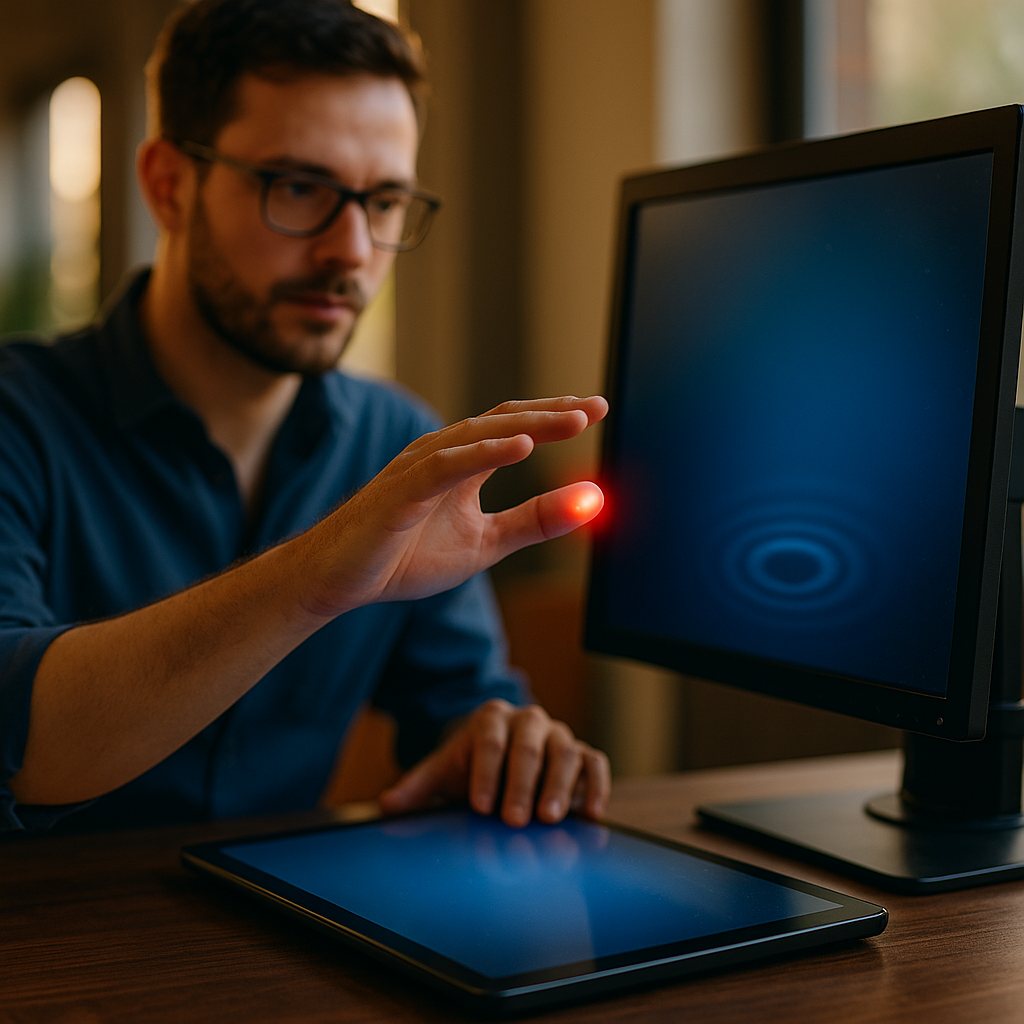
Ultra Haptics is redefining how people interact with digital interfaces by letting users feel tactile feedback in mid air, without gloves or physical buttons. In 2025, brands and product teams are testing this technology to create cleaner surfaces, safer public kiosks, and more memorable experiences. If your interface could be felt instead of touched, what would that change for your customers?
How ultrasonic haptic feedback works in mid air
Mid-air haptics rely on focused ultrasound to create points of pressure on a user’s skin. An array of ultrasonic transducers emits sound waves above the range of human hearing. By precisely controlling the phase and amplitude of those waves, the system forms a “focal point” where acoustic energy concentrates. When that focal point meets the hand, the skin experiences a localized force that feels like a tap, a buzz, or a textured ridge.
What makes this approach different from common haptics (like phone vibration) is spatial control. Instead of shaking a device, the system places sensations in space. With real-time hand tracking, the haptic points can move with the user’s fingers, making virtual controls feel anchored and intentional.
Readers usually ask whether this is safe. Commercial mid-air systems are designed to operate within established acoustic exposure guidelines and are typically engineered with monitoring, automatic power management, and distance constraints. In practice, the user feels a gentle pressure sensation, not pain or heat. For deployments, responsible teams still validate safety and compliance for the exact hardware configuration, environment, and use case.
Mid-air buttons and brand experience design
Brands spend years building recognition through sound, visual language, and physical design. Mid-air haptics add a new layer: a consistent “feel” for a brand action. A virtual “Confirm” could feel like a crisp click. A premium mode selector might feel like a notched dial. A warning could feel like a sharp pulse pattern that is unmistakable even without looking.
That is the core promise of feeling brand buttons: tactile signatures that work across screens and surfaces. Instead of every interface using the same glass tap, organizations can align sensation with brand attributes—precise, playful, calming, or authoritative—while maintaining usability standards.
To keep this helpful (and not gimmicky), treat haptic design as part of the interaction system:
- Map sensation to meaning: use one pattern for “success,” another for “error,” and keep it consistent.
- Match intensity to importance: critical actions should feel distinct but not startling.
- Design for recognition: short, repeatable tactile motifs are easier to learn than complex ones.
- Confirm state changes: mid-air haptics excel at communicating “you activated it” without extra visuals.
Teams often worry about novelty fatigue. The practical answer is to use tactile feedback selectively, emphasizing high-value moments: authentication, confirmation, mode switching, and safety-related steps. That preserves impact and reduces sensory clutter.
Touchless interfaces for retail, automotive, and public kiosks
Mid-air haptics are not a universal replacement for touchscreens; they are a strong fit where surfaces should stay clean, glove-friendly, or visually minimal. In 2025, the most common pilots and early deployments cluster around three environments:
- Retail and brand activations: interactive displays where visitors can “feel” product features, navigate catalogs, or trigger demos without touching shared hardware.
- Automotive cabins: gesture controls that provide tactile confirmation so drivers can keep attention on the road. Here, haptics can reduce repeated glances by making controls easier to operate by feel.
- Public kiosks and museums: ticketing, wayfinding, and exhibits where touchless interaction can improve maintenance and reduce smudging while still feeling responsive.
Readers typically ask, “Why not just use gestures without haptics?” Because gesture-only systems often suffer from uncertainty. Users wonder whether the system “saw” their hand or whether an action registered. Mid-air tactile feedback addresses that gap with immediate, localized confirmation—effectively restoring the missing sensation of a button press.
Another follow-up is about environmental robustness. Strong ambient noise does not usually interfere because the ultrasound is above audible range, but physical constraints matter: placement, airflow, and reflective surfaces can affect tracking quality. High-performing setups treat the haptic field, tracking sensors, and UI layout as one engineered system rather than bolt-on components.
UX accessibility and multisensory feedback without wearables
Good accessibility is not only about compliance; it is about building interfaces that more people can use confidently. Mid-air haptics can support multisensory UX by adding tactile cues to visual and auditory signals. That helps users who have situational limitations (bright sunlight, noisy spaces) and can also support some users with visual impairments when paired with audio guidance and clear interaction models.
However, EEAT requires being candid about limitations. Mid-air haptics do not replicate the full force and travel of a mechanical button, and sensitivity varies by person. Some users may have reduced tactile perception or may prefer physical controls. The best designs offer redundant cues:
- Tactile + audio for confirmations and warnings
- Tactile + visual focus states for selection and navigation
- Clear error recovery (undo, back, and confirmation steps)
To make touchless interfaces inclusive, design for a range of heights, hand sizes, and interaction distances. Provide calibration that takes seconds, not minutes. Avoid relying on subtle sensations alone for safety-critical decisions. When haptics signal risk (for example, “hands too close”), pair it with clear on-screen messaging and, where appropriate, audible alerts.
Challenges: latency, precision, safety, and integration
Mid-air haptics succeed or fail on execution. The sensation may be impressive in a demo, but everyday usability depends on measurable performance. The key challenges product teams should plan for are:
- Latency: If tracking and haptics lag behind the hand, the sensation feels “slippery.” Aim for responsiveness that feels immediate, especially for button-like interactions.
- Spatial precision: The focal point must align with the UI target in space. Misalignment erodes trust quickly.
- Hand tracking reliability: Occlusion, lighting, and sensor placement all impact performance. The UI should degrade gracefully when tracking confidence drops.
- Perceptual tuning: Frequency, modulation, and intensity must be tuned for varied skin sensitivity while avoiding discomfort.
- Safety and compliance: Use vendor guidance, conduct risk assessments, and document exposure parameters and testing. Responsible deployments treat safety as a product requirement, not a footnote.
- Industrial design integration: Ultrasound arrays, sensors, and compute need space, cooling, and serviceability—especially in kiosks and vehicles.
Many decision-makers also ask about cost and ROI. The most realistic ROI cases focus on reducing friction (fewer failed interactions), improving hygiene perception (cleaner shared devices), boosting conversion in retail experiences, and supporting safety in automotive interfaces through more eyes-forward interaction.
A pragmatic way to evaluate is to run a controlled pilot with defined success metrics: task completion time, error rate, glance behavior (where relevant), user confidence ratings, and maintenance impacts. If you cannot measure improvement, the feature is likely not ready for production.
Future of haptic branding and spatial UI in 2025
In 2025, the most valuable shift is not “touchless for its own sake,” but spatial UI that blends visuals, sound, and tactile feedback into a coherent system. As more environments adopt large displays, transparent screens, and mixed-reality elements, mid-air haptics can anchor interactions in physical space and reduce the cognitive load of “intangible” controls.
Haptic branding will mature in the same way audio branding did: from one-off effects to standardized libraries, guidelines, and QA processes. Expect leading teams to define:
- Tactile design tokens (patterns for click, confirm, error, warning)
- Intensity scales tied to action criticality
- Context rules (public kiosk vs. car vs. retail demo)
- Accessibility rules that ensure tactile cues never operate alone
Another likely evolution is tighter coupling with personalization. Users may be able to choose stronger or softer tactile feedback, or switch to patterns that are easier for them to perceive. That keeps the “brand feel” consistent while respecting individual comfort and accessibility needs.
Finally, adoption will depend on trust. The products that win will be the ones that feel reliable: the button is always where it should be, the confirmation is always clear, and the system behaves predictably under real-world conditions.
FAQs about Ultra Haptics and mid-air brand buttons
What is Ultra Haptics used for?
Ultra Haptics is used to create tactile sensations in mid air using focused ultrasound. Typical use cases include touchless buttons for kiosks, automotive gesture controls with tactile confirmation, and interactive retail displays that feel more responsive than gesture-only systems.
Do mid-air haptic buttons feel like real buttons?
They can feel like a tap, click, pulse, or textured surface, but they do not provide the mechanical travel of a physical switch. The best designs focus on clear confirmation and recognizable patterns rather than trying to perfectly mimic deep button movement.
Is ultrasonic mid-air haptics safe for users?
Systems are engineered to operate within established safety guidelines and typically produce gentle pressure sensations. For any deployment, teams should follow vendor specifications, validate exposure parameters in the final hardware setup, and complete documented risk and compliance checks.
What industries benefit most from touchless haptics in 2025?
Retail brand experiences, automotive interiors, and public kiosks benefit most because they combine high interaction volume with a need for clean surfaces, reduced visual distraction, or more intuitive controls that work without direct contact.
How do you design a “brand feel” for mid-air buttons?
Create a small library of tactile patterns mapped to meaning (confirm, cancel, error, warning), standardize intensity levels, and test recognition and comfort with real users. Keep patterns short and consistent across touchpoints to build familiarity.
What do you need to deploy mid-air haptics?
You typically need an ultrasonic transducer array, reliable hand tracking, UI software that maps spatial targets to tactile outputs, and an enclosure or mounting design that supports sensor alignment, maintenance, and environmental constraints.
Mid-air haptics are moving interfaces from “tap and hope” to interactions you can feel, even when nothing is physically there. In 2025, the strongest opportunities sit in kiosks, cars, and retail spaces where confidence, cleanliness, and brand differentiation matter. The takeaway is simple: design tactile feedback as a system—measured, accessible, and consistent—and mid-air buttons can become a real competitive advantage.
Top Influencer Marketing Agencies
The leading agencies shaping influencer marketing in 2026
Agencies ranked by campaign performance, client diversity, platform expertise, proven ROI, industry recognition, and client satisfaction. Assessed through verified case studies, reviews, and industry consultations.
Moburst

-
2

The Shelf
Boutique Beauty & Lifestyle Influencer AgencyA data-driven boutique agency specializing exclusively in beauty, wellness, and lifestyle influencer campaigns on Instagram and TikTok. Best for brands already focused on the beauty/personal care space that need curated, aesthetic-driven content.Clients: Pepsi, The Honest Company, Hims, Elf Cosmetics, Pure LeafVisit The Shelf → -
3

Audiencly
Niche Gaming & Esports Influencer AgencyA specialized agency focused exclusively on gaming and esports creators on YouTube, Twitch, and TikTok. Ideal if your campaign is 100% gaming-focused — from game launches to hardware and esports events.Clients: Epic Games, NordVPN, Ubisoft, Wargaming, Tencent GamesVisit Audiencly → -
4

Viral Nation
Global Influencer Marketing & Talent AgencyA dual talent management and marketing agency with proprietary brand safety tools and a global creator network spanning nano-influencers to celebrities across all major platforms.Clients: Meta, Activision Blizzard, Energizer, Aston Martin, WalmartVisit Viral Nation → -
5

The Influencer Marketing Factory
TikTok, Instagram & YouTube CampaignsA full-service agency with strong TikTok expertise, offering end-to-end campaign management from influencer discovery through performance reporting with a focus on platform-native content.Clients: Google, Snapchat, Universal Music, Bumble, YelpVisit TIMF → -
6

NeoReach
Enterprise Analytics & Influencer CampaignsAn enterprise-focused agency combining managed campaigns with a powerful self-service data platform for influencer search, audience analytics, and attribution modeling.Clients: Amazon, Airbnb, Netflix, Honda, The New York TimesVisit NeoReach → -
7

Ubiquitous
Creator-First Marketing PlatformA tech-driven platform combining self-service tools with managed campaign options, emphasizing speed and scalability for brands managing multiple influencer relationships.Clients: Lyft, Disney, Target, American Eagle, NetflixVisit Ubiquitous → -
8

Obviously
Scalable Enterprise Influencer CampaignsA tech-enabled agency built for high-volume campaigns, coordinating hundreds of creators simultaneously with end-to-end logistics, content rights management, and product seeding.Clients: Google, Ulta Beauty, Converse, AmazonVisit Obviously →