


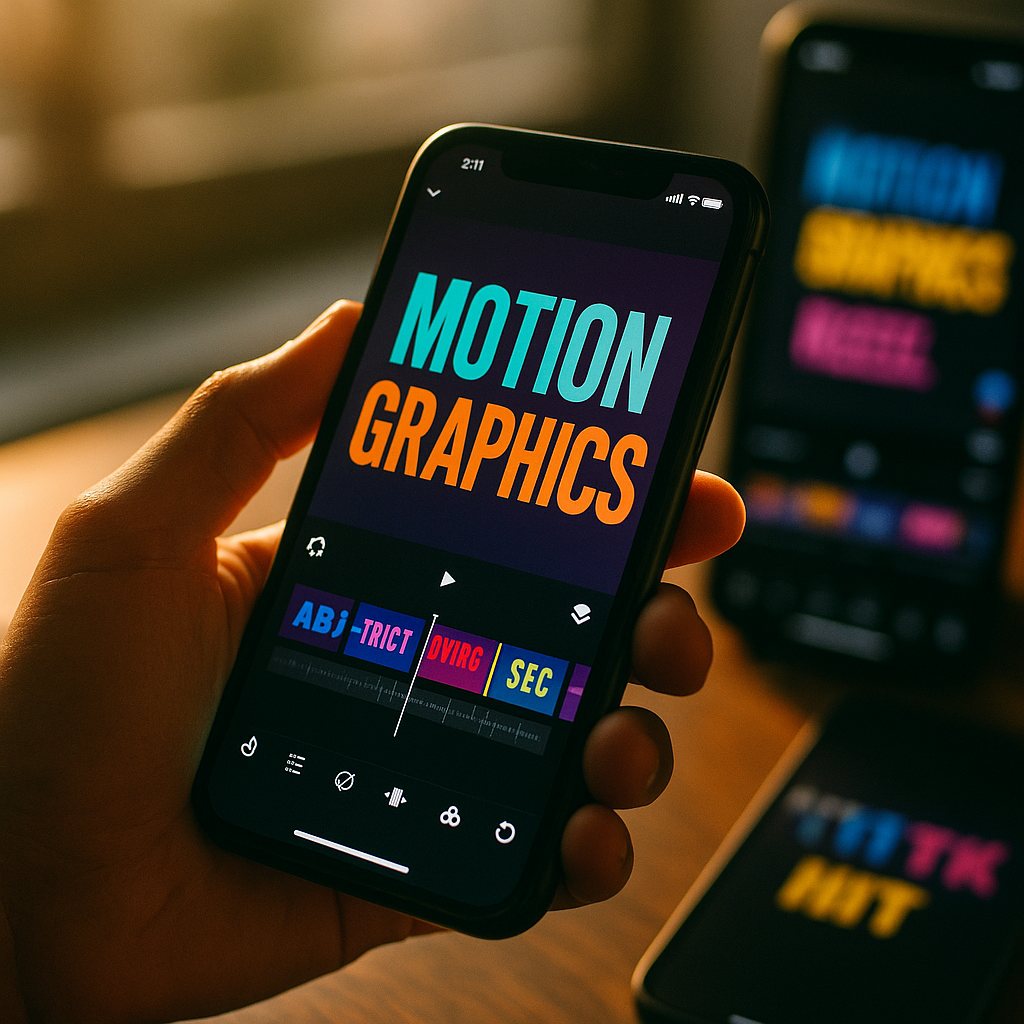
Creators in 2026 compete for attention in seconds, and kinetic typography has become one of the smartest ways to stop the scroll. Animated text can reinforce spoken words, improve accessibility, and guide viewers through fast narratives. When used with purpose, it raises clarity, retention, and watch time across Reels, Shorts, and TikTok. Here is what actually works now.
Why kinetic text animation improves short form video engagement
Kinetic text animation is the practice of moving on-screen words in sync with voice, music, or key visual beats. In short form video, that movement does more than look polished. It helps viewers process information faster, especially when they watch without sound, skim content in noisy environments, or decide within the first second whether a clip is worth their time.
From a user-experience perspective, animated text works because it creates hierarchy. It tells the eye where to look first, what matters most, and when a point changes. That reduces cognitive friction. Instead of asking a viewer to decode a crowded screen, you guide them through a clear visual path.
This matters for view rates because platforms reward signals tied to attention. If people pause, keep watching, rewatch, or complete a larger portion of the clip, distribution often improves. Kinetic typography can support all of those outcomes when it is used strategically rather than decoratively.
It also strengthens message retention. A spoken phrase paired with timed text gives the brain two channels for processing the same idea. That dual reinforcement is useful in educational clips, product explainers, testimonials, and creator-led commentary. Viewers not only hear the idea; they see its structure.
To get these benefits, the animation must support meaning. Flashy motion without a reason often lowers readability and feels dated. Strong creators use motion to emphasize the right word, pace the narrative, and keep the screen active without becoming chaotic.
Short form video retention strategies powered by readable motion
If your goal is higher short form video retention, start by treating typography as part of the edit, not an afterthought. Good motion text increases continuity from opening hook to closing payoff. The following principles consistently improve outcomes.
- Lead with a text hook in the first second. Put the central promise on screen immediately. Examples include a result, a surprising claim, a mistake to avoid, or a fast before-and-after statement.
- Animate for emphasis, not constant movement. Motion should appear where attention needs a push: key verbs, numbers, outcomes, or transitions between ideas.
- Keep phrases short. In fast formats, viewers process chunks better than full sentences. Break ideas into punchy lines that appear exactly when they are needed.
- Use timing that matches speech cadence. If words arrive too early or too late, the viewer experiences friction. Tight sync increases flow and professionalism.
- Hold important text long enough to read. Many creators animate text in quickly but remove it too fast. A useful rule is to test the clip once with sound off and make sure every critical phrase is still clear.
- Create visual contrast. Text that blends into the background gets ignored. Use color, shadow, stroke, or a soft backing shape to preserve legibility on mobile screens.
Retention also improves when animated text mirrors the structure of a good script. A short form video usually needs a hook, context, payoff, and next step. Typography can mark each phase. For example, the hook might slam in with bold scaling, the context might use cleaner lower-thirds, and the payoff might land with a larger, centered phrase.
One practical production tip: review your edit at normal speed and at 1.5x speed. If the text remains legible and the movement still feels intentional, you are likely close to the right pace for modern feed behavior.
Video caption design best practices for mobile-first viewing
Many teams confuse kinetic typography with captions. They overlap, but they are not the same. Captions aim to transcribe speech accurately. Kinetic typography aims to shape attention. The best short form videos combine both goals through strong video caption design.
On mobile, readability is the baseline requirement. If viewers cannot read your text instantly, design quality does not matter. Use these mobile-first standards:
- Choose clear sans-serif fonts. Clean typefaces generally perform better on small screens than decorative options.
- Limit font families. One or two families are enough. Too many styles make the edit feel inconsistent and harder to scan.
- Maintain generous size. Small text is one of the fastest ways to lose viewers. Design for handheld viewing, not desktop preview windows.
- Respect safe zones. Platform interfaces can cover the lower and side edges of the frame. Keep essential text away from these crowded areas.
- Use contrast consistently. Light text on dark overlays or dark text on light overlays works best. Contrast should hold across changing backgrounds.
- Highlight selectively. Color emphasis works well for prices, outcomes, names, and action words, but too many highlight colors reduce impact.
Accessibility should also guide your choices. Viewers with hearing differences, language barriers, or environmental distractions rely heavily on readable on-screen text. That means your typography decisions affect both performance and inclusivity. In practical terms, good accessibility often leads to broader reach and stronger completion rates.
Another useful approach is layering information. Keep spoken captions concise, then use kinetic callouts for only the most valuable words. This prevents the screen from feeling overloaded while still delivering visual energy. For example, a product demo might show spoken captions near the bottom, while animated benefit words appear near the product itself.
Finally, test your design on actual phones. Edits that look balanced on a large monitor can feel cramped on a vertical screen. The most reliable quality check is simple: if the message is clear on a phone at arm’s length, your caption design is doing its job.
Motion graphics for social media: styles that increase watch time
Not every animation style suits every video. In fact, one of the biggest reasons kinetic typography underperforms is style mismatch. Motion graphics for social media should align with the content category, audience expectations, and pacing of the platform.
Here are the most effective style patterns for short form video in 2026:
- Beat-synced punch text. Ideal for entertainment, lifestyle, sports, and trend-driven edits. Text hits on music beats or sound design cues, creating momentum.
- Minimal kinetic captions. Best for thought leadership, educational explainers, and founder content. Clean movement adds polish without distracting from the speaker.
- Explainer callouts. Great for tutorials and product demos. Labels, arrows, and animated feature names direct focus to exact areas of the screen.
- Comic-style impact words. Useful in humor or reaction content when applied sparingly. They amplify emotional moments and support replay value.
- Data-led text sequences. Strong for finance, health, B2B, and news commentary. Numbers and comparisons animate in steps, helping the viewer follow logic quickly.
Watch time increases when style and content reinforce each other. A financial creator using chaotic bounce text may appear less credible. A comedy channel using static subtitles may lose energy. The right motion language communicates both information and brand personality.
Consistency matters too. Repeating a recognizable typography system across videos can improve audience familiarity. That does not mean every clip should look identical. It means your viewers should recognize your pacing, color logic, and text treatment as part of your brand. Familiarity reduces friction and can help viewers settle into the content faster.
If you work with clients or teams, build a lightweight motion style guide. Define primary fonts, max words per line, highlight colors, transition types, and timing rules. Standardization speeds production and protects quality when publishing at scale.
Social video editing tips to measure what actually lifts view rates
Strong design is only half the job. To know whether kinetic typography truly improves performance, you need a testing method. Too many teams assume animated text helps because it looks better. In practice, only measured changes count.
Start with one variable at a time. Test the same video concept with two versions, changing only the typography approach. For example, compare static captions against dynamic emphasis text. Or compare a hook with no opening text against a version with a bold first-frame statement.
Focus on metrics that relate directly to attention:
- View rate or hold rate in the first 1-3 seconds to evaluate the opening hook
- Average watch time to assess sustained attention
- Completion rate to understand whether the pacing supports full viewing
- Rewatch rate to see whether the motion creates replayable moments
- Shares and saves for educational or insight-led content where utility matters
One useful workflow is to audit drop-off points on your highest-volume platform. If viewers leave after the first promise, your text may be overselling the payoff. If they leave during explanation, the typography may not be clarifying enough. If they leave near the end, your close may need a stronger visual conclusion.
Practical social video editing tips include shortening text-heavy sections, increasing the size of key phrases, and removing animation styles that compete with the subject’s face or product. In many cases, less motion performs better than more. The goal is not to impress other editors. The goal is to make watching feel effortless.
Experience matters here. Teams that publish frequently often notice patterns fast: educational content tends to benefit from clear progressive text, while lifestyle content may benefit more from rhythm and emotional emphasis. Document those patterns by niche, because what wins in one category may underperform in another.
Content creation for TikTok and Reels: common mistakes to avoid
Even good editors make avoidable mistakes with content creation for TikTok and Reels. These errors often lower view rates because they interrupt comprehension or make the video feel overproduced in the wrong way.
- Animating every word. Constant movement exhausts the viewer and weakens emphasis. Prioritize only the words that carry the message.
- Using text that covers the subject. If viewers cannot see the face, hands, or product clearly, you create tension between reading and watching.
- Choosing trendy effects that hurt readability. Distortion, excessive rotation, and ultra-fast flicker may look current for a week but often hurt performance.
- Ignoring platform-native behavior. TikTok, Reels, and Shorts share features, but audience expectations can differ. Adapt pacing and caption density to each environment.
- Failing to localize language and references. Global audiences may not understand slang, abbreviations, or cultural shorthand. Clear text broadens reach.
- Letting templates replace strategy. Templates save time, but a templated style should still fit the script, speaker, and brand.
Another mistake is neglecting authenticity. Kinetic typography should support a human message, not hide a weak one. A clear point, strong hook, and real value still matter most. If the script lacks substance, animated text will not rescue the video for long.
A better approach is simple: script for clarity, edit for speed, and animate for emphasis. When those three elements line up, the result feels natural and persuasive rather than forced.
FAQs about kinetic typography for short form video
What is kinetic typography in short form video?
Kinetic typography is animated on-screen text that moves in sync with speech, music, or visual beats. In short form video, it helps emphasize key points, improve readability, and guide viewer attention.
Does kinetic typography really increase view rates?
It can, when used strategically. It often improves first-second attention, comprehension, and retention, especially for mobile viewers watching without sound. Results depend on readability, pacing, and how well the text supports the message.
How much text should appear on screen at once?
Usually less is better. Short phrases or compact caption chunks are easier to process than full sentences. Keep only the most important words visible, and avoid crowding the frame.
What fonts work best for animated text in vertical video?
Clean sans-serif fonts are usually the safest choice for mobile readability. Pick fonts with clear letterforms, use adequate size, and maintain strong contrast against the background.
Should I caption every short form video?
In most cases, yes. Many viewers watch with sound off or in distracting environments. Captions improve accessibility and comprehension, while kinetic emphasis text can reinforce the most important ideas.
What is the biggest mistake creators make with kinetic typography?
Overanimation. When every word moves, nothing feels important. Too much motion also hurts readability and can distract from the speaker, product, or story.
How do I test whether my animated text is helping?
Run A/B tests on similar videos or alternate edits of the same concept. Compare hold rate, average watch time, completion rate, and rewatch behavior. Keep the script and thumbnail-like opening frame as similar as possible.
Which platforms benefit most from kinetic typography?
TikTok, Instagram Reels, and YouTube Shorts all benefit because they are fast, mobile-first environments where clarity and immediate engagement matter. The exact pacing and style should still be tailored to each platform.
Can kinetic typography help branded content and ads?
Yes. It can clarify the offer quickly, highlight benefits, and keep branded social content readable even without audio. For ads, concise animated text can support stronger hook-to-offer flow.
Do I need advanced software to create effective kinetic typography?
No. Professional tools help, but many creators produce effective animated text with built-in platform editors or accessible mobile apps. Strategy, readability, and timing matter more than complex effects.
Kinetic typography works best when it serves attention, clarity, and retention rather than decoration. In 2026, the winning short form videos use animated text to sharpen hooks, support silent viewing, and pace information for mobile audiences. Keep motion readable, test it against real metrics, and let every on-screen word earn its place. That is how text starts lifting view rates instead of cluttering the frame.
Top Influencer Marketing Agencies
The leading agencies shaping influencer marketing in 2026
Agencies ranked by campaign performance, client diversity, platform expertise, proven ROI, industry recognition, and client satisfaction. Assessed through verified case studies, reviews, and industry consultations.
Moburst

-
2

The Shelf
Boutique Beauty & Lifestyle Influencer AgencyA data-driven boutique agency specializing exclusively in beauty, wellness, and lifestyle influencer campaigns on Instagram and TikTok. Best for brands already focused on the beauty/personal care space that need curated, aesthetic-driven content.Clients: Pepsi, The Honest Company, Hims, Elf Cosmetics, Pure LeafVisit The Shelf → -
3

Audiencly
Niche Gaming & Esports Influencer AgencyA specialized agency focused exclusively on gaming and esports creators on YouTube, Twitch, and TikTok. Ideal if your campaign is 100% gaming-focused — from game launches to hardware and esports events.Clients: Epic Games, NordVPN, Ubisoft, Wargaming, Tencent GamesVisit Audiencly → -
4

Viral Nation
Global Influencer Marketing & Talent AgencyA dual talent management and marketing agency with proprietary brand safety tools and a global creator network spanning nano-influencers to celebrities across all major platforms.Clients: Meta, Activision Blizzard, Energizer, Aston Martin, WalmartVisit Viral Nation → -
5

The Influencer Marketing Factory
TikTok, Instagram & YouTube CampaignsA full-service agency with strong TikTok expertise, offering end-to-end campaign management from influencer discovery through performance reporting with a focus on platform-native content.Clients: Google, Snapchat, Universal Music, Bumble, YelpVisit TIMF → -
6

NeoReach
Enterprise Analytics & Influencer CampaignsAn enterprise-focused agency combining managed campaigns with a powerful self-service data platform for influencer search, audience analytics, and attribution modeling.Clients: Amazon, Airbnb, Netflix, Honda, The New York TimesVisit NeoReach → -
7

Ubiquitous
Creator-First Marketing PlatformA tech-driven platform combining self-service tools with managed campaign options, emphasizing speed and scalability for brands managing multiple influencer relationships.Clients: Lyft, Disney, Target, American Eagle, NetflixVisit Ubiquitous → -
8

Obviously
Scalable Enterprise Influencer CampaignsA tech-enabled agency built for high-volume campaigns, coordinating hundreds of creators simultaneously with end-to-end logistics, content rights management, and product seeding.Clients: Google, Ulta Beauty, Converse, AmazonVisit Obviously →