


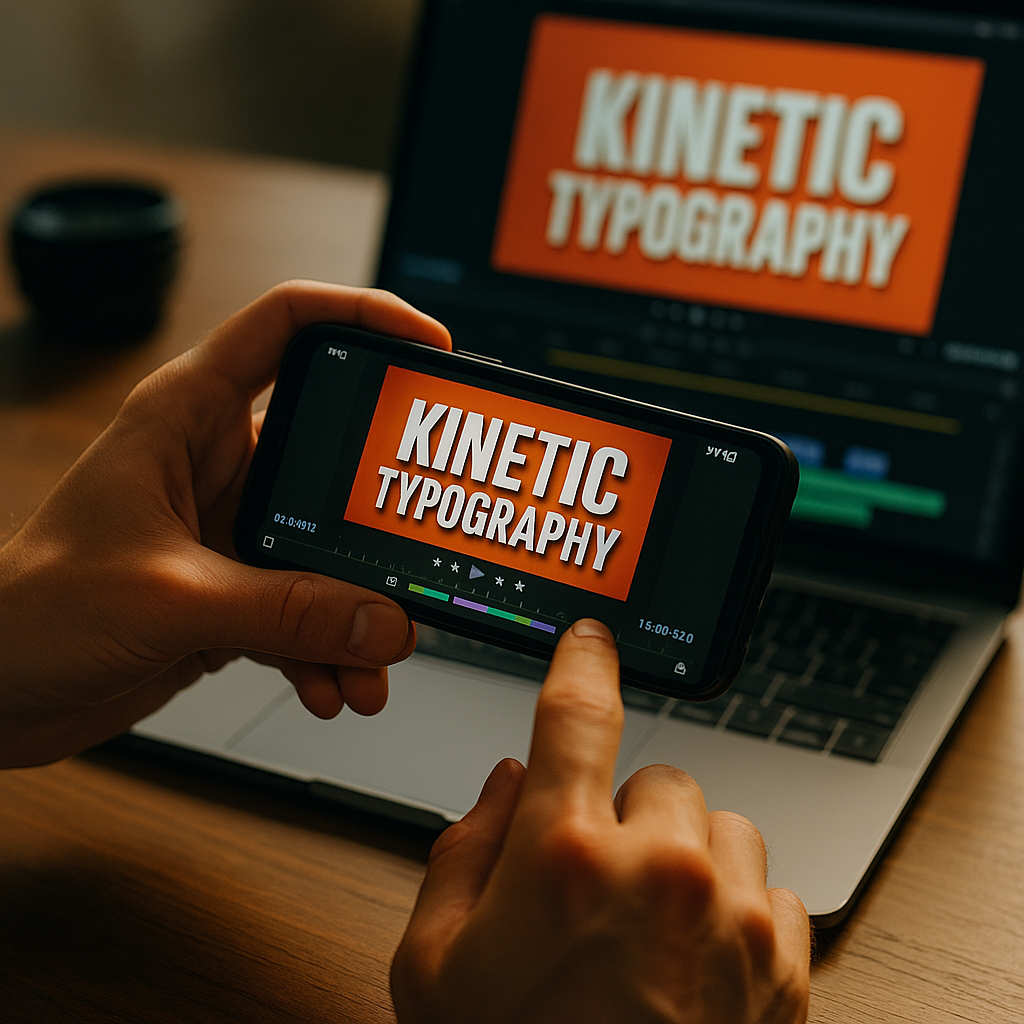
Using kinetic typography in short-form video is no longer a stylistic extra in 2026. It is a practical retention tool that helps viewers read, feel, and remember your message in seconds. When text moves with purpose, it can stop scrolling, clarify audio, and increase watch time across TikTok, Reels, Shorts, and beyond. The real advantage appears when every frame earns attention.
Why short-form video engagement improves with kinetic typography
Kinetic typography is animated text designed to support meaning, timing, and emotional impact. In short-form video, that matters because attention is limited and competition is constant. Users often decide within the first second or two whether to keep watching. Moving text gives them an immediate reason to stay.
The biggest performance benefit is clarity. Many viewers watch with sound off, with distractions around them, or in environments where audio is hard to follow. Animated text communicates the core message even before a voiceover fully lands. That makes the content more accessible and more efficient.
It also improves pacing. Instead of placing static captions at the bottom and hoping viewers keep up, creators can reveal words in sync with beats, jokes, claims, or product benefits. This creates a visual rhythm that carries the viewer forward. Good kinetic typography works like editing: it guides the eye, emphasizes key moments, and reduces drop-off.
From an EEAT perspective, creators and brands should use text animation to improve the experience, not to decorate weak content. Helpful content puts the user first. If typography makes a tutorial easier to follow, a product demo easier to understand, or a story easier to remember, it serves a real purpose.
Used well, kinetic typography supports several metrics tied to view rates and completion:
- Stronger first-second retention through bold visual hooks
- Higher average watch time from paced information delivery
- Better message recall because viewers see and hear the idea
- Improved accessibility for sound-off and multilingual audiences
- More replays when animated wording rewards a second look
The key takeaway is simple: kinetic typography helps viewers process content faster. On platforms where speed and clarity define success, that makes it a performance tool, not just a design trend.
How video view rates respond to motion-driven text design
View rate improves when more people choose to continue watching after the impression becomes a play. Kinetic typography influences that decision at two critical points: the opening hook and the mid-video momentum.
At the opening, animated text can frame the value proposition instantly. For example, a creator discussing fitness habits might open with fast, high-contrast text that says 3 mistakes ruining your recovery. A finance brand might lead with Stop wasting money on this subscription. The point is not shock. It is relevance, delivered fast.
Mid-video, text animation can maintain viewer focus by chunking information into digestible pieces. This is especially effective in educational, how-to, and product-led content. Instead of presenting everything through spoken language, the video can introduce one phrase at a time, reinforcing the structure of the message.
Several design principles make this work:
- Use hierarchy. Make the most important words larger, brighter, or more animated than supporting text.
- Match movement to meaning. A word like drop can fall. A word like fast can slide quickly. This improves comprehension.
- Limit on-screen overload. Too many animated elements at once reduce readability and increase cognitive strain.
- Keep timing readable. If viewers cannot read the text comfortably on first watch, view rate may suffer instead of improve.
- Respect safe zones. Platform UI can cover text near edges, especially on mobile screens.
Creators often ask whether kinetic typography should replace captions. Usually, no. Captions and motion text serve different roles. Captions improve accessibility and comprehension of spoken words. Kinetic typography highlights selected ideas, transitions, and emotional beats. The strongest short-form videos often combine both.
Another common question is whether highly animated text hurts authenticity. It can, if the style feels disconnected from the creator or brand. A polished SaaS explainer, a raw creator confessional, and a luxury beauty ad should not use the same motion language. Typography should fit the voice of the content. Authenticity in 2026 comes from consistency, not from looking unedited.
Best kinetic typography tips for TikTok, Reels, and Shorts
Platform behavior differs, but the fundamentals stay the same: hook quickly, stay readable, and animate with intent. The following best practices work across TikTok, Instagram Reels, and YouTube Shorts.
- Front-load the message. Put your strongest animated text in the first two seconds. Lead with a problem, payoff, or tension point.
- Design for mobile first. Use large type, strong contrast, and generous spacing. What looks clean on a desktop preview can become unreadable on a phone.
- Use 2-3 font styles at most. Too many typefaces weaken brand recognition and distract from the message.
- Animate key words, not every word. Selective motion feels intentional and keeps the screen clean.
- Sync to voice and sound. Text should land on spoken emphasis, music beats, or transitions for maximum impact.
- Build repeatable templates. A clear text system improves production speed and brand consistency.
Color choices matter too. High contrast increases readability and completion, especially when users watch outdoors or on older devices. White text with a shadow can work, but it is not always enough. Consider adding subtle text containers or brand-colored highlight bars when footage is visually busy.
Motion style should reflect the content category. Fast pop-ins, scale jumps, and punchy wipes suit creator-led entertainment and trend-driven edits. Smoother fades, slides, and masked reveals fit premium brands and explainers. If every word bounces aggressively, viewers may feel manipulated rather than informed.
A practical workflow helps. Start by scripting spoken lines and identifying only the words that deserve visual emphasis. Then define one hook style, one benefit style, one proof style, and one call-to-action style. This creates a system. Systems are easier to test, easier to scale, and more likely to generate consistent results.
For brands publishing multiple videos weekly, a template library is essential. It protects quality while reducing edit time. Helpful content is not just about what the audience sees; it is also about building a sustainable process that allows your team to deliver useful content consistently.
Common short-form video editing mistakes that reduce retention
Kinetic typography can lift performance, but poor execution can do the opposite. Many brands see weak results not because the tactic fails, but because the text treatment creates friction.
The first common mistake is animating text too quickly. Editors often pace text to their own familiarity with the script instead of to the audience’s first-time viewing experience. If viewers need to work to keep up, retention drops.
The second mistake is using text as filler. Adding motion words to every pause can make the edit feel noisy and insecure. Strong content does not need constant visual reassurance. Use text where it adds clarity, emphasis, or energy.
The third mistake is ignoring content hierarchy. Not all information deserves the same weight. If the hook, proof point, and call to action all look equally loud, nothing stands out. Good typography tells viewers what matters most.
Other mistakes include:
- Low contrast text over complex footage
- Animations that conflict with the brand tone
- Text placed under platform UI elements
- Overuse of all caps, which can hurt readability in longer phrases
- Templates copied from trends without adapting them to the audience
There is also a strategic mistake: measuring style preference instead of performance. Teams often debate whether an edit looks modern or premium, but the more useful question is whether the text treatment improves hold rate and message retention. Opinion matters far less than evidence.
If you want to follow EEAT principles, review your edits through the lens of audience benefit. Does the animation make the message easier to understand? Does it support accessibility? Does it strengthen trust by highlighting evidence, steps, or specifics? If not, simplify it.
How to measure social media video performance after adding kinetic typography
To know whether kinetic typography is increasing view rates, track the right metrics before and after implementation. Looking only at views is not enough. You need to understand whether the text changes viewer behavior.
Start with these core signals:
- Hook retention: the percentage of viewers still watching after the first 1-3 seconds
- Average watch time: whether viewers stay longer when text supports the message
- Completion rate: especially important for videos under 30 seconds
- Rewatch rate: a useful sign that the pacing or information density created extra value
- Engagement quality: saves, shares, and meaningful comments often indicate strong comprehension and relevance
Run controlled tests when possible. Compare one version with static captions only against another with intentional kinetic typography. Keep the script, thumbnail frame, and publishing conditions as similar as possible. This helps isolate the effect of text motion.
Break results down by content type. Kinetic typography often has a larger impact on educational content, list-based videos, tutorials, interviews, and UGC-style product explainers than on purely visual lifestyle clips. Your audience may also respond differently by platform.
Qualitative feedback matters too. Read comments for clues like this was easy to follow, I watched twice, or love how the key points pop up. Those responses reveal whether the typography is helping users process the content, which supports long-term creative decisions.
Experts in video strategy also review where viewers drop off. If retention falls right when dense text appears, the issue may be readability. If viewers stay longer when a key phrase animates in, that cue may deserve more use. The goal is not simply more motion. The goal is better communication.
Building a content marketing strategy with scalable text animation
The strongest brands do not treat kinetic typography as an isolated editing trick. They integrate it into a broader content system. That system connects brand voice, audience behavior, creative testing, and production efficiency.
Start by defining your audience use cases. What are they trying to learn, solve, or decide in a short-form format? Then identify which message types benefit most from animated text. Common categories include:
- Problem-solution hooks
- Step-by-step tutorials
- Feature and benefit callouts
- Testimonials and social proof highlights
- Objection-handling and myth-busting content
Next, build brand rules. Choose approved fonts, text colors, background treatments, and motion behaviors. Define how your brand emphasizes urgency, trust, humor, expertise, and proof. This avoids random stylistic choices across your video library.
Then create an editorial playbook. For example, educational clips might use a clean slide-in style for steps, while product clips use quick punch-ins for value statements. Consistency improves recognition, and recognition supports stronger top-of-funnel performance.
Most important, connect typography choices to business goals. If your objective is higher view rates, focus on opening hooks and mid-video pacing. If your objective is conversions, use animated text to reinforce proof points, benefits, guarantees, and next actions. Design should follow strategy.
As short-form video continues to mature in 2026, audiences expect content that respects their time. Kinetic typography helps you do that when it makes ideas faster to grasp, easier to remember, and more compelling to watch through to the end.
FAQs about kinetic typography in short-form video
What is kinetic typography in video marketing?
Kinetic typography is animated text used to communicate meaning, emphasize key points, and guide viewer attention. In video marketing, it helps clarify messages, support sound-off viewing, and improve retention.
Does kinetic typography increase short-form video view rates?
It can, especially when it strengthens the opening hook and improves readability throughout the video. Results depend on timing, clarity, relevance, and how well the text supports the content rather than distracting from it.
Should I use kinetic typography instead of captions?
No. Captions and kinetic typography serve different purposes. Captions improve accessibility and transcript-level understanding. Kinetic typography highlights selected words or ideas for emphasis and pacing. Many high-performing videos use both.
Which platforms benefit most from kinetic typography?
TikTok, Instagram Reels, and YouTube Shorts all benefit because users move quickly and often watch on mobile devices. Any platform where short attention spans and sound-off viewing are common can gain from purposeful text animation.
How much animated text is too much?
If text becomes hard to read, overwhelms the frame, or competes with the main subject, it is too much. Animate only the words that add value. Keep enough stillness on screen for the viewer to process the message comfortably.
What fonts work best for short-form video?
Simple, high-legibility sans-serif fonts usually perform best on mobile. Choose fonts that remain readable at smaller sizes and maintain enough weight and spacing to stand out against varied backgrounds.
How do I test whether my text animation is working?
Compare versions with and without kinetic typography while keeping the script and topic similar. Track hook retention, average watch time, completion rate, and rewatch rate. Also review comments for feedback on clarity and pacing.
Is kinetic typography suitable for every brand?
Yes, but the style should vary. A playful creator brand may use bold, fast movement, while a financial, healthcare, or luxury brand may need restrained, precise animation. The principle stays the same: motion should support trust and comprehension.
Kinetic typography enhances short-form video when it serves a clear purpose: helping viewers understand and stay engaged. Brands and creators who use motion-driven text strategically can improve hooks, retention, and message recall without sacrificing authenticity. The takeaway is direct: animate words with intention, measure the results, and build a repeatable system that makes every second of video easier to watch.
Top Influencer Marketing Agencies
The leading agencies shaping influencer marketing in 2026
Agencies ranked by campaign performance, client diversity, platform expertise, proven ROI, industry recognition, and client satisfaction. Assessed through verified case studies, reviews, and industry consultations.
Moburst

-
2

The Shelf
Boutique Beauty & Lifestyle Influencer AgencyA data-driven boutique agency specializing exclusively in beauty, wellness, and lifestyle influencer campaigns on Instagram and TikTok. Best for brands already focused on the beauty/personal care space that need curated, aesthetic-driven content.Clients: Pepsi, The Honest Company, Hims, Elf Cosmetics, Pure LeafVisit The Shelf → -
3

Audiencly
Niche Gaming & Esports Influencer AgencyA specialized agency focused exclusively on gaming and esports creators on YouTube, Twitch, and TikTok. Ideal if your campaign is 100% gaming-focused — from game launches to hardware and esports events.Clients: Epic Games, NordVPN, Ubisoft, Wargaming, Tencent GamesVisit Audiencly → -
4

Viral Nation
Global Influencer Marketing & Talent AgencyA dual talent management and marketing agency with proprietary brand safety tools and a global creator network spanning nano-influencers to celebrities across all major platforms.Clients: Meta, Activision Blizzard, Energizer, Aston Martin, WalmartVisit Viral Nation → -
5

The Influencer Marketing Factory
TikTok, Instagram & YouTube CampaignsA full-service agency with strong TikTok expertise, offering end-to-end campaign management from influencer discovery through performance reporting with a focus on platform-native content.Clients: Google, Snapchat, Universal Music, Bumble, YelpVisit TIMF → -
6

NeoReach
Enterprise Analytics & Influencer CampaignsAn enterprise-focused agency combining managed campaigns with a powerful self-service data platform for influencer search, audience analytics, and attribution modeling.Clients: Amazon, Airbnb, Netflix, Honda, The New York TimesVisit NeoReach → -
7

Ubiquitous
Creator-First Marketing PlatformA tech-driven platform combining self-service tools with managed campaign options, emphasizing speed and scalability for brands managing multiple influencer relationships.Clients: Lyft, Disney, Target, American Eagle, NetflixVisit Ubiquitous → -
8

Obviously
Scalable Enterprise Influencer CampaignsA tech-enabled agency built for high-volume campaigns, coordinating hundreds of creators simultaneously with end-to-end logistics, content rights management, and product seeding.Clients: Google, Ulta Beauty, Converse, AmazonVisit Obviously →