


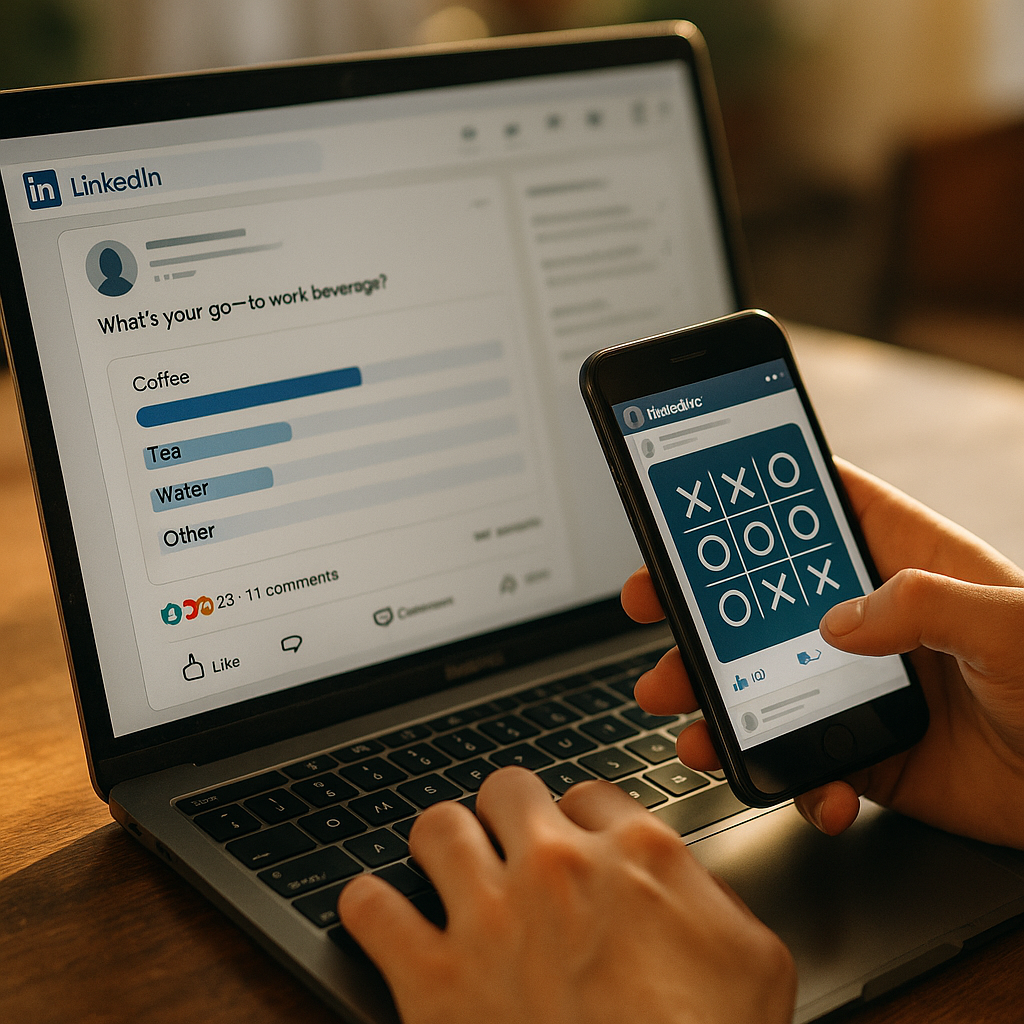
Interactive polls and high engagement gamification on LinkedIn can turn passive scrolling into active participation, helping brands, executives, and creators earn attention, insight, and trust in 2026. When designed with clear goals and audience relevance, these formats drive comments, shares, and qualified conversations. The real advantage is not novelty. It is repeatable engagement that compounds over time. Ready to build it?
LinkedIn polls strategy: start with business goals, not gimmicks
A strong LinkedIn polls strategy begins with a simple question: What outcome should this interaction support? Many teams launch polls because they are easy to publish, but easy does not equal effective. To create useful, high-performing content, connect every poll or gamified post to a measurable objective such as audience research, lead qualification, community growth, event promotion, product feedback, or thought leadership.
That approach matters for both engagement quality and credibility. Polls can produce vanity metrics if the question is vague or too broad. They become valuable when the answers reveal something actionable. For example, a B2B SaaS company might ask which workflow bottleneck costs teams the most time. A recruiter might ask candidates which benefit most influences role selection. A consultant might test which market trend worries operators most in the next quarter.
Before publishing, define these five inputs:
- Audience: decision-makers, practitioners, job seekers, founders, or partners
- Intent: educate, validate demand, gather insight, segment interest, or spark discussion
- Value exchange: what the audience gets for participating, such as a benchmark, follow-up resource, or useful discussion
- Next action: comment, visit a landing page, sign up for a webinar, or message the team
- Success metric: votes, comments per impression, profile visits, saves, qualified inbound leads, or direct messages
Using this framework aligns with Google’s helpful content principles because it prioritizes real user benefit. It also supports EEAT by showing experience and expertise rather than publishing engagement bait. If you manage a brand account, coordinate with sales, customer success, or talent teams so poll topics reflect actual market questions. That makes the content more trustworthy and more likely to attract relevant responses.
LinkedIn engagement tactics: design polls people want to answer
The best LinkedIn engagement tactics reduce friction and increase psychological relevance. Users answer when the poll feels easy, specific, and worth reacting to publicly. In practice, that means your question should be narrow enough to trigger an opinion but broad enough to include multiple audience segments.
Use these principles when writing a poll:
- Lead with a concrete scenario. Instead of asking, “What matters most in marketing?” ask, “When budget is tight, which channel do you protect first?”
- Offer distinct answer choices. Avoid overlapping options that confuse voters or force random selection.
- Keep all options balanced. If one answer looks obviously correct, users stop thinking and vote quickly without adding value.
- Invite nuance in the caption. Poll options are limited, so use the post text to ask for context in comments.
- Make the audience the hero. Focus on their challenge, benchmark, or decision process rather than your product pitch.
Good examples include:
- Benchmark polls: “What is your average sales cycle length right now?”
- Priority polls: “Which initiative gets funded first in Q3?”
- Debate polls: “Which metric is most misleading in executive dashboards?”
- Diagnostic polls: “What stalls your content engine most often?”
Weak examples include generic questions, leading prompts, or options that read like slogans. A poll should not feel like an ad disguised as audience input.
Timing also matters. Publish when your audience is active, then stay present during the first hour to reply to comments and ask follow-up questions. Early interaction can elevate the post and deepen thread quality. If your audience spans regions, test multiple posting windows and review performance by segment rather than relying on a universal “best time.”
One more practical rule: do not ask a complex question if you are not prepared to discuss the results. People notice when a poll is posted and abandoned. Thoughtful follow-up strengthens authority, which is central to EEAT.
Gamification on LinkedIn: formats that feel professional and still perform
Gamification on LinkedIn works best when it matches the platform’s professional context. You do not need flashy mechanics. Simple structures that reward curiosity, expertise, prediction, or participation can drive strong engagement without undermining brand credibility.
Here are high-performing gamification formats for 2026:
- Prediction posts: Ask followers to predict a market outcome, product trend, hiring shift, or campaign result, then reveal the answer later
- Comment-to-unlock: Offer a checklist, template, or benchmark report to users who comment with a keyword or answer
- Score-yourself frameworks: Let readers self-assess maturity, readiness, or efficiency using a short points system
- Bracket challenges: Compare tactics, tools, or trends in a tournament-style sequence across multiple posts
- Myth-or-fact quizzes: Test common assumptions in your niche and explain the answer in the comments
- Scenario choice games: Present a realistic business problem and ask users to pick their next move
These formats are effective because they create a light challenge and a reason to return. They also generate richer comment threads than standard promotional posts. For example, a cybersecurity firm can post a scenario about a suspicious login spike and ask what action the team should take first. A RevOps consultant can build a weekly “fix the funnel” series where users diagnose the leak. A hiring leader can run a “candidate experience scorecard” that invites self-evaluation.
To keep gamification professional:
- Tie every game mechanic to expertise. The interaction should teach, diagnose, or benchmark.
- Avoid forced virality prompts. “Tag three friends” style tactics feel low trust on LinkedIn.
- Respect user time. Keep participation simple and the reward clear.
- Close the loop. Publish outcomes, top insights, or a summary post after the interaction ends.
This is where experience matters. In many industries, the most engaging gamified content is not the loudest. It is the content that helps professionals test their assumptions and compare their thinking with peers.
LinkedIn content ideas: build a repeatable editorial system
The easiest way to sustain results is to treat LinkedIn content ideas as part of a repeatable system rather than one-off creative bursts. Polls and gamification perform better when they fit into a content series with clear themes. That creates audience expectation and gives you cleaner data over time.
A practical monthly structure might look like this:
- Week 1: publish a benchmark poll to learn where your audience stands
- Week 2: share a carousel or text post unpacking the result with expert commentary
- Week 3: run a gamified scenario post based on the same topic
- Week 4: publish a summary with lessons, audience quotes, and a resource link
This sequence compounds value. The poll generates signals. The analysis demonstrates expertise. The game increases participation. The summary turns engagement into evergreen insight.
To keep the system full, pull prompts from these sources:
- Sales calls: recurring objections, budget concerns, vendor questions
- Customer support: setup friction, feature confusion, adoption barriers
- Industry news: policy changes, platform updates, technology shifts
- Internal experts: FAQs from product, HR, compliance, or operations teams
- Community comments: debates, misconceptions, and strong opinions from prior posts
Document what works. Track the wording of the question, answer option order, caption length, call to action, posting time, audience segment, and comment themes. Over a few months, patterns emerge. You may find that “choose your first move” scenarios outperform simple opinion polls, or that contrarian benchmark questions trigger more saves and direct messages.
If you publish on behalf of an executive, build formats around their lived experience. First-hand lessons, decision trade-offs, and operational details increase trust. That kind of specificity supports EEAT because the content reflects direct knowledge instead of recycled advice.
LinkedIn lead generation: turn engagement into qualified pipeline
LinkedIn lead generation improves when polls and gamification are connected to a thoughtful conversion path. The post itself should not do all the work. Its job is to attract the right audience, stimulate meaningful interaction, and open a relevant next step.
There are four reliable conversion models:
- Insight to resource: poll about a challenge, then offer a guide or checklist that helps solve it
- Segmentation to outreach: use answer patterns and comments to identify users by need, then respond with tailored messages
- Engagement to event: build a debate around a topic and invite participants to a webinar or live discussion
- Assessment to consultation: use a scorecard or scenario game, then offer a review call for users who score below a threshold
The key is relevance. If someone votes on an operations efficiency poll, the follow-up should deepen that topic, not pivot to a generic sales pitch. Good conversion feels like continuity.
Use these best practices:
- Reply in public first. Add useful context in comments before moving to direct messages.
- Personalize outreach. Reference the person’s comment, vote rationale, or role.
- Offer a clear reason to continue. Share a benchmark, template, or invitation that fits the interaction.
- Coordinate with CRM tagging. Track which formats and topics influence pipeline quality, not just lead volume.
For brand safety and trust, be transparent about data use. Do not imply that poll votes are private signals for aggressive prospecting. Instead, focus on users who openly comment or request more information. That protects credibility and leads to better-quality conversations.
Also remember that not every successful post should convert immediately. Some of the most valuable outcomes are audience learning, category authority, and stronger retargeting pools. In 2026, many LinkedIn buyers research gradually. Consistent, high-signal engagement often shapes future demand before it appears in attribution reports.
LinkedIn analytics: measure quality, test variables, and improve fast
Without measurement, LinkedIn analytics become a scoreboard for impressions rather than a tool for improvement. To evaluate interactive polls and gamification properly, track both engagement metrics and business outcomes.
Start with content-level indicators:
- Vote rate: votes divided by impressions
- Comment rate: comments divided by impressions
- Comment depth: how many comments add reasoning or examples rather than one-word replies
- Share and save rate: signs that the post offered real utility
- Profile actions: profile views, follows, and inbound messages after publication
Then connect content to downstream signals:
- Resource downloads
- Event registrations
- Qualified meetings
- Recruitment applications
- Influenced opportunities
Testing should be disciplined. Change one main variable at a time: question framing, number of answer choices, caption structure, CTA type, or posting window. If you change everything at once, you learn nothing reliable.
A useful review process is:
- Collect quantitative data after each post
- Review comments manually for sentiment, objections, and recurring language
- Compare results by audience segment such as job title, seniority, or industry
- Turn insights into the next content cycle
That manual review step is often skipped, yet it is where many strategic insights appear. Comments reveal vocabulary, pain points, and hidden objections that can improve future messaging, sales enablement, and product positioning.
Finally, protect integrity. Do not overstate what poll results mean. LinkedIn poll samples are directional, not scientific. Present them as community signals, not universal truth. That level of honesty strengthens authority and trust.
FAQs about LinkedIn polls and gamification
How often should I post LinkedIn polls?
For most brands or executives, one poll every one to two weeks is enough. More frequent posting can cause fatigue unless each poll serves a clearly different audience need and is followed by useful analysis.
What makes a LinkedIn poll get more comments, not just votes?
A debatable question, balanced answer options, and a caption that asks for reasoning will increase comments. Comment volume also rises when the topic reflects a real business trade-off rather than a generic opinion.
Are gamified LinkedIn posts appropriate for B2B audiences?
Yes, when the format is professional and educational. Prediction posts, diagnostic scenarios, scorecards, and myth-or-fact quizzes work especially well because they reward expertise and relevance.
Can LinkedIn polls help with lead generation?
Yes, if they are connected to a relevant next step such as a benchmark report, webinar, template, or tailored conversation. The best results come from continuity between the poll topic and the follow-up offer.
What should I avoid when using gamification on LinkedIn?
Avoid vague questions, bait-style CTAs, childish mechanics, and engagement prompts that feel manipulative. Also avoid posting a poll without responding to comments or sharing any takeaway afterward.
How do I measure whether a poll was successful?
Look beyond impressions. Review vote rate, comment quality, saves, profile visits, and downstream actions such as resource downloads, event signups, or qualified conversations.
How many answer choices should a LinkedIn poll have?
Use enough options to reflect meaningful differences without creating confusion. In most cases, concise, clearly distinct options perform best because they reduce friction and improve result clarity.
Should I reveal poll results in a separate post?
Yes. A follow-up post with analysis, practical implications, and selected audience perspectives extends the life of the content and demonstrates expertise. It also gives non-voters a reason to engage.
Interactive polls and gamification can become one of the most effective ways to build authority on LinkedIn when they are tied to audience needs, business goals, and clear follow-up actions. Focus on relevance, structure, and honest analysis. Ask better questions, design smarter participation, and measure outcomes that matter. Engagement is useful only when it creates insight, trust, and momentum for the next step.