


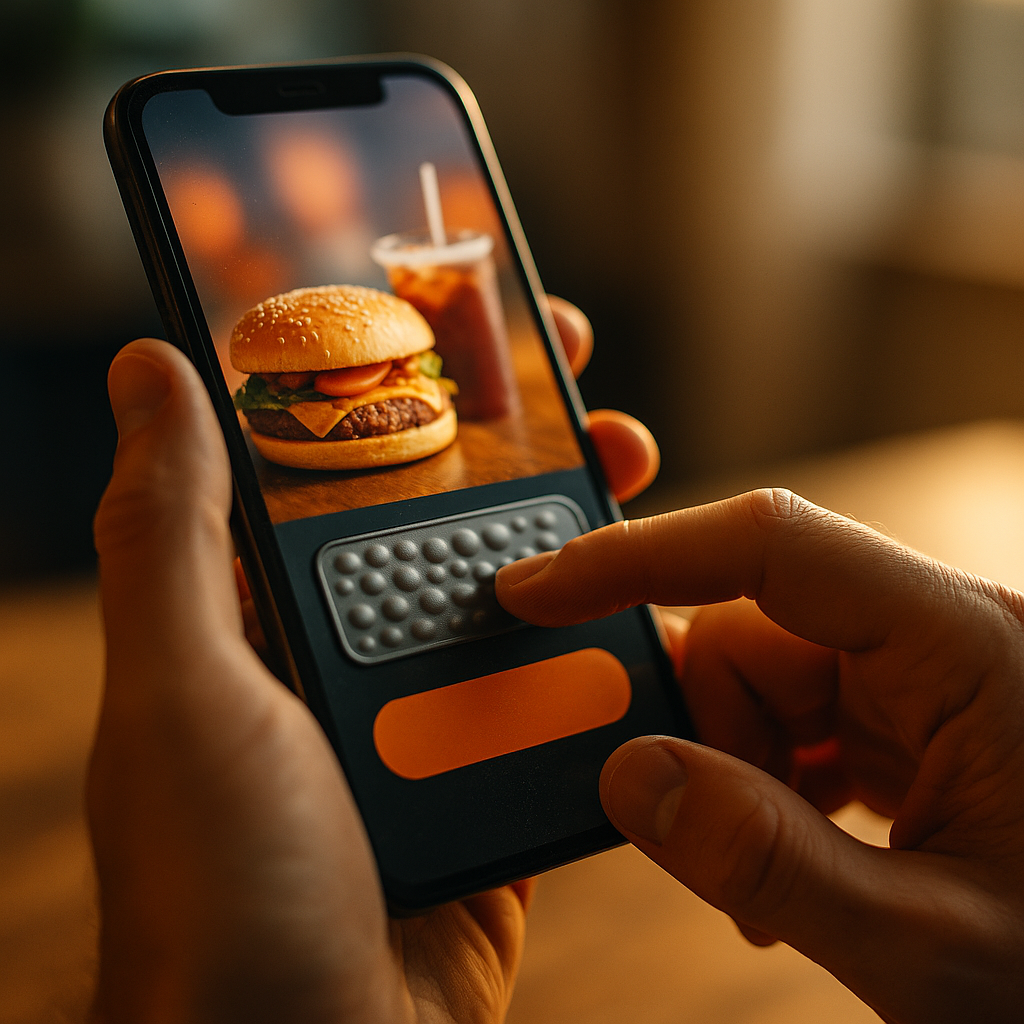
Designing for Haptic Storytelling and Physical Sensation in Ads is reshaping how brands earn attention in a crowded 2025 media landscape. When a message can be felt—through vibration, pressure, texture cues, or responsive motion—it moves beyond persuasion into lived experience. This article shows how to plan, design, test, and measure haptic-first campaigns that respect users while increasing impact—ready to make audiences feel the story?
Haptic storytelling in advertising: why touch changes memory
Haptics add a sensory layer to digital media that sight and sound can’t replicate. In advertising, this means the creative isn’t only “seen” or “heard”—it is experienced. The strategic value comes from how the brain encodes multi-sensory information: a well-timed tactile cue can act as a marker that improves recall and makes brand moments feel more personal.
In practical terms, haptic storytelling works when touch cues support the narrative rather than distract from it. If the ad communicates “power,” “precision,” “comfort,” or “impact,” haptics can make that promise tangible. If the ad’s story is subtle or emotional, a softer, slower pattern can reinforce mood without breaking attention.
Where haptics already show up in ads:
- Mobile in-app placements using vibration patterns aligned to gestures (tap, swipe, hold).
- Interactive video with tactile cues at key beats (reveal, transformation, confirmation).
- Gaming and immersive formats where controllers or wearables deliver force and rumble.
- Retail and OOH prototypes with tactile surfaces, heat/cool elements, or responsive materials.
Best practice: treat haptics as a narrative instrument. Ask: what does the audience need to feel at each moment—anticipation, release, reassurance, urgency—and which cue communicates that most clearly?
Sensory marketing design: translating brand attributes into tactile cues
Effective sensory marketing design starts with a mapping exercise: identify the brand attributes and convert them into tactile “words.” This prevents random vibration and produces patterns that feel intentional and recognizable. In 2025, most haptic ad experiences still happen on smartphones, where capabilities vary across devices. Designing for that reality means you focus on patterns that remain legible even when the hardware isn’t identical.
Build a tactile language (a “haptic style guide”):
- Intensity (light vs. strong) to signal softness, confidence, impact, or urgency.
- Tempo (slow vs. fast pulses) to signal calm, excitement, or acceleration.
- Duration (short taps vs. long rumbles) to signal precision vs. power.
- Rhythm (even vs. syncopated) to encode brand personality: steady, playful, premium, bold.
- Pattern motifs (signature “double-tap,” rising pulse, heartbeat) to create recognition over time.
Align tactile cues to the creative arc:
- Attention: a single, subtle cue that confirms interactivity (not a jolt).
- Engagement: cues that reward exploration (scrub, drag, rotate, reveal).
- Decision: confirmation haptics on “Add to cart,” “Book,” “Learn more.”
- Closure: a clean ending cue that avoids lingering vibration.
Answer the question your stakeholders will ask: “Will users understand it?” The safest approach is to pair haptics with a clear on-screen affordance. If an object looks pressable, a press response should feel crisp. If a surface looks soft, the feedback should be gentle. When visual and tactile signals match, comprehension rises and confusion drops.
Multi-sensory UX for ads: interaction patterns, timing, and restraint
Multi-sensory UX succeeds through timing and restraint. Most ads fail with haptics because they treat vibration as decoration. Users accept physical sensation when it behaves like product feedback—predictable, purposeful, and under their control. Ads are interruptions by nature; haptics must feel like assistance, not intrusion.
Interaction patterns that work in ad units:
- Micro-confirmations: a light tap on successful input (toggle, selection, step completion).
- Guided gestures: a short pulse when the user reaches a “snap point” during drag or rotation.
- Progress cues: low-frequency pulses indicating loading or a timed reveal, used sparingly.
- Material simulation: different responses for “metal,” “leather,” “fabric,” or “glass” in product explorers.
Timing rules that prevent annoyance:
- Match onset to action: haptics should fire at the exact moment of contact or outcome, not before.
- Cap frequency: avoid repeated pulses in rapid sequences; prioritize the first and the success moment.
- Design for silence: if the user is passively watching, default to minimal or no haptics unless opted in.
- Respect context: assume users may be in public, at work, or using accessibility settings.
Likely follow-up: “Should we use haptics in every ad?” No. Use haptics when they clarify an interaction, express a product benefit (comfort, power, smoothness), or add a meaningful beat to the story. If haptics do not improve understanding or emotion, they are noise.
Accessibility and ethical haptics: inclusive, user-controlled physical sensation
EEAT-friendly ad design includes accessibility and ethical safeguards. Haptics can benefit users who rely on non-visual cues, but they can also overwhelm people with sensory sensitivities. The goal is a respectful experience with user control and predictable behavior.
Inclusive haptic design checklist:
- Opt-out and device respect: honor system settings (reduced vibration, do-not-disturb, accessibility toggles).
- Intensity limits: avoid maximum intensity by default; reserve stronger cues for explicit user actions.
- No surprise patterns: don’t trigger haptics on autoplay or scroll-by impressions unless clearly indicated.
- Redundant cues: pair haptics with visual and/or audio feedback so meaning is not locked to touch.
- Clear consent for wearables: if a device can deliver stronger sensation (controllers, vests), require explicit opt-in.
Ethical boundaries for ads in 2025:
- Avoid coercive design: do not use aggressive pulses to pressure clicks or prolong attention.
- Be transparent: if the ad uses touch feedback, signal it with a small note like “Touch feedback enabled.”
- Protect children and sensitive audiences: use conservative defaults; avoid startling patterns.
- Limit physiological manipulation: do not mimic alarms, emergency buzzes, or patterns that can induce anxiety.
These practices don’t just reduce risk—they improve performance. Users who feel in control are more willing to engage, and platforms are more likely to approve experiences that behave responsibly.
Haptic ad production workflow: prototyping, platform constraints, and QA
A reliable production workflow makes haptic ideas shippable. The biggest constraint is fragmentation: not all devices render vibration patterns the same way, and some environments restrict haptics. Build for graceful degradation so the ad remains effective even without touch feedback.
Recommended workflow:
- Define the narrative moments: identify 3–5 beats where touch will add clarity or emotion.
- Create a haptic storyboard: annotate the script or timeline with intended intensity, rhythm, and purpose.
- Prototype quickly: test on a representative set of devices (at least one high-end, one mid-range, one older model).
- Validate constraints: confirm what the ad format supports (in-app, mobile web, playable, CTV companion, gaming).
- QA in real contexts: test in quiet and loud environments, one-handed use, and while walking (common mobile conditions).
- Plan fallback behavior: when haptics are unavailable, substitute with visual micro-animations or sound cues.
Practical QA questions that catch most issues:
- Does any haptic fire without a clear user action or clear on-screen indicator?
- Does the tactile cue arrive exactly when the on-screen event occurs?
- Do repeated interactions feel tiring after 15–30 seconds?
- Does the ad still make sense when haptics are disabled?
- Can a user stop or exit quickly without additional vibration?
To support EEAT, document decisions: why haptics are used, where users can control them, and which devices were tested. This strengthens internal trust and reduces surprises during platform review.
Measuring tactile engagement: metrics, experiments, and brand lift
If you can’t measure it, you can’t improve it. Haptic ads should be evaluated with a mix of performance, experience quality, and brand impact metrics. In 2025, the strongest approach is controlled experimentation: compare a haptic version against a non-haptic version with identical creative and targeting.
Core metrics to track:
- Engagement rate: interaction starts, gesture completion, time-in-unit for interactive ads.
- Completion rate: for interactive video, track how many reach key story beats.
- Conversion proxies: add-to-cart, sign-up starts, store locator opens, “learn more” clicks.
- Quality signals: swipe-away rate, mute rate, negative feedback, ad hiding, or report rate.
- Brand lift: recall, favorability, and purchase intent via platform or survey tools.
Experiment design tips:
- Isolate haptics: keep visuals, copy, CTA, and targeting constant.
- Measure fatigue: run tests long enough to detect annoyance effects, not just novelty spikes.
- Segment by context: results can vary by placement (gaming vs. social feed) and by device type.
- Track accessibility settings where permitted: understand how many users have vibration reduced or disabled.
Interpretation you can act on: if engagement rises but negative feedback also rises, your haptics are too intense, too frequent, or firing without clear user intent. If brand recall improves without a conversion lift, shift haptics toward decision points (confirmation feedback on selections and CTAs) rather than only cinematic beats.
FAQs
What is haptic storytelling in ads?
Haptic storytelling uses tactile feedback—most often vibration or force cues—to reinforce narrative beats and interactions in an ad. The goal is to make key moments feel physical, improving understanding, emotion, and recall.
Do haptic ads work on mobile web, or only in apps?
They can work in both, but support varies by platform and browser. Plan for partial support, test across devices, and include a fallback experience that communicates the same meaning visually.
How do you keep haptics from feeling annoying?
Use haptics mainly on user-initiated actions, keep intensity moderate, limit repeated pulses, and ensure timing matches on-screen events exactly. Provide user control by respecting system vibration settings and avoiding autoplay-triggered haptics.
What industries benefit most from haptic advertising?
Products with strong physical attributes tend to benefit: automotive (power, handling), consumer electronics (precision), fitness (rhythm and progress), gaming (impact), fashion and luxury (material cues), and food and beverage (crispness, fizz, refresh cues in interactive experiences).
How do you test haptic creative before launching?
Create a haptic storyboard, prototype early, and QA on a mix of devices and real-world contexts. Run an A/B test against a non-haptic control to confirm lift and monitor negative feedback to catch overstimulation.
Are haptics accessible for users with disabilities?
They can improve accessibility when used as an optional, redundant cue alongside visuals and audio. Always honor system settings (reduced vibration), avoid surprise sensations, and ensure the ad remains understandable with haptics turned off.
Haptic design turns ads into experiences by adding controlled physical sensation to key story moments. In 2025, the best results come from restraint: map touch cues to brand meaning, trigger them on user intent, and respect accessibility settings. Build a repeatable workflow with prototyping, cross-device QA, and A/B testing. The takeaway is simple: design haptics like language—clear, consistent, and user-first.