


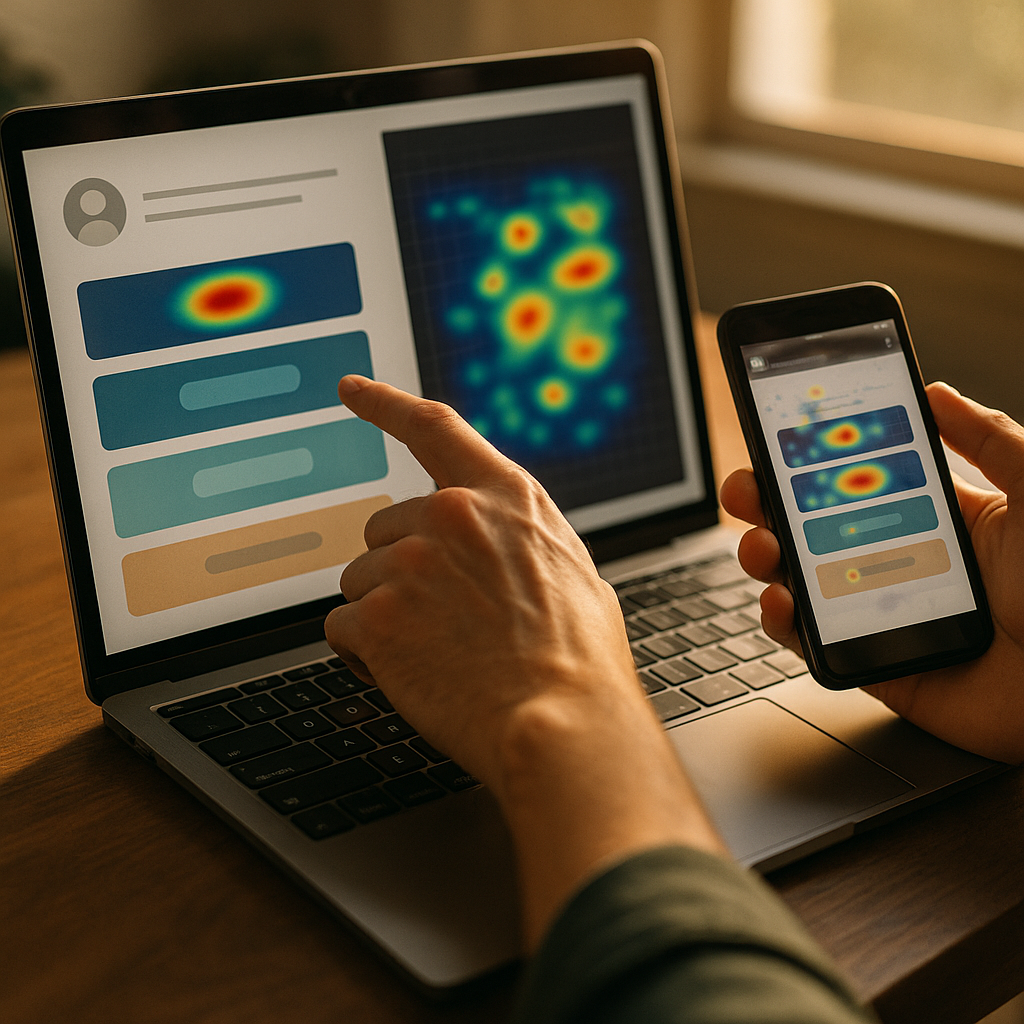
Heatmap tools offer a visual representation of exactly where users click on bio links, helping creators and brands optimize link-in-bio pages with precision. By understanding real user behavior, you can boost conversions and enhance user experience. Let’s explore how heatmap tools can revolutionize your link strategy and provide a competitive edge.
What Are Heatmap Tools for Bio Links?
Heatmap tools are analytics solutions that visually display where users interact most on a digital page. When applied to bio links—those popular multi-link landing pages used on Instagram, TikTok, and other platforms—these tools reveal which buttons get the most attention, where users hesitate, and which links might get ignored entirely. Heatmaps typically use color gradients to indicate click intensity: red or orange for hottest (most clicks), fading to yellow and blue for cooler, less active spots. For anyone relying on bio links to drive traffic, sales, or engagement, this clear, actionable insight is invaluable.
Unlike traditional analytics, which offer numerical data, heatmap tools give instant visual feedback. This empowers creators, marketers, and business owners to spot trends, optimize layouts, and test different strategies efficiently.
Why Click Tracking on Bio Links Matters
Understanding click behavior on bio links goes beyond vanity metrics. According to recent marketer surveys, over 80% of brands rely on link-in-bio traffic for audience nurturing and conversions. Click heatmaps detail which CTAs (calls to action) resonate, which offers catch attention, and even the impact of design changes.
Click tracking helps you answer questions like:
- Are visitors clicking on my most important links?
- Is one link location outperforming others?
- Does mobile usage differ from desktop?
- What can be improved for higher engagement?
By turning opaque user journeys into clear visuals, heatmaps allow data-driven decisions that boost ROI and user satisfaction.
Top Features to Look For in a Heatmap Tool
Not all heatmap tools are equally effective for analyzing bio links. Prioritize platforms that offer:
- Real-Time Reporting — Instantly see user interactions as they happen, enabling fast iteration.
- Device Segmentation — Most users access bio links from mobile; a good tool distinguishes between phone, tablet, and desktop clicks.
- Clickable Element Analysis — Focuses heatmaps precisely on interactive elements, not just overall activity.
- Session Recordings — Replays actual user sessions for deeper behavioral understanding.
- Easy Integration — Works seamlessly with link-in-bio builders (like Linktree, Beacons, or Typedream) or custom landing pages.
- Privacy Compliance — Follows GDPR and CCPA standards to keep user data secure.
According to evaluations from reputable SaaS review sites, the most helpful heatmap tools in 2025 combine these features with intuitive dashboards and robust filtering.
How to Use Heatmaps to Optimize Your Bio Link Page
Implementing heatmap analysis is straightforward but requires a plan. Here’s a concise workflow:
- Set Clear Goals: Do you want more newsletter signups or product sales? Set conversion targets before you analyze click data.
- Install the Heatmap Script: Many tools provide snippet installation that works with major link-in-bio platforms or custom code.
- Collect Data Across Devices: Allow for a sample size of at least 500-1,000 visits for reliable visualizations, especially on mobile.
- Analyze Hotspots & Scroll Depth: Note which links or elements consistently attract attention. Are key links in the “hot zone,” or are they overlooked?
- A/B Test and Iterate: Change button order, color, or copy. Heatmaps offer rapid feedback on these tweaks—focusing your optimization efforts on what truly works.
- Monitor Over Time: Regularly review heatmaps as your campaigns, audiences, or offers change. Trends can reveal seasonality or shifting user interests.
Leading digital marketers now make monthly heatmap reviews part of their standard reporting processes for bio links.
Common Pitfalls and How to Avoid Them
Using heatmap tools effectively means being aware of potential missteps. Common issues include:
- Small Sample Sizes: Drawing conclusions from just a handful of visits leads to false signals. Wait for statistically significant data before acting.
- Ignoring Scroll Maps: Focusing only on clicks misses valuable insights. Scroll depth maps show whether users ever see your lower links.
- Poor Link Placement: If key links sit below the average fold or among many less relevant options, they might go unnoticed—something heatmaps quickly reveal.
- Analysis Paralysis: Over-analyzing every minor hotspot distracts from broader patterns. Use heatmaps as a decision-making tool, not an obstacle to action.
Stay focused on clear goals, balance data with common sense, and use behavioral trends to refine—not completely overhaul—your bio link strategy.
Choosing the Best Heatmap Tool for Your Workflow
With dozens of heatmap solutions available in 2025, start with a free trial to gauge fit for your bio link needs. Best-in-class platforms offer integrations with the link-in-bio builders you already use, plus customer support and clear documentation. Look for positive user reviews, responsive feature updates, and transparent pricing.
If you manage multiple brands or accounts, opt for a tool that handles multiple projects and team members. For solo creators focused on Instagram, concise mobile-first reporting may be your top priority. The right heatmap tool should streamline your workflow and provide insights you wouldn’t catch with numbers alone.
FAQs about Heatmap Tools and Bio Link Optimization
-
What is a bio link?
A bio link is a single, sharable URL in a social profile that leads to a landing page containing multiple links to other destinations, such as shops, social profiles, or promotions.
-
Can I use heatmaps on link-in-bio pages from third-party platforms?
Most reputable heatmap tools provide easy integration with popular link-in-bio services. Always check the platform’s support documentation or ask their support team.
-
How much traffic do I need for accurate heatmap results?
For reliable patterns, aim for at least 500 to 1,000 user visits before drawing conclusions from your heatmap data.
-
Are heatmap tools GDPR and privacy compliant?
Most leading platforms in 2025 comply with privacy regulations, but it’s essential to check compliance options, including anonymization and opt-out features, before implementation.
-
What’s the biggest benefit of using a heatmap for my bio links?
Heatmaps deliver quick, actionable insights, allowing you to fine-tune your link hierarchy and design for higher engagement and conversions.
Heatmap tools transform guesswork into clarity when optimizing bio links. By monitoring where users click and how they navigate, you can systematically boost the performance of your link-in-bio strategy. Start leveraging visual analytics for smarter decisions and more effective audience engagement today.