


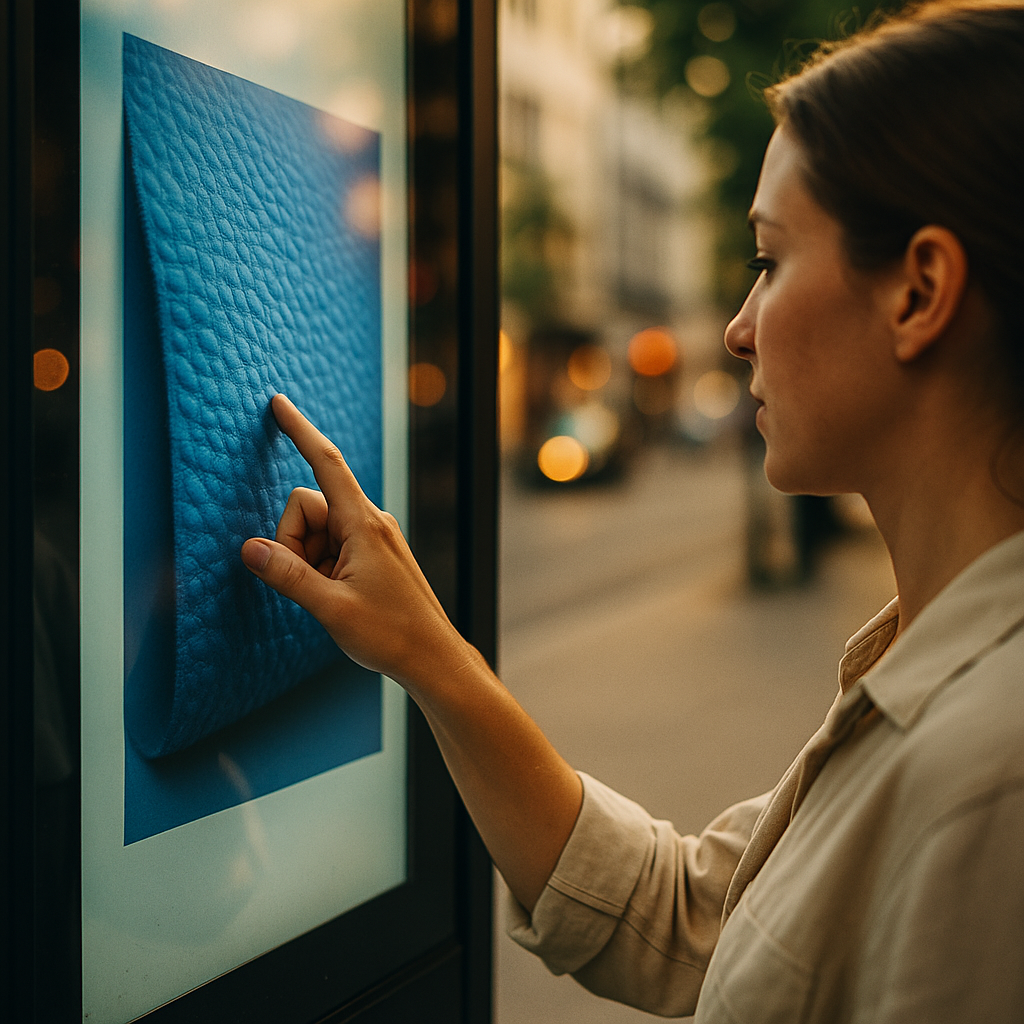
In 2025, marketers face a stubborn problem: screens command attention, but they rarely feel real. The Future Of Haptic Marketing: Integrating Touch Into Digital Ads points to a new path—adding tactile feedback to digital experiences so people can sense a tap, pulse, or texture cue while they browse. Done well, touch can increase clarity, confidence, and conversion. But what’s next?
Haptic marketing trends
Haptics are no longer limited to gaming controllers. Today, most smartphones already support vibration patterns and advanced tactile APIs, and wearables can deliver precise pulses. That hardware base is why haptic marketing is shifting from “experimental” to “deployable.” The trendline is clear: brands want digital interactions that feel more like physical ones, especially when consumers hesitate because they can’t inspect a product in person.
Three trends define the current direction:
- Micro-haptics for micro-decisions: Subtle pulses that confirm actions—adding to cart, selecting a size, saving a payment method—help reduce uncertainty without interrupting the flow.
- Intent-based tactility: Feedback that changes based on user behavior (hesitation, repeated taps, abandoned forms) to guide the next step.
- Haptics as accessibility support: Tactile cues used alongside audio and visual signals to improve navigation for users with visual or cognitive barriers.
For marketers, the practical implication is this: tactile feedback isn’t a gimmick when it adds information. A pulse can confirm a purchase, distinguish a primary button from a secondary one, or signal an error with a recognizable pattern. That’s helpful content in a sensory form—aligned with what people actually need at the moment of decision.
Tactile feedback in digital advertising
To integrate touch into ads responsibly, start by defining what the haptic cue communicates. The best tactile feedback in digital advertising behaves like a well-written UX label: it clarifies meaning, reduces friction, and prevents mistakes.
Common ad formats where haptics can add measurable value:
- Interactive product cards: A light “click” feel when switching colors or materials; a distinct confirmation pulse when the preferred variant is saved.
- Shoppable video: A short pulse on key moments (price reveal, limited availability) to reinforce attention without forcing a pause.
- Lead-gen and checkout overlays: Gentle feedback for valid field completion; a different pattern for errors to reduce rework.
- Location and event ads: A directional “nudge” pattern that signals navigation or proximity prompts on supported devices.
Answering the question most teams ask next—will this annoy users?—depends on restraint. Haptics should be optional or contextually justified, never constant. Users tolerate (and often appreciate) touch cues when they are predictable, brief, and tied to outcomes they care about: confirming a selection, preventing a mis-tap, or making an offer feel credible.
From an EEAT perspective, treat haptics as part of the product’s communication system. Document what each pattern means, keep it consistent across placements, and ensure your creative and UX teams share the same “tactile vocabulary.”
Sensory branding through touch
Visual identity has rules: colors, spacing, typography. Sensory branding through touch needs rules too. Without guidelines, haptics become random vibrations—noise rather than brand signal.
Build a tactile identity the same way you build a sonic logo: simple, distinctive, and repeatable.
- Create a small pattern library: 3–5 core haptic signatures (e.g., confirmation, error, highlight, celebration, urgency). Keep them short—typically under one second unless the interaction demands more.
- Map patterns to meaning: A “double-tap” feel might mean “saved,” while a longer pulse might mean “hold to confirm.” Don’t overload one pattern with multiple meanings.
- Match the product category: Luxury may prefer subtle, low-amplitude cues; fitness may tolerate stronger patterns; finance should prioritize clarity and error prevention over excitement.
Brand safety applies here too. Avoid using haptics to imply something untrue (for example, a “success” pulse before a transaction is actually approved). When touch signals align with reality, they build trust. When they don’t, they feel manipulative.
Another likely follow-up: Can haptics increase recall? Sensory cues can strengthen memory when they’re consistent and tied to a meaningful moment (selection, confirmation, accomplishment). The key is to attach the haptic signature to a single, repeatable brand interaction—like saving a wishlist item or completing a configuration—rather than sprinkling vibrations across every impression.
Mobile haptics and user experience
Mobile haptics and user experience rise or fall together. If the experience is confusing, adding touch won’t fix it. If the experience is clear, haptics can make it feel more confident and precise. In practice, haptics work best as a feedback layer, not a separate channel competing with visuals and audio.
Use these UX principles to keep haptics helpful:
- Prioritize utility: Deliver feedback on actions that matter—submit, pay, confirm, unlock, reserve—rather than decorative buzzing on scroll.
- Minimize intensity: Default to the lightest sensation that still communicates. Overpowering patterns can feel like alerts and increase stress.
- Respect user settings: If a device is in silent mode or the user has reduced vibrations, your experience should degrade gracefully.
- Support accessibility: Pair haptics with clear labels and visual states; never rely on touch alone to communicate critical information.
- Design for one-handed use: Many ad interactions happen while walking or multitasking; haptic confirmations can reduce mis-taps when people aren’t fully focused.
Operationally, collaborate early with product and engineering. Haptics often require platform-specific implementation, QA on multiple devices, and careful timing with animation and sound. Treat it as a first-class UX component with acceptance criteria: what triggers the haptic, what pattern plays, what happens if it fails, and how it behaves across OS versions.
Interactive ads with haptic technology
Interactive ads with haptic technology work when they turn “seeing” into “doing.” Instead of asking for attention, they offer a brief, tactile action that gives the user control. That’s especially useful in categories where consumers want assurance—beauty, apparel, home goods, automotive accessories, and consumer electronics.
High-performing interaction concepts to test:
- Texture previews (simulated): Use different haptic patterns to suggest “smooth,” “grippy,” or “ribbed” materials during product exploration. Be explicit that it’s a simulation so expectations stay realistic.
- Pressure or hold-to-compare: A press-and-hold action that triggers a steady pulse while revealing side-by-side differences (features, sizes, bundle options).
- Guided configuration: Each step (choose model, select finish, add accessory) includes a short confirmation cue, reducing drop-off in multi-step flows.
- Reward-based engagement: A distinct “completion” signature when a user finishes a quiz or finds the best match—useful for lead capture if you keep forms short and transparent.
Measurement is the next question. You can evaluate impact without guessing:
- A/B testing: Compare haptic vs non-haptic variants on completion rate, add-to-cart rate, form error rate, and time-to-decision.
- Behavioral signals: Track rage taps, backtracks, and field corrections—haptics often reduce these when designed well.
- Qualitative validation: Short intercept surveys can confirm whether users perceived the cue as helpful, neutral, or distracting.
Make sure you attribute outcomes correctly. Haptics usually improve confidence and clarity rather than raw attention. Look for lift in “finished the task” metrics, not just impressions or clicks.
Privacy, consent, and ethical haptics
Touch is intimate. That makes ethics central to adoption. Privacy, consent, and ethical haptics come down to a simple rule: users should understand what’s happening and why, and they should remain in control.
Apply these safeguards before scaling:
- Offer user control: Provide an easy toggle in the ad experience (where feasible) or respect platform-level vibration settings without workarounds.
- Avoid dark patterns: Don’t use urgent or alarming haptics to pressure a purchase, simulate “system” alerts, or mimic emergency notifications.
- Be transparent about simulation: If a cue represents texture or impact, clarify that it is a digital approximation, not a guarantee of physical feel.
- Protect vulnerable contexts: Consider situations where vibrations could be risky or inappropriate (medical environments, driving). Keep patterns subtle and optional.
- Document and review: Maintain an internal guideline and review haptic creatives like you review claims, pricing, and disclosures.
For teams aiming to demonstrate EEAT: publish clear explanations of your interaction design, validate with user testing, and ensure your approach aligns with accessibility and consumer protection expectations. Haptics can build trust when they confirm truth—inventory, payment success, reservation status—not when they manufacture urgency.
FAQs
What is haptic marketing in digital ads?
Haptic marketing uses tactile feedback—like vibrations or subtle pulses—within an ad or branded experience to confirm actions, guide navigation, or simulate interaction. In digital ads, it typically appears on mobile devices and wearables as a feedback layer tied to taps, holds, or key moments in interactive content.
Do haptic ads require special hardware?
Most haptic ad experiences rely on the vibration and haptic engines already built into modern smartphones and some wearables. More advanced effects may require newer devices or OS support, so campaigns should include graceful fallback behavior for unsupported hardware.
How do you prevent haptic ads from feeling annoying?
Use haptics sparingly, keep intensity low, and trigger feedback only when it adds meaning—confirmation, error prevention, or step completion. Make patterns consistent, avoid repeated buzzing, and respect device and user vibration settings.
Can haptics improve conversion rates?
They can, especially in multi-step flows where users hesitate or make errors. Haptics often improve task completion, reduce form mistakes, and increase confidence during selection and checkout. The only reliable way to prove lift is controlled A/B testing with clear success metrics.
How do you measure the success of haptic advertising?
Measure completion rate, add-to-cart rate, form error rate, time-to-complete, and abandonment. Pair quantitative analytics with short user feedback to confirm whether the tactile cues were perceived as helpful and not distracting.
Are haptic ads accessible?
They can improve accessibility when used as an optional supplement to visuals and audio, not a replacement. Ensure all information conveyed by touch is also available via text/visual cues, and respect system accessibility settings like reduced vibration.
What are ethical best practices for haptic ads?
Get consent through clear controls where possible, avoid dark patterns and alarm-like signals, be transparent about simulated sensations, and never indicate success before an action is actually completed (such as payment approval). Review haptic patterns as carefully as you review claims and disclosures.
Haptic marketing is moving from novelty to practical advantage in 2025 because it solves a real limitation of digital advertising: the lack of physical reassurance. The strongest campaigns use touch to confirm, guide, and reduce mistakes—not to distract. Build a small, consistent tactile design system, test it against clear UX metrics, and keep user control central. When touch communicates truth, trust follows.
Top Influencer Marketing Agencies
The leading agencies shaping influencer marketing in 2026
Agencies ranked by campaign performance, client diversity, platform expertise, proven ROI, industry recognition, and client satisfaction. Assessed through verified case studies, reviews, and industry consultations.
Moburst

-
2

The Shelf
Boutique Beauty & Lifestyle Influencer AgencyA data-driven boutique agency specializing exclusively in beauty, wellness, and lifestyle influencer campaigns on Instagram and TikTok. Best for brands already focused on the beauty/personal care space that need curated, aesthetic-driven content.Clients: Pepsi, The Honest Company, Hims, Elf Cosmetics, Pure LeafVisit The Shelf → -
3

Audiencly
Niche Gaming & Esports Influencer AgencyA specialized agency focused exclusively on gaming and esports creators on YouTube, Twitch, and TikTok. Ideal if your campaign is 100% gaming-focused — from game launches to hardware and esports events.Clients: Epic Games, NordVPN, Ubisoft, Wargaming, Tencent GamesVisit Audiencly → -
4

Viral Nation
Global Influencer Marketing & Talent AgencyA dual talent management and marketing agency with proprietary brand safety tools and a global creator network spanning nano-influencers to celebrities across all major platforms.Clients: Meta, Activision Blizzard, Energizer, Aston Martin, WalmartVisit Viral Nation → -
5

The Influencer Marketing Factory
TikTok, Instagram & YouTube CampaignsA full-service agency with strong TikTok expertise, offering end-to-end campaign management from influencer discovery through performance reporting with a focus on platform-native content.Clients: Google, Snapchat, Universal Music, Bumble, YelpVisit TIMF → -
6

NeoReach
Enterprise Analytics & Influencer CampaignsAn enterprise-focused agency combining managed campaigns with a powerful self-service data platform for influencer search, audience analytics, and attribution modeling.Clients: Amazon, Airbnb, Netflix, Honda, The New York TimesVisit NeoReach → -
7

Ubiquitous
Creator-First Marketing PlatformA tech-driven platform combining self-service tools with managed campaign options, emphasizing speed and scalability for brands managing multiple influencer relationships.Clients: Lyft, Disney, Target, American Eagle, NetflixVisit Ubiquitous → -
8

Obviously
Scalable Enterprise Influencer CampaignsA tech-enabled agency built for high-volume campaigns, coordinating hundreds of creators simultaneously with end-to-end logistics, content rights management, and product seeding.Clients: Google, Ulta Beauty, Converse, AmazonVisit Obviously →