


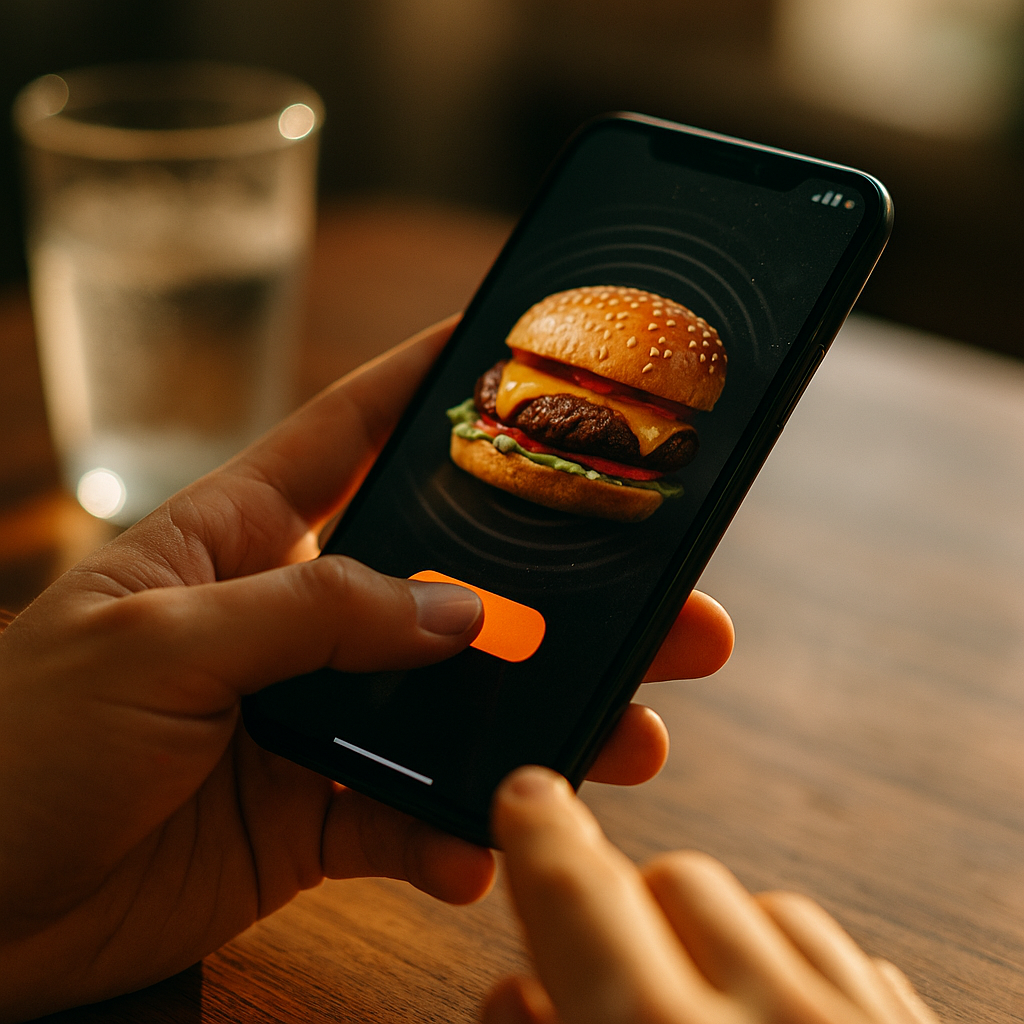
In 2025, mobile attention is scarce, and brands need ad experiences that feel native to how people use their phones. This review of haptic ad units explains what they are, how they work, and when they outperform standard rich media. You’ll learn practical formats, measurement tips, and rollout risks—so you can test confidently and improve engagement without harming trust. Ready to feel the difference?
What Are Haptic Ad Units and Why Immersive Mobile Engagement Matters
Haptic ad units are mobile ad experiences that trigger tactile feedback—usually short vibrations or patterned pulses—through the device’s vibration motor. Unlike sound (which users often mute) or video (which can be skipped), haptics deliver a private, silent signal that can reinforce a message at the exact moment a user taps, drags, “scratches,” or completes a micro-action.
Immersive mobile engagement is not about making ads louder. It’s about making them felt and responsive. When designed well, haptics improve the perceived responsiveness of an interaction and can increase memory for key moments (like unlocking a reward, confirming a choice, or hitting a milestone). When designed poorly—too intense, too frequent, or poorly timed—haptics can feel like a device malfunction or an accessibility violation.
In practice, haptic ads work best when you treat vibration as interface feedback, not as a gimmick. The goal is to support user intent: confirm an action, guide a gesture, or create a tactile “reward” that matches what’s happening on screen.
Haptic Advertising Formats: The Most Common Ad Units You Can Ship
Most haptic advertising formats fall into a few repeatable patterns. The best choice depends on your creative concept, your publisher environment, and how much user interaction you can realistically earn.
- Haptic tap-to-reveal: A tap triggers a short pulse and reveals a product feature, discount, or scene change. This is a low-friction starting point because it mirrors standard “tap to expand” behavior.
- Haptic swipe/drag interactions: Users swipe to “wipe away,” “open,” or “assemble” something, with subtle pulses reinforcing progress. Use this when the visual already suggests motion.
- Scratch-and-reveal with tactile texture: Small repeated pulses mimic texture as users scratch a surface. Works well for promotions, mystery offers, or collectibles, but needs careful frequency control to avoid annoyance.
- Playable-style mini interactions: Simple micro-games (e.g., aim, balance, timing) with haptic feedback on hits, near-misses, or checkpoints. These can drive strong engagement but require the most QA across devices.
- Haptic “confirmation” in shoppable units: A soft pulse when adding to cart, selecting a variant, or confirming an order step. This supports conversion by reducing uncertainty, especially on small screens.
To answer the next question most teams ask: yes, you can combine haptics with audio and motion, but default to subtlety. Use sound as optional enhancement; use haptics as the primary feedback layer for key interactions.
Mobile UX and Haptic Feedback: Design Principles That Protect Trust
The difference between “immersive” and “intrusive” is design discipline. Strong mobile UX and haptic feedback share the same rule: never surprise the user in a way that feels unsafe or out of their control.
Prioritize user agency. Trigger haptics only after a user action (tap, swipe, press) or during a clearly guided interaction. Avoid auto-playing vibration on load. If your concept requires a “first pulse,” gate it behind an explicit prompt such as “Tap to start.”
Use intensity and duration sparingly. Short pulses that mirror native UI confirmations are safer than long vibrations. Think “confirmation,” not “alarm.” If you need multiple pulses, space them out and link them to clear milestones (25%, 50%, 100%).
Match the haptic pattern to the visual metaphor. A “lock click” should feel crisp; a “rumble” for driving should be light and intermittent. Mismatched feedback breaks immersion fast.
Design for accessibility and comfort. Some users are sensitive to vibration or may have device settings that reduce or disable it. Your ad must remain fully understandable without haptics. Treat haptics as an enhancement layer, not a dependency.
Respect platform and publisher policies. Many environments restrict disruptive behaviors, and excessive vibration may be flagged. Keep documentation ready that shows haptics are user-initiated and optional in effect.
If you’re wondering how to prevent complaints: add a subtle in-unit control such as “Vibration on/off” when your format includes repeated pulses (e.g., scratch-offs or mini-games). It signals respect and reduces friction.
Ad Creative Best Practices for Haptic Engagement (and What to Avoid)
Haptic engagement increases when the creative is built around a single, satisfying interaction. The most common failure is layering haptics on top of a concept that doesn’t need it.
Start with one “hero moment.” Choose the instant where tactile feedback adds meaning: cracking open a can, snapping a piece into place, landing a shot, unlocking a perk. Anchor the unit around that moment, and keep the rest of the journey simple.
Keep interaction time realistic. Many users will give you one to three seconds before deciding whether to continue. Design a fast first payoff, then optional depth. A good pattern is: immediate pulse + reveal, then an optional second action to explore more.
Use haptics to guide, not to nag. A subtle pulse can nudge a user to complete a drag or confirm a selection. Avoid “reminder vibrations” that attempt to pull attention back after inactivity; they feel coercive.
Avoid fake system-level sensations. Do not mimic emergency alerts, incoming call patterns, or long continuous vibrations. Users associate those with urgency or device warnings, which can create distrust and increase negative feedback.
Ensure brand-to-feel consistency. A premium brand typically benefits from refined, minimal haptics that feel like a polished UI. A gaming or sports brand can use richer patterns, but still needs restraint.
Practical follow-up: if you need to localize, localize the on-screen instruction and the pacing of prompts, not the vibration itself. Haptic patterns should remain consistent across markets so you can compare performance cleanly.
Measuring Interactive Ad Performance: KPIs, Testing, and Incrementality
Measuring interactive ad performance requires more than CTR. Haptic units often raise engagement without immediately boosting clicks, especially when the unit’s goal is product understanding or brand lift. Your measurement plan should capture both immediate behavior and downstream impact.
Core KPIs to track:
- Engagement rate: % of impressions with a meaningful interaction (first tap, swipe, scratch start).
- Interaction completion rate: % who finish the primary task (reveal complete, mini-game end, offer unlocked).
- Dwell time: Time spent in the unit; interpret carefully because longer is not always better if users are confused.
- Secondary action rate: “Learn more,” “Shop now,” add-to-cart, store locator, or coupon save.
- Post-click quality: Bounce rate, pages per session, add-to-cart rate, purchase rate, or lead quality—depending on funnel.
- Brand outcomes (where possible): Ad recall, consideration, and preference via survey-based lift studies.
A/B testing that isolates haptics. To understand whether haptics add value, keep visuals and interaction identical and toggle haptics on/off. This avoids confusing “better creative” with “better haptic layer.”
Incrementality and holdouts. If you run haptics at scale, include a holdout group that receives a non-haptic interactive version. For conversion campaigns, consider geo or audience holdouts to estimate incremental lift beyond last-click attribution.
Quality signals and user sentiment. Monitor dismiss rates, app-level negative feedback when available, and publisher reports. A strong haptic unit should not increase rapid closes or complaints.
Teams often ask what “good” looks like. Benchmarks vary widely by vertical and placement, so focus on relative improvement vs. your current rich media baseline. A meaningful win is a consistent lift in interaction completion and downstream quality, not a one-off spike in taps.
Haptic Ad Tech Requirements: Compatibility, Privacy, and QA in 2025
Haptic ad tech requirements are manageable, but they demand careful QA because device behavior differs. Even when an API is available, intensity and feel can vary by hardware, OS settings, and user preferences.
Compatibility considerations. Some devices may limit vibration strength, some users disable haptics globally, and certain in-app webviews may restrict advanced behaviors. Build graceful fallbacks so the ad remains fully functional without vibration.
Performance and battery. Haptics themselves are typically lightweight, but the interactive unit may include animations, video, or game-like logic. Optimize assets, reduce heavy scripts, and cap frame-heavy effects. A smooth 60fps interaction often matters more than adding another vibration cue.
Privacy and consent. Haptics don’t inherently require personal data, which is a practical advantage. Still, keep your event tracking minimal, disclose measurement appropriately, and follow publisher consent frameworks for any analytics tied to user identifiers. Treat interaction events as behavioral data and handle them responsibly.
QA checklist.
- Test across a representative device set (new and older models) and multiple screen sizes.
- Test with system haptics disabled and with power-saving modes enabled.
- Validate that haptics are user-initiated and never trigger unexpectedly on load.
- Confirm that the unit remains clear and enjoyable with haptics off.
- Verify that haptic patterns don’t conflict with accessibility settings or cause repetitive discomfort.
Operational rollout. Start with one placement and one format, learn quickly, then expand. Document patterns that work (timing, intensity, number of pulses) so you can scale creative production without reinventing the approach each time.
FAQs
Do haptic ad units work on all smartphones?
Most modern smartphones support vibration, but the experience varies by hardware, OS settings, and app environments. Always build a fallback so the ad is fully usable without haptics, and QA across a broad device mix.
Are haptic ads allowed by major ad platforms and publishers?
They can be, as long as the vibration is user-initiated, not disruptive, and compliant with placement policies. Avoid auto-triggered vibration on load and provide clear interaction prompts.
Will haptics improve conversion rates or just engagement?
Haptics often lift interaction quality first (completion, dwell, product exploration). Conversion lift depends on funnel fit. Shoppable confirmations and offer unlocks tend to translate better than purely playful interactions. Use A/B tests and holdouts to measure incrementality.
How do you prevent haptic ads from feeling annoying?
Use short, subtle pulses tied to clear user actions, limit repetition, and avoid patterns that resemble system alerts. For repeated interactions, consider a simple vibration toggle inside the unit.
What’s the best first haptic format to test?
A tap-to-reveal or swipe-to-reveal unit is typically the safest starting point. It’s easy to understand, quick to complete, and lets you isolate the incremental effect of adding haptics without complex gameplay.
How should I brief a creative team for haptic ads?
Define the single “hero moment,” specify when haptics should trigger (only after user input), describe the desired feel (crisp, soft, textured), and list non-negotiables: accessibility fallback, no auto-vibration on load, and a maximum number of pulses per session.
Haptic ads can turn routine mobile placements into experiences that feel responsive, intentional, and memorable. In 2025, the winning approach pairs restrained vibration patterns with simple interactions, clear user control, and rigorous QA across devices. Measure beyond clicks, prove incrementality with a non-haptic control, and optimize for comfort as much as novelty. Done well, haptics add meaning—not noise.
Top Influencer Marketing Agencies
The leading agencies shaping influencer marketing in 2026
Agencies ranked by campaign performance, client diversity, platform expertise, proven ROI, industry recognition, and client satisfaction. Assessed through verified case studies, reviews, and industry consultations.
Moburst

-
2

The Shelf
Boutique Beauty & Lifestyle Influencer AgencyA data-driven boutique agency specializing exclusively in beauty, wellness, and lifestyle influencer campaigns on Instagram and TikTok. Best for brands already focused on the beauty/personal care space that need curated, aesthetic-driven content.Clients: Pepsi, The Honest Company, Hims, Elf Cosmetics, Pure LeafVisit The Shelf → -
3

Audiencly
Niche Gaming & Esports Influencer AgencyA specialized agency focused exclusively on gaming and esports creators on YouTube, Twitch, and TikTok. Ideal if your campaign is 100% gaming-focused — from game launches to hardware and esports events.Clients: Epic Games, NordVPN, Ubisoft, Wargaming, Tencent GamesVisit Audiencly → -
4

Viral Nation
Global Influencer Marketing & Talent AgencyA dual talent management and marketing agency with proprietary brand safety tools and a global creator network spanning nano-influencers to celebrities across all major platforms.Clients: Meta, Activision Blizzard, Energizer, Aston Martin, WalmartVisit Viral Nation → -
5

The Influencer Marketing Factory
TikTok, Instagram & YouTube CampaignsA full-service agency with strong TikTok expertise, offering end-to-end campaign management from influencer discovery through performance reporting with a focus on platform-native content.Clients: Google, Snapchat, Universal Music, Bumble, YelpVisit TIMF → -
6

NeoReach
Enterprise Analytics & Influencer CampaignsAn enterprise-focused agency combining managed campaigns with a powerful self-service data platform for influencer search, audience analytics, and attribution modeling.Clients: Amazon, Airbnb, Netflix, Honda, The New York TimesVisit NeoReach → -
7

Ubiquitous
Creator-First Marketing PlatformA tech-driven platform combining self-service tools with managed campaign options, emphasizing speed and scalability for brands managing multiple influencer relationships.Clients: Lyft, Disney, Target, American Eagle, NetflixVisit Ubiquitous → -
8

Obviously
Scalable Enterprise Influencer CampaignsA tech-enabled agency built for high-volume campaigns, coordinating hundreds of creators simultaneously with end-to-end logistics, content rights management, and product seeding.Clients: Google, Ulta Beauty, Converse, AmazonVisit Obviously →