


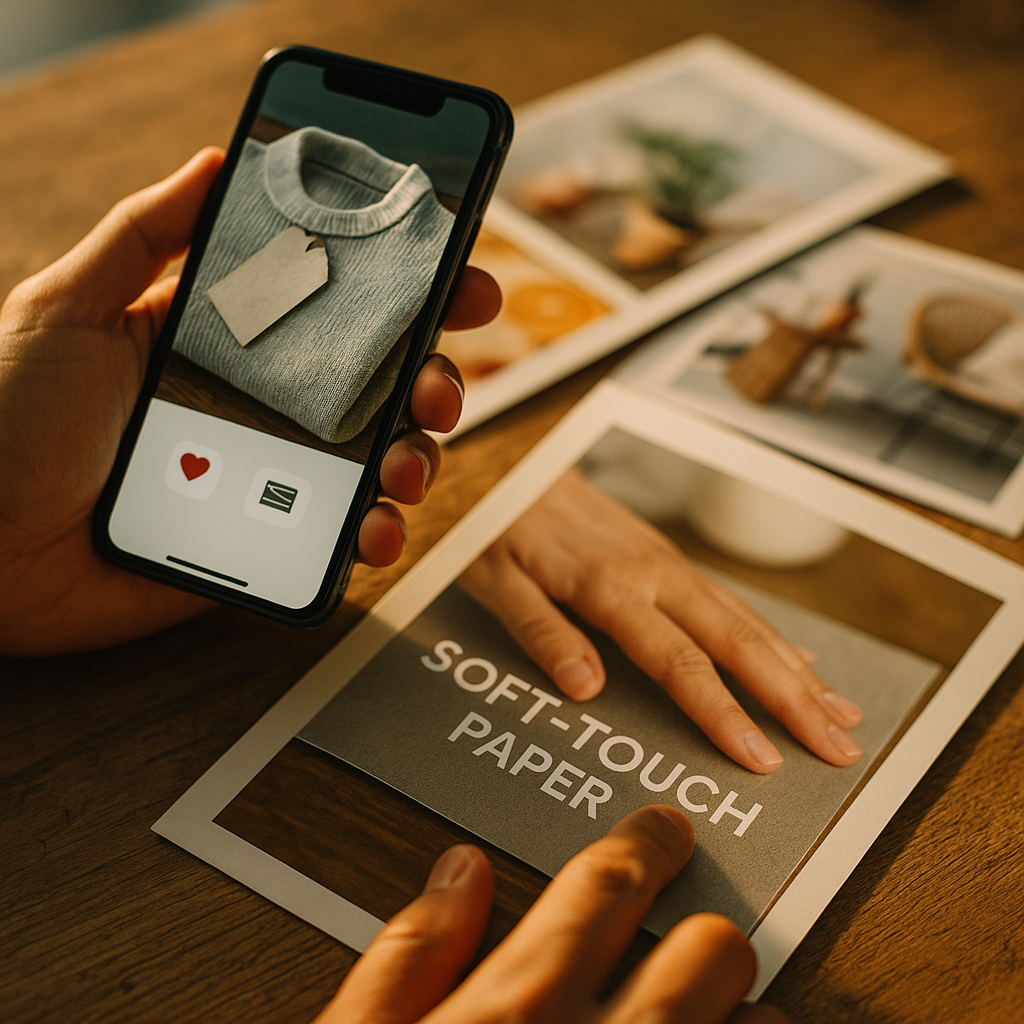
In 2025, brands compete for attention in feeds that blur together. The Future of Haptic Marketing and Integrating Touch Into Content is about restoring a missing sense: physical feedback that improves understanding, emotion, and memory. As phones, wearables, and XR devices mature, touch can become a measurable media layer. What will it take to deploy it responsibly and effectively?
Haptic marketing strategy: why touch is becoming a content channel
Haptics are no longer a novelty vibration. Modern haptic systems can produce distinct sensations—taps, pulses, textures, resistance—synchronized with visual and audio cues. For marketing and product communication, that means touch can carry meaning, not just alert you.
A strong haptic marketing strategy starts with a simple premise: touch reduces cognitive load. When users feel a “confirm” click, a guided pulse, or a simulated texture, they need fewer on-screen instructions. That can improve task completion, reduce errors, and make experiences feel more premium.
Touch also changes how people interpret information. In commerce, tactile cues help users judge scale, impact, and quality. In education, a subtle “bump” can signal a correct step. In entertainment, haptics make scenes feel personal and immediate. The practical question isn’t “Should we use haptics?” but “Which user outcomes do we want to improve—confidence, clarity, safety, delight, recall?”
To make this channel work, align haptics with a single job per moment:
- Feedback: confirm an action (purchase, save, submit) with a crisp click.
- Guidance: steer attention with directional pulses during onboarding or navigation.
- Expression: build emotion with patterns matched to story beats, music, or animation.
- Simulation: emulate material or resistance for demos, product trials, or training.
Brands that treat haptics as “audio for the skin” create more coherent experiences than brands that bolt on random vibrations.
Digital touchpoints and tactile feedback: where integration is happening now
The fastest path to integrating touch into content is to use the devices people already own. In 2025, most haptic reach comes from smartphones and wearables, with XR expanding in high-intent contexts like training, events, and product demos.
Key digital touchpoints where tactile feedback fits naturally:
- Short-form video and ads: use brief, distinct pulses for beat drops, key claims, or scene transitions—only when sound-off viewing would otherwise reduce comprehension.
- Mobile web and apps: add haptic confirmation for form steps, toggles, and critical CTAs to reduce mis-taps and increase perceived control.
- Live experiences: concerts, sports, and brand events can synchronize wearables or phone haptics with lighting, music, and moments of reveal.
- Retail and packaging bridges: QR-driven experiences can include tactile “micro-demos” (e.g., the snap of a cap, a zipper feel) to supplement what users can’t touch online.
- Customer support and onboarding: guided haptic cues can help users follow steps hands-free or with low visual attention.
Integration succeeds when it respects context. If someone is in a quiet meeting, strong vibrations can backfire. If someone is walking, haptics can improve safety by reducing the need to stare at the screen. Build for “situations,” not just screens.
Answering a common implementation question: Do we need custom hardware? Usually, no. Start with OS-level haptics and design patterns that work on mainstream devices. Reserve advanced hardware for high-value experiences where realism or differentiation justifies it.
Multisensory branding and emotional engagement: designing touch that means something
Multisensory branding is effective when each sense reinforces the same identity. Touch should not contradict visuals or tone. A playful brand might use light, bouncy patterns; a security brand might use firm, precise clicks; a luxury brand might use slower, softer pulses that feel controlled rather than noisy.
To design touch that carries meaning, define a “haptic vocabulary”:
- Primitives: 3–6 base sensations (click, soft thump, ramp, double-tap, long press, ripple).
- Rules: what each sensation means (success, warning, boundary, progress, emphasis).
- Intensity tiers: gentle by default; stronger only for high-importance moments.
- Cadence: keep patterns short to avoid annoyance and battery drain.
Emotional engagement comes from timing and restraint. A single, well-timed haptic “click” at the moment of reveal can feel more satisfying than constant buzzing throughout a video. Think in terms of punctuation, not continuous vibration.
Make touch consistent across channels. If a “success” in your app is a crisp click, your checkout confirmation, loyalty redemption, and customer-service resolution should feel similar. This consistency builds trust and reduces uncertainty—two outcomes that matter more than novelty.
Another frequent reader question: Can haptics work for storytelling? Yes, when the pattern supports narrative meaning—like a faint heartbeat during suspense or a directional “pull” cue in interactive stories. Keep accessibility in mind and always provide a non-haptic equivalent of the message.
Wearable haptics and AR/VR experiences: the next frontier for touch-first content
Wearable haptics expand touch beyond a phone in the hand. Wrist-based feedback can signal direction, timing, or urgency without requiring visual focus. For marketing, that opens new formats: guided in-store journeys, interactive installations, and game-like product education that feels physical.
In AR/VR, haptics solve a core challenge: virtual objects often look real but feel empty. Even modest feedback—controller resistance, fingertip taps, or localized pulses—can increase presence. That matters for:
- Product demos: simulate a button press, a latch, or a material transition to reduce uncertainty before purchase.
- Training and safety: reinforce correct motions with tactile cues, reducing reliance on verbal instructions.
- Remote collaboration: shared “touch signals” (like confirmation taps) can speed up consensus and reduce miscommunication.
- Accessibility: tactile wayfinding and confirmation can help users who benefit from non-visual cues.
For most organizations, the smart move is to plan a two-tier roadmap:
- Tier 1 (now): phone + smartwatch haptics for scalable reach.
- Tier 2 (select): XR and advanced wearables for high-intent audiences—events, B2B demos, and premium launches.
Haptics in XR should be tied to outcomes: reduced drop-off in demos, improved comprehension of features, and higher confidence to proceed. If you can’t define the outcome, don’t add the sensation.
Haptic technology trends 2025: measurement, personalization, and interoperability
Haptic technology trends 2025 center on three practical shifts: better tooling, smarter personalization, and cross-platform consistency. As APIs and design systems mature, teams can prototype touch patterns faster and keep them aligned with brand guidelines.
Measurement is also improving. You can evaluate haptics with metrics that map to business goals:
- Task success rate: do users complete key flows more reliably with tactile confirmation?
- Time to complete: do haptic cues reduce hesitation in onboarding or checkout?
- Error rate: fewer mis-taps, fewer form mistakes, fewer abandoned steps.
- Recall and comprehension: can users accurately remember features after a haptic-supported demo?
- Sentiment and comfort: do users describe the experience as controlled and helpful rather than distracting?
Personalization matters because touch tolerance varies. Some users love strong feedback; others find it stressful. Build adjustable intensity, allow opt-outs, and default to subtle patterns. Use personalization responsibly: haptics should respond to user preference and context, not manipulate emotions in ways users can’t detect.
Interoperability remains a challenge: device motors differ, and what feels crisp on one phone can feel mushy on another. Solve this with:
- Pattern testing on a device matrix: include budget and premium hardware.
- Fallback patterns: if advanced effects aren’t supported, use simpler equivalents.
- Design tokens for haptics: define “success-click,” “warning-buzz,” “progress-ramp” as reusable assets.
This is where EEAT practices matter: document your haptic guidelines, testing results, and accessibility decisions. It signals care, reduces risk, and speeds up iteration across teams.
User privacy and ethical design: consent, accessibility, and avoiding sensory overload
Touch is intimate. That makes user privacy and ethical design non-negotiable. Haptics can influence attention and emotion, so users must retain control and understand what’s happening.
Use these guardrails:
- Explicit control: provide a clear setting to turn haptics off or reduce intensity, and respect system-level preferences.
- Purpose limitation: tie touch to user benefit (feedback, guidance, safety). Avoid “attention hacks” that exist only to increase watch time.
- Accessibility first: never rely on haptics alone to convey critical information. Pair tactile cues with visual and/or audio alternatives.
- Frequency caps: prevent repetitive buzzing loops in ads or onboarding. Overuse causes fatigue and harms brand perception.
- Context awareness: design for situations like driving, walking, quiet environments, and assistive-device use.
- Data minimization: if you collect interaction data to optimize patterns, keep it aggregated and avoid sensitive inference.
Answering a common compliance question: Do we need consent for haptics? You should treat them like other device-level experiences—provide transparency, allow easy opt-out, and avoid surprising behavior. If haptics are tied to personalization or profiling, tighten disclosures and internal review.
Brands that lead here will earn trust. Brands that treat touch as a shortcut to attention will drive users to disable it—and they rarely turn it back on.
FAQs
What is haptic marketing?
Haptic marketing uses tactile feedback—such as taps, clicks, pulses, or simulated textures—to communicate brand messages, improve usability, and increase engagement across digital and physical experiences.
How do you integrate touch into content without annoying users?
Use haptics sparingly, keep patterns short, match touch to clear meaning (confirmation, guidance, emphasis), and offer intensity controls and opt-outs. Test with real users in realistic environments.
Do haptics improve conversions?
They can when they reduce friction and uncertainty—especially in checkout, form completion, onboarding, and product demos. Measure impact through task success, error rates, completion time, and drop-off rather than assuming uplift.
What devices support haptic content best in 2025?
Smartphones and smartwatches offer the broadest reach. XR headsets and specialized wearables enable richer touch effects, best used for high-intent demos, training, and live experiences.
How do you make haptics accessible?
Never use haptics as the only signal for critical information. Pair touch with visual and/or audio cues, respect system accessibility settings, and allow users to disable or reduce haptics.
What’s the first step to launching a haptic marketing program?
Create a small haptic design system: define 3–6 reusable patterns, map each to a meaning, implement them in one high-value flow (like checkout), and run A/B tests and usability sessions across multiple devices.
Touch is becoming a practical layer of digital communication, not a gimmick. When you align haptics with clear user outcomes, build a consistent tactile vocabulary, and measure results across devices, content becomes easier to understand and more memorable. In 2025, the brands that win will treat touch as a controllable, accessible feature—then use it with restraint and intent.
Top Influencer Marketing Agencies
The leading agencies shaping influencer marketing in 2026
Agencies ranked by campaign performance, client diversity, platform expertise, proven ROI, industry recognition, and client satisfaction. Assessed through verified case studies, reviews, and industry consultations.
Moburst

-
2

The Shelf
Boutique Beauty & Lifestyle Influencer AgencyA data-driven boutique agency specializing exclusively in beauty, wellness, and lifestyle influencer campaigns on Instagram and TikTok. Best for brands already focused on the beauty/personal care space that need curated, aesthetic-driven content.Clients: Pepsi, The Honest Company, Hims, Elf Cosmetics, Pure LeafVisit The Shelf → -
3

Audiencly
Niche Gaming & Esports Influencer AgencyA specialized agency focused exclusively on gaming and esports creators on YouTube, Twitch, and TikTok. Ideal if your campaign is 100% gaming-focused — from game launches to hardware and esports events.Clients: Epic Games, NordVPN, Ubisoft, Wargaming, Tencent GamesVisit Audiencly → -
4

Viral Nation
Global Influencer Marketing & Talent AgencyA dual talent management and marketing agency with proprietary brand safety tools and a global creator network spanning nano-influencers to celebrities across all major platforms.Clients: Meta, Activision Blizzard, Energizer, Aston Martin, WalmartVisit Viral Nation → -
5

The Influencer Marketing Factory
TikTok, Instagram & YouTube CampaignsA full-service agency with strong TikTok expertise, offering end-to-end campaign management from influencer discovery through performance reporting with a focus on platform-native content.Clients: Google, Snapchat, Universal Music, Bumble, YelpVisit TIMF → -
6

NeoReach
Enterprise Analytics & Influencer CampaignsAn enterprise-focused agency combining managed campaigns with a powerful self-service data platform for influencer search, audience analytics, and attribution modeling.Clients: Amazon, Airbnb, Netflix, Honda, The New York TimesVisit NeoReach → -
7

Ubiquitous
Creator-First Marketing PlatformA tech-driven platform combining self-service tools with managed campaign options, emphasizing speed and scalability for brands managing multiple influencer relationships.Clients: Lyft, Disney, Target, American Eagle, NetflixVisit Ubiquitous → -
8

Obviously
Scalable Enterprise Influencer CampaignsA tech-enabled agency built for high-volume campaigns, coordinating hundreds of creators simultaneously with end-to-end logistics, content rights management, and product seeding.Clients: Google, Ulta Beauty, Converse, AmazonVisit Obviously →