


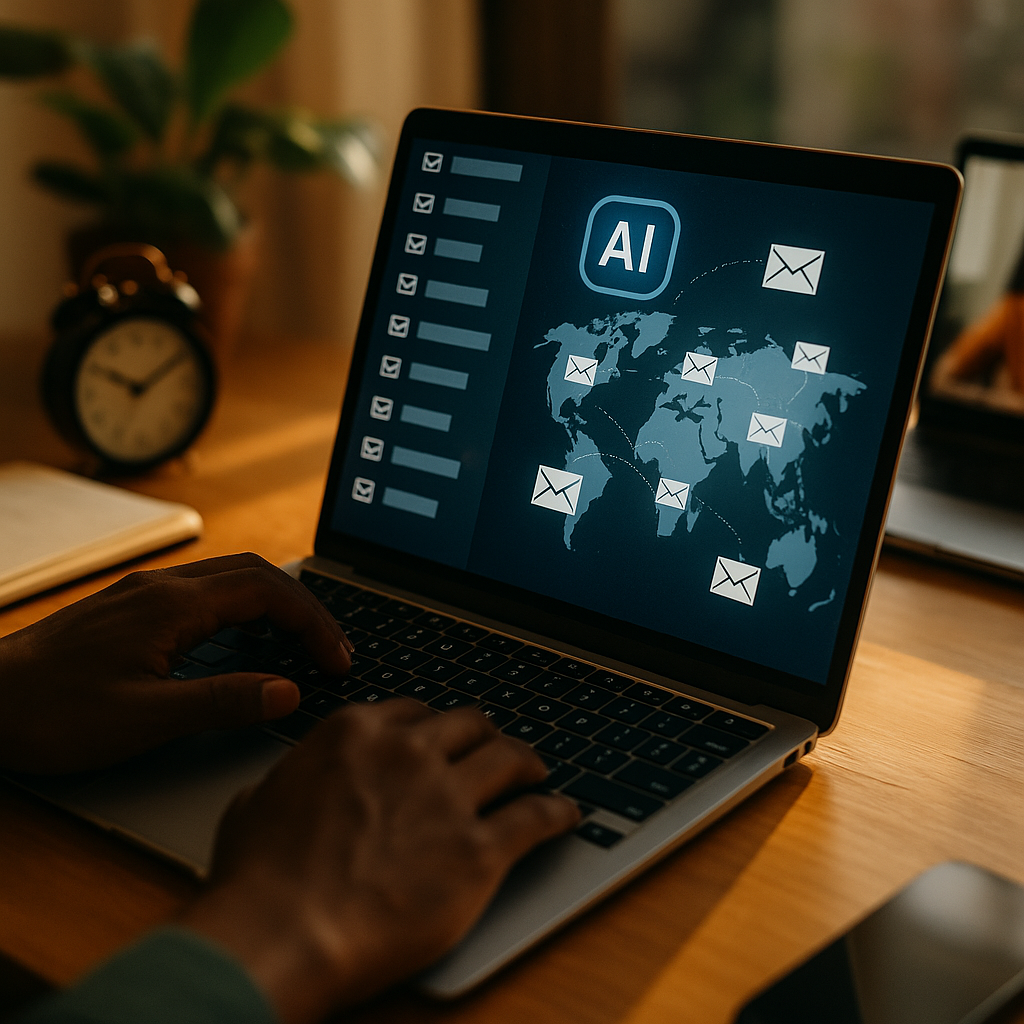
Managing a distributed team of freelancers means your emails compete with time zones, local work habits, and inbox overload. Using AI to optimize email send times turns that complexity into a measurable advantage by predicting when each recipient is most likely to read and respond. In 2025, the best systems learn from behavior, not assumptions—so your outreach feels timely instead of intrusive. Ready to see what “perfect timing” looks like at scale?
AI email send time optimization for remote teams: what it is and why it matters
AI-driven send time optimization uses machine learning to choose the best moment to deliver an email to each individual recipient (or segment) based on observed engagement patterns. Instead of relying on generic advice like “send on Tuesday morning,” it evaluates signals that correlate with opens, clicks, replies, and task completion.
For global freelance workforces, timing is not a minor tweak—it is an operational lever. Freelancers often juggle multiple clients, work unconventional hours, and shift schedules across projects. If your message arrives while they are asleep, commuting, in deep work, or handling another client’s urgent request, it may sink under newer emails by the time they check their inbox.
Optimized timing improves outcomes across common freelance communication types:
- Project updates and task assignments: higher same-day acknowledgement and fewer “missed” tasks.
- Contract, compliance, and payment emails: faster confirmations reduce downstream delays.
- Sourcing and outreach: better reply rates from candidates and specialists.
- Change requests: quicker responses reduce rework and deadline risk.
The practical benefit is consistency. When your send timing adapts to the recipient, you can maintain predictable response windows without demanding that freelancers reshape their day around your schedule.
Global time zone scheduling challenges: common pitfalls AI can fix
Most organizations start with a simple solution: schedule emails for “business hours” in the sender’s time zone or the recipient’s local time. Both approaches break down in global freelance environments for reasons that are easy to underestimate.
Pitfall 1: Time zone ≠ work time. A freelancer in São Paulo may work late evenings to align with U.S. clients. Another in Berlin may prefer early mornings. Local clock time does not reflect actual availability.
Pitfall 2: One freelancer, multiple projects. Freelancers frequently context-switch. Your “good time” may clash with another client’s standing meetings, delivery windows, or review cycles.
Pitfall 3: Inbox stacking and recency bias. Even if an email arrives during working hours, it can be buried quickly. For attention-sensitive messages (approvals, handoffs), being near the top of the inbox when the recipient checks matters.
Pitfall 4: Over-sending creates diminishing returns. If you respond to low engagement by sending more reminders, you raise noise and erode trust. AI can help you reduce unnecessary follow-ups by improving the initial delivery moment.
Pitfall 5: Holiday and regional variation. Global teams face national holidays, religious observances, and local “quiet days.” A static calendar misses these patterns unless it is carefully maintained.
AI helps by basing decisions on behavior and context rather than assumptions. The best implementations also make tradeoffs explicit—prioritizing, for example, faster replies on urgent operational emails while choosing less intrusive windows for newsletters or community updates.
Machine learning for email timing: signals, data, and model approaches
Effective send time optimization depends on two things: reliable signals and a model that converts them into a send-time recommendation. In 2025, most systems use a mix of per-recipient learning and segment-level backoff logic for sparse data (new recipients or infrequent emailers).
Common signals (and what they really indicate):
- Open and click timestamps: proxy for attention; more reliable when combined with downstream actions.
- Reply and response-time distributions: best for operational email where replies matter more than opens.
- Send-to-action timing: time from email receipt to task completion (e.g., approving a scope, uploading a file).
- Device and client patterns: mobile opens may cluster at commuting hours; desktop engagement may align with deep work blocks.
- Calendar context (if available and consented): meeting-heavy windows vs. open focus time.
- Historical saturation: how engagement changes when frequency increases; helps prevent over-contact.
- Regional constraints: local quiet hours, weekends, and observed holidays.
Model approaches you will see in practice:
- Per-user probabilistic models: estimate probability of engagement across 15/30/60-minute bins.
- Gradient-boosted or neural ranking models: rank candidate send times using multiple features.
- Contextual bandits: explore timing options while learning quickly, useful for new freelancers with limited history.
- Hybrid rules + ML: enforce “no-send” windows (e.g., 11 p.m.–6 a.m. local time) while ML chooses within allowed ranges.
Important nuance: “Optimal” depends on the goal. Optimizing for opens can push send times toward habitual inbox-check moments, which may not align with thoughtful replies. For freelance operations, optimizing for response quality and time-to-resolution often beats optimizing for opens alone.
To answer a common follow-up: you do not need huge datasets to start. Even modest history per freelancer (a few dozen interactions) can be enough to outperform generic schedules, especially when the model uses segment-based priors (role, region, typical project cadence) and refines as data accrues.
Workflow automation for freelance communications: how to implement without chaos
Send time optimization succeeds when it is tied to clear workflows and governance, not bolted onto email at the last minute. A practical implementation for a global freelance workforce typically follows four steps.
1) Define email categories and success metrics. Split messages into categories with distinct goals:
- Operational: assignments, approvals, deadline changes. Metric: time-to-first-reply, time-to-completion.
- Commercial: outreach, renewals, rate negotiations. Metric: reply rate, meeting booked.
- Administrative: invoicing, compliance, tax forms. Metric: completion rate by due date.
- Informational: newsletters, community updates. Metric: read depth/clicks, unsubscribe rate.
2) Set guardrails and human override. Freelancers value autonomy. Keep control visible:
- Allow manual send for urgent items.
- Use priority tiers (send immediately vs. optimize within the next X hours).
- Respect quiet hours and local weekends unless urgency overrides.
- Provide a recipient preference option: “morning,” “afternoon,” “evening,” or “only weekdays.”
3) Integrate with your stack. Many teams run communications across email, project tools, and chat. Keep the “source of truth” clear:
- Sync with your CRM or ATS for outreach to candidates and specialists.
- Sync with project management tools for task-driven emails (briefs, reviews, handoffs).
- Log sends and outcomes to a data store so learning is continuous.
4) Launch with A/B testing and staged rollout. Start with one category (often operational) and a limited region or team. Measure improvements, then expand. A staged rollout prevents one bad configuration from affecting your entire freelancer network.
A frequent concern is latency: “If we delay to optimize, will we slow work down?” The solution is a time window policy. For example, send immediately for “blocker” messages; otherwise, allow AI to pick the best moment within the next 2–6 hours. This keeps momentum while still benefiting from timing gains.
Email deliverability and trust: privacy, consent, and responsible AI
Optimizing timing only works if your emails land in the inbox and your freelancers trust your communication practices. This is where EEAT-aligned operations matter: be transparent, protect data, and measure outcomes beyond vanity metrics.
Deliverability fundamentals that interact with send time:
- Authentication: configure SPF, DKIM, and DMARC for your domains and subdomains used for outreach.
- Consistent sending behavior: avoid sudden volume spikes; AI scheduling can smooth sends across time zones.
- Content quality: clear subjects, minimal spam triggers, and relevant segmentation reduce complaints.
- List hygiene: remove hard bounces, honor unsubscribes, and prune unengaged contacts.
Privacy and consent in 2025: If you use behavioral data (opens, clicks, device), state it clearly in your privacy notice and internal policies. Where feasible, provide recipients with preference controls. For freelancers, trust is part of retention—surprise tracking can backfire even if it is technically allowed.
Minimize data while staying effective: You can often optimize send times using aggregated engagement windows and reply behavior without storing sensitive content. Prefer event metadata (timestamp, message type, outcome) over message body analysis unless you have a clear, consented reason.
Avoid “dark patterns.” Do not use AI timing to pressure recipients into working outside their boundaries. A healthy strategy respects local norms and individual preferences while still meeting operational needs.
Build credibility through transparency: Tell freelancers what you are optimizing for (faster approvals, fewer reminders) and how it benefits them (less inbox noise, fewer last-minute pings). This increases cooperation and reduces the perception that timing optimization is manipulation.
Personalization at scale for contractors: measurement, iteration, and real-world playbooks
Once the system is live, continuous improvement matters more than the first model. Focus on outcomes that correlate with project health and freelancer satisfaction.
Key KPIs to track (by email category):
- Time-to-first-reply and time-to-resolution (operational).
- Approval turnaround time for briefs, designs, or payments.
- Reminder rate (how often you need to chase).
- Negative signals: unsubscribes, spam complaints, bounce rate, and “stop emailing me” replies.
- Freelancer experience signals: optional pulse surveys, reduced after-hours replies, fewer escalations.
Playbook 1: New freelancer onboarding (cold start). When you lack individual history, use segment-level patterns (region, role, seniority, typical project type) plus a small exploration strategy. After a few interactions, shift to personalized timing. Keep onboarding emails respectful: optimize within daytime windows and avoid sending long checklists at the end of the local day.
Playbook 2: High-urgency handoffs. For blocker issues, route through a priority channel: send immediately and follow with an AI-scheduled summary if needed. You can also add a rule: if the recipient usually replies within 30 minutes at a certain time, prefer that time for non-blocker handoffs.
Playbook 3: Multi-recipient emails. Global freelance operations often involve a lead, a reviewer, and a specialist. AI can optimize in two ways:
- Per-recipient sends: best for privacy and personalization (separate emails).
- Compromise scheduling: choose a window that maximizes combined probability of action for the group.
Playbook 4: Preventing notification fatigue. Use AI to reduce follow-ups: schedule a reminder only if predicted non-response risk is high, and time it to when the recipient is likely to engage. Pair this with better email design: one clear ask, a single deadline, and the minimum context needed to act.
Answering the common “Will this replace managers?” follow-up: No. Timing optimization improves delivery decisions, but managers still set priorities, clarify requirements, and handle edge cases. The strongest results come when managers use AI timing as a default while staying accountable for message quality and urgency.
FAQs about using AI to optimize email send times for global freelance workforces
How quickly can AI learn the best send time for each freelancer?
Many systems become useful after a small number of interactions by combining segment patterns with early individual signals. Expect noticeably better timing within weeks for active freelancers, with accuracy improving as more replies and completions are logged.
Should we optimize for opens, clicks, or replies?
For freelance operations, optimize primarily for replies and time-to-resolution because they map to project progress. Opens can be a secondary signal, especially for informational messages, but they are weaker indicators of real work getting done.
What if freelancers work irregular hours or change schedules often?
Use models that decay older data and adapt quickly to recent behavior. Pair ML with guardrails (quiet hours, weekends) and allow recipients to set preferences so the system remains accurate and respectful.
Can AI optimize send times across multiple channels, not just email?
Yes. The same behavioral approach can be applied to chat reminders, in-app notifications, and SMS, but each channel needs separate consent and fatigue controls. Many teams use email for structured requests and chat for urgent blockers.
Does send time optimization affect deliverability?
It can improve deliverability indirectly by smoothing volume and reducing spam complaints through higher relevance and better timing. You still need proper authentication, list hygiene, and consistent sending practices.
How do we handle privacy and consent?
Be explicit about what engagement data you collect, why you collect it, and how long you retain it. Favor minimal event metadata over content analysis unless necessary, and provide opt-outs or preference controls where practical.
AI timing works best when it respects how freelancers actually operate—across time zones, changing schedules, and competing client demands. The goal is not to “game” attention but to reduce friction: fewer reminders, faster approvals, and smoother handoffs. In 2025, teams that pair optimized send windows with clear, concise emails earn better responsiveness and stronger contractor relationships. Use AI as a scheduling advantage, then let great communication do the rest.
Top Influencer Marketing Agencies
The leading agencies shaping influencer marketing in 2026
Agencies ranked by campaign performance, client diversity, platform expertise, proven ROI, industry recognition, and client satisfaction. Assessed through verified case studies, reviews, and industry consultations.
Moburst

-
2

The Shelf
Boutique Beauty & Lifestyle Influencer AgencyA data-driven boutique agency specializing exclusively in beauty, wellness, and lifestyle influencer campaigns on Instagram and TikTok. Best for brands already focused on the beauty/personal care space that need curated, aesthetic-driven content.Clients: Pepsi, The Honest Company, Hims, Elf Cosmetics, Pure LeafVisit The Shelf → -
3

Audiencly
Niche Gaming & Esports Influencer AgencyA specialized agency focused exclusively on gaming and esports creators on YouTube, Twitch, and TikTok. Ideal if your campaign is 100% gaming-focused — from game launches to hardware and esports events.Clients: Epic Games, NordVPN, Ubisoft, Wargaming, Tencent GamesVisit Audiencly → -
4

Viral Nation
Global Influencer Marketing & Talent AgencyA dual talent management and marketing agency with proprietary brand safety tools and a global creator network spanning nano-influencers to celebrities across all major platforms.Clients: Meta, Activision Blizzard, Energizer, Aston Martin, WalmartVisit Viral Nation → -
5

The Influencer Marketing Factory
TikTok, Instagram & YouTube CampaignsA full-service agency with strong TikTok expertise, offering end-to-end campaign management from influencer discovery through performance reporting with a focus on platform-native content.Clients: Google, Snapchat, Universal Music, Bumble, YelpVisit TIMF → -
6

NeoReach
Enterprise Analytics & Influencer CampaignsAn enterprise-focused agency combining managed campaigns with a powerful self-service data platform for influencer search, audience analytics, and attribution modeling.Clients: Amazon, Airbnb, Netflix, Honda, The New York TimesVisit NeoReach → -
7

Ubiquitous
Creator-First Marketing PlatformA tech-driven platform combining self-service tools with managed campaign options, emphasizing speed and scalability for brands managing multiple influencer relationships.Clients: Lyft, Disney, Target, American Eagle, NetflixVisit Ubiquitous → -
8

Obviously
Scalable Enterprise Influencer CampaignsA tech-enabled agency built for high-volume campaigns, coordinating hundreds of creators simultaneously with end-to-end logistics, content rights management, and product seeding.Clients: Google, Ulta Beauty, Converse, AmazonVisit Obviously →