


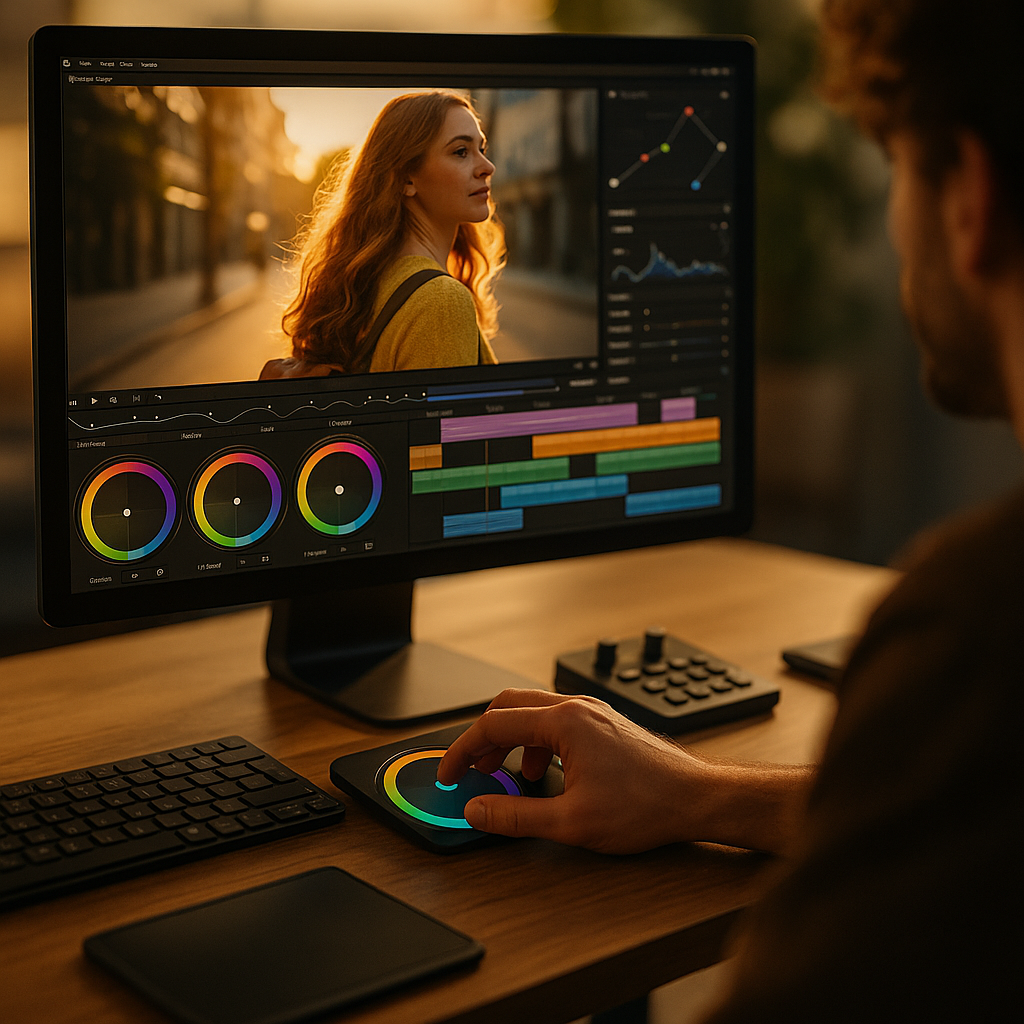
The psychology of color pacing is one of the most underused levers in high retention short video editing. Viewers don’t just react to cuts and captions; they respond to color changes as signals for meaning, mood, and urgency. When you time those shifts with attention peaks, you reduce drop-off and increase rewatches. Ready to make color work like a beat?
Color psychology in short-form video retention
Short videos win or lose in the first seconds, and color is often the first thing the brain “gets” before it understands words. Human perception prioritizes contrast, faces, and motion; color supports all three by creating hierarchy. In practice, retention improves when your visuals make the next moment feel inevitable—color pacing helps you do that without adding clutter.
Color psychology matters because viewers use color as a shortcut to interpret intent. Warm hues can feel immediate and personal, cool hues can feel calm or premium, and high saturation can feel energetic or urgent. But in short-form, timing is more important than the palette itself. A perfectly branded grade that never changes can become invisible. Strategic shifts—micro and macro—reset attention and mark progression.
Think of color pacing as “visual punctuation.” You can:
- Signal a new beat (problem → solution, setup → payoff) with a temperature shift.
- Increase perceived speed with rising saturation and contrast as the edit accelerates.
- Create relief with reduced saturation after a dense section so viewers don’t fatigue.
Creators often ask: “Will changing color hurt consistency?” Not if you define a consistent system rather than a single look. A system might include a base grade plus 2–3 deliberate variants you deploy for predictable moments (hook, reveal, CTA). That’s consistency with control.
Attention cues and emotional arousal through color pacing
High retention editing is really attention engineering: you repeatedly earn the next second. Color pacing works because attention and emotion are linked. When arousal rises—curiosity, surprise, urgency—people allocate more cognitive resources. Color can elevate or dampen arousal without adding more words.
Use color as an attention cue in three layers:
- Global changes: a scene-wide shift in temperature or contrast to announce a new segment.
- Local accents: a pop color on text, graphics, or product elements to guide the eye.
- Micro pulses: brief, subtle saturation/brightness bumps during key phrases or on-screen moments.
Keep cues purposeful. If everything is highlighted, nothing is. A reliable approach is to limit “attention colors” to one dominant accent per segment. If your brand color is red, that doesn’t mean every caption should be red; it means red should mean something—like the claim, the price, the warning, or the punchline.
To avoid overstimulation, manage arousal like a waveform. A common retention killer is constant intensity—high saturation, heavy sharpening, bright captions, fast cuts. The viewer’s brain adapts, and your “loud” look turns into background noise. Instead, build contrast over time: quieter color early, controlled spikes at turning points, then a clean reset before the payoff.
Many editors also want to know whether “warm always converts better.” It depends on context. Warmth can feel human and immediate, but cool tones can support trust in tech, finance, or health topics. The dependable rule is not warm versus cool—it’s clarity: the viewer should instantly know what to look at and what the moment means.
Visual rhythm and pacing techniques for short video editing
Color pacing is easiest to implement when it follows the same logic as your edit rhythm. In high retention short video editing, rhythm comes from pattern and break: you establish a visual flow, then interrupt it to re-grab attention. Color is a clean way to create those interrupts without jarring jump effects.
Practical pacing techniques that pair well with color:
- Hook contrast: start with a slightly punchier contrast/saturation than the body, then normalize. This makes the first second feel “on.”
- Beat-based shifts: align small temperature or tint changes with audio beats, sentence ends, or on-screen gesture peaks.
- Segment coding: assign subtle color identities to recurring sections (myth vs truth, before vs after, step 1/2/3).
- Reveal lift: raise exposure slightly and reduce shadow density at the moment of the answer, making the payoff feel brighter.
Editors often ask how fast is “too fast” for color changes. A good guideline is: if the viewer notices the grade more than the message, it’s too strong. For micro shifts, you want a felt change, not an obvious filter swap. For segment changes, the viewer should sense a new chapter, but the subject should remain natural—especially skin tones.
Build rhythm with constraints. Choose a base look and a small set of controlled moves:
- Intensity: saturation + contrast range (for example, calm, standard, peak).
- Temperature: warmer for personal moments, cooler for proof or data.
- Accent color: one highlight color for key words or objects.
Then decide where those moves go. If your structure is Hook → Context → Value → Proof → CTA, you can map color pacing to each stage so viewers feel progression even when they’re watching without sound.
Color grading workflow for mobile-first short content
Mobile-first viewing changes how color behaves. Phone screens are bright, small, and often viewed in mixed lighting. That makes readability and skin tone stability more important than cinematic subtlety. A practical workflow keeps your look consistent across devices while still allowing pacing shifts.
A dependable mobile-first grading process:
- Normalize first: correct exposure and white balance before adding any creative look. This keeps pacing shifts clean.
- Protect skin tones: use gentle hue adjustments; avoid pushing oranges too far. Natural faces retain trust.
- Set a “base grade”: your default contrast curve, sharpening level, and saturation target.
- Create variants: duplicate the base into 2–3 versions (calm, standard, peak) that differ subtly.
- Apply with intention: place variants at structural beats, not randomly across cuts.
Questions you’ll likely face mid-edit:
- Should captions match the grade? Captions should match readability first. Use color to reinforce hierarchy (keywords), but keep high contrast against the background.
- Can I use LUTs? Yes, but treat LUTs as starting points. Make sure your variants are built from the same corrected base so shifts feel designed, not accidental.
- How do I avoid a “TikTok filter” feel? Keep skin tones realistic, avoid crushing blacks, and limit extreme saturation spikes to short moments.
For EEAT-friendly production, document your look system. Keep a simple “style sheet” for your channel: base grade settings, accent colors, and when to use each variant. This reduces inconsistency across editors and builds recognizable visual trust over time.
A/B testing retention with color pacing analytics
Color pacing is only useful if it improves outcomes. In 2025, you can test it without guesswork by using retention graphs and structured A/B experiments. The goal is not to chase “prettier” footage; it’s to reduce early drop-off, strengthen mid-video holds, and increase completion and rewatches.
How to run clean tests:
- Change one variable: keep the script, cuts, captions, and audio identical. Only alter color pacing (for example, add segment-coded shifts).
- Track the same metrics: 1-second hold, 3-second hold, average watch time, completion rate, and rewatch rate where available.
- Use time-stamped hypotheses: “A brightness lift at 0:07 will reduce drop at the transition into proof.”
- Repeat across multiple posts: one result can be noise. Look for patterns across several uploads.
Read your retention graph like a map of attention. If you see a dip at a segment boundary, try a color-based chapter marker there: a slight cooling shift, a contrast reset, or a new accent color for captions. If your hook holds but mid-video fades, you may have constant intensity. Introduce a calmer grade for context, then ramp to peak for the payoff.
To align with Google’s helpful content and EEAT principles, be transparent about what you’re optimizing for. If you’re editing educational or health-related content, prioritize clarity and accuracy over manipulation. Use pacing to make comprehension easier: color-code steps, increase legibility, and reduce fatigue. Retention should be the byproduct of being clear, not the result of confusion.
Accessibility and cross-cultural meaning in color pacing
High retention should not come at the cost of accessibility. Color meanings vary across cultures, and some viewers have color vision deficiencies. If your pacing relies only on red versus green or subtle hue differences, you’ll lose part of your audience and risk miscommunication.
Make color pacing robust:
- Pair color with structure: use position, icons, or text labels alongside color cues (for example, “Step 1” plus a color band).
- Prioritize luminance contrast: brightness differences are more widely perceived than hue differences.
- Avoid critical red/green dependence: choose accent pairs like blue/orange or use patterns and outlines.
- Keep captions readable: ensure strong contrast and avoid placing text over high-saturation areas without a backdrop.
Cross-cultural meaning matters most when color is used as a symbol (warnings, purity, luxury). If you’re publishing globally, treat symbolic color choices carefully and test comments for misreads. When in doubt, use color pacing for rhythm and hierarchy rather than symbolism.
This also supports perceived trustworthiness: consistent skin tones, stable exposure, and readable overlays feel professional. Professionalism is not aesthetic vanity; it’s a credibility signal that helps audiences accept your message quickly.
FAQs
What is color pacing in short video editing?
Color pacing is the intentional timing of color changes—contrast, saturation, temperature, and accent colors—to match story beats and attention peaks. It works like visual rhythm, guiding viewers through hooks, transitions, and payoffs.
How often should I change color in a 30–60 second video?
Use a stable base grade and add 2–4 purposeful shifts tied to structure (hook, turn, proof, payoff, CTA). Micro shifts can occur more often, but they should be subtle enough that the viewer feels momentum without noticing a “filter change.”
Does higher saturation always increase retention?
No. Higher saturation can increase energy, but constant intensity causes visual fatigue and adaptation. Retention often improves when saturation and contrast rise and fall with the narrative, creating contrast between calm and peak moments.
What’s the safest way to keep skin tones natural while pacing color?
Normalize white balance and exposure first, then build variants from the same corrected base. Keep hue shifts gentle, avoid heavy orange pushes, and check your video on at least two different phone screens before publishing.
How do I test whether color pacing is working?
A/B test two edits with identical scripting, cuts, captions, and audio, changing only the color pacing approach. Compare early holds, average watch time, completion rate, and where available, rewatch rate. Use retention dips to choose where to place the next pacing shift.
Can color pacing replace good storytelling?
No. Color pacing amplifies structure and clarity, but it cannot fix a weak hook or unclear message. Use it to make transitions easier to follow, highlight key points, and keep visual energy aligned with what you’re saying.
Conclusion
Color pacing turns color grading into a retention tool: it guides attention, marks chapters, and manages emotional intensity without extra words. In 2025, the winning approach is a consistent base look plus a small set of intentional variants mapped to your hook, transitions, and payoff. Build a system, test it with retention analytics, and let color carry rhythm.
Top Influencer Marketing Agencies
The leading agencies shaping influencer marketing in 2026
Agencies ranked by campaign performance, client diversity, platform expertise, proven ROI, industry recognition, and client satisfaction. Assessed through verified case studies, reviews, and industry consultations.
Moburst

-
2

The Shelf
Boutique Beauty & Lifestyle Influencer AgencyA data-driven boutique agency specializing exclusively in beauty, wellness, and lifestyle influencer campaigns on Instagram and TikTok. Best for brands already focused on the beauty/personal care space that need curated, aesthetic-driven content.Clients: Pepsi, The Honest Company, Hims, Elf Cosmetics, Pure LeafVisit The Shelf → -
3

Audiencly
Niche Gaming & Esports Influencer AgencyA specialized agency focused exclusively on gaming and esports creators on YouTube, Twitch, and TikTok. Ideal if your campaign is 100% gaming-focused — from game launches to hardware and esports events.Clients: Epic Games, NordVPN, Ubisoft, Wargaming, Tencent GamesVisit Audiencly → -
4

Viral Nation
Global Influencer Marketing & Talent AgencyA dual talent management and marketing agency with proprietary brand safety tools and a global creator network spanning nano-influencers to celebrities across all major platforms.Clients: Meta, Activision Blizzard, Energizer, Aston Martin, WalmartVisit Viral Nation → -
5

The Influencer Marketing Factory
TikTok, Instagram & YouTube CampaignsA full-service agency with strong TikTok expertise, offering end-to-end campaign management from influencer discovery through performance reporting with a focus on platform-native content.Clients: Google, Snapchat, Universal Music, Bumble, YelpVisit TIMF → -
6

NeoReach
Enterprise Analytics & Influencer CampaignsAn enterprise-focused agency combining managed campaigns with a powerful self-service data platform for influencer search, audience analytics, and attribution modeling.Clients: Amazon, Airbnb, Netflix, Honda, The New York TimesVisit NeoReach → -
7

Ubiquitous
Creator-First Marketing PlatformA tech-driven platform combining self-service tools with managed campaign options, emphasizing speed and scalability for brands managing multiple influencer relationships.Clients: Lyft, Disney, Target, American Eagle, NetflixVisit Ubiquitous → -
8

Obviously
Scalable Enterprise Influencer CampaignsA tech-enabled agency built for high-volume campaigns, coordinating hundreds of creators simultaneously with end-to-end logistics, content rights management, and product seeding.Clients: Google, Ulta Beauty, Converse, AmazonVisit Obviously →