


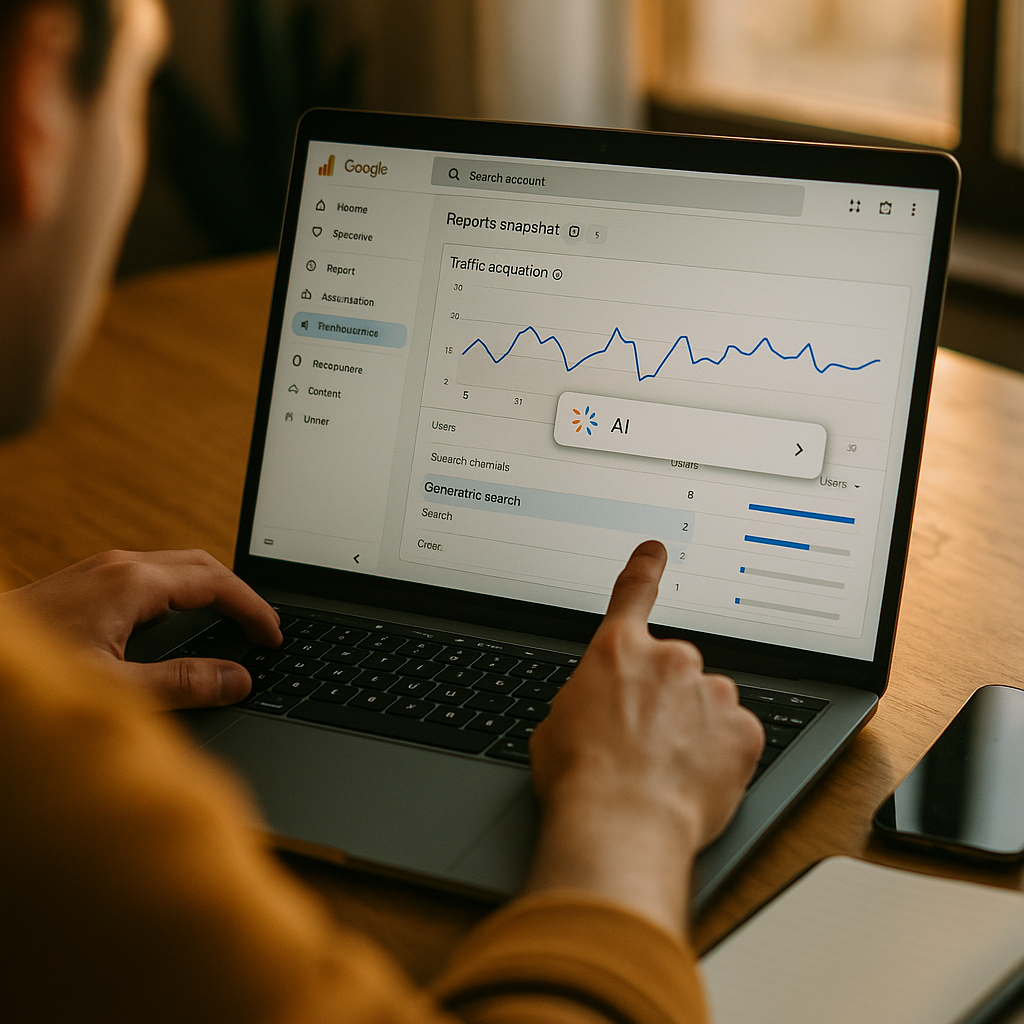
Google quietly folded ChatGPT, Perplexity, and Copilot referrals into “Organic Search” for years, and most marketers never noticed. By the time you read this, AI assistants are likely sending double-digit percentages of your referral traffic — and you’re reporting it as if Googlebot deserves the credit. The generative search traffic channel in GA4 finally gives you a way to fix that. If you haven’t configured it yet, your attribution reports are lying to you.
This isn’t a cosmetic fix. Budget decisions, content strategy, and even headcount get justified by channel performance data. If AI referral traffic is buried inside organic search, you’re structurally undercounting a channel that’s growing faster than almost anything else in your mix.
Why This Suddenly Matters to Your Reporting Stack
For most of GA4’s existence, traffic from ChatGPT, Perplexity, Copilot, and Gemini landed in one of two buckets: “Organic Search” if the referrer looked search-like, or “Referral” if it didn’t. Google’s default channel grouping logic was built for a world where search meant a results page with ten blue links. It wasn’t built for a world where an AI assistant reads your product page, summarizes it, and hands the user a single citation link.
Google addressed this with a dedicated Generative AI channel definition inside GA4’s default channel groups, capturing referrals from domains like chatgpt.com, perplexity.ai, gemini.google.com, copilot.microsoft.com, and a growing list of others. It’s a meaningful improvement. But the default rollout only catches known domains, and it doesn’t retroactively fix historical data. If you’re not checking your configuration, you’re likely still seeing generative referrals mislabeled.
Treating AI assistant traffic as generic organic search means you can’t answer the one question your CMO will eventually ask: how much revenue is coming from AI-driven discovery, and is it worth optimizing for?
This matters for budget defense too. If someone on your team is proposing investment in share-of-model tracking tools or GEO (generative engine optimization) work, you need clean baseline data to prove the channel is real and growing before you ask for more spend.
What GA4’s Default Channel Grouping Actually Catches
GA4’s channel grouping logic evaluates source, medium, and campaign parameters against a rules table. The Generative AI grouping typically matches referral traffic where the source domain belongs to a recognized set of AI assistant properties. As of the current rollout, that list includes the major players, but it’s not exhaustive, and it’s not something Google publishes as a static, guaranteed document you can audit line by line.
That’s the core problem for anyone doing serious attribution work. You’re relying on Google’s backend classification without full visibility into its logic, and new AI products launch monthly. Perplexity’s Comet browser, Arc Search’s AI mode, and dozens of vertical AI search tools may or may not be captured depending on when Google last updated its rules.
So the practical move is to not fully trust the default and build your own layer of verification on top of it.
Step One: Audit Your Referral Traffic Report Before Touching Anything
Before you build custom channel groups, pull raw referral data. Go to Reports > Acquisition > Traffic Acquisition, then add a secondary dimension for “Session source” and filter for anything containing chatgpt, perplexity, gemini, copilot, claude, or bing chat referral patterns. You’re looking for two things: traffic currently misclassified as Organic Search, and traffic sitting in unclassified Referral buckets.
Most accounts I’ve reviewed find at least some AI referral traffic hiding in plain sight, usually under “Referral” with a medium of “referral” rather than the newer generative classification. This is your evidence that manual configuration is still necessary even with Google’s default improvements.
Step Two: Build a Custom Channel Group for AI Assistants
GA4 lets you create custom channel groupings without touching your raw data collection. Navigate to Admin > Data display > Channel groups, and create a new custom channel group. Define a rule set that captures source domains matching known AI assistant referrers: chatgpt.com, chat.openai.com, perplexity.ai, gemini.google.com, copilot.microsoft.com, claude.ai, you.com, and any others relevant to your audience.
Set the condition logic to match “Session source” contains any of these domain strings, and route matches into a channel you name something explicit, like “AI Assistant Referral” rather than reusing Google’s generic label. Explicit naming matters when you’re presenting this to stakeholders who’ve never heard the term “generative search traffic channel” and need the dashboard to be self-explanatory.
Layer this custom grouping alongside the default GA4 channel groups rather than replacing them. That way you can compare Google’s native classification against your own and catch discrepancies over time.
Step Three: Use UTM Discipline for Anything You Control
Referral-based classification only works for organic AI citations, links an assistant pulls into a response without your involvement. But you likely also have content you’re actively pushing into AI-visible surfaces: FAQ schema, structured data, and llms.txt files aimed at improving citation odds. None of that traffic carries UTMs by default because you don’t control the outbound link an AI model generates.
What you can control is any content you publish specifically for AI discovery testing or PR placements referencing your brand through AI assistants. Where possible, use consistent UTM parameters (utm_source=chatgpt, utm_medium=ai_referral) for any owned distribution tests, so you have a clean cross-check against your channel group’s referral-based capture.
The Attribution Gap Nobody’s Talking About
Here’s the uncomfortable part. Even a perfectly configured generative search traffic channel only tells you about click-through referrals. It says nothing about zero-click visibility, where an AI assistant answers a user’s question directly using your content, and the user never clicks through at all. That’s a real and growing share of AI-driven brand exposure that GA4 structurally cannot see.
GA4 measures the traffic that survives the click. It has no visibility into the much larger volume of AI-generated answers that satisfy the user without ever sending them to your site.
This is why more teams are pairing GA4 configuration work with dedicated share-of-model or AI visibility tracking tools that monitor how often your brand gets cited across model responses, independent of click behavior. If you’re evaluating that layer, the comparison in share-of-model tools compared is a useful starting point, and the broader framework in evaluating AI visibility trackers covers how to vet vendors making bold citation-share claims.
GA4 configuration and share-of-model tracking answer different questions. GA4 tells you what happens after the click. Visibility tracking tells you how often you’re mentioned before any click occurs. You need both, and treating GA4 as sufficient on its own will leave a blind spot in every board deck you build.
Connecting the Channel to Revenue, Not Just Sessions
Session counts are a vanity checkpoint. What matters is whether AI assistant referrals convert, and at what value, compared to standard organic search or paid social. Once your custom channel group is live, build a comparison report in Explore using conversions and revenue as the primary metrics, segmented by your new “AI Assistant Referral” channel against standard Organic Search.
Early data across ecommerce and B2B accounts I’ve reviewed shows AI referral traffic often converts at different rates than organic search, sometimes higher because users arrive with a pre-qualified intent (the assistant already answered their research questions), sometimes lower because the traffic skews toward informational queries. Don’t assume either direction. Measure it.
If you’re running multi-touch attribution or incrementality testing already, make sure your generative AI channel is included as a distinct variable rather than folded into a generic “search” bucket. Tools built for this kind of analysis, covered in incrementality testing platforms compared, increasingly support custom channel definitions as an input, but only if your GA4 setup is feeding them clean, isolated data in the first place.
For teams thinking about identity resolution across AI referral touchpoints, particularly stitching an anonymous AI-assisted research session to a later conversion, the considerations in tracing AI referrals to revenue are worth a look before you assume last-click GA4 data tells the whole story.
Common Configuration Mistakes That Quietly Corrupt Your Data
- Relying solely on Google’s default grouping. It’s a good baseline, not a complete solution. New AI assistant domains launch constantly, and your custom rules need periodic review, quarterly at minimum.
- Forgetting mobile app referrals. ChatGPT’s mobile app and Microsoft Copilot’s integration into Windows can generate referral patterns that look different from browser-based traffic. Check your raw source data for app-specific referrer strings.
- Ignoring branded AI search overlays. Google’s AI Overviews and Bing Chat sometimes attribute differently depending on whether the user clicked a citation versus a related link. Don’t assume every AI-adjacent click routes the same way.
- Not documenting the rule set. Whoever configures the custom channel group should write down the exact domain list and logic used, because someone will ask “why is this session classified this way” during a data audit six months from now.
None of these mistakes are catastrophic individually. Together, they compound into a reporting layer nobody fully trusts, which defeats the entire purpose of building the channel in the first place.
Where This Fits Into a Broader AI Governance Conversation
Traffic classification is a small piece of a much larger question: how much control does your team actually have over how AI systems represent, cite, and route users to your brand? If you’re already building governance frameworks around AI vendor tools in your stack, the same discipline should apply here. The scorecard approach in AI vendor governance and override controls is a useful mental model even though it’s written for a different tool category: ask who controls the classification logic, how often it updates, and what happens when it’s wrong.
Analytics vendors and industry researchers, including eMarketer and Statista, have both flagged AI referral traffic as one of the fastest-growing segments in digital acquisition data. Google’s own GA4 support documentation continues to update its default channel definitions in response. That pace of change is exactly why a static, one-time configuration won’t hold up. Treat this like a living rule set, not a settings toggle you flip once and forget.
For marketing leaders building a broader martech stack around AI-era measurement, it’s also worth checking whether your CDP or data warehouse setup, discussed in CDP vs data warehouse for AI-enriched identity, can ingest this custom channel definition downstream, so the classification work you do in GA4 doesn’t die inside that one tool.
FAQs
Frequently Asked Questions
What is the generative search traffic channel in GA4?
It’s a channel classification Google added to GA4’s default channel groupings that identifies referral traffic coming from AI assistants like ChatGPT, Perplexity, Gemini, and Copilot, separating it from standard organic search engine referrals.
Does GA4 automatically capture all AI assistant traffic correctly?
No. Google’s default grouping only matches a defined list of known AI domains, which doesn’t update in real time as new assistants launch. Many teams still find AI referral sessions misclassified under Organic Search or generic Referral traffic, which is why a custom channel group audit is necessary.
How do I check if my AI referral traffic is misclassified?
Go to Traffic Acquisition, add “Session source” as a secondary dimension, and filter for known AI assistant domains such as chatgpt.com, perplexity.ai, or gemini.google.com. Compare what you find against how those sessions are currently labeled in your channel report.
Can GA4 track zero-click AI visibility, where users never click through?
No. GA4 only measures sessions that result in an actual visit to your site. It cannot capture instances where an AI assistant answers a query using your content without sending a click. That requires separate share-of-model or AI visibility tracking tools.
Should I replace GA4’s default channel grouping with a custom one?
Not entirely. Run a custom channel group alongside the default grouping so you can compare classifications and catch gaps, rather than relying on either system in isolation.
How often should I update my AI assistant channel rules?
Review the domain list and rule logic quarterly at minimum. New AI search products and browser integrations launch frequently, and your rule set will drift out of date if left unmaintained.
Configure the channel now, before your next quarterly report forces the conversation. A clean baseline this quarter is worth more than a perfect explanation after the fact.
Top Influencer Marketing Agencies
The leading agencies shaping influencer marketing in 2026
Agencies ranked by campaign performance, client diversity, platform expertise, proven ROI, industry recognition, and client satisfaction. Assessed through verified case studies, reviews, and industry consultations.
Moburst

-
2

The Shelf
Boutique Beauty & Lifestyle Influencer AgencyA data-driven boutique agency specializing exclusively in beauty, wellness, and lifestyle influencer campaigns on Instagram and TikTok. Best for brands already focused on the beauty/personal care space that need curated, aesthetic-driven content.Clients: Pepsi, The Honest Company, Hims, Elf Cosmetics, Pure LeafVisit The Shelf → -
3

Audiencly
Niche Gaming & Esports Influencer AgencyA specialized agency focused exclusively on gaming and esports creators on YouTube, Twitch, and TikTok. Ideal if your campaign is 100% gaming-focused — from game launches to hardware and esports events.Clients: Epic Games, NordVPN, Ubisoft, Wargaming, Tencent GamesVisit Audiencly → -
4

Viral Nation
Global Influencer Marketing & Talent AgencyA dual talent management and marketing agency with proprietary brand safety tools and a global creator network spanning nano-influencers to celebrities across all major platforms.Clients: Meta, Activision Blizzard, Energizer, Aston Martin, WalmartVisit Viral Nation → -
5

The Influencer Marketing Factory
TikTok, Instagram & YouTube CampaignsA full-service agency with strong TikTok expertise, offering end-to-end campaign management from influencer discovery through performance reporting with a focus on platform-native content.Clients: Google, Snapchat, Universal Music, Bumble, YelpVisit TIMF → -
6

NeoReach
Enterprise Analytics & Influencer CampaignsAn enterprise-focused agency combining managed campaigns with a powerful self-service data platform for influencer search, audience analytics, and attribution modeling.Clients: Amazon, Airbnb, Netflix, Honda, The New York TimesVisit NeoReach → -
7

Ubiquitous
Creator-First Marketing PlatformA tech-driven platform combining self-service tools with managed campaign options, emphasizing speed and scalability for brands managing multiple influencer relationships.Clients: Lyft, Disney, Target, American Eagle, NetflixVisit Ubiquitous → -
8

Obviously
Scalable Enterprise Influencer CampaignsA tech-enabled agency built for high-volume campaigns, coordinating hundreds of creators simultaneously with end-to-end logistics, content rights management, and product seeding.Clients: Google, Ulta Beauty, Converse, AmazonVisit Obviously →