


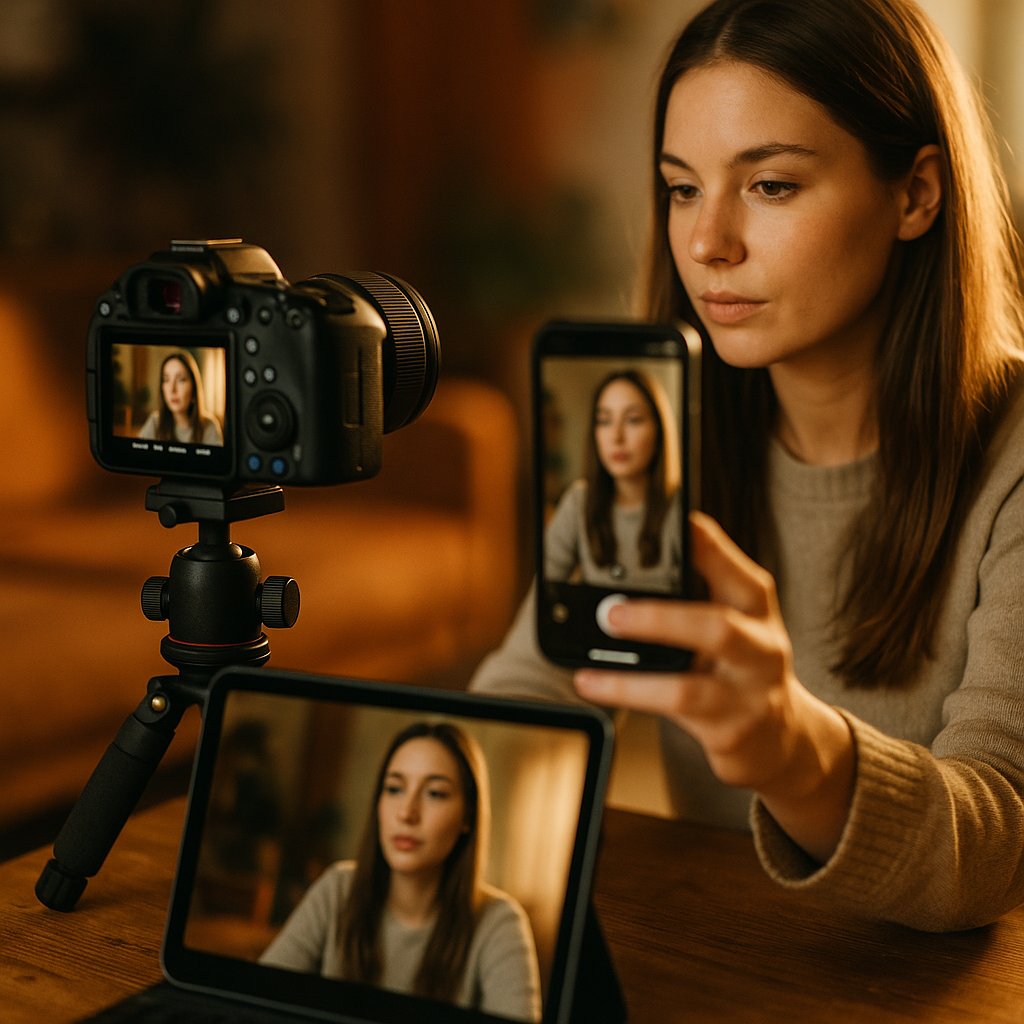
Brands are paying three times for content that could come from one shoot. A single creator session, briefed correctly, produces a square feed post, a vertical short, and a landscape long-form asset — no reshoots, no scope creep. The multi-format creator deliverable isn’t a new trend; it’s a briefing discipline most teams still haven’t operationalized, and it’s quietly draining production budgets across the industry.
Ask any brand marketer how many separate shoots they’ve commissioned this quarter for what’s essentially the same product story, just resized for different feeds. The answer is usually embarrassing.
Why One Shoot Keeps Becoming Three Invoices
Here’s the pattern: a brand books a creator for an Instagram Reel. Three weeks later, someone in performance marketing wants a YouTube pre-roll cut. Then paid social asks for a static square carousel. Instead of pulling from the original footage, the team re-briefs the creator, reschedules, and pays again. Multiply that across a quarterly content calendar and you’ve got a five-figure inefficiency hiding in plain sight.
The root cause isn’t creator laziness or agency mismanagement. It’s that most briefs are written for a single output. They specify one aspect ratio, one platform, one runtime. Nobody asked the creator to shoot with framing flexibility in mind, so the raw footage simply can’t be repurposed without looking like an afterthought — because it was one.
A brief written for one format produces footage that dies with that format. A brief written for three formats produces an asset library.
The Core Fix: Frame for the Widest Crop First
The trick isn’t shooting three separate versions. It’s shooting once at the widest necessary frame (typically 16:9 or open-frame) and directing the creator’s blocking, gestures, and text-overlay zones so the footage survives being cropped down to 1:1 and 9:16 without losing the subject or the message.
This is a directing discipline, not just a technical spec. If a creator delivers a talking-head video with their face dead-center and product held at chest height, that footage crops beautifully to vertical and square. If they’re gesturing wide across the frame or panning a room, it only works landscape — and now you’re back to needing a second shoot.
Practically, this means the brief needs to include:
- Safe-zone framing guidance — keep the subject and key product shots within the center 56% of frame width, so a 16:9 master crops cleanly to 9:16 without losing the action.
- Text and graphic overlay zones — specify where captions, CTAs, or price callouts will sit so they don’t get clipped in the square or vertical crop.
- Shot list duplication logic — every A-roll shot gets a corresponding “vertical-safe” take, even if it’s the same take, just directed with tighter subject placement.
- Runtime tiering — one continuous take that can be edited to 8 seconds (Shorts/Reels), 30 seconds (feed), and 90+ seconds (long-form YouTube or landscape placement).
What Goes Wrong Without a Format-Agnostic Shot List
Most editors will tell you the same thing: the vertical cut is always the hardest, because horizontal footage was never shot with vertical in mind. You end up with awkward crops, cropped-off hands, or product labels sliced in half. The fix is upstream, not downstream. No amount of clever editing saves footage that was never framed for repurposing.
This is exactly the same problem brands have solved in other formats by building repurposing logic into the brief itself. The multi-angle replay format works on a similar principle: capture once, structure the coverage so it serves multiple viewing contexts.
Building the Template: Five Sections, Not Fifty
A multi-format brief doesn’t need to be longer than a standard creator brief. It needs to be structured differently. Here’s the skeleton that’s been working for teams running high-volume creator programs:
- Master format spec. State the shoot resolution and aspect ratio (usually 4K, 16:9, horizontal orientation) that all deliverables will be cropped from.
- Deliverable matrix. A simple table: Format | Aspect Ratio | Runtime | Platform | Due Date. This replaces three separate briefs with one reference grid.
- Framing and blocking notes. Explicit direction on subject positioning, product hold height, and background elements that must stay visible across all three crops.
- Caption and overlay placement. Where on-screen text goes for each format, since square, vertical, and landscape all have different safe zones for captions and lower-thirds.
- Disclosure and compliance notes. One paragraph specifying where #ad or #sponsored placement must appear in each cropped version, since a disclosure visible in landscape can vanish entirely once cropped to square.
That last point matters more than most briefs account for. The FTC’s endorsement guidance doesn’t care that your vertical crop accidentally cut off the disclosure that was clearly visible in the landscape master. Compliance has to be re-verified per format, not assumed to carry over.
Disclosure Doesn’t Auto-Crop With Everything Else
This is the part multi-format briefs get wrong most often. Teams assume that if the FTC disclosure appears in the master file, it appears everywhere. It doesn’t. A text overlay placed in the top third of a 16:9 frame might sit entirely outside the visible area once that frame is cropped to 1:1 or 9:16.
The safest approach: treat disclosure placement as its own line item in the deliverable matrix, verified per aspect ratio before anything ships. Teams already doing this well tend to borrow logic from briefing guides built specifically around disclosure risk, like the ghost ad redemption arc or the algorithmic receipt format guides, both of which build compliance checkpoints into the format itself rather than bolting them on after editing.
Disclosure that survives one crop and disappears in another isn’t a compliance win. It’s a liability with a 33% failure rate baked in.
The ROI Math Brands Are Missing
Let’s put a number on it. If a mid-tier creator shoot costs $3,000-$6,000 and a brand typically commissions three separate shoots for feed, Shorts, and long-form content across a campaign, that’s $9,000-$18,000 for content that could largely come from one well-briefed session. Even accounting for slightly higher upfront production time (more setups, more coverage, maybe an extra hour of shoot time), the savings are substantial.
eMarketer has repeatedly flagged content production cost as one of the top three constraints on scaling influencer programs, right behind creator fees and measurement. A multi-format template attacks the production cost line directly, without touching creator fees at all.
There’s also a speed advantage. Agencies running always-on creator programs can’t afford three-week turnaround cycles per format. One shoot, one edit pipeline, three exports — that’s a same-week deliverable instead of a month-long relay race between creator, editor, and compliance review.
Where This Breaks Down
It’s not universal. Some content genuinely needs format-specific direction — a landscape product demo with wide gestures doesn’t always translate to a tight vertical crop without reshooting key beats. Livestream and shoppable formats, for instance, often need dedicated framing because the on-screen UI elements (price tags, countdown timers, cart links) are placement-specific. The shoppable live-commerce brief is a good example of a format where multi-format cropping logic takes a back seat to platform-specific UI requirements.
Know when the template applies. Talking-head, product demo, and testimonial-style content crop beautifully. Complex multi-person scenes or wide environmental shots often don’t.
Making the Brief Reusable Across Campaigns
The best multi-format templates aren’t one-offs, they’re living documents that get refined shoot over shoot. Track which framing choices survived the crop cleanly and which didn’t. Build a running “safe zone” reference sheet specific to your brand’s typical shot styles (product-in-hand, face-to-camera, room-scale demo) so future briefs don’t start from scratch.
Some teams go further, pairing this with HubSpot‘s content repurposing frameworks or Sprout Social‘s platform-specific formatting guides to standardize caption length and overlay placement across the deliverable matrix. The tooling matters less than the discipline of writing the brief once, for all three outputs, before the camera ever rolls.
Platform mechanics keep shifting too. Meta’s business tools and TikTok’s ad platform both favor native-feeling vertical content, which means the vertical crop often needs the most editorial attention even though it’s technically the “derivative” format in the shoot hierarchy.
FAQs
Frequently Asked Questions
What is a multi-format creator deliverable?
It’s a single creator shoot briefed and framed so the raw footage can be edited into multiple platform-native formats — typically a square feed post, a vertical short, and a landscape long-form video — without needing separate reshoots for each.
How much can brands actually save using this approach?
Depending on creator fees and production scope, brands commissioning three separate shoots per campaign (feed, Shorts, long-form) can often consolidate into one, cutting production costs by roughly half to two-thirds while also compressing turnaround time from weeks to days.
Does the disclosure placement automatically transfer across formats?
No. A disclosure visible in the landscape master can be cropped out entirely in the square or vertical version. Disclosure placement must be verified separately for each aspect ratio before publishing, per FTC endorsement guidance.
Which content types work best for multi-format shoots?
Talking-head videos, product demos, and testimonial-style content crop well because the subject stays centered. Wide environmental shots, multi-person scenes, and UI-dependent formats like live shopping usually need dedicated, format-specific shoots instead.
What’s the single biggest mistake brands make with multi-format briefs?
Treating the brief as a technical spec instead of a directing guide. Simply listing three aspect ratios doesn’t help if the creator isn’t told how to frame, block, and gesture so the footage survives being cropped down.
Start your next creator brief with the deliverable matrix, not the creative concept. Once the format grid is locked, framing decisions follow naturally, and you’ll stop paying for the same story three separate times.
FAQs
What is a multi-format creator deliverable?
It’s a single creator shoot briefed and framed so the raw footage can be edited into multiple platform-native formats — typically a square feed post, a vertical short, and a landscape long-form video — without needing separate reshoots for each.
How much can brands actually save using this approach?
Depending on creator fees and production scope, brands commissioning three separate shoots per campaign (feed, Shorts, long-form) can often consolidate into one, cutting production costs by roughly half to two-thirds while also compressing turnaround time from weeks to days.
Does the disclosure placement automatically transfer across formats?
No. A disclosure visible in the landscape master can be cropped out entirely in the square or vertical version. Disclosure placement must be verified separately for each aspect ratio before publishing, per FTC endorsement guidance.
Which content types work best for multi-format shoots?
Talking-head videos, product demos, and testimonial-style content crop well because the subject stays centered. Wide environmental shots, multi-person scenes, and UI-dependent formats like live shopping usually need dedicated, format-specific shoots instead.
What’s the single biggest mistake brands make with multi-format briefs?
Treating the brief as a technical spec instead of a directing guide. Simply listing three aspect ratios doesn’t help if the creator isn’t told how to frame, block, and gesture so the footage survives being cropped down.
Top Influencer Marketing Agencies
The leading agencies shaping influencer marketing in 2026
Agencies ranked by campaign performance, client diversity, platform expertise, proven ROI, industry recognition, and client satisfaction. Assessed through verified case studies, reviews, and industry consultations.
Moburst

-
2

The Shelf
Boutique Beauty & Lifestyle Influencer AgencyA data-driven boutique agency specializing exclusively in beauty, wellness, and lifestyle influencer campaigns on Instagram and TikTok. Best for brands already focused on the beauty/personal care space that need curated, aesthetic-driven content.Clients: Pepsi, The Honest Company, Hims, Elf Cosmetics, Pure LeafVisit The Shelf → -
3

Audiencly
Niche Gaming & Esports Influencer AgencyA specialized agency focused exclusively on gaming and esports creators on YouTube, Twitch, and TikTok. Ideal if your campaign is 100% gaming-focused — from game launches to hardware and esports events.Clients: Epic Games, NordVPN, Ubisoft, Wargaming, Tencent GamesVisit Audiencly → -
4

Viral Nation
Global Influencer Marketing & Talent AgencyA dual talent management and marketing agency with proprietary brand safety tools and a global creator network spanning nano-influencers to celebrities across all major platforms.Clients: Meta, Activision Blizzard, Energizer, Aston Martin, WalmartVisit Viral Nation → -
5

The Influencer Marketing Factory
TikTok, Instagram & YouTube CampaignsA full-service agency with strong TikTok expertise, offering end-to-end campaign management from influencer discovery through performance reporting with a focus on platform-native content.Clients: Google, Snapchat, Universal Music, Bumble, YelpVisit TIMF → -
6

NeoReach
Enterprise Analytics & Influencer CampaignsAn enterprise-focused agency combining managed campaigns with a powerful self-service data platform for influencer search, audience analytics, and attribution modeling.Clients: Amazon, Airbnb, Netflix, Honda, The New York TimesVisit NeoReach → -
7

Ubiquitous
Creator-First Marketing PlatformA tech-driven platform combining self-service tools with managed campaign options, emphasizing speed and scalability for brands managing multiple influencer relationships.Clients: Lyft, Disney, Target, American Eagle, NetflixVisit Ubiquitous → -
8

Obviously
Scalable Enterprise Influencer CampaignsA tech-enabled agency built for high-volume campaigns, coordinating hundreds of creators simultaneously with end-to-end logistics, content rights management, and product seeding.Clients: Google, Ulta Beauty, Converse, AmazonVisit Obviously →