



Your reps talk to customers all day, and most of that knowledge never reaches the CRM. CRM AI transcription features promise to fix that, but the vendors build for different jobs. Some capture in-person meetings on a phone. Others assume a contact center with a headset. For field teams, that gap decides whether the tool earns its license fee or becomes shelfware.
Why field teams need a different yardstick
Most transcription comparisons score vendors on call-center criteria: queue integration, supervisor dashboards, real-time agent assist. Field teams live elsewhere. They sit in a retailer’s back office, a parking lot, a trade show aisle. Signal is patchy. Background noise is constant. The conversation is often face to face, not on a phone line.
So the useful questions are narrower. Can it capture in-person speech? Does it survive a dropped connection? Where does the audio go? Who has to consent, and how is that proven?
For brand and agency teams, the stakes go beyond rep productivity. Field notes about creator partnerships, retailer feedback and product objections are raw market intelligence. Our piece on CRM notes and keywords shows how much language lives in those records that generic tools never see.
Salesforce: built around the in-person meeting
Salesforce is the clearest example of a CRM designed with a mobile, face-to-face seller in mind. Its In-Person Meeting Assistant is documented in Salesforce Help. According to Salesforce’s setup documentation, the feature requires Einstein Conversation Insights and the Seller-Focused Mobile Experience. It is available in Enterprise, Performance, Unlimited and Agentforce 1 Sales editions.
The workflow is simple. A rep opens the meeting record, launches the assistant and ticks a mandatory consent box confirming that all participants agree to be recorded. Transcription starts. Afterward, the app tags voices, and the rep matches names to speakers before saving the notes to Einstein Conversation Insights.
Three details matter for field operations:
- Connectivity tolerance. The documentation says the AI keeps transcribing if the rep loses connectivity or locks the screen. Offline transcripts are stored on the device and upload later.
- Audio handling. Meeting audio is processed locally and is never recorded or stored. Only the text transcript is saved. That is a real advantage when legal asks what you are retaining.
- Session fragility. Transcripts are stored locally during a login session, and logging out can make previous meetings inaccessible. Train reps to save and sync before they sign off.
There are caveats. Transcription must start while the meeting is active, and not every language is supported. Salesforce also notes that accuracy varies with language, audio clarity and background noise. Summaries, generative insights and Sales Signals need Einstein Generative AI and Data Cloud, so the sticker price of the base feature understates the real stack.
A transcript that never leaves the device as audio is easier to defend to legal. A transcript that vanishes at logout is harder to defend to your sales director.
Dynamics 365: strong controls, contact-center DNA
Microsoft takes a different route. Its documentation for configuring call recording, transcription and real-time translation applies to Dynamics 365 Contact Center and Dynamics 365 Customer Service. That tells you who the product is built for: representatives handling voice calls, with supervisors watching.
The governance model is detailed. Microsoft’s configuration guide explains that admins can enable live translation, transcription and recording. Recording has a tenant-level toggle, and disabling it blocks audio recording regardless of workstream settings. Admins choose transcription only, or transcription and recording. They also choose whether capture starts automatically or manually by the representative.
Those settings are valuable for a brand with strict data policies. A tenant-level kill switch is exactly what a compliance lead wants to see. Live translation is useful too if your field teams work across markets, though you should pair it with human review (see our take on real-time AI translation).
The limitation is fit. The documented setup runs through voice channels and Azure Communication Services events. If your reps mostly meet buyers in person, you would need to confirm with Microsoft how that scenario is handled before you count it as covered. I could not verify an equivalent in-person capture flow in the page I reviewed, so treat that as a question for your demo, not an assumption.
Side-by-side: what the documentation shows
- Primary scenario. Salesforce documents in-person meetings on mobile. Dynamics 365 documents voice-channel calls.
- Consent mechanism. Salesforce uses a mandatory checkbox before transcription starts. Microsoft puts the legal responsibility on you and tells you to obtain consent before recording.
- Audio retention. Salesforce says in-meeting audio is processed locally and not stored. Microsoft offers a choice between transcription alone and transcription plus recording.
- Admin control. Microsoft offers tenant-level recording controls and automatic or manual start. Salesforce uses a feature toggle and per-meeting launch.
- Add-on dependency. Salesforce’s richer summaries need Einstein Generative AI and Data Cloud.
What about HubSpot, Zoho, Pipedrive and the rest? Many offer call transcription through native tools or marketplace integrations, but I have not verified their field-specific capabilities here. Put them through the same scorecard below rather than trusting a feature matrix.
The consent problem nobody budgets for
Here is where field programs get burned. Federal law sets a one-party consent baseline. Justia’s 50-state survey notes that 18 U.S.C. § 2511 permits you to record a conversation you are a party to. States then diverge. The survey lists 15 jurisdictions that clearly or potentially require all-party consent under some or all circumstances, including California, Florida, Illinois, Pennsylvania and Washington.
A field rep who drives across state lines in a day may cross from one regime into another. Justia’s advice is to follow the strictest applicable law when in doubt, or to get clear consent from everyone before recording.
That makes the consent checkbox a feature, not friction. Whether your CRM forces it, logs it, or leaves it to policy should weigh heavily in your decision. And if the person across the table is a creator, agency contact or retailer, your contracts should say that conversations may be transcribed. Our guide to AI clauses in creative briefs is a good place to start. This is operational guidance, not legal advice. Have counsel review your consent language.
A pilot scorecard before you sign
Demos use quiet rooms and scripted speech. Your reps do not. Run a short pilot with real conditions, in line with the approach in pilots before signing. Score each vendor on:
- Noisy-environment accuracy. Have 5 to 10 reps capture real meetings, then compare transcripts to what was said. Track named-entity errors (product names, retailer names, creator handles) separately.
- Offline behavior. Kill the connection mid-meeting. Does the transcript survive and sync?
- Speaker attribution. How many minutes does a rep spend fixing speaker labels?
- Consent logging. Can you prove, per meeting, that consent was confirmed?
- Retention and access. Where do transcripts live, who can read them, and how are they deleted?
- Total stack cost. Include every add-on needed for summaries and insights.
Do not skip the rework measurement. Time saved on note-taking evaporates if reps spend it correcting output, a pattern explored in review and rework costs. Set pass or fail thresholds in advance, and use a framework like scale or kill to decide what happens next.
FAQs
Which CRM has the best AI transcription for field teams?
It depends on how your reps work. Based on vendor documentation, Salesforce explicitly documents in-person meeting transcription on mobile, with offline capture and no stored audio. Dynamics 365’s documented transcription is centered on voice-channel calls. Confirm in a pilot with your own reps.
Do I need consent to transcribe a customer meeting?
Often yes, and in some states always. Federal law follows a one-party model, but Justia’s survey lists 15 jurisdictions that clearly or potentially require all-party consent in some or all circumstances. When in doubt, get everyone’s consent. Both Salesforce and Microsoft documentation address consent, in different ways.
Does the CRM store the audio?
It varies. Salesforce says in-meeting audio is processed locally and never recorded or stored, with only the text transcript saved. Dynamics 365 lets admins choose transcription alone or transcription with recording, and a tenant-level setting can block audio recording entirely.
How accurate is CRM transcription in noisy environments?
Expect errors. Salesforce itself states that accuracy varies by language, speech variations, audio clarity and background noise. Test with real field audio and measure errors on product and partner names, not just overall word accuracy.
What hidden costs should I check?
Look at add-on dependencies. Salesforce notes that call summaries and generative insights require Einstein Generative AI and Data Cloud. Also count rep time spent correcting transcripts and fixing speaker labels. The vendor vetting checklist covers the contract questions to ask.
Next step: pick two vendors, put 10 reps in a four-week pilot with real field meetings, and score them on accuracy, offline sync, consent logging and rework time before anyone signs a renewal.
Top Influencer Marketing Agencies
The leading agencies shaping influencer marketing in 2026
Agencies ranked by campaign performance, client diversity, platform expertise, proven ROI, industry recognition, and client satisfaction. Assessed through verified case studies, reviews, and industry consultations.
Moburst
-
2

The Shelf
Boutique Beauty & Lifestyle Influencer AgencyA data-driven boutique agency specializing exclusively in beauty, wellness, and lifestyle influencer campaigns on Instagram and TikTok. Best for brands already focused on the beauty/personal care space that need curated, aesthetic-driven content.Clients: Pepsi, The Honest Company, Hims, Elf Cosmetics, Pure LeafVisit The Shelf → -
3
Audiencly
Niche Gaming & Esports Influencer AgencyA specialized agency focused exclusively on gaming and esports creators on YouTube, Twitch, and TikTok. Ideal if your campaign is 100% gaming-focused — from game launches to hardware and esports events.Clients: Epic Games, NordVPN, Ubisoft, Wargaming, Tencent GamesVisit Audiencly → -
4
Viral Nation
Global Influencer Marketing & Talent AgencyA dual talent management and marketing agency with proprietary brand safety tools and a global creator network spanning nano-influencers to celebrities across all major platforms.Clients: Meta, Activision Blizzard, Energizer, Aston Martin, WalmartVisit Viral Nation → -
5
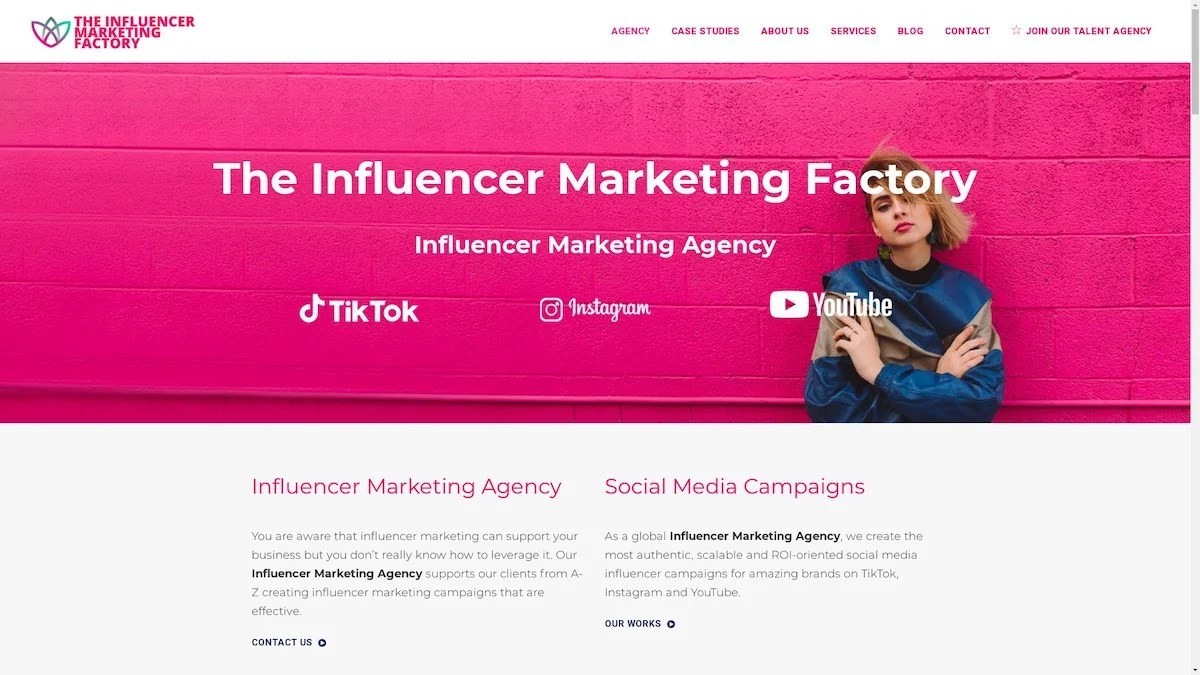
The Influencer Marketing Factory
TikTok, Instagram & YouTube CampaignsA full-service agency with strong TikTok expertise, offering end-to-end campaign management from influencer discovery through performance reporting with a focus on platform-native content.Clients: Google, Snapchat, Universal Music, Bumble, YelpVisit TIMF → -
6
NeoReach
Enterprise Analytics & Influencer CampaignsAn enterprise-focused agency combining managed campaigns with a powerful self-service data platform for influencer search, audience analytics, and attribution modeling.Clients: Amazon, Airbnb, Netflix, Honda, The New York TimesVisit NeoReach → -
7
Ubiquitous
Creator-First Marketing PlatformA tech-driven platform combining self-service tools with managed campaign options, emphasizing speed and scalability for brands managing multiple influencer relationships.Clients: Lyft, Disney, Target, American Eagle, NetflixVisit Ubiquitous → -
8

Obviously
Scalable Enterprise Influencer CampaignsA tech-enabled agency built for high-volume campaigns, coordinating hundreds of creators simultaneously with end-to-end logistics, content rights management, and product seeding.Clients: Google, Ulta Beauty, Converse, AmazonVisit Obviously →