


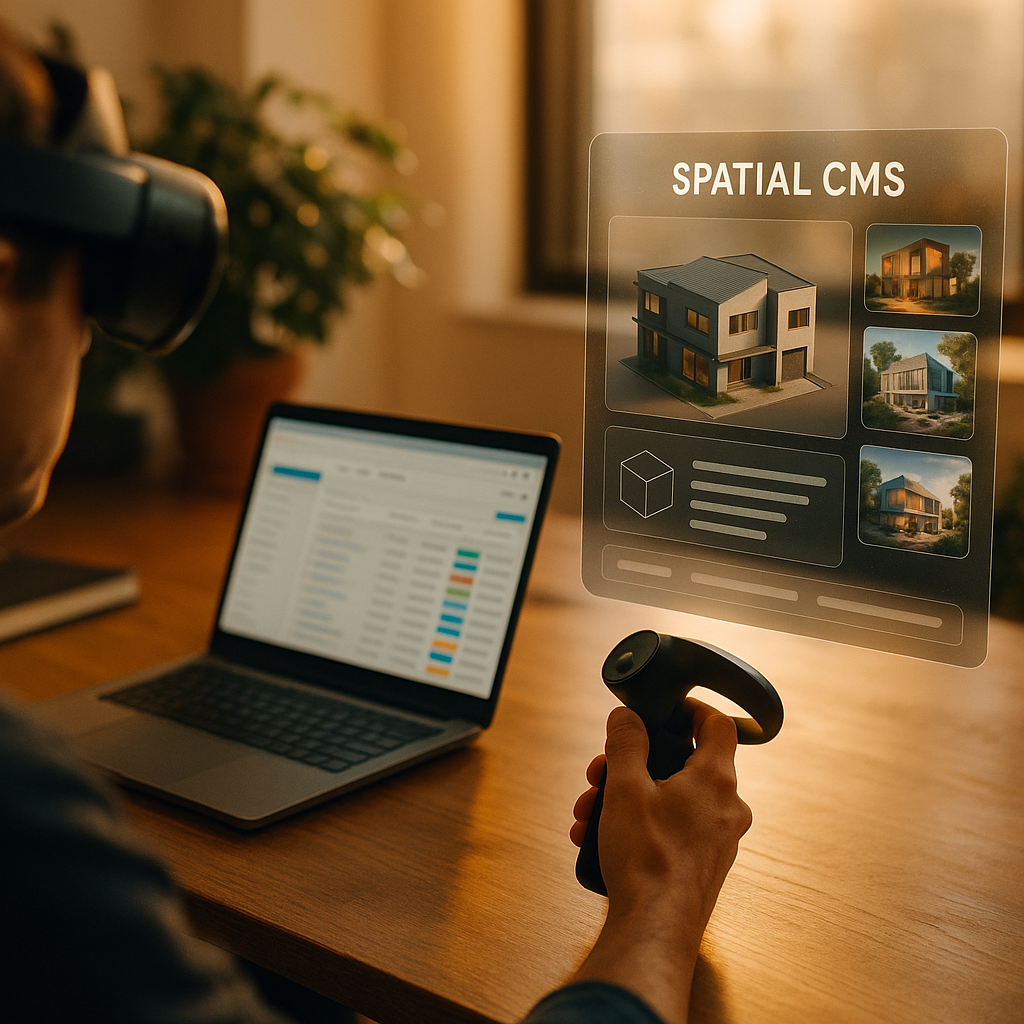
Teams building immersive experiences need a reliable way to store, update, and publish 3D content at scale. This review of Spatial CMS platforms compares leading options for managing assets, permissions, and delivery to modern devices. In 2025, spatial content changes fast—product models, training steps, and locations can shift weekly. Which platform keeps your AR pipeline efficient while staying secure and future-ready?
Spatial content management: what a Spatial CMS must do in 2025
A Spatial CMS is more than a file cabinet for 3D models. It is an operational layer that connects content creation, governance, and delivery to AR runtimes. When evaluating platforms, focus on capabilities that directly reduce rework and speed up publishing.
Core requirements you should expect from a production-ready system:
- 3D asset ingestion and normalization: upload and version glTF/GLB, USDZ, FBX, and common textures; validate scale, units, polygon budgets, and PBR material integrity.
- Semantic structure: metadata, tags, product SKUs, “hotspots,” steps, annotations, and relationships between assets (model → variants → materials → instructions).
- Scene and experience composition: assemble assets into scenes, define behaviors, place anchors, and manage interactive elements without rebuilding the app.
- Preview and QA: web-based preview, device preview, and automated checks (missing textures, oversized meshes, compression settings, LODs).
- Publishing and delivery: CDN distribution, caching rules, environment-based releases (dev/stage/prod), and rollback.
- Governance and workflow: role-based access control (RBAC), approvals, audit logs, and collaboration for designers, engineers, and stakeholders.
- Integration surface: APIs, webhooks, SDKs, and connectors for commerce, PIM/DAM, analytics, identity, and CI/CD.
Likely follow-up question: “Do we need a Spatial CMS if we already have a DAM?” Often, yes. A DAM is great for storage and basic metadata. A Spatial CMS typically adds scene logic, AR delivery tooling, runtime-ready packaging, device previews, and experience-level governance. Many teams integrate both: DAM as source-of-truth for brand assets, Spatial CMS for runtime experiences.
3D asset pipeline: review of platforms built for 3D and AR
Below is a practical review of platform categories you will encounter in 2025. Rather than claiming a single “best,” the goal is to match platform strengths to your use case and organizational maturity.
1) Enterprise 3D experience platforms (end-to-end)
These platforms emphasize a managed pipeline from model preparation through web/AR publishing, often with enterprise security and multi-team governance.
- Strengths: robust versioning, review workflows, analytics, multi-tenant organization structures, strong support for product visualization, and integrations with PIM/commerce.
- Limitations: higher cost, longer implementation timelines, and less flexibility if you need highly customized runtime logic.
- Best fit: retail product visualization, global marketing teams, regulated enterprises, or anyone managing hundreds to thousands of assets with frequent updates.
2) WebAR-first CMS and no-code creators
These focus on quick publishing of camera-based AR experiences in the browser, often with templates for campaigns.
- Strengths: speed to launch, marketer-friendly editors, hosting included, strong shareability, and short feedback cycles.
- Limitations: may not scale well for complex 3D configurators, heavy training logic, offline use, or deep ERP/PIM integration.
- Best fit: time-boxed campaigns, simple product try-ons, event activations, and teams that prioritize iteration over custom engineering.
3) Developer-first headless systems for 3D
These provide APIs, asset processing, and structured content models that engineering teams wire into custom AR apps or viewers.
- Strengths: flexibility, clean API-driven workflows, easy integration into existing stacks, and strong automation potential.
- Limitations: more engineering effort to build editors, previews, and workflow UX for non-technical users.
- Best fit: companies with strong engineering teams building proprietary AR experiences, internal tools, and specialized workflows.
4) Game-engine ecosystem solutions (Unity/Unreal-adjacent)
Some teams treat the engine as the “CMS” using addressables, asset bundles, and cloud content delivery patterns.
- Strengths: deep control over runtime behavior, high-fidelity rendering, advanced interactivity, and tight integration with engine tooling.
- Limitations: governance for non-engine stakeholders can be difficult; web-based publishing and enterprise workflows may require additional systems.
- Best fit: training simulations, complex interactive product demos, and experiences that demand engine-level features.
Practical decision tip: If your biggest pain is “getting updated 3D content shipped weekly without app rebuilds,” prioritize platforms with structured releases, rollbacks, and CDN-based delivery. If your biggest pain is “non-technical reviewers can’t validate AR,” prioritize device preview links, annotation tools, and approval workflows.
AR publishing workflow: scenes, anchors, and multi-device delivery
Managing 3D assets is only half the job; publishing AR experiences introduces spatial concepts that standard CMS products do not handle well. In 2025, your content likely needs to run across iOS, Android, and web, with different runtime constraints.
Key workflow capabilities to look for:
- Scene graphs and reusable components: build a “scene template” once (lighting, UI, interaction rules) and swap models via references.
- Anchoring and placement rules: define how content places in world space (floor placement, image targets, geospatial anchors) and store those rules as content.
- Variants and localization: support model variants (colors, sizes), language versions for labels, and region-specific compliance messaging.
- Performance profiles per device: store multiple LODs or alternative assets and serve the right payload for each device class.
- Release channels: publish to staging for review, then promote to production without re-uploading assets.
Likely follow-up question: “How do we avoid broken AR after an asset update?” Choose platforms that separate content (models, text, interactions) from application code, support semantic versioning, and provide rollback. Make approvals mandatory for changes that affect scale, pivots, or collision meshes—these are the updates that most commonly break placement and interactions.
Enterprise AR governance: security, roles, and compliance (EEAT)
EEAT-aligned content operations hinge on trust: who changed what, when, and why. For AR, governance also includes safety, brand integrity, and data protection for camera-based experiences. A Spatial CMS should help you demonstrate control, not just move files around.
Governance checklist:
- RBAC and least-privilege access: separate creators, reviewers, publishers, and admins; restrict exports of high-value CAD-derived assets.
- Audit trails: immutable logs for asset changes, approvals, publishing events, and permission updates.
- Content approvals and sign-off: configurable workflows for legal, safety, and brand review—especially for training and regulated domains.
- Data handling: clear policies for any analytics captured during AR sessions; support for consent flows where required.
- Vendor trust signals: documented security practices, incident response process, and transparency about sub-processors.
EEAT in practice: Platforms that enable rigorous review workflows and traceability help your organization publish accurate, safe instructions and maintain brand consistency. For customer-facing AR, that can reduce misinformation risk (wrong steps, wrong parts) and improve user outcomes.
Likely follow-up question: “What about protecting IP in 3D models?” Look for fine-grained access controls, watermarking or obfuscation options, and the ability to deliver optimized runtime formats instead of raw source files. Also confirm whether the platform supports expiring links, tokenized access, and domain restrictions for web viewers.
3D content optimization: performance, formats, and QA at scale
AR success depends on performance. Large meshes and uncompressed textures cause long load times, thermal throttling, and poor tracking experiences. A strong Spatial CMS either includes optimization tooling or integrates cleanly with it.
What to validate and automate:
- Format strategy: glTF/GLB remains a practical default for web and many runtimes; USDZ is common for Apple-centric pipelines. Ensure the platform supports your target mix without painful conversion steps.
- Texture management: enforce maximum texture sizes, consistent color spaces, and compressed texture delivery where supported.
- Geometry budgets: set thresholds for triangles, draw calls, and material counts; require LODs for complex assets.
- Pivot, scale, and orientation: standardize units and coordinate systems; these issues create the most visible AR placement errors.
- Automated QA: checks for missing maps, non-manifold geometry warnings, oversized files, and mobile performance heuristics.
Likely follow-up question: “Should optimization happen in the CMS or upstream?” Do both. Upstream optimization (in DCC tools and dedicated pipelines) produces high-quality assets. CMS-level checks and transformations prevent regressions and ensure consistent delivery. The best setups treat the CMS as a gatekeeper: if an asset fails performance rules, it cannot ship.
Spatial analytics and ROI: measuring AR outcomes without guesswork
Stakeholders will ask for impact. A Spatial CMS that supports analytics helps you connect content updates to user outcomes—especially when you change a model, annotation, or step sequence and need to verify improvement.
Useful AR metrics (and why they matter):
- Load time and failure rate: identifies payload and compatibility problems that block engagement.
- Interaction completion: shows whether users actually finish an assembly, training step, or product configuration.
- Drop-off points: reveals confusing steps, heavy assets, or UI friction tied to specific scenes.
- Variant performance: compares different models or instruction sets to guide optimization.
- Publishing impact: links content versions to behavior changes, enabling evidence-based iteration.
Likely follow-up question: “How do we attribute improvements to content changes?” Use content version IDs in analytics events. Pick a platform that can expose version metadata to your viewer/app telemetry so you can compare outcomes across releases and roll back confidently if a change hurts performance.
FAQs
What is a Spatial CMS platform?
A Spatial CMS is a content management system designed for immersive media. It stores and versions 3D assets, manages spatial metadata (like anchors and hotspots), supports scene composition, and publishes AR-ready experiences through APIs, SDKs, or hosted delivery.
How is a Spatial CMS different from a DAM?
A DAM focuses on organizing and distributing digital files with metadata. A Spatial CMS typically adds scene logic, AR-specific publishing, device previews, release management, and controls that ensure 3D content performs correctly in AR runtimes.
Which 3D file formats should a Spatial CMS support in 2025?
At a minimum, look for glTF/GLB for broad runtime delivery and USDZ if you target Apple workflows. If your source pipeline includes CAD or DCC tools, ensure the platform supports safe ingestion and conversion from common source formats without losing materials and scale.
Do Spatial CMS platforms support both WebAR and native AR apps?
Many do, but not all. WebAR-first tools optimize for browser delivery and quick launches, while enterprise and developer-first platforms often provide SDKs and APIs for native apps. Validate preview, authentication, offline needs, and performance targets across your device mix.
What security features should we require?
Require RBAC, audit logs, secure sharing links, environment-based publishing, and clear vendor security documentation. If you manage sensitive product data, ensure controlled export options and prefer delivery of optimized runtime formats over raw source files.
How do we prevent performance problems on mobile?
Enforce budgets for texture size, triangle counts, and material complexity; require LODs where needed; and use automated QA. Choose a platform that can flag or block non-compliant assets and support CDN delivery with smart caching.
Can a Spatial CMS help with localization?
Yes, if it supports structured content models for labels, instructions, and annotations, plus per-locale variants. The best systems let you localize text without duplicating entire scenes and maintain approval workflows per region.
In 2025, a Spatial CMS succeeds when it treats AR as a living product, not a one-off project. The best platforms combine strong 3D asset controls, scene-level publishing, and enterprise governance with analytics that connect updates to outcomes. Choose based on your dominant constraint—speed, flexibility, or scale—and insist on previews, rollbacks, and automated QA. Your AR roadmap will move faster and break less.