


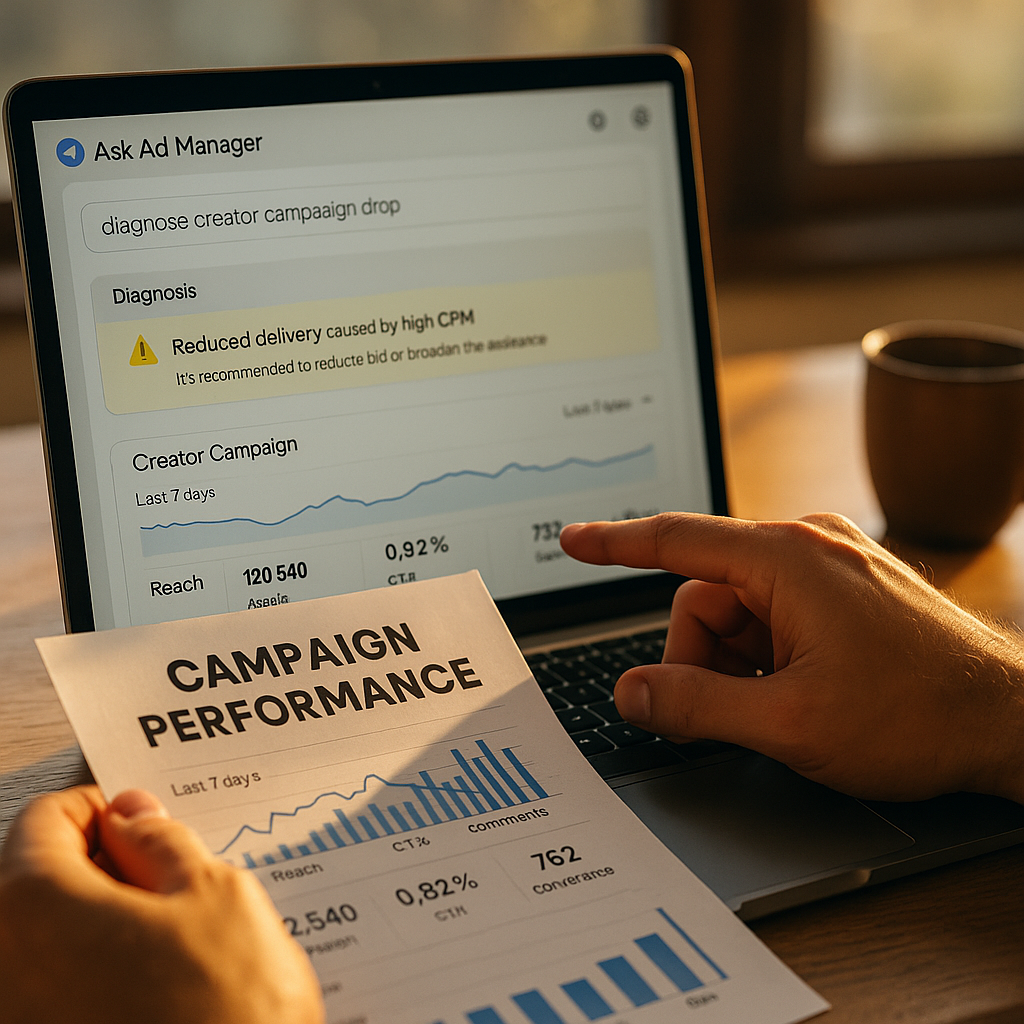
Google support tickets on creator-linked campaigns take an average of 2-3 business days to resolve. Meanwhile, your influencer whitelisting spend keeps bleeding. Ask Ad Manager, Google’s AI chatbot inside Ad Manager and Google Ads, can catch half those problems in minutes — if you configure it properly. Most marketers don’t. They open a chat, type “campaign underperforming,” and get a canned response about bid strategy. That’s a prompting failure, not a tool failure.
This piece is about getting the configuration right, so you exhaust the machine before you exhaust your account rep.
Why Creator-Adjacent Campaigns Break Differently
Campaigns that run alongside creator content — whitelisted ads, spark ads, boosted UGC, branded content pushed through paid distribution — fail in ways that standard display or search campaigns don’t. A creative that was approved last week gets flagged this week because the creator posted something adjacent that tripped a policy filter. A handle gets suspended mid-flight and your Advantage+ or Performance Max feed silently drops that asset without telling you why. Attribution gets muddy because the “ad” is really a boosted organic post with its own engagement history baked in.
Standard Ad Manager diagnostics weren’t built with that nuance in mind. They assume clean, brand-authored creative. Creator-adjacent inventory is messier, and that mess is exactly where Ask Ad Manager needs the right inputs to be useful.
If you’re feeding Ask Ad Manager the same generic prompt you’d use for a standard display campaign, you’re getting generic display-campaign answers back — regardless of whether the underlying problem is creator-specific.
Configuring Ask Ad Manager Before You Touch a Single Query
The chatbot pulls from your account’s live performance data, but it doesn’t automatically know what “creator-adjacent” means to your program. You have to tell it. A few setup steps matter more than people assume.
- Segment your creator campaigns into a labeled structure first. If your whitelisted-creator ads sit in the same campaign group as evergreen brand creative, Ask Ad Manager will average performance across both and mask the real signal. Use naming conventions or labels (e.g., “CREATOR-WL-Q_” prefixes) so the bot can isolate the segment when you query it.
- Grant it access to the right account scope. If you manage multiple MCC (My Client Center) accounts or run creator campaigns through a sub-account, confirm the chatbot session is scoped to the correct account before asking anything. It will confidently answer with the wrong account’s data if you don’t.
- Pre-load context about the creative source. Ask Ad Manager responds better when your first prompt establishes that the ad unit originated from creator content, not brand-produced assets. Something like: “This campaign runs whitelisted ads from three creator partners, spark-ad format, TikTok and Meta placements synced via Ads Manager integration.” That single sentence changes which diagnostic branches the model runs.
- Set your comparison window intentionally. Creator campaigns often have shorter flight windows than always-on brand campaigns. Tell the bot your comparison baseline explicitly (“compare to the prior 14-day flight, not the account average”) or it will default to a 30- or 90-day lookback that dilutes the anomaly you’re chasing.
None of this is exotic. It’s the same discipline you’d apply to any AI tool: garbage context in, garbage diagnosis out. The difference is that most marketers treat Ask Ad Manager like a search bar instead of a configured assistant.
The Diagnostic Sequence That Actually Surfaces Root Cause
Once scoped correctly, run queries in a deliberate order rather than free-associating. A sequence that tends to work:
- Delivery health first. Ask whether the campaign is delivering at expected pace. Creator-adjacent campaigns frequently underdeliver because a linked creative gets rejected post-launch, not pre-launch. Ask Ad Manager can flag creative-level disapprovals that never generated an email alert.
- Policy and compliance flags second. Ask specifically: “Are any assets in this campaign flagged for policy review, and what’s the flag category?” Creator content trips issues around unclear sponsorship disclosure, music licensing, or platform-specific claims language far more often than brand-authored ads do.
- Audience overlap and fatigue third. If you’re running the same creator’s content across multiple whitelisted accounts or boosting the same post from both the brand and creator handle, you can cannibalize your own reach. Ask the bot to check frequency distribution across linked accounts.
- Attribution and conversion lag last. Creator-driven traffic often converts on a longer, more circuitous path — someone sees a boosted post, doesn’t click, searches the brand later. Ask Ad Manager to compare view-through versus click-through contribution before you conclude the campaign “isn’t working.”
This order matters because delivery and policy issues are cheap to fix and easy to misdiagnose as creative fatigue or audience problems. Chase the expensive theory first and you’ll waste a week optimizing bids on a campaign that was actually half-suspended.
What Counts as “Resolved” vs. What Needs a Human
Here’s the honest limitation: Ask Ad Manager is good at surfacing account-level anomalies and policy flags. It is not good at judgment calls involving brand safety nuance, contractual disputes with creators, or anything requiring a platform-side manual override. Know the boundary before you waste cycles.
Escalate to human review when:
- The bot identifies a policy flag but can’t explain the specific violation in actionable terms (common with vague “misleading content” flags).
- A creator’s account has been suspended or restricted at the platform level — that’s a support-ticket problem, not an Ads Manager configuration problem.
- You suspect the underperformance is contractual (creator didn’t deliver agreed usage rights, wrong hashtag, missing disclosure) rather than technical.
- The chatbot gives you conflicting answers across two sessions on the same query — a sign the underlying data pipeline has a sync issue worth escalating rather than re-prompting.
Don’t escalate when the bot has already given you a specific, actionable fix (reapprove creative, adjust frequency cap, extend attribution window) and you simply haven’t tried it yet. Support teams see a lot of tickets that could have been resolved by following the chatbot’s first suggestion.
Roughly a third of the “underperforming campaign” tickets that reach human review contain an answer the AI assistant already surfaced. The gap isn’t tooling. It’s process discipline.
Building This Into a Repeatable Workflow
One-off troubleshooting sessions are fine for emergencies. But if creator-adjacent spend is a recurring part of your media mix, build a standing checklist your team runs before any escalation ticket gets filed. A simple version:
- Confirm campaign labeling and account scope are correct.
- Run the four-step diagnostic sequence above, screenshotting each response.
- Cross-reference any policy flag against your Google Ads policy documentation to confirm it’s not a known, resolvable issue.
- If unresolved after the sequence, attach the chatbot transcript to your support ticket. Human agents move faster when they can see what’s already been ruled out.
This is the same operational logic behind spend guardrails for agentic ad platforms — you’re building a checkpoint system so AI tools catch the cheap, obvious failures before expensive human time gets pulled in. It also mirrors the governance thinking in agentic media buying spend caps, where the goal isn’t removing automation, it’s bounding it with clear escalation triggers.
Worth noting: this troubleshooting discipline pairs well with broader AI benchmarking dashboards your team may already use to track program health. Ask Ad Manager handles the tactical, campaign-level diagnosis; your benchmarking layer should catch the trend-level signal that something structural is wrong across multiple creator partnerships.
A Note on Data You Can Trust
Chatbots hallucinate less on numeric account data than on open-ended claims, but they’re not infallible. According to eMarketer’s ongoing coverage of AI adoption in ad platforms, marketer trust in AI-generated campaign diagnostics still lags trust in the underlying raw data by a wide margin — and that gap is rational. Always cross-check a flagged number (spend pacing, CTR delta, disapproval count) against the raw campaign report before acting on it. If Ask Ad Manager says delivery dropped 40%, pull the actual report. Nine times out of ten it’s right. The tenth time is why you check.
This same verification habit shows up in how retrieval-augmented generation reduces hallucination risk in brand-facing AI tools generally — the pattern holds for ad diagnostics too.
Where This Fits in Your Broader Creator Compliance Stack
Troubleshooting underperformance is really a subset of a bigger compliance problem: creator content operates under different rules than brand-authored ads, and platforms enforce those rules inconsistently. Disclosure requirements enforced by the FTC add another layer — a campaign that “underperforms” because of a compliance flag isn’t a performance problem at all, it’s a governance gap upstream of the media buy. If you’re seeing repeated policy flags across multiple creator campaigns, that’s a signal to revisit your creator content pre-screening process rather than keep re-litigating individual tickets through the chatbot.
The tool is a triage layer, not a substitute for a clean intake process. Treat it that way and it earns its place in the stack.
Next step: audit your last five escalated support tickets for creator-adjacent campaigns. If Ask Ad Manager’s diagnostic sequence would have surfaced the same root cause your support rep eventually found, you’ve got a process gap, not a tooling gap — fix the workflow before you file the next ticket.
FAQs
What is Ask Ad Manager and how does it differ from standard Google Ads support?
Ask Ad Manager is Google’s AI chatbot embedded in Ad Manager and Google Ads that answers account-specific questions using live performance and policy data. Unlike standard support, which routes to a human queue, it gives instant, data-grounded responses you can act on immediately — provided you scope and prompt it correctly.
Can Ask Ad Manager diagnose issues specific to creator or influencer campaigns?
It can surface delivery, policy, and attribution anomalies within any campaign, including creator-adjacent ones, but it needs explicit context about the creative source and campaign structure. Generic prompts produce generic answers; specifying that assets originate from whitelisted creator content changes which diagnostic checks it runs.
How do I know when to stop troubleshooting and escalate to a human?
Escalate when the chatbot flags a policy issue without a clear violation reason, when a creator’s platform account is suspended, when the problem looks contractual rather than technical, or when repeated queries return inconsistent answers.
Does using the chatbot delay my actual support ticket if I do need to escalate?
No. Attaching the chatbot’s diagnostic transcript to your ticket typically speeds up human review, since the agent can see what’s already been ruled out instead of starting from zero.
Should I trust the numbers Ask Ad Manager gives me without checking?
Cross-check flagged metrics against your raw campaign reports before making budget decisions. The chatbot is generally accurate on numeric account data, but verification takes seconds and protects against the rare hallucinated figure.
FAQs
What is Ask Ad Manager and how does it differ from standard Google Ads support?
Ask Ad Manager is Google’s AI chatbot embedded in Ad Manager and Google Ads that answers account-specific questions using live performance and policy data. Unlike standard support, which routes to a human queue, it gives instant, data-grounded responses you can act on immediately — provided you scope and prompt it correctly.
Can Ask Ad Manager diagnose issues specific to creator or influencer campaigns?
It can surface delivery, policy, and attribution anomalies within any campaign, including creator-adjacent ones, but it needs explicit context about the creative source and campaign structure. Generic prompts produce generic answers; specifying that assets originate from whitelisted creator content changes which diagnostic checks it runs.
How do I know when to stop troubleshooting and escalate to a human?
Escalate when the chatbot flags a policy issue without a clear violation reason, when a creator’s platform account is suspended, when the problem looks contractual rather than technical, or when repeated queries return inconsistent answers.
Does using the chatbot delay my actual support ticket if I do need to escalate?
No. Attaching the chatbot’s diagnostic transcript to your ticket typically speeds up human review, since the agent can see what’s already been ruled out instead of starting from zero.
Should I trust the numbers Ask Ad Manager gives me without checking?
Cross-check flagged metrics against your raw campaign reports before making budget decisions. The chatbot is generally accurate on numeric account data, but verification takes seconds and protects against the rare hallucinated figure.
Top Influencer Marketing Agencies
The leading agencies shaping influencer marketing in 2026
Agencies ranked by campaign performance, client diversity, platform expertise, proven ROI, industry recognition, and client satisfaction. Assessed through verified case studies, reviews, and industry consultations.
Moburst

-
2

The Shelf
Boutique Beauty & Lifestyle Influencer AgencyA data-driven boutique agency specializing exclusively in beauty, wellness, and lifestyle influencer campaigns on Instagram and TikTok. Best for brands already focused on the beauty/personal care space that need curated, aesthetic-driven content.Clients: Pepsi, The Honest Company, Hims, Elf Cosmetics, Pure LeafVisit The Shelf → -
3

Audiencly
Niche Gaming & Esports Influencer AgencyA specialized agency focused exclusively on gaming and esports creators on YouTube, Twitch, and TikTok. Ideal if your campaign is 100% gaming-focused — from game launches to hardware and esports events.Clients: Epic Games, NordVPN, Ubisoft, Wargaming, Tencent GamesVisit Audiencly → -
4

Viral Nation
Global Influencer Marketing & Talent AgencyA dual talent management and marketing agency with proprietary brand safety tools and a global creator network spanning nano-influencers to celebrities across all major platforms.Clients: Meta, Activision Blizzard, Energizer, Aston Martin, WalmartVisit Viral Nation → -
5

The Influencer Marketing Factory
TikTok, Instagram & YouTube CampaignsA full-service agency with strong TikTok expertise, offering end-to-end campaign management from influencer discovery through performance reporting with a focus on platform-native content.Clients: Google, Snapchat, Universal Music, Bumble, YelpVisit TIMF → -
6

NeoReach
Enterprise Analytics & Influencer CampaignsAn enterprise-focused agency combining managed campaigns with a powerful self-service data platform for influencer search, audience analytics, and attribution modeling.Clients: Amazon, Airbnb, Netflix, Honda, The New York TimesVisit NeoReach → -
7

Ubiquitous
Creator-First Marketing PlatformA tech-driven platform combining self-service tools with managed campaign options, emphasizing speed and scalability for brands managing multiple influencer relationships.Clients: Lyft, Disney, Target, American Eagle, NetflixVisit Ubiquitous → -
8

Obviously
Scalable Enterprise Influencer CampaignsA tech-enabled agency built for high-volume campaigns, coordinating hundreds of creators simultaneously with end-to-end logistics, content rights management, and product seeding.Clients: Google, Ulta Beauty, Converse, AmazonVisit Obviously →