


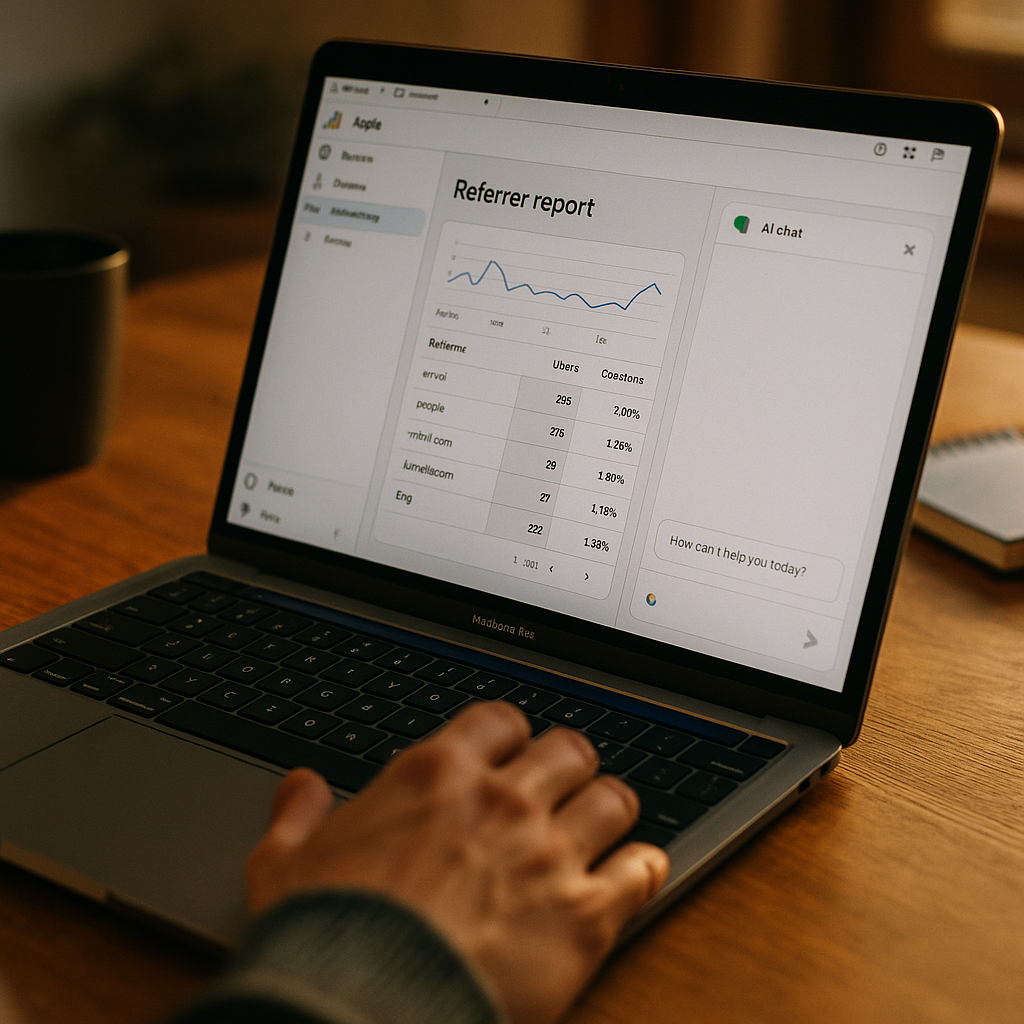
Roughly 800 million people use ChatGPT weekly, and a growing share of them click through to brand websites. Yet most GA4 accounts still bucket that traffic under “Organic Search” or, worse, “Direct.” If you haven’t rebuilt your GA4 AI Assistant Referrer Report configuration, you’re making budget calls on corrupted data.
That’s not a minor attribution quirk. It’s a structural blind spot that’s getting bigger every quarter.
Why This Is a Bigger Problem Than It Looks
Google Analytics 4 classifies traffic sources using a channel grouping model that hasn’t fully caught up to how people now discover brands. When someone asks ChatGPT “what’s the best running shoe for flat feet” and clicks a citation link, GA4 often sees a referral from chat.openai.com or, depending on the integration, no referrer data at all. Same story with Gemini, Perplexity, and Copilot. The result: sessions get lumped into “Organic Search,” “Referral,” or the dreaded “(direct)/(none)” bucket.
Google did add default channel grouping updates that recognize some generative AI sources, but the rollout has been inconsistent across properties, and it doesn’t cover every AI surface your prospects are using. If you’re relying entirely on Google’s out-of-the-box logic, you’re trusting a moving target.
Every session misattributed to organic search is a session your SEO team gets credit for, and your AI visibility strategy doesn’t. That’s a budget conversation waiting to go wrong.
This matters for brand teams because AI-referred visitors behave differently. Early data from multiple analytics vendors suggests they convert at different rates, spend more time on product pages, and skip the top of the funnel entirely, arriving already primed with a recommendation from the assistant. Lump them into organic search and you lose that signal. You also lose the ability to prove which content assets are actually getting cited by these models, a gap our team unpacked in proving ROI from AI citations.
What “Isolating” Actually Means in GA4
Isolating AI assistant traffic isn’t a single toggle. It’s a layered configuration involving custom channel groupings, regex-based session source rules, and, ideally, a supplementary tagging layer for cases where referrer data gets stripped entirely. Here’s the honest version: no configuration catches 100% of AI-driven traffic, because some assistants (particularly voice-based or app-embedded ones) don’t pass referrer strings at all. But you can catch the vast majority, and that’s enough to change how you report on it.
Step One: Audit Your Current Traffic Source Data
Before building anything new, pull your existing Traffic Acquisition report and filter by session source. Search for these strings, which commonly appear when AI assistants pass partial referrer data:
- chat.openai.com or chatgpt.com
- gemini.google.com
- perplexity.ai
- copilot.microsoft.com
- bing.com/chat (older Bing Chat sessions, still lingering in historical data)
Most teams find these sources already exist in their raw data but are getting swallowed by GA4’s default grouping logic. Check the “Session default channel group” dimension against “Session source” for the same rows. If a session source of chatgpt.com is showing a default channel group of “Organic Search” or “Referral,” that’s your smoking gun.
Also check “(direct)/(none)” sessions with unusually high engagement rates or unusual landing pages, like a deep product page with no prior site history. That pattern often indicates AI-referred traffic where the referrer header got dropped, which happens more often than most marketers realize because of how some AI clients handle outbound links.
Building the Custom Channel Group
GA4 lets you create a custom channel group without touching your default one, which is the safer route since it preserves your historical reporting integrity. Here’s the configuration path:
- Go to Admin → Data display → Channel Groups → Create new channel group.
- Add a new channel rule named “AI Assistants” (or something your team will actually recognize six months from now).
- Set the condition using Session source contains, and list each AI domain as a separate OR condition: chatgpt.com, chat.openai.com, gemini.google.com, perplexity.ai, copilot.microsoft.com.
- Place this rule above Organic Search and Referral in the rule order. GA4 applies channel rules top-down, so if Organic Search evaluates first, your AI sessions never reach the AI Assistants rule.
- Save, then apply the custom channel group as a comparison filter or secondary dimension on your acquisition reports.
That rule ordering step trips up more marketing teams than anything else in this process. Get it wrong and your “isolated” AI report just quietly reports zero, and you’ll spend a week assuming your regex is broken.
Handling the Direct Traffic Leakage Problem
Referrer stripping is the uncomfortable part of this whole exercise. When an AI assistant renders a citation as a plain link inside a chat interface, some browsers and in-app webviews don’t pass a referrer at all. That session lands in GA4 as “(direct)/(none),” indistinguishable from someone typing your URL from memory.
There’s no perfect fix inside GA4 alone. Two workarounds help narrow the gap:
- UTM tagging on AI-citable content. If your content is structured to be cited with a canonical URL (something increasingly relevant for AI search visibility), consider testing UTM-tagged canonical links where the platform allows it. This won’t work universally, but for owned distribution channels feeding AI training and retrieval, it’s worth testing.
- Landing page pattern analysis. Build a segment for direct sessions landing on non-homepage URLs with high engagement time and low bounce. It’s imperfect, a proxy at best, but directionally useful for estimating the size of your dark AI traffic.
If your stack includes a server-side tagging layer, you have more flexibility here, since you can inspect request headers before the browser’s client-side limitations kick in. Teams that have already invested in a server-side tagging migration for creator attribution are generally in a better position to extend that infrastructure to AI referrer detection too.
Reporting: Turning Configuration Into a Usable Dashboard
Once your custom channel group is live, build a dedicated exploration report rather than burying AI traffic inside your standard acquisition view. A few things worth including:
- Sessions and conversions by AI Assistants channel, broken out by individual source (ChatGPT vs. Gemini vs. Perplexity), since these platforms send meaningfully different traffic quality
- Landing page performance filtered to this channel, to identify which pages are actually getting surfaced in AI answers
- A comparison view stacking AI Assistants against Organic Search and Paid Search, so leadership can see the trendline without digging
- Conversion rate and average order value by AI source, if ecommerce tracking is active
Run this as a saved exploration, not a one-off pull. AI referral volume is climbing month over month for most brand sites, and you want a baseline that shows the trajectory, not just a snapshot.
If your GA4 setup can’t tell leadership how many conversions came from ChatGPT last month, you’re not measuring AI search impact, you’re guessing at it.
Where This Fits Into a Bigger Attribution Strategy
Isolating AI referrer traffic in GA4 is a starting point, not the finish line. It answers “how much traffic,” but it doesn’t answer “why did the AI cite us in the first place” or “what’s the downstream revenue impact of that citation.” Those questions require pairing GA4 data with AI citation tracking tools and, eventually, a proper multi-touch model, since a single GA4 session rarely captures the full research-to-purchase journey for anything above impulse-buy price points.
Teams further along this path are already connecting GA4’s AI channel data to broader identity resolution and attribution stacks, similar to the approach outlined in the AI marketing stack blueprint. If you’re deciding between multi-touch and marketing mix approaches for weighting AI-assisted conversions, the tradeoffs are covered well in MTA vs. MMM for creator ROI, and the same logic largely transfers to AI referral channels.
It’s also worth revisiting your broader GA4 configuration if you haven’t touched it since the creator economy boom. Attribution gaps around influencer-driven traffic and AI-driven traffic tend to share root causes, mostly inconsistent UTM discipline and default channel groupings that haven’t been customized. Our GA4 configuration guide for creator post revenue attribution covers a parallel setup process that’s worth running alongside this one.
On the data governance side, don’t skip documentation. Whoever configures these channel rules should log the logic in a shared doc or, better, a formal data contract, since GA4 admin changes made by one team member without documentation are a common cause of reporting drift six months later.
For context on how fast this space is moving, eMarketer and Statista have both published estimates on generative AI’s growing share of referral traffic to commercial websites, and the trendline only points one direction. Google’s own Analytics Help Center documentation on channel groupings is the authoritative source for rule syntax, and it’s updated more frequently than most marketers check it.
FAQs
Common questions marketing teams ask when setting up AI referrer tracking in GA4.
Frequently Asked Questions
Why doesn’t GA4 automatically separate ChatGPT traffic from organic search?
GA4’s default channel grouping logic wasn’t originally built to recognize generative AI referrer domains as a distinct category, and even where Google has added partial recognition, coverage is inconsistent across accounts and doesn’t include every AI platform. A custom channel group closes that gap reliably.
How do I know if I’m losing AI traffic to the “(direct)/(none)” bucket?
Look for direct sessions landing on deep, non-homepage URLs with above-average engagement time and no prior site history. That pattern often signals a stripped referrer from an AI assistant’s in-app browser, though it’s a proxy signal rather than definitive proof.
Will creating a custom channel group affect my historical GA4 data?
No. Custom channel groups apply going forward and don’t overwrite your default channel grouping or historical reports. You can toggle between the default view and your custom “AI Assistants” view without losing existing data.
Does this configuration work for Perplexity and Microsoft Copilot too?
Yes, the same channel rule approach applies. Add each platform’s referring domain as its own OR condition within the custom channel group so you can break out performance by individual AI source rather than lumping them together.
How often should I revisit this configuration?
Quarterly, at minimum. New AI search surfaces are launching regularly, and referrer behavior changes as platforms update how they handle outbound links. Treat this like any other channel grouping rule set: something to audit, not set-and-forget.
Next step: Audit your last 30 days of “(direct)/(none)” and “Organic Search” sessions for AI referrer strings today, then build the custom channel group before your next board or client reporting cycle so the numbers you present actually reflect where your traffic is coming from.
FAQs
Why doesn’t GA4 automatically separate ChatGPT traffic from organic search?
GA4’s default channel grouping logic wasn’t originally built to recognize generative AI referrer domains as a distinct category, and even where Google has added partial recognition, coverage is inconsistent across accounts and doesn’t include every AI platform. A custom channel group closes that gap reliably.
How do I know if I’m losing AI traffic to the “(direct)/(none)” bucket?
Look for direct sessions landing on deep, non-homepage URLs with above-average engagement time and no prior site history. That pattern often signals a stripped referrer from an AI assistant’s in-app browser, though it’s a proxy signal rather than definitive proof.
Will creating a custom channel group affect my historical GA4 data?
No. Custom channel groups apply going forward and don’t overwrite your default channel grouping or historical reports. You can toggle between the default view and your custom “AI Assistants” view without losing existing data.
Does this configuration work for Perplexity and Microsoft Copilot too?
Yes, the same channel rule approach applies. Add each platform’s referring domain as its own OR condition within the custom channel group so you can break out performance by individual AI source rather than lumping them together.
How often should I revisit this configuration?
Quarterly, at minimum. New AI search surfaces are launching regularly, and referrer behavior changes as platforms update how they handle outbound links. Treat this like any other channel grouping rule set: something to audit, not set-and-forget.
Top Influencer Marketing Agencies
The leading agencies shaping influencer marketing in 2026
Agencies ranked by campaign performance, client diversity, platform expertise, proven ROI, industry recognition, and client satisfaction. Assessed through verified case studies, reviews, and industry consultations.
Moburst

-
2

The Shelf
Boutique Beauty & Lifestyle Influencer AgencyA data-driven boutique agency specializing exclusively in beauty, wellness, and lifestyle influencer campaigns on Instagram and TikTok. Best for brands already focused on the beauty/personal care space that need curated, aesthetic-driven content.Clients: Pepsi, The Honest Company, Hims, Elf Cosmetics, Pure LeafVisit The Shelf → -
3

Audiencly
Niche Gaming & Esports Influencer AgencyA specialized agency focused exclusively on gaming and esports creators on YouTube, Twitch, and TikTok. Ideal if your campaign is 100% gaming-focused — from game launches to hardware and esports events.Clients: Epic Games, NordVPN, Ubisoft, Wargaming, Tencent GamesVisit Audiencly → -
4

Viral Nation
Global Influencer Marketing & Talent AgencyA dual talent management and marketing agency with proprietary brand safety tools and a global creator network spanning nano-influencers to celebrities across all major platforms.Clients: Meta, Activision Blizzard, Energizer, Aston Martin, WalmartVisit Viral Nation → -
5

The Influencer Marketing Factory
TikTok, Instagram & YouTube CampaignsA full-service agency with strong TikTok expertise, offering end-to-end campaign management from influencer discovery through performance reporting with a focus on platform-native content.Clients: Google, Snapchat, Universal Music, Bumble, YelpVisit TIMF → -
6

NeoReach
Enterprise Analytics & Influencer CampaignsAn enterprise-focused agency combining managed campaigns with a powerful self-service data platform for influencer search, audience analytics, and attribution modeling.Clients: Amazon, Airbnb, Netflix, Honda, The New York TimesVisit NeoReach → -
7

Ubiquitous
Creator-First Marketing PlatformA tech-driven platform combining self-service tools with managed campaign options, emphasizing speed and scalability for brands managing multiple influencer relationships.Clients: Lyft, Disney, Target, American Eagle, NetflixVisit Ubiquitous → -
8

Obviously
Scalable Enterprise Influencer CampaignsA tech-enabled agency built for high-volume campaigns, coordinating hundreds of creators simultaneously with end-to-end logistics, content rights management, and product seeding.Clients: Google, Ulta Beauty, Converse, AmazonVisit Obviously →