


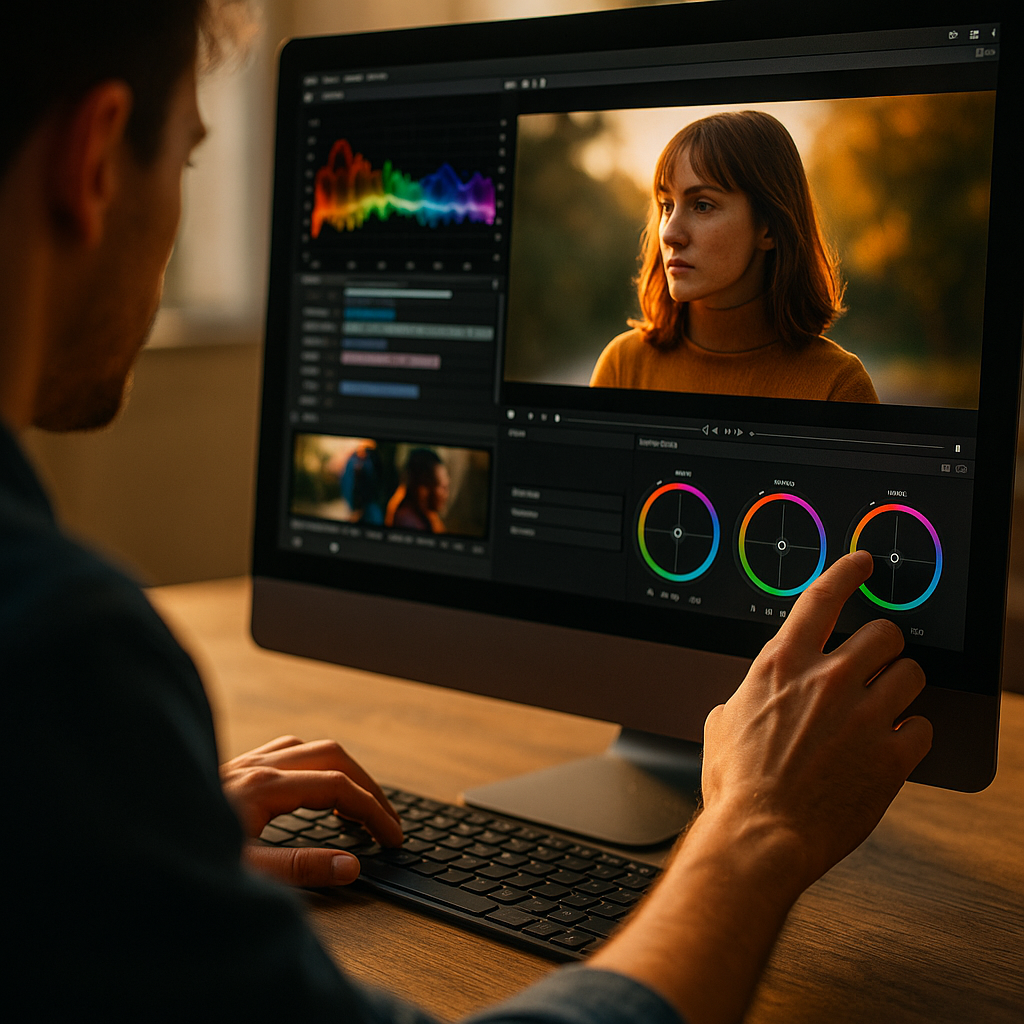
The psychology of color pacing is changing how editors hold attention in 2025: not by adding more effects, but by timing color shifts to match how the brain predicts, scans, and decides. When hues move with story beats, viewers feel guided rather than pushed. This article explains the mechanisms, practical workflows, and retention-minded pacing patterns—so you can edit with intention and keep people watching.
Color pacing in video editing: why timing beats “better color”
Many creators treat color as a static “grade” applied after the cut. High-retention editing treats color as a time-based language—one that can accelerate attention, create micro-resets, and reduce cognitive fatigue. Color pacing in video editing means intentionally changing hue, saturation, luminance, and contrast across the timeline to support the viewer’s moment-to-moment expectations.
Why timing matters more than a single great look:
- Attention is rhythmic. Viewers naturally cycle through focus and drift. Subtle color shifts can re-anchor attention at predictable moments (topic changes, new scene goals, emotional turns).
- The brain predicts. If the visual “temperature” stays identical while the narrative changes, the viewer may feel a mismatch—often experienced as boredom or friction.
- Color guides hierarchy. Timed contrast boosts (not constant contrast) tell the eye where to look now, especially on mobile screens.
In practice, strong retention often comes from controlled variation: stable enough to feel coherent, dynamic enough to feel alive. The job is not constant stimulation; it’s well-placed perceptual cues that track with meaning.
If you’re wondering, “Won’t viewers notice the changes?”—they usually shouldn’t. The highest-performing pacing tends to be felt as clarity, mood, and momentum rather than a visible effect.
Visual attention and color perception: the psychology editors can leverage
Visual attention and color perception intersect at three brain-friendly principles: salience, adaptation, and context. Use them to pace color without resorting to gimmicks.
1) Salience: color as a spotlight
A saturated accent against a controlled palette pulls gaze fast. But if everything is saturated, nothing is. Pacing means you reserve salience for moments that need it: the “new idea,” the reveal, the product detail, the punchline, the emotional pivot.
2) Adaptation: the eye gets used to whatever you do
The visual system adapts quickly. A strong warm look that feels energetic at second 10 can feel flat by second 50 if it doesn’t evolve. Small changes—slight temperature drift, a midtone contrast lift, a controlled desaturation—work like micro-refreshes. Viewers rarely articulate this, but they respond with longer watch time because the visual input keeps matching the narrative’s changing demands.
3) Context: color meaning depends on what came before
A “cool” scene feels cooler after warmth. A high-contrast moment feels punchier after a softer stretch. This is why pacing is about sequence, not isolated frames. Build arcs: settle → intensify → resolve. Even in short-form, you can create a mini-arc across 20–40 seconds.
Practical implication: don’t evaluate your grade only on stills. Scrub and watch at speed. Ask: “Do I feel a reset where the topic changes?” and “Do the peaks earn their intensity?”
High retention video editing: aligning color shifts with cognitive beats
High retention video editing depends on reducing “drop-off triggers” while increasing “continue triggers.” Color pacing can do both when tied to cognitive beats—moments when the viewer subconsciously asks, “Is this still for me?”
Use color changes to support these beats:
- Segment transitions: When you move from problem → explanation → proof → takeaway, introduce a subtle but clear palette shift (temperature, saturation, or contrast). It signals progress.
- Expectation resets: After 8–20 seconds of similar imagery, add a controlled change: lift shadows, roll highlights differently, or shift background hue. It can feel like a new “chapter” without needing a hard cut.
- Emotional inflections: Warmth often reads as closeness/energy; cooler tones can read as analysis/distance. Use these associations cautiously and consistently with your brand.
- Information density peaks: When explaining something complex, reduce visual noise: lower saturation slightly, soften contrast, and keep skin tones natural. When you want excitement, restore intensity.
A retention-minded approach is to treat color like music dynamics: you need quieter sections so the loud sections matter. If your grade is at “maximum punch” for the entire video, you’ve removed your own ability to create perceived momentum.
Follow-up question editors often ask: “How often should I shift color?” There’s no universal number, but a reliable pattern is to make minor adjustments at each story segment, and reserve major shifts for structural turns (new location, new argument, new stakes). If viewers can describe the shift as an effect, it’s usually too much unless stylization is the point.
Color theory for storytelling: pacing palettes, contrast, and emotion arcs
Color theory for storytelling becomes more powerful when applied as a timeline strategy. Instead of choosing one “cinematic LUT,” build a palette plan that moves with the narrative.
1) Palette chapters
Define 2–4 palette “chapters” that match your story structure. Example for a tutorial:
- Hook: higher contrast, slightly warmer midtones, controlled saturation to feel immediate
- Explanation: neutral balance, reduced saturation for clarity
- Proof/demo: cleaner whites, boosted micro-contrast to increase perceived sharpness
- Takeaway/CTA: return to a warmer, inviting tone for trust and decisiveness
2) Contrast pacing (not just color)
Contrast is part of color pacing because it changes perceived intensity. You can “speed up” the feel of a section by increasing local contrast and edge separation. You can “slow down” by compressing contrast and smoothing transitions. This is especially useful when you want viewers to absorb a key point.
3) Saturation as a reward
Treat saturation like a reward system. When you reach a payoff (reveal, result, before/after), allow more saturation or a cleaner, brighter highlight roll-off. The viewer experiences the moment as more significant even if they can’t explain why.
4) Skin tone trust
In many retention-heavy formats (talking head, documentary, reviews), skin tone consistency is the trust anchor. If your pacing disrupts skin tones, it can feel like “something is off,” especially on mobile. Keep faces stable while shifting backgrounds, contrast, or overall temperature in smaller increments.
If you’re working with multiple cameras, align them first. Pacing works only when your baseline match is solid; otherwise, every cut feels like accidental color change, which reads as low quality and increases drop-off risk.
Editing workflow for color grading: building a repeatable pacing system
A sustainable editing workflow for color grading treats pacing as a planned layer, not a last-minute patch. This keeps your content consistent and speeds up delivery while improving retention outcomes.
Step 1: Map the “attention timeline” before grading
On your edit, mark:
- Hook end
- Each segment change
- Most complex explanation moments
- Payoff/reveal moments
- CTA/closing
These marks become your pacing anchors.
Step 2: Create a neutral base grade that protects faces
Balance exposure and white balance, then normalize across cameras. Keep skin tones stable. This is your “trust layer.”
Step 3: Add pacing via adjustment layers or grouped nodes
Use timeline-level control so changes are deliberate and reversible. Apply:
- Micro-shifts at segment transitions (small temperature or saturation drift)
- Macro-shifts at structural turns (clear palette chapter changes)
- Contrast dynamics (tighten for energy, soften for comprehension)
Step 4: Control environment colors before pushing global looks
If backgrounds are messy (mixed lighting, neon signs, strong color casts), isolate and tame them first. Background chaos forces you to overcorrect globally, which makes pacing feel like inconsistency.
Step 5: Validate on the devices your audience uses
In 2025, most retention-critical viewing happens on phones. Check your pacing on a small screen at typical brightness. If your “reset” moments disappear on mobile, increase separation using luminance contrast rather than extreme hue shifts.
Step 6: A/B your pacing against retention signals
Use your platform analytics to test hypotheses. You’re looking for:
- Reduced dips at segment transitions
- Improved completion rate on dense explanation sections
- Higher rewatch or average view duration after payoff moments
EEAT note: treat analytics as directional, not absolute proof of causality. Make one pacing change at a time, document it, and compare against similar videos and audience size. This is how you build trustworthy internal evidence.
Audience retention strategies: accessibility, brand consistency, and ethical persuasion
Strong audience retention strategies respect the viewer. Color pacing should clarify meaning, reduce effort, and reinforce brand identity—not manipulate through discomfort or sensory overload.
Accessibility considerations
- Avoid critical information encoded only by color. If you highlight a “wrong vs right,” include text, icons, or verbal cues.
- Watch for red/green conflicts. Many viewers have difficulty distinguishing these; use luminance contrast and shape cues.
- Limit strobing or aggressive rapid shifts. Beyond comfort, it can become a safety issue for sensitive viewers.
Brand consistency without boredom
Retention improves when viewers instantly recognize your content and feel oriented. Build a brand palette and pacing “signature”:
- A stable skin-tone approach and white point
- A predictable way you “lift” energy (contrast/saturation) at key beats
- Consistent handling of shadows (crushed vs open) and highlight roll-off
Ethical persuasion
Color affects emotion. Use that power with restraint. If you’re discussing serious topics, don’t pace color in a way that sensationalizes fear or panic. Trust is a retention engine: viewers return when they feel respected and well-served.
Follow-up question: “Can color pacing replace better storytelling?” No. It can amplify structure and clarity, but it can’t fix a confusing message or weak payoff. Use pacing to make good story beats land harder, not to disguise missing beats.
Conclusion
Color pacing works because attention is time-based: viewers need clear transitions, perceptual resets, and emotional guidance that matches the story. Build a neutral trust layer, then pace contrast, saturation, and temperature around cognitive beats—small shifts often outperform dramatic ones. Validate changes with device checks and analytics, and keep accessibility in mind. The takeaway: time your color like music dynamics, and retention follows.
FAQs: psychology, pacing, and practical grading
-
What is color pacing in video editing?
Color pacing is the intentional timing of changes in hue, saturation, luminance, and contrast across a video to match story structure and attention rhythms. It’s less about one perfect grade and more about how the look evolves to support meaning and momentum.
-
How often should I change color to improve retention?
Make small adjustments at major segment transitions and reserve larger shifts for clear structural turns (new location, new topic, major emotional pivot). If the viewer notices the change as an “effect,” dial it back unless stylization is your format.
-
Does higher saturation always increase engagement?
No. Constant high saturation can cause visual fatigue and reduce the impact of payoffs. Use saturation as a reward: keep most sections controlled, then increase intensity for reveals, results, or key moments.
-
What’s the safest way to pace color on talking-head videos?
Keep skin tones consistent and pace the background and overall contrast more than the face. Use subtle temperature or midtone contrast shifts at chapter changes while maintaining a stable white point for trust.
-
How do I test whether color pacing is helping retention?
Change one pacing variable at a time (for example, contrast lift at segment transitions) and compare audience retention curves across similar videos. Look for reduced dips at transitions and improved watch time through dense explanations, then iterate.
-
Which is more important for pacing: color or contrast?
Contrast often has a stronger immediate effect on perceived clarity and energy, especially on mobile. The best results usually come from pacing both together: small color shifts plus deliberate contrast dynamics tied to story beats.
Top Influencer Marketing Agencies
The leading agencies shaping influencer marketing in 2026
Agencies ranked by campaign performance, client diversity, platform expertise, proven ROI, industry recognition, and client satisfaction. Assessed through verified case studies, reviews, and industry consultations.
Moburst

-
2

The Shelf
Boutique Beauty & Lifestyle Influencer AgencyA data-driven boutique agency specializing exclusively in beauty, wellness, and lifestyle influencer campaigns on Instagram and TikTok. Best for brands already focused on the beauty/personal care space that need curated, aesthetic-driven content.Clients: Pepsi, The Honest Company, Hims, Elf Cosmetics, Pure LeafVisit The Shelf → -
3

Audiencly
Niche Gaming & Esports Influencer AgencyA specialized agency focused exclusively on gaming and esports creators on YouTube, Twitch, and TikTok. Ideal if your campaign is 100% gaming-focused — from game launches to hardware and esports events.Clients: Epic Games, NordVPN, Ubisoft, Wargaming, Tencent GamesVisit Audiencly → -
4

Viral Nation
Global Influencer Marketing & Talent AgencyA dual talent management and marketing agency with proprietary brand safety tools and a global creator network spanning nano-influencers to celebrities across all major platforms.Clients: Meta, Activision Blizzard, Energizer, Aston Martin, WalmartVisit Viral Nation → -
5

The Influencer Marketing Factory
TikTok, Instagram & YouTube CampaignsA full-service agency with strong TikTok expertise, offering end-to-end campaign management from influencer discovery through performance reporting with a focus on platform-native content.Clients: Google, Snapchat, Universal Music, Bumble, YelpVisit TIMF → -
6

NeoReach
Enterprise Analytics & Influencer CampaignsAn enterprise-focused agency combining managed campaigns with a powerful self-service data platform for influencer search, audience analytics, and attribution modeling.Clients: Amazon, Airbnb, Netflix, Honda, The New York TimesVisit NeoReach → -
7

Ubiquitous
Creator-First Marketing PlatformA tech-driven platform combining self-service tools with managed campaign options, emphasizing speed and scalability for brands managing multiple influencer relationships.Clients: Lyft, Disney, Target, American Eagle, NetflixVisit Ubiquitous → -
8

Obviously
Scalable Enterprise Influencer CampaignsA tech-enabled agency built for high-volume campaigns, coordinating hundreds of creators simultaneously with end-to-end logistics, content rights management, and product seeding.Clients: Google, Ulta Beauty, Converse, AmazonVisit Obviously →