


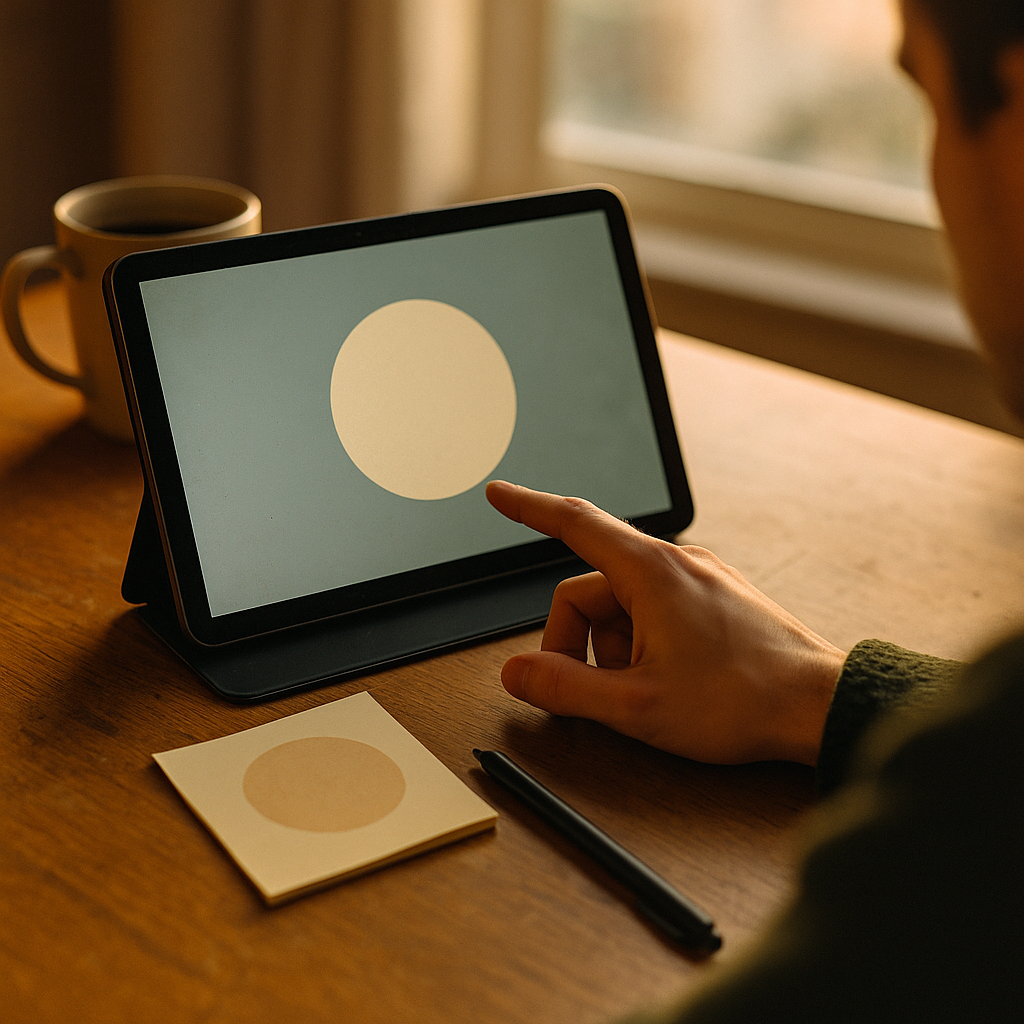
In 2026, audiences scroll through more content, alerts, and ads than ever, making attention the scarcest resource online. Low stimulus visuals offer a sharper path through that clutter by reducing noise, calming cognitive load, and guiding focus with intention. Brands, designers, and creators that understand this shift can build stronger trust, better engagement, and more memorable digital experiences. Why are simpler visuals suddenly so powerful?
What low stimulus design means in digital marketing
Low stimulus design refers to visual communication that limits unnecessary sensory input. Instead of relying on flashing motion, crowded layouts, aggressive color contrasts, and competing calls to action, it uses restraint. The goal is not to look empty or plain. The goal is to make the message easier to absorb, faster to understand, and more comfortable to engage with.
In practical terms, low stimulus visuals often include:
- Generous whitespace
- Limited color palettes
- Simple typography with clear hierarchy
- Minimal animation or subtle motion only when useful
- Fewer on-screen elements competing for attention
- Clean iconography and imagery with a single focal point
This approach matters because digital environments are saturated. Social feeds, e-commerce pages, streaming apps, workplace tools, and news sites all compete at once. When every brand tries to be louder, louder stops working. Users do not always need more stimulation to act. Often, they need less friction to think.
From an experience perspective, low stimulus design supports accessibility and emotional comfort. It can help people who are easily overwhelmed by intense interfaces, including users with sensory sensitivities, attention-related challenges, or digital fatigue. That makes it a design choice with both strategic and human value.
For marketers, the key insight is simple: less visual intensity can improve clarity. And clarity often drives action more effectively than spectacle.
Why visual clutter hurts user attention and conversion
Visual clutter creates decision fatigue. When users land on a page and see too many colors, banners, pop-ups, animations, and content blocks at the same time, the brain has to work harder to prioritize what matters. That effort increases cognitive load, and cognitive load slows decision-making.
In a high noise digital environment, people rarely read every word or inspect every element. They scan. If a design makes scanning difficult, users leave, ignore the content, or miss the desired action. This is one reason overloaded digital experiences often produce weaker engagement despite having more assets, more messages, and more visual energy.
Low stimulus visuals counter this by reducing competition on the screen. They make the core message more legible. They tell the eye where to go first, second, and third. That can improve several performance indicators:
- Longer time on page when content feels easier to process
- Higher click-through rates when there is one dominant call to action
- Better product comprehension on landing pages and app screens
- Lower bounce rates when users are not immediately overwhelmed
- Stronger brand recall because the central idea is not diluted
This does not mean every campaign should look sparse or quiet. Context matters. A gaming launch, live event, or youth culture campaign may benefit from higher energy. But even in visually bold categories, structured restraint improves outcomes. The most effective high-impact creative still uses hierarchy, focus, and controlled contrast.
One common follow-up question is whether low stimulus visuals reduce excitement. The answer is no, if they are done well. Energy does not have to come from chaos. It can come from confident composition, precise color use, and emotionally resonant imagery. The strongest digital experiences often feel intentional, not overloaded.
How sensory friendly content builds trust and usability
Sensory friendly content is content designed to minimize overload while preserving function and appeal. This matters more in 2026 because users are increasingly conscious of how digital experiences affect their mood, attention span, and comfort. Brands that respect those realities can build deeper trust.
Trust online grows when users feel oriented. If a website or app feels calm, readable, and predictable, people are more likely to believe the brand is competent. This is not only a design preference. It is a usability signal. Clean interfaces suggest clarity of thought. Clarity of thought supports credibility.
EEAT principles also align with this. Helpful content should be created with the user’s needs in mind, not just ranking or conversion goals. A low stimulus approach can support that by making expert information easier to consume. For example:
- A healthcare brand can present important guidance with clear spacing and restrained visuals so users focus on the advice, not decorative distractions.
- A financial platform can reduce anxiety by using simple charts, calm colors, and clear labels around complex topics.
- An e-commerce site can improve trust by highlighting product details, reviews, shipping information, and returns policies without visual overload.
Experience also shows that low stimulus design works especially well for brands with long consideration cycles. When users need to compare, evaluate, and understand before acting, clarity beats intensity. Buyers making decisions about software, education, healthcare, home products, or financial services usually benefit from visual environments that support concentration.
Another frequent question is whether low stimulus design is only for accessibility-focused brands. It is not. Accessibility is one major benefit, but the broader advantage is usability for everyone. A calmer interface helps users process information faster, whether they have specific sensory needs or simply a crowded day.
Best practices for minimalist branding that still stands out
Minimalist branding is often misunderstood as branding with less personality. In reality, strong minimalist branding is highly distinctive. It removes the nonessential so the essential becomes unmistakable. That demands more discipline, not less creativity.
To make low stimulus visuals stand out without fading into sameness, focus on these principles:
- Build a clear visual signature. Use one or two memorable brand elements consistently, such as a unique color pairing, graphic motif, type treatment, or image style.
- Prioritize hierarchy. Every screen should make it obvious what matters most. Headlines, supporting text, and calls to action should not compete equally.
- Use contrast with purpose. Low stimulus does not mean low contrast. Strategic contrast helps users notice the right element at the right moment.
- Limit motion. Animation should guide or confirm, not distract. Micro-interactions are often more effective than constant movement.
- Write shorter, sharper copy. Minimal visuals work best when language is equally disciplined and useful.
- Design for one action per moment. Too many options can weaken conversion. Give each screen a main purpose.
Brand photography also matters. Low stimulus imagery tends to work best when it has a clear subject, controlled composition, and emotional relevance. Busy backgrounds, too many props, and mixed visual styles dilute impact.
The same principle applies to video. Short-form and product videos do not need nonstop cuts and overlays to perform. In many cases, slower pacing, clear framing, and fewer edits improve message retention. If the viewer understands the value in three seconds, the creative has already done something powerful.
Minimalist branding should never feel generic. The test is simple: remove the logo. Does the design still feel recognizably yours? If yes, the restraint is working.
Using calm aesthetics across websites social media and apps
Calm aesthetics should not stop at brand guidelines. They should carry across the full digital journey. Consistency is what turns a visual style into a usable system.
On websites, low stimulus visuals help users navigate information-rich environments. Landing pages benefit from fewer sections, shorter copy blocks, and stronger spacing. Product pages benefit from cleaner galleries, simplified comparison tools, and visible trust elements. Editorial pages benefit from readable line lengths, stable layouts, and reduced ad interference.
On social media, the challenge is different. Feeds are inherently noisy. That is exactly why calm creative can stop the scroll. A simple composition with one message and one focal point often performs better than a design trying to include every selling point at once. In social environments, restraint can look premium, self-assured, and emotionally intelligent.
In mobile apps, low stimulus visuals directly influence retention. Apps are used repeatedly, not just visited once. If the experience feels stressful, users churn. If it feels intuitive and lightweight, users return. This is especially important for wellness, productivity, finance, learning, and health apps, where users expect support rather than stimulation.
To apply calm aesthetics effectively across channels:
- Audit all touchpoints for visual overload, not just the homepage.
- Define a channel-specific hierarchy while preserving the same core brand signals.
- Use templates that limit element count and enforce spacing rules.
- Test reduced-motion and simplified-layout versions where possible.
- Review performance by audience segment, because some groups respond more strongly to visual restraint than others.
One useful operational insight is to pair creative review with behavior data. Heatmaps, session recordings, click maps, and retention analytics can reveal whether users are hesitating, missing key elements, or abandoning cluttered flows. That evidence strengthens the case for simpler design beyond subjective preference.
How to measure the impact of low stimulus visuals
For stakeholders, aesthetics alone are rarely enough. You need measurable results. The good news is that low stimulus design can be tested with the same rigor as any other creative strategy.
Start by identifying the business outcome you want to improve. Different formats support different goals. A calmer homepage may aim to reduce bounce rate. A cleaner product page may target higher add-to-cart rates. A simplified app onboarding flow may focus on completion and day-one retention.
Key metrics to track include:
- Click-through rate on primary calls to action
- Bounce rate and exit rate
- Time on page and scroll depth
- Form completion rate
- Add-to-cart and checkout completion
- App onboarding completion and retention
- Customer satisfaction signals such as support volume or qualitative feedback
A/B testing remains the most reliable approach. Compare a visually reduced version against a more cluttered or legacy design. Keep the core offer constant so the visual structure is the main variable. Then measure not only conversion, but comprehension. Post-click surveys and usability interviews can reveal why one version performs better.
EEAT also matters here. If your content is expert-led, transparent, and genuinely helpful, low stimulus visuals can amplify that value by making expertise easier to access. If the content is weak or vague, simplicity alone will not save it. Design can reduce friction, but it cannot replace substance.
That point is important for content teams. The most effective low stimulus experiences combine:
- Experience: Practical knowledge of real user behavior and design trade-offs
- Expertise: Information created or reviewed by people who understand the subject
- Authoritativeness: Clear brand signals, accurate sourcing, and confident communication
- Trustworthiness: Transparent claims, accessible design, and consistent user-first decisions
When these principles align, low stimulus visuals become more than a style trend. They become a performance strategy built on how people actually process digital information.
FAQs about low stimulus visuals and digital experience
What are low stimulus visuals?
Low stimulus visuals are designs that reduce unnecessary sensory input. They typically use simple layouts, fewer competing elements, restrained color use, clear typography, and minimal motion to help users focus and process information more easily.
Why are low stimulus visuals effective in digital marketing?
They cut through clutter by improving clarity. In noisy digital spaces, users scan quickly. A calmer visual structure makes messages easier to understand, supports decision-making, and often improves engagement and conversion.
Do low stimulus visuals hurt brand personality?
No. When used well, they strengthen personality by highlighting distinctive brand elements instead of burying them under visual noise. Minimal does not mean generic. It means intentional.
Are low stimulus visuals the same as minimalist design?
They overlap, but they are not identical. Minimalist design focuses on reducing elements to essentials. Low stimulus visuals focus more broadly on reducing sensory overload and cognitive strain. A design can be minimal without being especially calming, and calm without being ultra-minimal.
Who benefits most from sensory friendly content?
Everyone can benefit, but it is especially valuable for users with sensory sensitivities, attention-related challenges, anxiety around complex decisions, or general digital fatigue. It also helps users in high-stress or information-heavy contexts.
How can I tell if my website is visually overstimulating?
Look for too many colors, repeated pop-ups, autoplay media, multiple competing calls to action, dense text blocks, excessive animation, and weak hierarchy. Behavior data such as high bounce rates or abandoned flows can also signal overload.
Should every brand adopt a low stimulus visual style?
Not in the same way. The right level of restraint depends on your audience, category, and goals. However, nearly every brand can benefit from clearer hierarchy, less clutter, and more intentional use of contrast and motion.
What is the first step to implementing low stimulus design?
Start with an audit. Identify where users face too many choices, too much motion, or too much visual competition. Then simplify one high-impact journey first, such as a landing page, product page, or app onboarding flow, and measure the results.
In a digital environment defined by distraction, low stimulus visuals create a competitive advantage through clarity, trust, and ease. They reduce cognitive strain, help users focus, and make brand messages more memorable across websites, social media, and apps. The clearest takeaway for 2026 is simple: when every screen is louder, the brands that design with calm intention are easier to notice and easier to choose.
Top Influencer Marketing Agencies
The leading agencies shaping influencer marketing in 2026
Agencies ranked by campaign performance, client diversity, platform expertise, proven ROI, industry recognition, and client satisfaction. Assessed through verified case studies, reviews, and industry consultations.
Moburst

-
2

The Shelf
Boutique Beauty & Lifestyle Influencer AgencyA data-driven boutique agency specializing exclusively in beauty, wellness, and lifestyle influencer campaigns on Instagram and TikTok. Best for brands already focused on the beauty/personal care space that need curated, aesthetic-driven content.Clients: Pepsi, The Honest Company, Hims, Elf Cosmetics, Pure LeafVisit The Shelf → -
3

Audiencly
Niche Gaming & Esports Influencer AgencyA specialized agency focused exclusively on gaming and esports creators on YouTube, Twitch, and TikTok. Ideal if your campaign is 100% gaming-focused — from game launches to hardware and esports events.Clients: Epic Games, NordVPN, Ubisoft, Wargaming, Tencent GamesVisit Audiencly → -
4

Viral Nation
Global Influencer Marketing & Talent AgencyA dual talent management and marketing agency with proprietary brand safety tools and a global creator network spanning nano-influencers to celebrities across all major platforms.Clients: Meta, Activision Blizzard, Energizer, Aston Martin, WalmartVisit Viral Nation → -
5

The Influencer Marketing Factory
TikTok, Instagram & YouTube CampaignsA full-service agency with strong TikTok expertise, offering end-to-end campaign management from influencer discovery through performance reporting with a focus on platform-native content.Clients: Google, Snapchat, Universal Music, Bumble, YelpVisit TIMF → -
6

NeoReach
Enterprise Analytics & Influencer CampaignsAn enterprise-focused agency combining managed campaigns with a powerful self-service data platform for influencer search, audience analytics, and attribution modeling.Clients: Amazon, Airbnb, Netflix, Honda, The New York TimesVisit NeoReach → -
7

Ubiquitous
Creator-First Marketing PlatformA tech-driven platform combining self-service tools with managed campaign options, emphasizing speed and scalability for brands managing multiple influencer relationships.Clients: Lyft, Disney, Target, American Eagle, NetflixVisit Ubiquitous → -
8

Obviously
Scalable Enterprise Influencer CampaignsA tech-enabled agency built for high-volume campaigns, coordinating hundreds of creators simultaneously with end-to-end logistics, content rights management, and product seeding.Clients: Google, Ulta Beauty, Converse, AmazonVisit Obviously →