


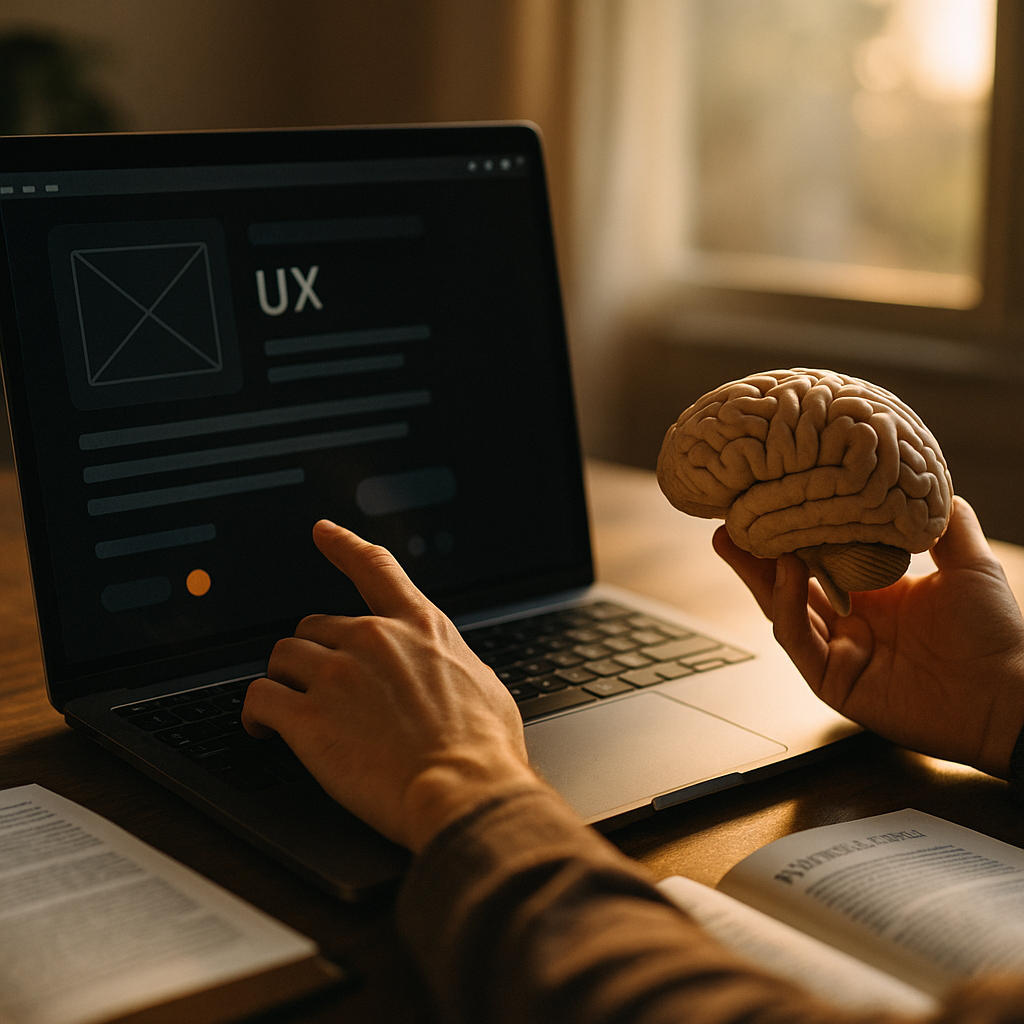
Designing for dark mode now shapes far more than visual style. In 2026, users expect interfaces that reduce strain, support focus, and feel trustworthy across devices and lighting conditions. The strongest dark experiences are rooted in cognitive psychology, not trend-driven palettes alone. When color, contrast, hierarchy, and attention work together, dark mode becomes a performance tool. So what actually makes it effective?
Dark mode UX and the psychology of visual processing
Dark mode UX succeeds when it aligns with how people actually see, read, and process information. Human vision does not respond to dark interfaces in a simple “better at night” way. Context matters: ambient light, screen brightness, text size, task complexity, age, and visual sensitivity all influence comfort and performance.
From a cognitive psychology perspective, every interface competes for limited mental resources. Users scan, recognize patterns, prioritize actions, and ignore noise. A dark interface can help by reducing perceived glare in low-light settings and by making certain content feel calmer and more contained. But a poorly designed dark theme can increase cognitive load if text is too dim, contrast is extreme, or color cues become harder to distinguish.
One useful principle is that perception comes before comprehension. If users must work harder to detect boundaries, labels, or actions, they spend more mental effort just decoding the interface. That leaves less capacity for completing tasks. In practical terms, dark mode should not merely invert colors. It should preserve recognition speed, reading comfort, and clear decision-making.
Designers should also remember the role of adaptation. Eyes adjust differently to dark and light environments. Sudden shifts between very bright and very dark surfaces can create discomfort, especially when a screen is used repeatedly across contexts. A thoughtful dark interface softens those transitions and supports stable visual attention instead of forcing the user to reorient constantly.
Cognitive load in UI and why dark interfaces can help or hurt
Cognitive load in UI refers to the amount of mental effort required to use a product. Dark mode can reduce unnecessary load when it simplifies visual parsing, controls emphasis, and lowers distraction. It can also increase load when designers rely on style over clarity.
There are three common ways dark interfaces create friction:
- Weak text contrast: Pure gray-on-gray combinations may look refined in mockups but often reduce readability in real use.
- Overuse of saturated accents: Bright colors on dark backgrounds can vibrate visually and compete for attention.
- Flattened hierarchy: When cards, modals, navigation, and content areas all share similar dark tones, users lose spatial cues.
To lower cognitive load, each layer of the interface should answer a simple question quickly: What is this, what matters most, and what can I do next? Dark mode should make those answers faster, not slower.
That means using a restrained tonal system rather than one black canvas. Surfaces need distinct elevation levels. Primary actions need obvious but not aggressive emphasis. Secondary text should remain readable, not decorative. Error, success, and warning states must still be instantly recognizable without relying on brightness alone.
Task type matters too. A media app, coding environment, or in-car interface may benefit from darker backgrounds because users focus on content or extended sessions in changing light. A reading-heavy financial dashboard, legal workflow, or form-intensive enterprise product may require more careful balancing because dense information can become tiring if contrast and spacing are not tuned precisely.
The best test is behavioral, not subjective. Ask whether dark mode improves completion time, reduces errors, and sustains attention. If the interface looks modern but causes hesitation, the design is not helping cognition.
Readability in dark mode: contrast, typography, and eye comfort
Readability in dark mode depends on more than meeting minimum accessibility thresholds. It involves creating text and interface relationships that feel stable over time. Users may tolerate poor readability briefly, but sustained use exposes every weakness.
A common mistake is using pure white text on pure black backgrounds. This creates harsh contrast that can lead to halation, where bright letters appear to glow or blur against dark surfaces. For many users, especially in dim settings, that effect increases fatigue. Off-white text on very dark gray often performs better because it keeps contrast strong while reducing visual harshness.
Typography choices also matter. Thin fonts and tight letter spacing often break down in dark interfaces. Medium weights, generous spacing, and clear line height improve text recognition. Long paragraphs should have enough breathing room to prevent dense blocks from blending into the background.
Designers should also consider these practical readability rules:
- Prefer dark gray over absolute black for large background areas to soften contrast.
- Use off-white text for primary copy and slightly dimmer values for secondary content.
- Increase font weight carefully if characters appear fragile on dark surfaces.
- Protect line length and spacing so users can track text easily during longer reading sessions.
- Differentiate links and actions clearly without relying only on hue.
Eye comfort is also shaped by environmental fit. In bright daylight, some dark themes lose legibility and feel muddy. That is why many products now support adaptive theming or user-controlled toggles rather than assuming dark mode is universally superior. User preference should guide experience, but preference should be supported by solid visual ergonomics.
For accessibility, color contrast remains essential, yet accessibility should not be reduced to compliance checklists. Real inclusivity means designing for users with low vision, astigmatism, migraines, color-vision differences, and fatigue from extended screen time. Dark mode can support these users, but only if it is carefully executed and thoroughly tested.
Attention and hierarchy in dark mode design systems
Attention and hierarchy in dark mode are central to usability. In a light interface, hierarchy often emerges naturally through shadows, dividers, and white space. In dark environments, those signals can weaken unless they are deliberately rebuilt.
Cognitive psychology tells us that attention is selective. People do not absorb everything on screen equally. They notice contrast shifts, movement, size differences, and familiar patterns. Dark mode should use those triggers intentionally. If every element glows, nothing stands out. If everything is subdued, users struggle to find the next step.
A strong dark mode design system usually includes:
- Multiple surface levels to separate background, containers, overlays, and elevated components.
- Consistent accent behavior so one color means one type of importance across the product.
- Predictable component states for hover, focus, disabled, selected, and error conditions.
- Clear boundary cues using subtle strokes, shadows, blur, or tonal changes.
Focus states deserve special attention. In dark interfaces, keyboard focus rings, active tabs, and selected rows can disappear if they are too subtle. This creates both usability and accessibility problems. The user should never have to guess where they are.
Emotional tone also influences attention. Dark mode often feels premium, immersive, or calm. Those associations can support trust when they align with the product. But emotional tone should not override function. A healthcare app, banking tool, or productivity platform still needs immediate clarity and strong safety signals. Users may appreciate sophistication, but they value confidence and comprehension more.
Teams should codify dark mode rules inside the design system, not treat them as post-launch adjustments. Tokens for color, elevation, typography, and states should be built specifically for dark contexts. That reduces inconsistency and helps products scale without visual drift.
Accessibility in dark mode for inclusive product design
Accessibility in dark mode is where aesthetics meet responsibility. Helpful content in 2026 must reflect real expertise and practical use, and inclusive design is part of that standard. A dark theme that looks polished but excludes users is not a strong product decision.
Accessibility starts with contrast, but it extends much further. Color should not be the sole carrier of meaning. A red label on a dark gray background may technically appear visible, yet still fail users with color-vision deficiencies or those using screens under poor lighting. Icons, text labels, underlines, borders, and patterns can reinforce meaning.
Motion and brightness transitions also matter. Sudden shifts when toggling between themes can be jarring. Smooth, brief, and optional transitions are generally safer than dramatic animations. Users with vestibular sensitivity or neurological fatigue benefit from controlled motion and predictable changes.
Forms are another common failure point. Placeholder text often becomes too faint, disabled states become ambiguous, and validation messages blend into the interface. In accessible dark mode, every input should clearly communicate state before, during, and after interaction.
Here is a practical checklist for inclusive dark mode:
- Test in real environments, including bright daylight, dim rooms, and auto-brightness scenarios.
- Validate with assistive technology, keyboard navigation, and screen magnification.
- Check semantic clarity so alerts, buttons, and form fields remain unmistakable.
- Support user choice with system sync and manual override when appropriate.
- Run usability tests with diverse participants, not only internal teams on high-end displays.
Accessibility is not a constraint on creativity. It sharpens design decisions. When dark mode works for a wider range of users, it usually works better for everyone.
Dark mode usability testing and evidence-based optimization
Dark mode usability testing is what separates assumption from expertise. Teams often launch dark themes based on trend pressure or anecdotal demand, but the strongest products use evidence. EEAT principles reward content and experiences built on demonstrated knowledge, transparency, and user benefit. Product teams should follow the same standard.
Start with clear hypotheses. For example: does dark mode reduce nighttime abandonment, improve session length for media consumption, or lower error rates in a workflow? Then choose metrics that reflect real behavior rather than vanity preference scores alone.
Useful methods include:
- Task-based usability sessions to observe hesitation, scanning patterns, and comprehension.
- A/B or multivariate testing for contrast levels, accent intensity, and component states.
- Preference studies with context to learn when users choose dark mode and why.
- Accessibility audits paired with human testing to catch issues automation misses.
- Long-session evaluations to detect fatigue that short tests may hide.
Pay attention to qualitative signals. If users describe a dark interface as “clean” but repeatedly miss primary actions, the visual language may be underpowered. If they say it feels “intense” or “glary,” contrast might be too harsh. If they prefer it at night but switch away during the day, adaptive support may be needed.
Designers should also measure consistency across platforms. A dark mode that works on a flagship mobile display may fail on budget devices, desktop monitors, or in-vehicle screens. Color rendering, brightness behavior, and environmental reflections all affect perceived quality.
The goal is not to prove that dark mode is always better. The goal is to create the version that best supports user cognition, comfort, and task success in the contexts that matter most. Evidence-based iteration is what turns a dark theme into a durable product advantage.
FAQs about dark mode and cognitive psychology
What is the biggest mistake in dark mode design?
The biggest mistake is treating dark mode as a simple color inversion. Effective dark mode requires rethinking contrast, hierarchy, typography, states, and accessibility so users can perceive and process information easily.
Does dark mode reduce eye strain for everyone?
No. It can feel more comfortable in low-light conditions, but it is not universally better. Some users read faster and more accurately in light mode, especially in bright environments or with dense text-heavy interfaces.
Why does pure white text on black feel uncomfortable?
Very high contrast can create halation, making text appear to glow or blur against the background. Off-white text on a very dark gray surface often improves readability while maintaining strong contrast.
How does cognitive psychology improve dark mode?
It helps designers understand attention, visual processing, memory load, and decision-making. That leads to interfaces that are easier to scan, easier to understand, and less mentally taxing during real tasks.
Should every product offer dark mode?
Not automatically. Dark mode is most valuable when it fits user context, content type, and device behavior. Teams should validate demand and performance through research instead of adding it as a default feature without evidence.
How can teams test dark mode properly?
They should combine usability testing, accessibility review, environmental testing, and behavioral analytics. The best results come from observing users complete real tasks across devices and lighting conditions.
Is dark mode good for accessibility?
It can be, but only when designed carefully. Accessible dark mode needs strong readable contrast, clear focus states, visible form controls, non-color cues, and validation with diverse users and assistive technologies.
Dark mode works best when designers treat it as a cognitive tool, not a cosmetic layer. In 2026, high-performing interfaces support perception, attention, readability, and accessibility across real contexts of use. The clearest takeaway is simple: build dark mode around human mental effort. If users can see faster, think less, and act with confidence, the design is doing its job.
Top Influencer Marketing Agencies
The leading agencies shaping influencer marketing in 2026
Agencies ranked by campaign performance, client diversity, platform expertise, proven ROI, industry recognition, and client satisfaction. Assessed through verified case studies, reviews, and industry consultations.
Moburst

-
2

The Shelf
Boutique Beauty & Lifestyle Influencer AgencyA data-driven boutique agency specializing exclusively in beauty, wellness, and lifestyle influencer campaigns on Instagram and TikTok. Best for brands already focused on the beauty/personal care space that need curated, aesthetic-driven content.Clients: Pepsi, The Honest Company, Hims, Elf Cosmetics, Pure LeafVisit The Shelf → -
3

Audiencly
Niche Gaming & Esports Influencer AgencyA specialized agency focused exclusively on gaming and esports creators on YouTube, Twitch, and TikTok. Ideal if your campaign is 100% gaming-focused — from game launches to hardware and esports events.Clients: Epic Games, NordVPN, Ubisoft, Wargaming, Tencent GamesVisit Audiencly → -
4

Viral Nation
Global Influencer Marketing & Talent AgencyA dual talent management and marketing agency with proprietary brand safety tools and a global creator network spanning nano-influencers to celebrities across all major platforms.Clients: Meta, Activision Blizzard, Energizer, Aston Martin, WalmartVisit Viral Nation → -
5

The Influencer Marketing Factory
TikTok, Instagram & YouTube CampaignsA full-service agency with strong TikTok expertise, offering end-to-end campaign management from influencer discovery through performance reporting with a focus on platform-native content.Clients: Google, Snapchat, Universal Music, Bumble, YelpVisit TIMF → -
6

NeoReach
Enterprise Analytics & Influencer CampaignsAn enterprise-focused agency combining managed campaigns with a powerful self-service data platform for influencer search, audience analytics, and attribution modeling.Clients: Amazon, Airbnb, Netflix, Honda, The New York TimesVisit NeoReach → -
7

Ubiquitous
Creator-First Marketing PlatformA tech-driven platform combining self-service tools with managed campaign options, emphasizing speed and scalability for brands managing multiple influencer relationships.Clients: Lyft, Disney, Target, American Eagle, NetflixVisit Ubiquitous → -
8

Obviously
Scalable Enterprise Influencer CampaignsA tech-enabled agency built for high-volume campaigns, coordinating hundreds of creators simultaneously with end-to-end logistics, content rights management, and product seeding.Clients: Google, Ulta Beauty, Converse, AmazonVisit Obviously →