


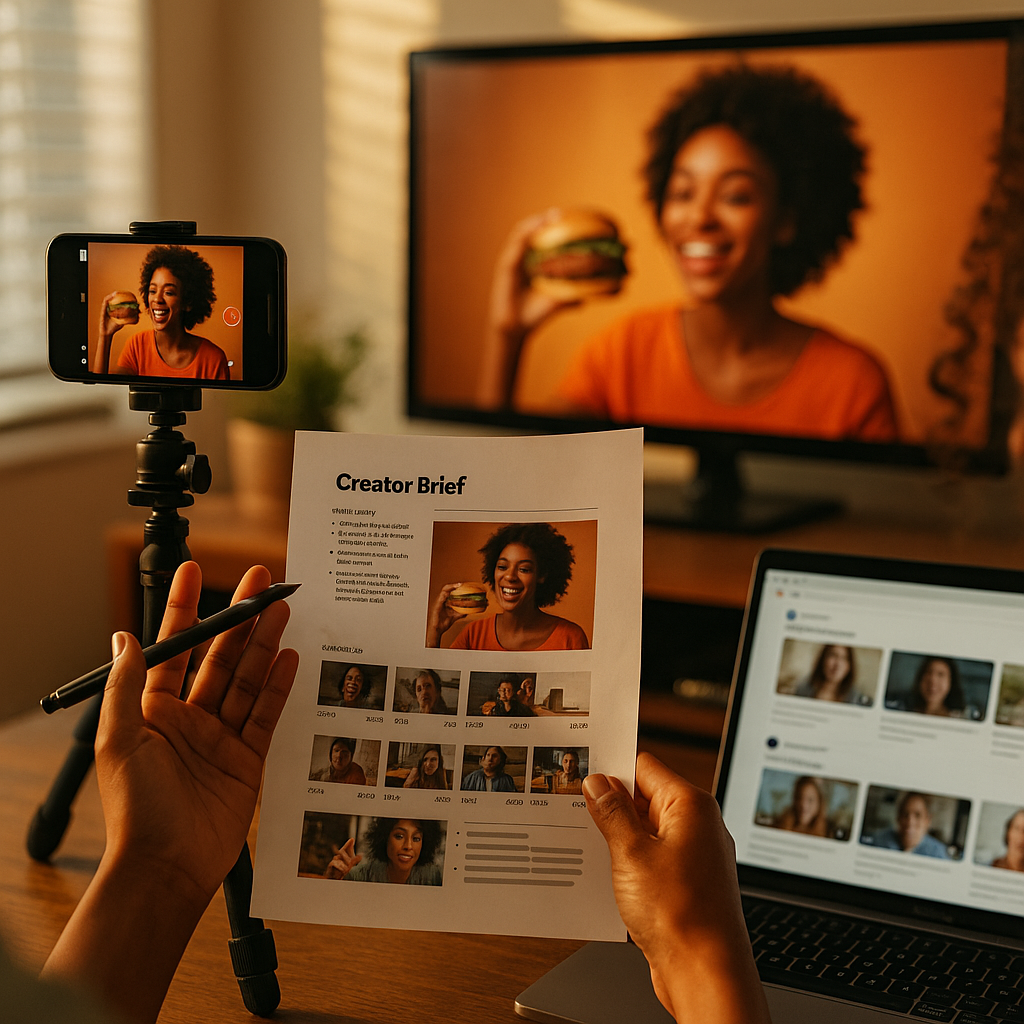
Connected TV now reaches over 90% of U.S. households, yet most brands still brief creators exclusively for social feeds. That mismatch is costing you inventory, reach, and budget efficiency. CTV-ready creator content briefs solve this by engineering one production run to serve both environments without sacrificing performance in either.
Why CTV Changes Everything About How You Brief Creators
The short answer: CTV is not a bigger phone screen. It is a lean-back, shared-screen, sound-on environment where viewer attention behaves completely differently from a scrolling feed. On TikTok, you have 1.5 seconds to hook someone before their thumb moves. On a connected TV mid-roll, that same viewer chose to watch and is sitting still. The psychological contract is different, which means your creative direction must be different, even when the source asset is identical.
Yet the economics of creator production demand efficiency. Commissioning separate shoots for CTV and social is not a realistic option for most mid-market brands, and it is frankly unnecessary for large ones. The solution is a brief architecture that anticipates both destinations from the first production decision, not as an afterthought in post.
Brands that brief creators with CTV distribution in mind from day one report up to 40% lower per-asset production costs compared to running separate social and CTV creative programs, according to internal benchmarks shared by programmatic CTV buyers at major holding companies.
If you have been reading about multi-format creator assets from single shoots, CTV is the next logical extension of that efficiency model. The difference is that CTV introduces technical and contextual requirements that most creator briefs currently ignore entirely.
The Technical Floor: What Your Brief Must Specify
Before you write a single word about tone or storytelling, lock in the technical requirements. These are non-negotiable for CTV distribution and they directly constrain how a creator frames, lights, and records their content.
Resolution and safe zones. CTV platforms, including Roku, Amazon Fire TV, and Samsung Smart TV’s native ad inventory, require a minimum of 1080p. Many programmatic CTV buyers now prefer 4K source files for future-proofing. Critically, creators must keep all key visual information and text overlays within a safe zone of roughly 80% of the frame to avoid edge cropping across different TV bezels and aspect ratios. This is the single most common failure point when repurposing social content for CTV.
Aspect ratio strategy. Brief creators to shoot in 16:9 horizontal as the master format, then reframe for 9:16 vertical social exports. This is the reverse of what most creator briefs specify. For social-first creators accustomed to shooting vertical, this requires explicit instruction and ideally a shot list that maps each key moment to its intended platform destination. Review OTT vertical video specs to understand how these requirements interact across a single production run.
Audio standards. CTV environments are sound-on by default. Social feeds are overwhelmingly sound-off on first impression. Your brief should require clean dialogue audio recorded at broadcast quality (minimum -16 LUFS for streaming), with separate closed-caption files for social exports. Do not rely on auto-captioning for the CTV master because errors compound when that file is ingested into programmatic ad servers. TikTok’s ad specifications and Google’s video ad requirements both document the gap between what passes QA on social versus what CTV DSPs require.
Duration variants. Brief for three cut lengths: 60 seconds (CTV pre-roll or mid-roll), 30 seconds (social feed and CTV companion), and 15 seconds (social short-form and connected TV bumper). Each must be a genuine editorial edit, not a truncated version. A creator who understands this up front will construct their narrative to support all three cuts rather than padding a 15-second idea to 60 seconds.
Storytelling Architecture That Works Across Both Screens
Here is where most CTV creator briefs fall apart. Brands hand creators a technical spec sheet and expect them to self-direct the narrative. That is not a brief. That is a liability waiver.
CTV-effective creator content follows a specific structural logic: establish context in the first five seconds, deliver the core brand value within seconds 10 to 20, and close with a clear brand attribution that works without any on-screen click mechanic. There is no swipe-up on a television. No link in bio. Your creator needs to understand that the CTV version of their content is an awareness and consideration play, not a direct response vehicle, which changes how they frame their call to action entirely.
For social versions of the same content, the structure inverts. The hook is everything. The brand reveal can be later because the algorithm rewards completion, not front-loading. This is why a well-designed CTV-ready brief includes separate narrative guidance for each platform destination, not a single creative direction that attempts to serve all environments simultaneously.
The concept of the creator as a narrative architect (see this framework for brand campaign narrative structure) becomes especially relevant here. You are not directing a content creator to produce an ad. You are directing them to produce a multi-destination narrative that can be edited into platform-specific executions without losing coherence in any environment.
How to Write the Actual Brief Sections
A CTV-ready creator brief has five structural components that standard social briefs omit or underspecify.
- Platform destination map: List every distribution environment with its technical specs, audience context, and viewing behavior. CTV mid-roll on Hulu is a different psychological environment than a TikTok For You page. Name both explicitly.
- Scene-level shot direction: Specify which scenes must be shot horizontally for CTV safe zones, which can be shot vertically, and which need both orientations captured simultaneously. This is not micromanagement. It is production planning that saves reshoots.
- Brand attribution requirements by platform: CTV requires verbal and visual brand mentions because there is no persistent overlay or profile link. Brief creators to say the brand name at least once on camera in the CTV master cut. Social versions can use on-screen text and link overlays instead.
- Compliance language: Paid partnership disclosures must appear in both environments. The FTC’s endorsement guidelines apply regardless of distribution channel, but CTV ad servers have their own disclosure overlay requirements that may supersede the creator’s own on-screen text. Coordinate with your media buyer before briefing the creator.
- Deliverable checklist with file specifications: Resolution, codec, audio format, caption file type, and naming convention for every variant. This checklist lives at the end of the brief and doubles as your QA gate before content enters your distribution pipeline.
For compliance and authenticity balance considerations that apply across all platform formats, the brand safety and authenticity brief framework provides a solid starting reference point.
Selecting the Right Creators for CTV-Capable Production
Not every creator can produce CTV-grade content, and your vetting process needs to reflect that reality before you brief anyone.
Look for creators who have produced branded content for YouTube at 1080p or above, since they are already working in a horizontal, broadcast-adjacent format. Check their back catalog for content that demonstrates clean audio, controlled lighting, and framing that does not rely on vertical safe zone conventions. A creator who exclusively produces 9:16 content may struggle with horizontal composition without additional direction.
Ask directly in your intake process: do they have experience with CTV or OTT content production? Do they own or have access to a directional microphone and a stabilization rig? The production bar for CTV is closer to YouTube-quality commercial production than to a Reels native shoot. Budget accordingly. A creator charging $2,500 for a social deliverable may need $4,000 or more when CTV production standards are added to scope.
According to eMarketer’s CTV ad spend projections, programmatic CTV advertising is on track to represent over 25% of total video ad budgets. Brands that have not yet built creator-to-CTV pipelines are already behind on the distribution curve.
Measuring Performance Across Both Environments
CTV attribution is improving rapidly. Platforms like The Trade Desk, Magnite, and Amazon DSP now offer household-level reach frequency data that can be matched against downstream conversion events using clean room methodologies. Brief your analytics team alongside your creator before campaign launch, not after. The measurement architecture shapes which creator deliverables you actually need.
For social, your standard engagement and click-through metrics apply. For CTV, you are measuring brand lift, aided recall, and site visit uplift tied to CTV exposure windows. These are fundamentally different success signals, and your creative performance review process needs to evaluate each platform’s content against its own KPIs, not a unified benchmark. If you want to understand how CPA and attribution goals should shape brief construction, the performance ROI brief model applies directly here, with CTV-specific adaptation for view-through attribution windows.
The TikTok, Reels, and OTT single-shoot brief model is also worth reviewing as a parallel execution template if you are building this capability for the first time.
One practical note on CTV audience measurement: household co-viewing on CTV means a single impression may reach two to four viewers. Factor this into your CPM comparisons against social single-viewer inventory. The CTV unit may appear more expensive in isolation but cheaper per actual human reached.
Start your next creator campaign by auditing one existing social brief and identifying every specification that would cause it to fail CTV QA. Fix those gaps first. That single exercise will reveal exactly what your CTV-ready brief framework needs to include.
Frequently Asked Questions
What makes a creator brief “CTV-ready” compared to a standard social brief?
A CTV-ready creator brief specifies horizontal (16:9) master framing, 1080p or 4K resolution requirements, broadcast-quality audio standards, safe zone guidelines for TV bezels, verbal brand attribution requirements, and multiple duration variants (60s, 30s, 15s). Standard social briefs typically omit all of these because social platforms tolerate lower technical standards and rely on on-screen overlays and links that do not exist in a CTV environment.
Can the same creator content realistically serve both CTV and social feeds?
Yes, but only if the brief is designed for dual-destination use from the start. Content shot in 16:9 at broadcast quality can be reframed to 9:16 for social export. The narrative structure needs to support both a front-loaded social hook and a longer-form CTV arc. Creators must understand both destination contexts before they begin production, not after. Attempting to repurpose social-native vertical content for CTV typically produces poor results and fails technical QA.
Which CTV platforms should brands target with creator content?
The primary programmatic CTV inventory sources for creator-derived content include Roku’s OneView platform, Amazon Fire TV via Amazon DSP, Samsung Ads, and premium publisher inventory available through The Trade Desk and Magnite. Each has slightly different technical specifications and audience targeting capabilities. Brands should confirm final delivery specs with their media buying partner before locking creative deliverables in the creator brief.
How should FTC disclosure requirements be handled for CTV creator ads?
The FTC’s endorsement guidelines require clear and conspicuous disclosure regardless of distribution channel. For CTV, this means the paid partnership disclosure must appear on screen in readable text during the ad and should ideally also be verbally stated by the creator. CTV ad servers may add their own “Ad” overlays, but these do not substitute for creator-level disclosure within the content itself. Coordinate with your legal team and media buyer to ensure disclosures meet both FTC standards and individual platform requirements.
What budget premium should brands expect when adding CTV requirements to a creator brief?
Expect a 40 to 80 percent rate increase over a standard social deliverable when adding CTV-grade technical requirements to scope. This reflects the cost of higher-quality audio equipment, horizontal shooting setup, extended editing for multiple duration variants, and the caption and compliance file deliverables CTV ad servers require. The per-impression economics of CTV, particularly its household co-viewing multiplier, typically justify this premium when evaluated against total reached audience rather than raw CPM comparisons.
Top Influencer Marketing Agencies
The leading agencies shaping influencer marketing in 2026
Agencies ranked by campaign performance, client diversity, platform expertise, proven ROI, industry recognition, and client satisfaction. Assessed through verified case studies, reviews, and industry consultations.
Moburst

-
2

The Shelf
Boutique Beauty & Lifestyle Influencer AgencyA data-driven boutique agency specializing exclusively in beauty, wellness, and lifestyle influencer campaigns on Instagram and TikTok. Best for brands already focused on the beauty/personal care space that need curated, aesthetic-driven content.Clients: Pepsi, The Honest Company, Hims, Elf Cosmetics, Pure LeafVisit The Shelf → -
3

Audiencly
Niche Gaming & Esports Influencer AgencyA specialized agency focused exclusively on gaming and esports creators on YouTube, Twitch, and TikTok. Ideal if your campaign is 100% gaming-focused — from game launches to hardware and esports events.Clients: Epic Games, NordVPN, Ubisoft, Wargaming, Tencent GamesVisit Audiencly → -
4

Viral Nation
Global Influencer Marketing & Talent AgencyA dual talent management and marketing agency with proprietary brand safety tools and a global creator network spanning nano-influencers to celebrities across all major platforms.Clients: Meta, Activision Blizzard, Energizer, Aston Martin, WalmartVisit Viral Nation → -
5

The Influencer Marketing Factory
TikTok, Instagram & YouTube CampaignsA full-service agency with strong TikTok expertise, offering end-to-end campaign management from influencer discovery through performance reporting with a focus on platform-native content.Clients: Google, Snapchat, Universal Music, Bumble, YelpVisit TIMF → -
6

NeoReach
Enterprise Analytics & Influencer CampaignsAn enterprise-focused agency combining managed campaigns with a powerful self-service data platform for influencer search, audience analytics, and attribution modeling.Clients: Amazon, Airbnb, Netflix, Honda, The New York TimesVisit NeoReach → -
7

Ubiquitous
Creator-First Marketing PlatformA tech-driven platform combining self-service tools with managed campaign options, emphasizing speed and scalability for brands managing multiple influencer relationships.Clients: Lyft, Disney, Target, American Eagle, NetflixVisit Ubiquitous → -
8

Obviously
Scalable Enterprise Influencer CampaignsA tech-enabled agency built for high-volume campaigns, coordinating hundreds of creators simultaneously with end-to-end logistics, content rights management, and product seeding.Clients: Google, Ulta Beauty, Converse, AmazonVisit Obviously →